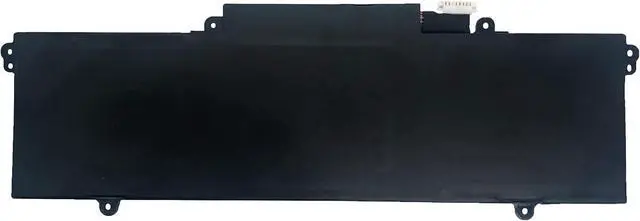
EPYOBW is a professional laptop battery supplier that continues to provide durable and safe laptop batteries. Wish you a happy shopping
Step 1: Press the "Windows + R" keys to pop up the window.
Step 2: Enter "msinfo32" and click "OK".
Step 3: View the "System Model" in the right pane.
Step 1: Shut down the laptop and unplug the power cord.
Step 2: Carefully use a screwdriver to remove the back panel to prevent damage to laptop components.
Step 3: Disconnect the cable connected to the battery, then you can check the model number and specific specifications on the battery.
Brand new battery
Rechargeable up to 1000+ times
Overcharging protection
Overheating protection
Short circuit protection
professional
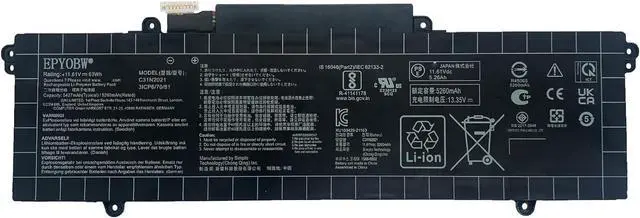
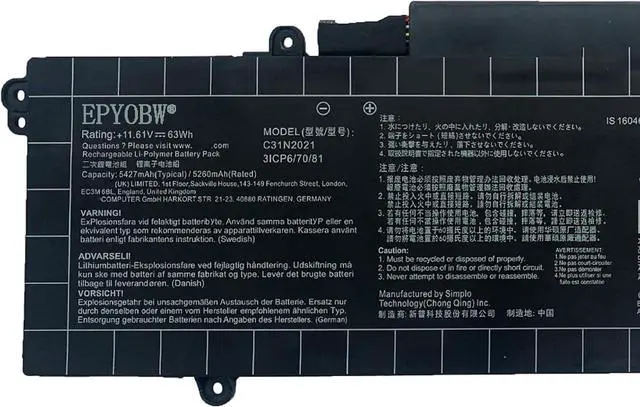
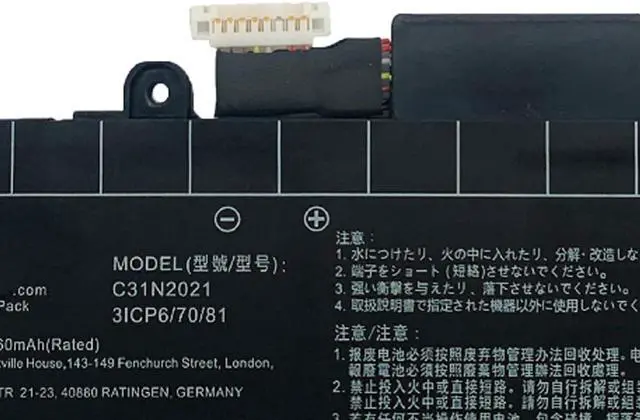
Battery Model:C31N2021
Capacity: 63Wh 5427mAh 3-Cell
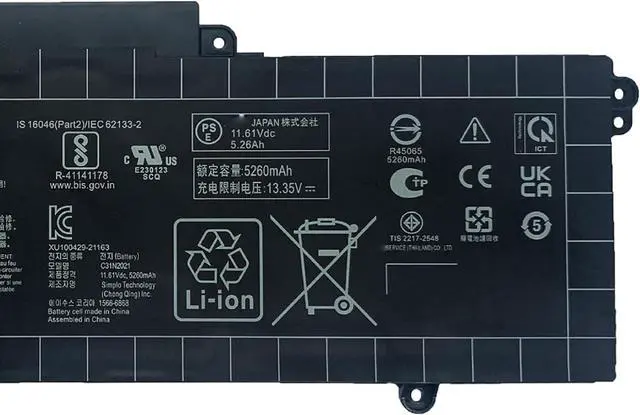
Voltage: 11.61V
Battery Type: Li-ion
Condition: Brand New
Color: Black
Replace Part Number:
C31N2021 0b200-04030000
Compatible Laptop Models:(use""Ctrl+F to find your model quickly"")
for Asus ZenBook 14 Flip OLED UP5401EA Series: UP5401EA UP5401EA-KN154W UP5401EA-OLED007 UP5401
for Asus ZenBook 14X OLED UM5400QA Series:
UM5400QA UM5400QA-KN008T UM5400QA-KN010T UM5400QA-KN202W UM5401QA-KN004W
UM5401QA-L7041 UM5401QA-L7207W UM5401QA-R75DHDPB2 UM5401QA-R95DHDPP1
for Asus ZenBook 14X OLED UM5401RA Series: UM5401RA UM5401RA-KN063W UM5401RA-KN065 UM5401RA-KN069W
for Asus ZenBook 14X OLED UP5401ZA Series:
UP5401ZA UP5401ZA-KN011W UP5401ZA-KU121W UP5401ZA-OLEDS55 UX5400EA-KM014T
UX5400EA-KM034T UX5400EA-KN068T UX5400EA-KN125W UX5400EA-KN126T UX5400EA-KN132T
UX5400EA-KN210X UX5400EA-KN219W UX5400EA-KN273W UX5400EA-L7154W UX5400EG-XB73T
for Asus ZenBook 14X OLED UX5400ZB Series:
UX5400ZB UX5400ZB-DB74T UX5400ZB-L7019W UX5400ZB-L7026W UX5400ZB-L7047W UX5400ZB-L7076W
for Asus ZenBook 14X OLED UX5400ZF Series:
UX5400ZF UX5400ZF-0063G1260P UX5400ZF-KU019W UX5400ZF-L7025W UX5400ZF-PB76T
for Asus ZenBook 14X OLED UX5401ZA Series:
UX5401EA UX5401EA-KN133T UX5401EA-KN141T UX5401EA-KN144T UX5401EA-KN144W UX5401EA-KN146W
UX5401EA-KN155 UX5401EA-KN155W UX5401EA-KN159W UX5401EA-KN511T UX5401EA-L7040T UX5401EA-L7101W
UX5401EA-L7102T UX5401EA-L7103T UX5401EA-L7106T UX5401EA-L7111 UX5401EA-PURE13 UX5401EA-PURE15
UX5401EA-PURE3 UX5401EA-PURE4X UX5401ZA-DB71-CA UX5401ZA-KN061W UX5401ZA-KN731X UX5401ZA-KP005W
UX5401ZA-L7015X UX5401ZA-L7016W UX5401ZA-L7020X UX5401ZA-L7029W UX5401ZA-L7077W UX5401ZA-L7078W
UX5401ZA-L7084W UX5401ZA-L7136X UX5401ZA-PS74
for Asus ZenBook 14X OLED UX5401ZAS Series:
UX5401ZAS UX5401ZAS-KN014W UX5401ZAS-KU129W UX5401ZAS-L7036X UX5401ZAS-OLED007 UX5401ZAS-XS99T
for Zenbook 14X UX5400E UX5401 UX5401ZAS Series
for Asus ZenBook 14X UX5401EA Series:
UX5401EA UX5401EA-KN144T UX5401EA-KN146T UX5401EA-KN511TS UX5401EA-KN711TS UX5401EA-L7106T UX5401EA-OLED-KN511T UX5401EA-PURE4X
for Asus ZenBook Flip 14 OLED UN5401RA UN5401QA-KN085W Series
Notice needing attention:
Not all compatible laptop models are listed or included here.
You can open the back of your laptop to check the original battery model number.
Brand new battery
100% compatible
Meet OEM specifications
Rechargeable up to 1000+ times
capacity is true, stable current, low self-discharge
short circuit, overheat, and overload protections
Multiple protection
Strong battery life
Good "core" quality
After getting the battery, please install the battery correctly, make sure that the battery connector is firmly connected to the laptop motherboard, and start charging the laptop. Discharge the new battery to 5% (not 0%), then charge and cycle 3-4 times to wake up the new battery.
Remember not to discharge the battery to 0%, otherwise the battery will be easily damaged.
After the battery is exhausted, please charge it in time. If it is not





 here!
here!