Important note :
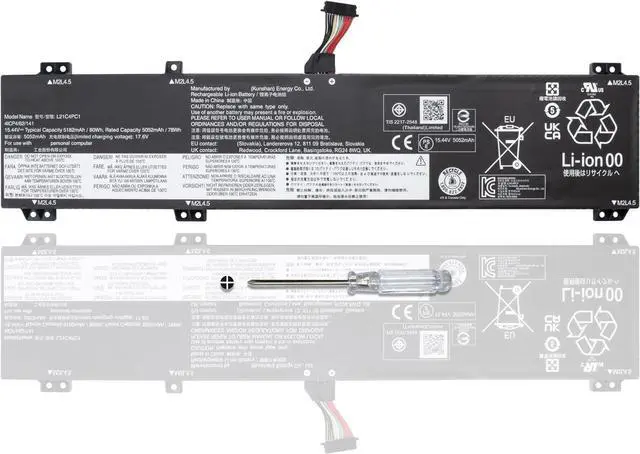
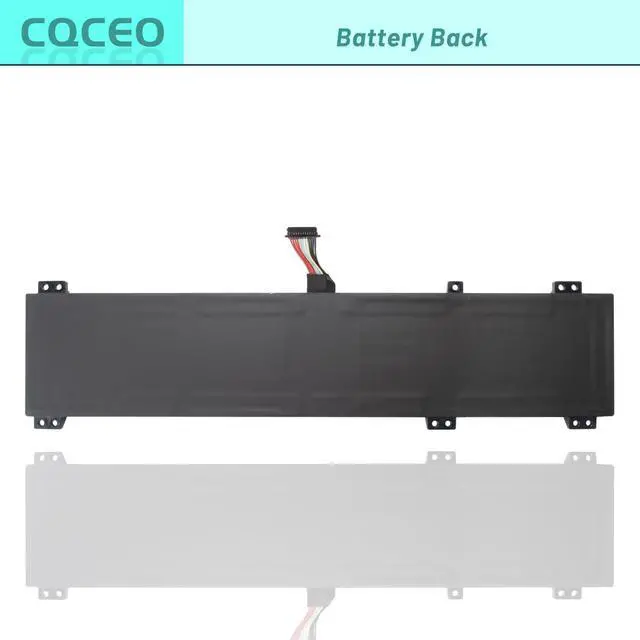
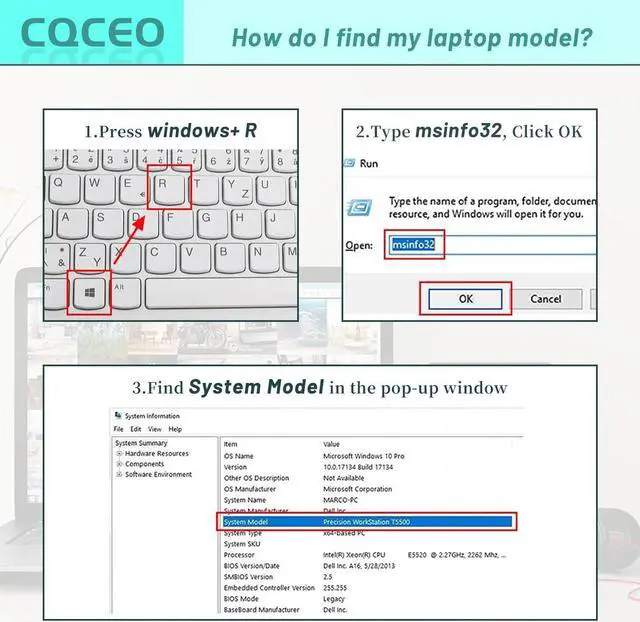
Before purchasing, could you please open your laptop case and confirm your original battery model number, According to battery image, and make sure that's what you need.
Specifications:
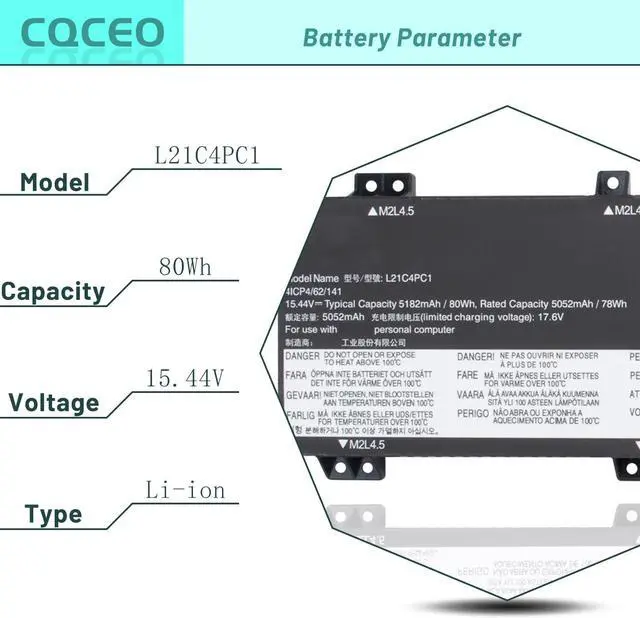
Voltage: 15.44V
Capacity: 80Wh/5182mAh/4-Cell
Battery Type: Lithium ion
Battery Condition: Brand New
Color: Black
Condition: 100% New from Manufacturer, Grade A Cell
Compatible Part Numbers:
L21D4PC1 SB11F24153 5B11F24156 SB11N47491 5B11N47509
L21M4PC2 SB11F24155 5B11F24152 SB11N47458 5B11N47460
L21B4PC0 SB11F24159 5B11F24147 SB11N47469 5B11N47436
L21C4PC1 SB11F24149 5B11F24161 SB11N47422 5B11N47511
L21M4PC3 SB11F24164 5B11F24148 SB11N47481 5B11N47420
L21D4PC0 SB11F24145 5B11F24163 L21C4PC0 SB11F24160 5B11F24157
L21L4PC0 SB11F24162 5B11F24151 L21M4PC0 SB11F24146 5B11F24158
L21M4PC1 SB11F24154 5B11F24150 SB11N47424 5B11N47489 SB11N47438
5B11N47418 SB11N47456 5B11N47505 SB11N47487 5B11N47430
Compatible Machine Models (Use "Ctrl+F to find your model quickly):
for Lenovo IdeaPad Gaming 3-15ARH7 Series
for Lenovo IdeaPad Gaming 3-15IAH7 Series
for Lenovo Legion 5-15ARH7 Series
for Lenovo Legion 5-15ARH7H Series
for Lenovo Legion 5-15IAH7 Series
for Lenovo Legion 5-15IAH7H Series
for Lenovo Legion 5-15ACH6 Series
for Lenovo Legion 5-15ACH6A Series
for Lenovo Legion 5-15ACH6H Series
for Lenovo Legion 5 Pro-16ARH7 Series
for Lenovo Legion 5 Pro-16ARH7H Series
for Lenovo Legion 5 Pro-16IAH7 Series
for Lenovo Legion 5 Pro-16IAH7H Series
for Lenovo Legion 5 Pro-16ACH6H Series
for Lenovo Legion 5 Pro-16ITH6 Series
for Lenovo Legion 5 Pro-16ITH6H Series
How to use the battery correctly :
1. To prevent safety issues from transportation, all battery out off factory are charged 40-50%,(you can check from laptop Battery indicator icon). For initial using of the battery, please discharge it to 5%(not to 0%) and then charge to 100%, and cycle 3-4 times to activate the batterys maximum capacity.
2. Please recharge immediately when battery reduced to 15% level,when you use the battery. Or it will shorten the battery life and cause damages to the battery.
3. If the battery do not use for a long time, please keep the battery to charge to a minimum 50% electricity. Or, it will maybe cause unable to charge again.To maintain the best battery state,replacement battery needs to be fully discharge to 15% and recharge to 100% each 2 month.
4.Do not unplug the battery during charging , better to turn off the laptop when recharge the it.
5.If your laptop cant be charged or cannot be fully charged,there may be possibilities that the adapter does not compatible with the laptop or theres some damage with the adapter. Please switch off your laptop and try again or change to a correct adapter.
6.The battery usage time is related to factors such as the CPU processor speed, application, program, screen brightness, wireless device external ports, and battery life of the laptop, so the actual usage time of the battery may differ from that of the same model of battery.
CQCEO L21C4PC1 L21D4PC1 Battery for Lenovo Legion 5 15IAH7 15ARH7 15ACH6 Legion 5 Pro 16IAH7 16ACH6 16ITH6 Series SB11F24153 5B11F24156 5B11F24161 SB11F24154 5B11F24150 15.44V 80Wh 5182mAh
Share:
Found a lower price? Let us know. Although we can't match every price reported, we'll use your feedback to ensure that our prices remain competitive.
Fields with an asterisk * are required
**