

Your Browsing History
- Free 30-day Returns
$155.00
Ships from Hong Kong.

Meet Your Seller

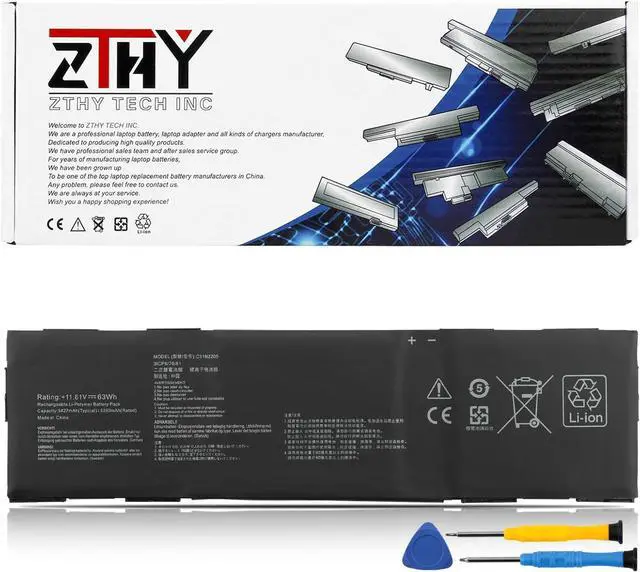
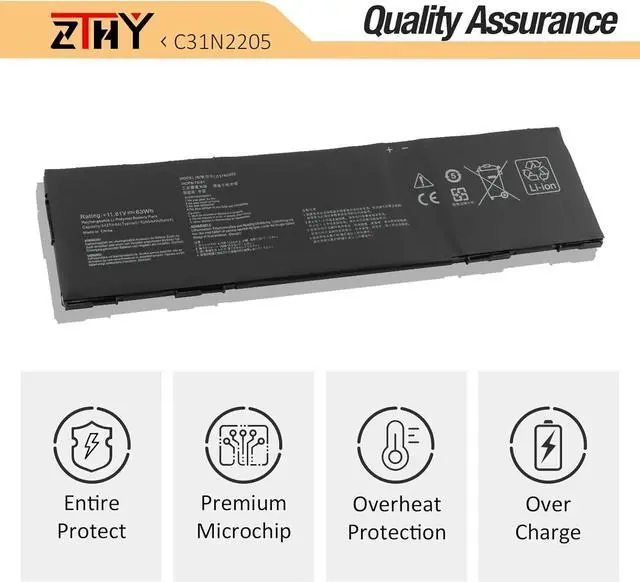
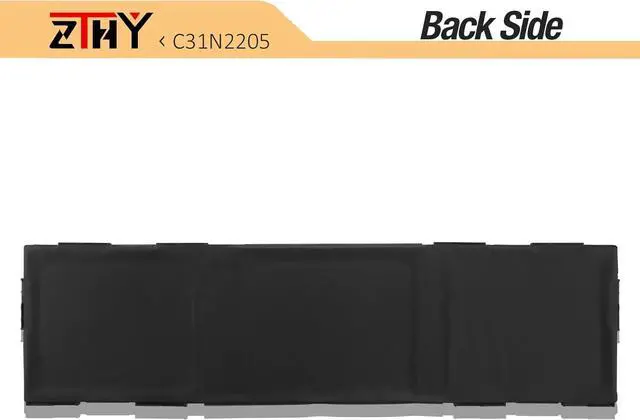


ZTHY C31N2205 Laptop Battery Replacement for Asus Chromebook Vibe CX34 Flip CX3401FBA CM3401FFA CM3401-R3128BL CX9 CX9400CEA-DS566T ExpertBook B3 B3404CVF Series 0B200-04010000 11.61V 63Wh 3-Cell
- Specifications: Battery type: Li-Polymer. Color: Black. Voltage: 11.61V. Capacity: 63Wh. New from Manufacturer. Up to 500 recharge cycles over the life of the battery
- Compatible Part Number: C31N2205 0B200-04010000 3ICP6/70/81
- Compatible with Laptop Models: Replacement for Asus Chromebook Vibe CX34 Flip CX3401FBA CM3401FFA CM3401-R3128BL CX9 CX9400CEA-DS566T ExpertBook B3 B3404CVF Series
- Security: All ZTHY products are Certified by CE, FCC for safety. Strict guidelines for compatibility, and standards compliance for environment safety
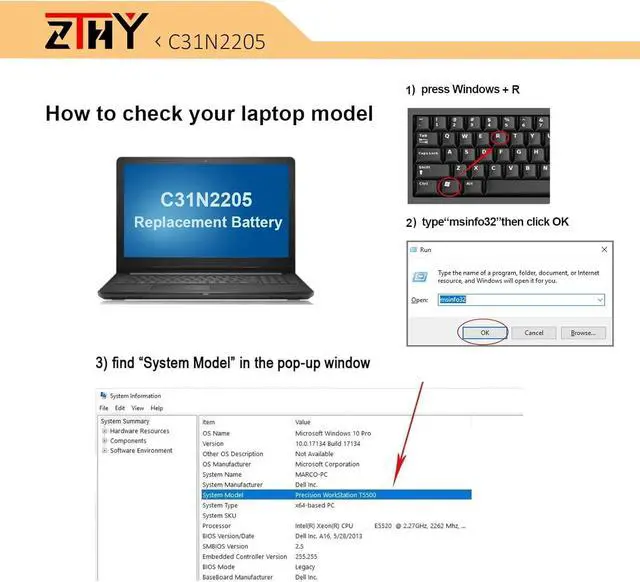
- Note: If the new battery is not recognized during the initial installation, please reinstall and check if the interface is fully connected. Discharge the new battery to 10-20% (not 0%), then charge and cycle 3-4 times to wake up the new battery
+
+
Overview
Reviews

Any questions? Our AI mode will help you find out quickly.
Try me now
1: High capacity circulatory function
2: Tested with strict quality control standards
3: Low power consumption IC design
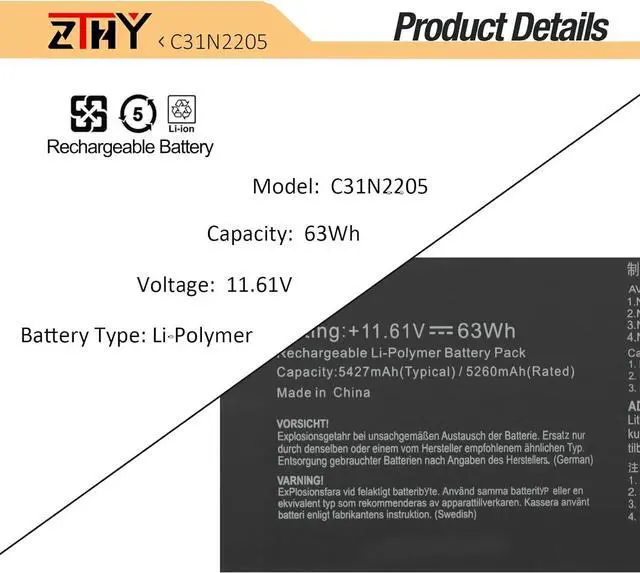
Battery Type: Li-Polymer
Battery Voltage: 11.61V
Battery Capacity: 63Wh
Battery Color: Black
Replacement for Part Number:
C31N2205 0B200-04010000 3ICP6/70/81
Compatible with Laptop Model : (use "ctrl+F" to find your model quickly)
Replacement for Asus Chromebook Vibe CX34 Flip CX3401FBA CM3401FFA CM3401-R3128BL Series
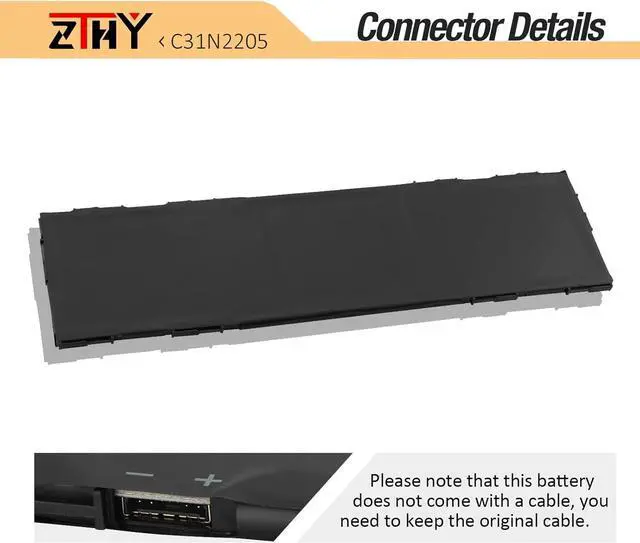
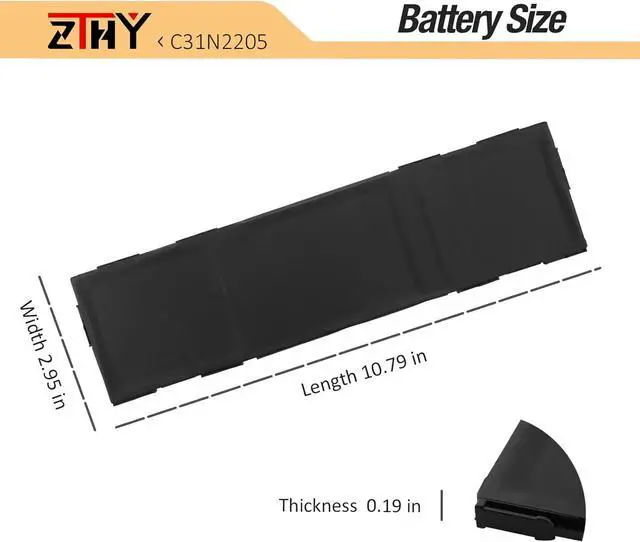
1. First check if the battery is the same size as your original battery after receiving it. When installing the battery, pay attention to whether the battery cable is fixed. If the battery cable is not installed correctly, the battery may not be charged.
2. If you use the battery for the first time after installing the battery, please do not charge the battery immediately, first use the battery to 10-20%, and then charge the battery, and cycle charging 5-6 times to activate the maximum use of the battery space.
3. We recommend that you search for battery removal tutorials on the Internet in advance, or seek help from a professional technician. We won't responsible for any damage due to improper operation.
1, You need to turn off your laptop and disconnect the power.
2, Disconnect the connection between the old battery and the motherboard to avoid unnecessary damage caused by disassembling the battery. Then unscrew the old battery screws one by one and carefully save each screw.
3, Remove the old battery, carefully install the new battery on the battery case, screw in the screw, and connect the wiring of the new battery.
4, If you don't understand the above steps, you can search for the video about laptop battery installation on YouTube. Maybe it will help you.
Q: Why my computer didn't recognize this battery or I install this battery and it doesn't seem to work?
A: The reason is residual power stored in the laptop components that was preventing the battery from working properly. Please disconnecting the old battery, and holding down the power button for 20 seconds, then connect the new battery. This drains the residual or flea power and once the laptop is reassembled the battery will function properly.
1. Do not use it if the battery is damaged and swollen.
2. Do not disassemble, crush or puncture. Do not dispose of it in fire or water.
3. If you remove the battery for a long time, charge more than 80% at least one time within one month.
4. Don't connect the adapter for a long time while using the battery. It may damage the battery.
5. When using the battery, care should be taken to prevent exposure and moisture.
Committed to providing customers with various high-quality batteries, and can help you easily solve the problem.
Previous page
Next pageZTHY C31N2205 Laptop Battery Replacement for Asus Chromebook Vibe CX34 Flip CX3401FBA CM3401FFA CM3401-R3128BL CX9 CX9400CEA-DS566T ExpertBook B3 B3404CVF Series 0B200-04010000 11.61V 63Wh 3-Cell
Share:
Found a lower price? Let us know. Although we can't match every price reported, we'll use your feedback to ensure that our prices remain competitive.
Fields with an asterisk * are required
**
2: Tested with strict quality control standards
3: Low power consumption IC design
Battery Type: Li-Polymer
Battery Voltage: 11.61V
Battery Capacity: 63Wh
Battery Color: Black
Replacement for Part Number:
C31N2205 0B200-04010000 3ICP6/70/81
Compatible with Laptop Model : (use "ctrl+F" to find your model quickly)
Replacement for Asus Chromebook Vibe CX34 Flip CX3401FBA CM3401FFA CM3401-R3128BL Series
1. First check if the battery is the same size as your original battery after receiving it. When installing the battery, pay attention to whether the battery cable is fixed. If the battery cable is not installed correctly, the battery may not be charged.
2. If you use the battery for the first time after installing the battery, please do not charge the battery immediately, first use the battery to 10-20%, and then charge the battery, and cycle charging 5-6 times to activate the maximum use of the battery space.
3. We recommend that you search for battery removal tutorials on the Internet in advance, or seek help from a professional technician. We won't responsible for any damage due to improper operation.
1, You need to turn off your laptop and disconnect the power.
2, Disconnect the connection between the old battery and the motherboard to avoid unnecessary damage caused by disassembling the battery. Then unscrew the old battery screws one by one and carefully save each screw.
3, Remove the old battery, carefully install the new battery on the battery case, screw in the screw, and connect the wiring of the new battery.
4, If you don't understand the above steps, you can search for the video about laptop battery installation on YouTube. Maybe it will help you.
Q: Why my computer didn't recognize this battery or I install this battery and it doesn't seem to work?
A: The reason is residual power stored in the laptop components that was preventing the battery from working properly. Please disconnecting the old battery, and holding down the power button for 20 seconds, then connect the new battery. This drains the residual or flea power and once the laptop is reassembled the battery will function properly.
1. Do not use it if the battery is damaged and swollen.
2. Do not disassemble, crush or puncture. Do not dispose of it in fire or water.
3. If you remove the battery for a long time, charge more than 80% at least one time within one month.
4. Don't connect the adapter for a long time while using the battery. It may damage the battery.
5. When using the battery, care should be taken to prevent exposure and moisture.
Committed to providing customers with various high-quality batteries, and can help you easily solve the problem.
Previous page
Next pageZTHY C31N2205 Laptop Battery Replacement for Asus Chromebook Vibe CX34 Flip CX3401FBA CM3401FFA CM3401-R3128BL CX9 CX9400CEA-DS566T ExpertBook B3 B3404CVF Series 0B200-04010000 11.61V 63Wh 3-Cell
Share:
Found a lower price? Let us know. Although we can't match every price reported, we'll use your feedback to ensure that our prices remain competitive.
Fields with an asterisk * are required
**
Warranty & Returns
Warranty, Returns, And Additional Information
Warranty
- Please contact the Seller directly for warranty information. Warranty information may also be found on the Manufacturer's website.
- CONTACT
Return Policies
- Return for refund within: 30 days
- Return for replacement within: 30 days
- This item is covered by AyeFlow Return Policy
Manufacturer Contact Info
- For a directory of all our manufacturers, please click below.
- Manufacturers Directory
LOADING...