

Your Browsing History
- Free 30-day Returns
$106.91
Ships from China.


Meet Your Seller


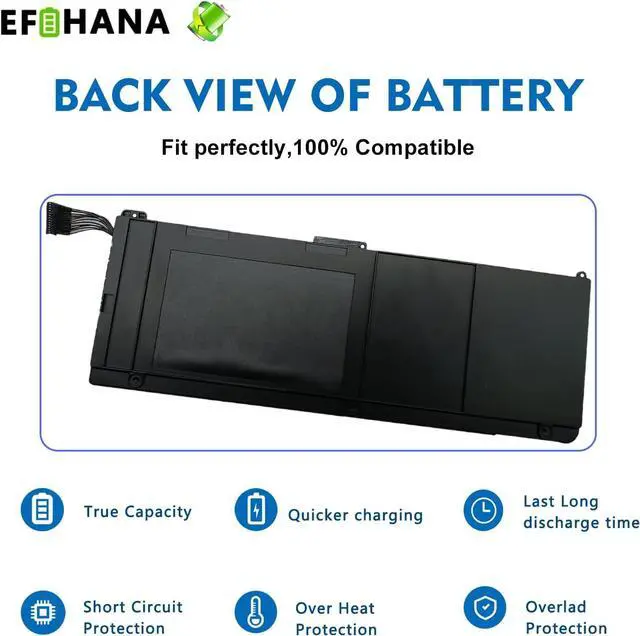


A1309 Laptop Battery Replacement for MacBook Pro 17 inch A1297 (Only fit Early 2009 Mid2009 Mid2010 Version) A MC226CH MC226/A MC226J/A MC226LL/A MC226ZP/A 7.4V 95Wh
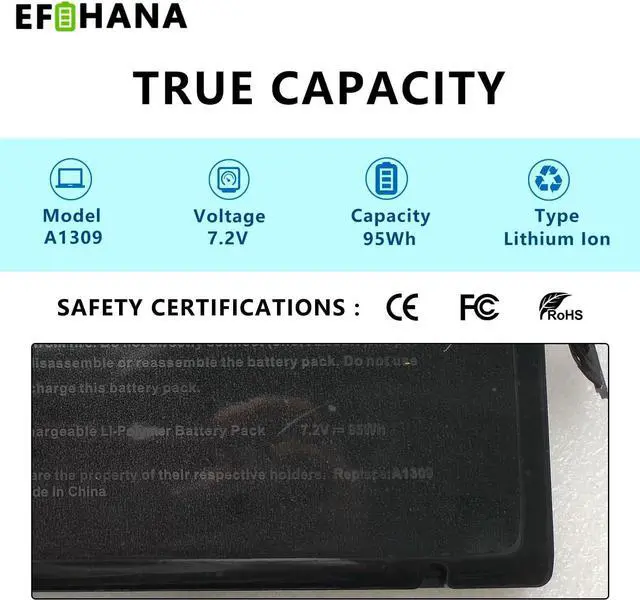
- SpecificationsModel:A1309 // Battery type: Li-ion // Voltage: 7.3V // Capacity: 95Wh 12000mAh// 100% New from Manufacturer. Top circuit boards and smart chip.
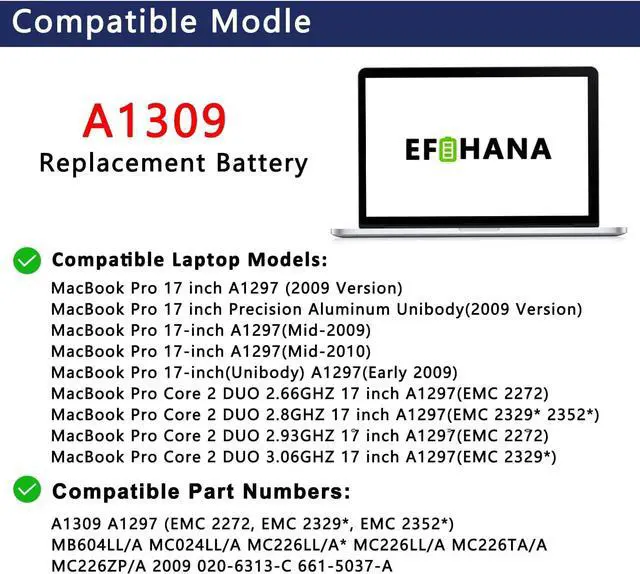
- Compatible Part NumberA1309 A1297 (EMC 2272, EMC 2329*, EMC 2352*)
- Compatible with Laptop Models Fit for MacBook Pro 17 A1297 EMC 2272 /2329 /2352 MB604LL/A MC024LL/A MC226LL/A* MC226LL/A MC226TA/A MC226ZP/A 2009 2010 MacBook Pro 17 Inch A1297 Laptop Battery
- After ServiceReturn and exchange are permitted within 30 days, accompanied by a 12-month warranty. (NOTE: If you encounter any issues with the battery, please reach out to usunder "YOUR ORDER," select the "contact seller" option.)
- Gentle Reminder: If the new battery is not recognized during the initial installation, please reinstall and check if the interface is fully connected. Discharge the new battery to 10% (not 0%), then charge and cycle 3-4 times to wake up the new battery .
+
+
Overview
Reviews

Any questions? Our AI mode will help you find out quickly.
Try me now
EFOHANA is committed to providing you with high quality laptop batteries, tablet batteries, adapters and other products. We will also provide you with high quality and efficient after-sales service to attract and retain more customers.
Model: A1309
Voltage:7.2V
Capatity:95Wh
Battery Condition: Brand New
Compatible Part Number :
A1309 A1297 (EMC 2272, EMC 2329*, EMC 2352*) MB604LL/A MC024LL/A MC226LL/A* MC226LL/A MC226TA/A MC226ZP/A 2009 020-6313-C 661-5037-A
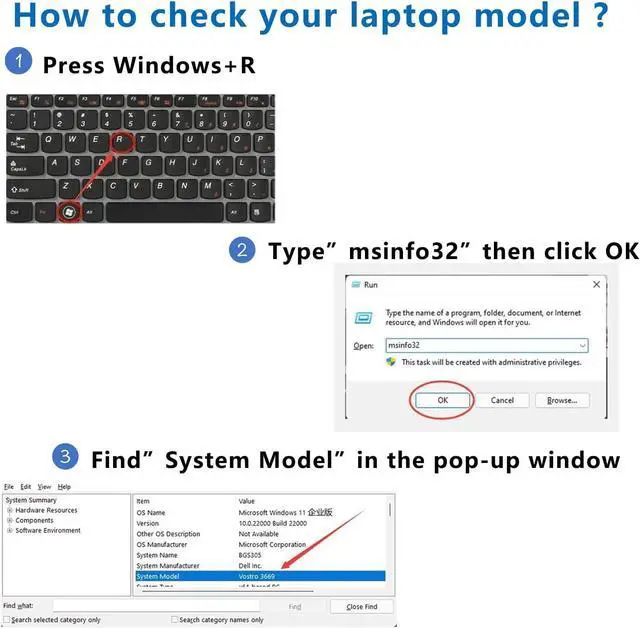
Compatible Models(Use "Ctrl"+"F" to find your laptop model)
Fit for 2009 2010 MacBook Pro 17" A1297 Model Number:
MacBook Pro 17 inch A1297 (2009 Version)
MacBook Pro 17 inch MB604LL/A, MC024LL/A, MC226*/A, MC226CH/A, MC226J/A, MC226LL/A*, MC226LL/A, MC226TA/A, MC226ZP/A
MacBook Pro 17 inch Precision Aluminum Unibody(2009 Version)
MacBook Pro 17-inch A1297(Mid-2009)
MacBook Pro 17-inch A1297(Mid-2010)
MacBook Pro 17-inch(Unibody) A1297(Early 2009)
MacBook Pro Core 2 DUO 2.66GHZ 17 inch A1297(EMC 2272)
MacBook Pro Core 2 DUO 2.8GHZ 17 inch A1297(EMC 2329*)
MacBook Pro Core 2 DUO 2.93GHZ 17 inch A1297(EMC 2272)
MacBook Pro Core 2 DUO 3.06GHZ 17 inch A1297(EMC 2329*)
MacBook Pro Core I5 2.53GHZ 17 inch A1297(EMC 2352*)
MacBook Pro Core I7 2.66GHZ 17 inch A1297(EMC 2352*)
MacBook Pro Core I7 2.8GHZ 17 inch A1297(EMC 2352*)
We wanted to deliver a battery that doesn't only only last long, but also safe for use. Weve incorporated Grade A battery cells to ensure longer battery life, durability, and lower power consumption. All of our batteries offer 1000+ recharge cycles over life of battery.
Each battery contains built in multi-protection functions such as short circuit, overheat & overload for maximum safety.
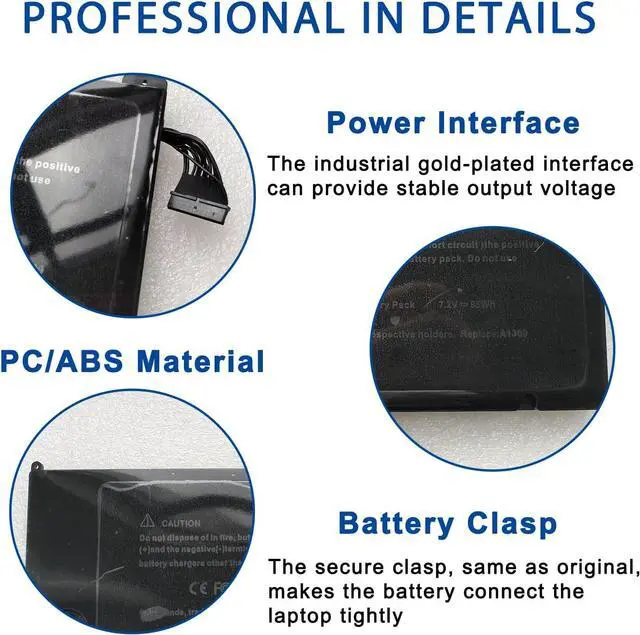
Power Interface: Gold-plated connector points to ensure current transport excellently and serve stably.
Enclosure: The enclosure is made of ABS + PC high quality material, it has high temperature resistant function to protect your laptop overheat.
Battery Buckle: The battery buckle is closely connected to the laptop, and the metal interface is stably powered.
All of our batteries are brand new and are 100% compatible to meet OEM specifications for safety and efficiency. Same size as original battery, Don't worry about assembly and adaptation issues.
You need to turn off your laptop and disconnect the power.
Disconnect the connection between the old battery and the motherboard to avoid unnecessary damage caused by disassembling the battery. Then unscrew the old battery screws one by one and carefully save each screw.
Remove the old battery, carefully install the new battery on the battery case, screw in the screw, and connect the wiring of the new battery.
If you don't understand the above steps, you can search for the video about laptop battery installation on YouTube. Maybe it will help you.
New battery: For use a new battery, youd better try a few cycles of discharging to 5%. then charging up to 95%. So that it can be activated completely.
Overuse: Do not always run out of a battery to 0%, this would make it damaged or usage life shortened.
Charging sequence: when charging, first install the battery, then turn on the power, when fully charged, first cut off the power, then pull the power plug.
Long-term storage:Please store the unused battery fully charged.(Charge it once a month) Do not store at low power to prevent reduce the lifespan of a battery.
Turn off the laptop.
Unplug AC power.
Remove the battery.
Replace AC power.
Turn on laptop,allow OS to boot.
Once logged in to the machine,perform a normal shut donw.
Unplug AC power.
Replace battery.
About battery safety: Compatible with laptop, safety and stability.
Regarding the capacity of the battery: The capacity of the new battery cell consumes power slowly and has little loss.
About battery life: The average life of a brand new b
Model: A1309
Voltage:7.2V
Capatity:95Wh
Battery Condition: Brand New
Compatible Part Number :
A1309 A1297 (EMC 2272, EMC 2329*, EMC 2352*) MB604LL/A MC024LL/A MC226LL/A* MC226LL/A MC226TA/A MC226ZP/A 2009 020-6313-C 661-5037-A
Compatible Models(Use "Ctrl"+"F" to find your laptop model)
Fit for 2009 2010 MacBook Pro 17" A1297 Model Number:
MacBook Pro 17 inch A1297 (2009 Version)
MacBook Pro 17 inch MB604LL/A, MC024LL/A, MC226*/A, MC226CH/A, MC226J/A, MC226LL/A*, MC226LL/A, MC226TA/A, MC226ZP/A
MacBook Pro 17 inch Precision Aluminum Unibody(2009 Version)
MacBook Pro 17-inch A1297(Mid-2009)
MacBook Pro 17-inch A1297(Mid-2010)
MacBook Pro 17-inch(Unibody) A1297(Early 2009)
MacBook Pro Core 2 DUO 2.66GHZ 17 inch A1297(EMC 2272)
MacBook Pro Core 2 DUO 2.8GHZ 17 inch A1297(EMC 2329*)
MacBook Pro Core 2 DUO 2.93GHZ 17 inch A1297(EMC 2272)
MacBook Pro Core 2 DUO 3.06GHZ 17 inch A1297(EMC 2329*)
MacBook Pro Core I5 2.53GHZ 17 inch A1297(EMC 2352*)
MacBook Pro Core I7 2.66GHZ 17 inch A1297(EMC 2352*)
MacBook Pro Core I7 2.8GHZ 17 inch A1297(EMC 2352*)
We wanted to deliver a battery that doesn't only only last long, but also safe for use. Weve incorporated Grade A battery cells to ensure longer battery life, durability, and lower power consumption. All of our batteries offer 1000+ recharge cycles over life of battery.
Each battery contains built in multi-protection functions such as short circuit, overheat & overload for maximum safety.
Power Interface: Gold-plated connector points to ensure current transport excellently and serve stably.
Enclosure: The enclosure is made of ABS + PC high quality material, it has high temperature resistant function to protect your laptop overheat.
Battery Buckle: The battery buckle is closely connected to the laptop, and the metal interface is stably powered.
All of our batteries are brand new and are 100% compatible to meet OEM specifications for safety and efficiency. Same size as original battery, Don't worry about assembly and adaptation issues.
You need to turn off your laptop and disconnect the power.
Disconnect the connection between the old battery and the motherboard to avoid unnecessary damage caused by disassembling the battery. Then unscrew the old battery screws one by one and carefully save each screw.
Remove the old battery, carefully install the new battery on the battery case, screw in the screw, and connect the wiring of the new battery.
If you don't understand the above steps, you can search for the video about laptop battery installation on YouTube. Maybe it will help you.
New battery: For use a new battery, youd better try a few cycles of discharging to 5%. then charging up to 95%. So that it can be activated completely.
Overuse: Do not always run out of a battery to 0%, this would make it damaged or usage life shortened.
Charging sequence: when charging, first install the battery, then turn on the power, when fully charged, first cut off the power, then pull the power plug.
Long-term storage:Please store the unused battery fully charged.(Charge it once a month) Do not store at low power to prevent reduce the lifespan of a battery.
Turn off the laptop.
Unplug AC power.
Remove the battery.
Replace AC power.
Turn on laptop,allow OS to boot.
Once logged in to the machine,perform a normal shut donw.
Unplug AC power.
Replace battery.
About battery safety: Compatible with laptop, safety and stability.
Regarding the capacity of the battery: The capacity of the new battery cell consumes power slowly and has little loss.
About battery life: The average life of a brand new b
Warranty & Returns
Warranty, Returns, And Additional Information
Warranty
- Please contact the Seller directly for warranty information. Warranty information may also be found on the Manufacturer's website.
- CONTACT
Return Policies
- Return for refund within: 30 days
- Return for replacement within: 30 days
- This item is covered by TechHive Return Policy
Manufacturer Contact Info
- For a directory of all our manufacturers, please click below.
- Manufacturers Directory
LOADING...