

Your Browsing History
- Free 30-day Returns
$81.69
Ships from Hong Kong.

Meet Your Seller


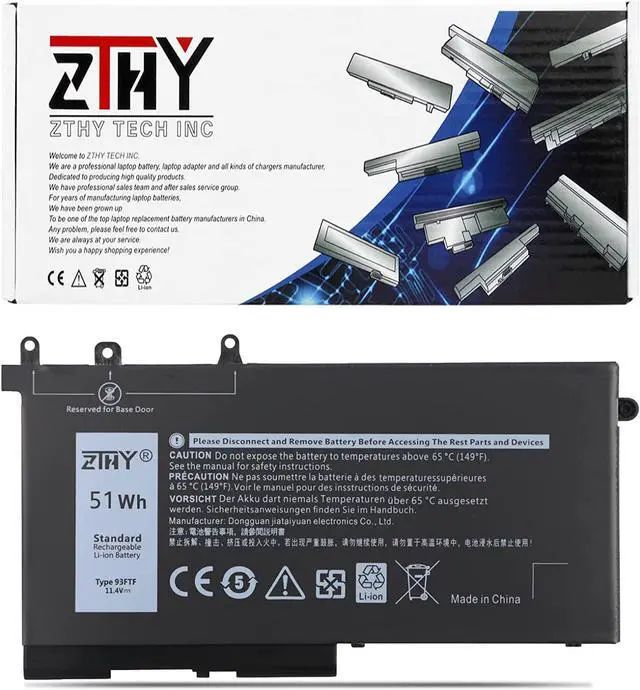
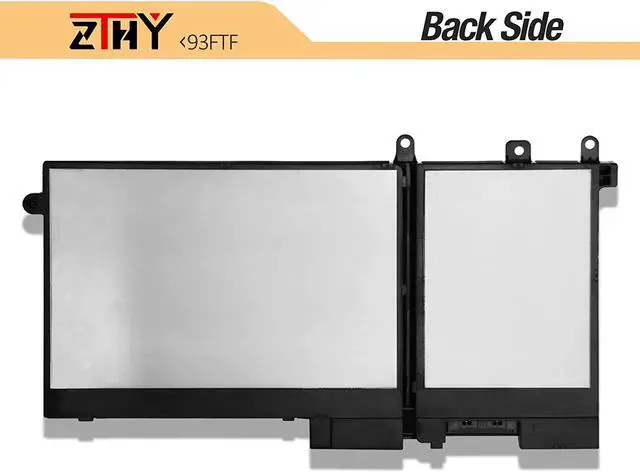
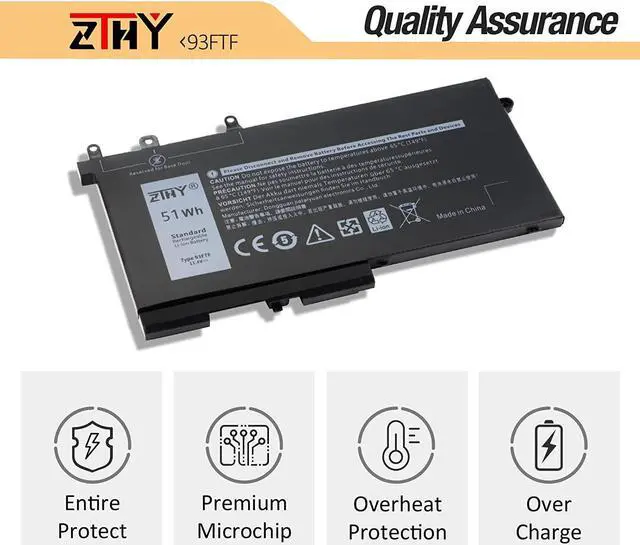
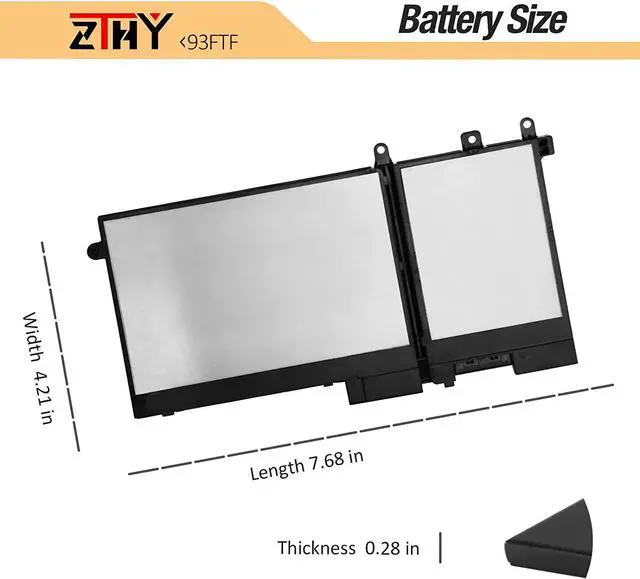


ZTHY 51Wh 93FTF Laptop Battery Replacement for Dell Latitude 5280 5480 5580 5590 5490 5288 5290 5290 5488 5495 E5280 E5480 E5580 E5490 E5590 E5480 E5290 E5591 Precision 15 3520 3530 D4CMT 451-BBZT
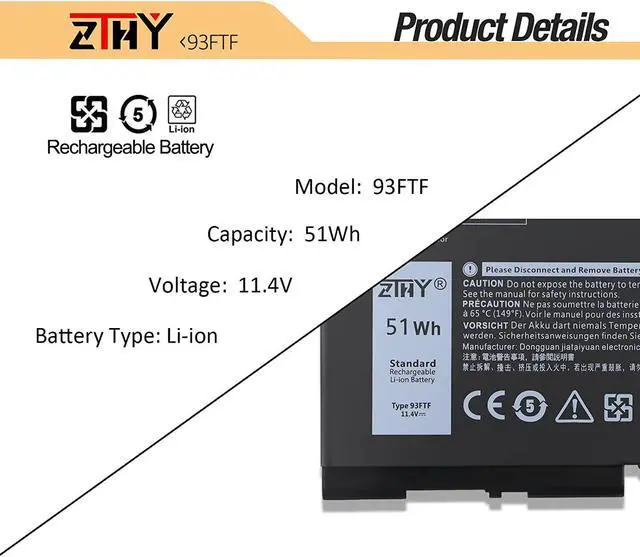
- Specifications Battery type:Li-ion. Voltage: 11.4V.Capacity: 51Wh. 100% New from Manufacturer. Up to 500 recharge cycles over the life of the battery.
- Replace Part Number 93FTF, 083XPC, 83XPC, D4CMT, 451-BBZT, 4YFVG, 3DDDG.(Important Note: there are 4 types' compatible battery, VG93N(92wh), GJKNX(68wh), 93FTF(51wh) and 3DDDG(42wh), Please choose the RIGHT battery model and capacity according to your laptop's original battery.)
- Compatible Models Dell Latitude 5280 5480 5580 5288 5290 5488 5490 5491 5495 5590 Series, Dell Latitude E5280 E5480 E5580 E5490 E5590 E5480 E5290 E5591 E5491 Series, Dell Precision 15 3520 3530 M3520 M3530 Series.
- SecurityAll ZTHY products are Certified by CE, FCC for safety. Strict guidelines for compatibility, and standards compliance for environment safety.
- ZTHY Laptop Battery Return PolicyRest assured with 30 days Refund and 12 months Warranty,also get our friendly customer service.
+
+
Overview
Specs
Reviews

Any questions? Our AI mode will help you find out quickly.
Try me now
Why should I choose this battery? 1: High capacity circulatory function
2: Tested with strict quality control standards
3: Low power consumption IC design
Specifications: Battery Type: Li-ion
Battery Condition: Brand New
Battery Voltage: 11.4V
Battery Capacity: 51Wh
Compatible Part Numbers:
93FTF, 083XPC, 83XPC, D4CMT, 4YFVG.
Attention:
The Dell laptop models on this product page are compatible with 4 battery models:
VG93N(92Wh 6-Cell), GJKNX(68Wh 4-Cell), 93FTF(51Wh 3-Cell), 3DDDG(42wh 3-Cell).
Please open the back cover of your laptop to check the original battery size and capacity before placing an order. Please scroll down to the list to purchase.
Compatible Laptop Models: Dell Latitude 5280 E5280 Series, Dell Latitude 5288 E5288 Series,
Dell Latitude 5480 E5480 Series, Dell Latitude 5580 E5580 Series,
Dell Latitude 5490 E5490 Series, Dell Latitude 5590 E5590 Series,
Dell Latitude 5491 E5491 Series, Dell Latitude 5591 E5591 Series,
Dell Latitude 5495 E5495 Series, Dell Latitude 5488 E5488 Series,
Dell Precision 3520 M3520 Series, Dell Precision 3530 M3530 Series.
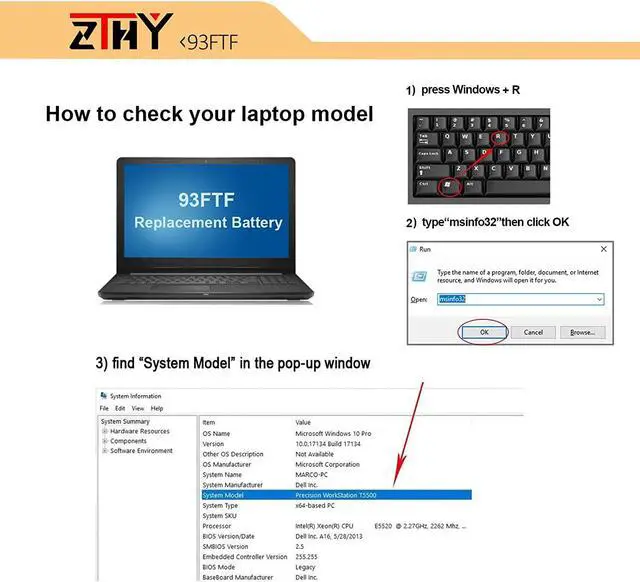
NOTE: Please choose a battery suitable for your laptop. If you are not sure, you can check the original battery model.
Easy to deal a variety of use environment Install A New Battery: 1, You need to turn off your laptop and disconnect the power.
2, Disconnect the connection between the old battery and the motherboard to avoid unnecessary damage caused by disassembling the battery. Then unscrew the old battery screws one by one and carefully save each screw.
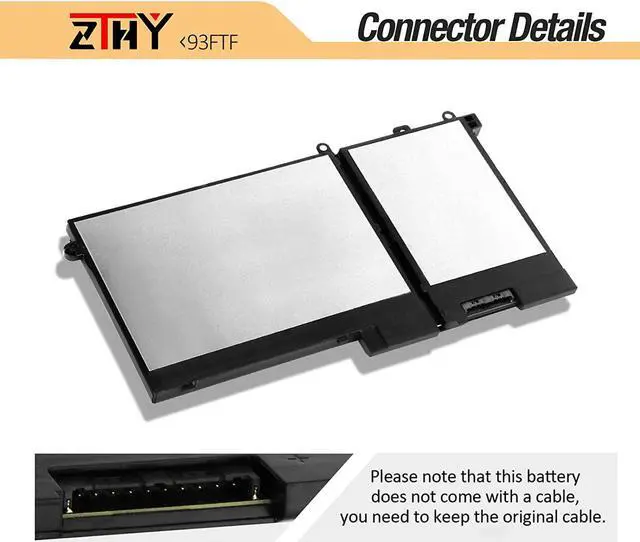
3, Remove the old battery, carefully install the new battery on the battery case, screw in the screw, and connect the wiring of the new battery.
4, If you don't understand the above steps, you can search for the video about laptop battery installation on YouTube. Maybe it will help you.
Installing New Battery Frequently Asked Question Solution: 1.Please use the remaining battery capacity to reach 10-15% for the first time.Then fully charge the battery, use it up.This process can be cycled 3 -5 times, which is beneficial to comprehensive to activate maximum capacity of lithium ions.
2.Do not disassemble, crush or puncture. Do not dispose of in fire or water.
3.If you remove battery for a long time, charge more than 80% at least one time within one months.
4.Don't connect adapter for a long time while using the battery. It may damage the battery.
5.When using the battery, care should be taken to prevent exposure and moisture.
The following are troubleshooting methods: 1.Turn off the laptop.
2.Unplug AC power.
3.Remove the battery.
4.Replace AC power.
5.Turn on laptop,allow OS to boot.
6.Once logged in to the machine,perform a normal shut donw.
7.Unplug AC power.
8.Replace battery.
2: Tested with strict quality control standards
3: Low power consumption IC design
Specifications: Battery Type: Li-ion
Battery Condition: Brand New
Battery Voltage: 11.4V
Battery Capacity: 51Wh
Compatible Part Numbers:
93FTF, 083XPC, 83XPC, D4CMT, 4YFVG.
Attention:
The Dell laptop models on this product page are compatible with 4 battery models:
VG93N(92Wh 6-Cell), GJKNX(68Wh 4-Cell), 93FTF(51Wh 3-Cell), 3DDDG(42wh 3-Cell).
Please open the back cover of your laptop to check the original battery size and capacity before placing an order. Please scroll down to the list to purchase.
Compatible Laptop Models: Dell Latitude 5280 E5280 Series, Dell Latitude 5288 E5288 Series,
Dell Latitude 5480 E5480 Series, Dell Latitude 5580 E5580 Series,
Dell Latitude 5490 E5490 Series, Dell Latitude 5590 E5590 Series,
Dell Latitude 5491 E5491 Series, Dell Latitude 5591 E5591 Series,
Dell Latitude 5495 E5495 Series, Dell Latitude 5488 E5488 Series,
Dell Precision 3520 M3520 Series, Dell Precision 3530 M3530 Series.
NOTE: Please choose a battery suitable for your laptop. If you are not sure, you can check the original battery model.
Easy to deal a variety of use environment Install A New Battery: 1, You need to turn off your laptop and disconnect the power.
2, Disconnect the connection between the old battery and the motherboard to avoid unnecessary damage caused by disassembling the battery. Then unscrew the old battery screws one by one and carefully save each screw.
3, Remove the old battery, carefully install the new battery on the battery case, screw in the screw, and connect the wiring of the new battery.
4, If you don't understand the above steps, you can search for the video about laptop battery installation on YouTube. Maybe it will help you.
Installing New Battery Frequently Asked Question Solution: 1.Please use the remaining battery capacity to reach 10-15% for the first time.Then fully charge the battery, use it up.This process can be cycled 3 -5 times, which is beneficial to comprehensive to activate maximum capacity of lithium ions.
2.Do not disassemble, crush or puncture. Do not dispose of in fire or water.
3.If you remove battery for a long time, charge more than 80% at least one time within one months.
4.Don't connect adapter for a long time while using the battery. It may damage the battery.
5.When using the battery, care should be taken to prevent exposure and moisture.
The following are troubleshooting methods: 1.Turn off the laptop.
2.Unplug AC power.
3.Remove the battery.
4.Replace AC power.
5.Turn on laptop,allow OS to boot.
6.Once logged in to the machine,perform a normal shut donw.
7.Unplug AC power.
8.Replace battery.
Warranty & Returns
Warranty, Returns, And Additional Information
Warranty
- Please contact the Seller directly for warranty information. Warranty information may also be found on the Manufacturer's website.
- CONTACT
Return Policies
- Return for refund within: 30 days
- Return for replacement within: 30 days
- This item is covered by haoyuzeshang Return Policy
Manufacturer Contact Info
- For a directory of all our manufacturers, please click below.
- Manufacturers Directory
LOADING...
LOADING...