Your Browsing History
- Free 30-day Returns
$107.89
Ships from Hong Kong.
Meet Your Seller
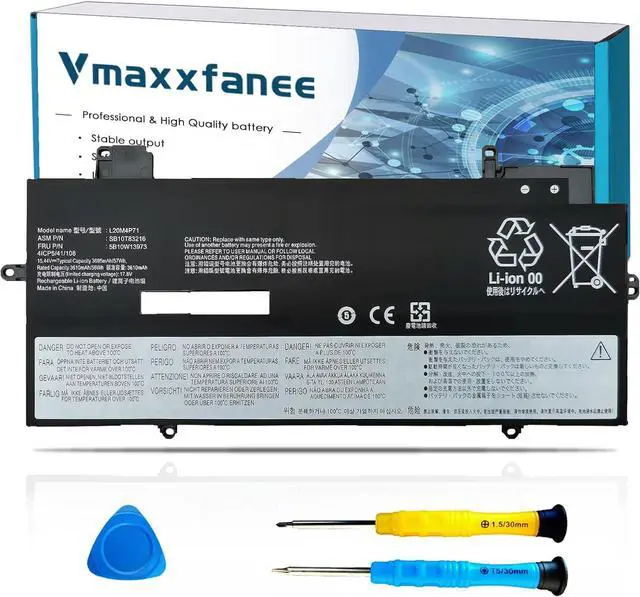
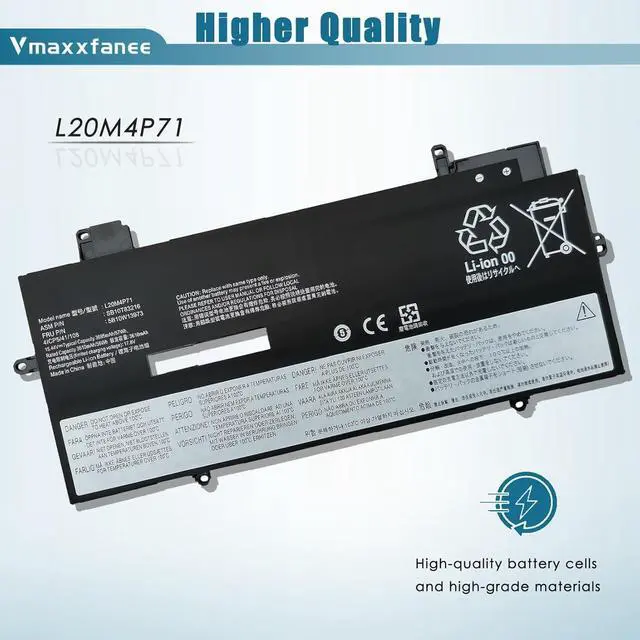
L20M4P71 Laptop Battery Replacement for Lenovo ThinkPad X1 Carbon 9th 10th Gen X1 Yoga 7th 6th Gen 2021 Series L20D4P71 SB10T83217 5B10W13974 SB10T83218 SB10T83215 L20C4P71 L20L4P71
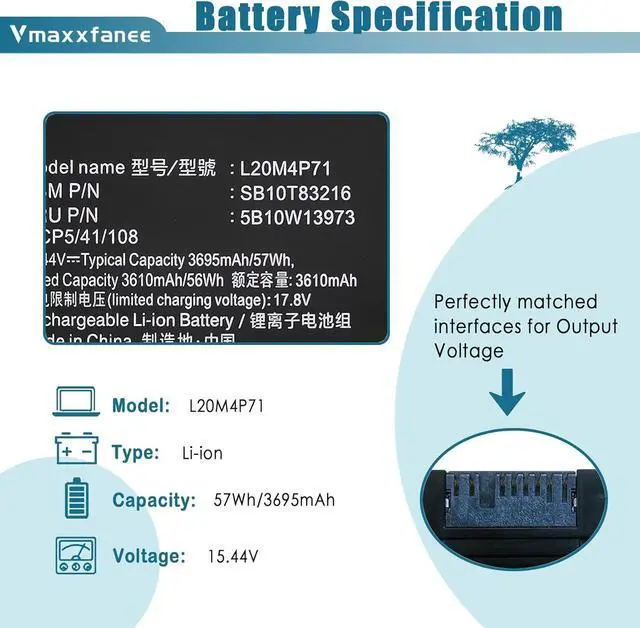
- Specifications Model: L20M4P71 . Voltage: 15.44V . Capacity:57Wh/3695mAh . Condition: 100% brand New from Manufacturer.
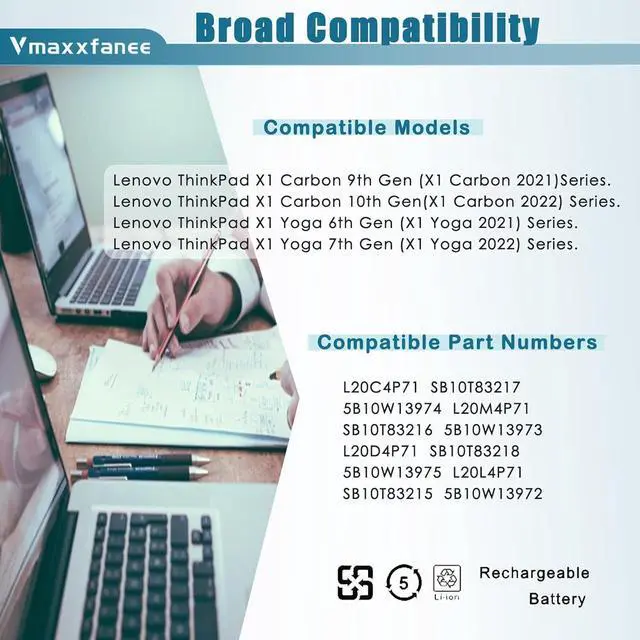
- Compatible laptop Modelsfor Lenovo ThinkPad X1 Yoga 7th Gen Series;for Lenovo ThinkPad X1 Yoga 6th Gen Series;for Lenovo ThinkPad X1 Yoga 2021 Series;for Lenovo ThinkPad X1 Yoga 2022 Series;for Lenovo ThinkPad X1 Carbon 9th Gen Series;for Lenovo ThinkPad X1 Carbon 10th Gen Series;for Lenovo ThinkPad X1 Carbon 2021 Series;for Lenovo ThinkPad X1 Carbon 2022 Series.
- Compatible P/NL20C4P71 L20M4P71 L20L4P71 L20D4P71 SB10T83215 SB10T83216 SB10T83217 5B10W13973 5B10W13974 5B10W13972 5B10W13975
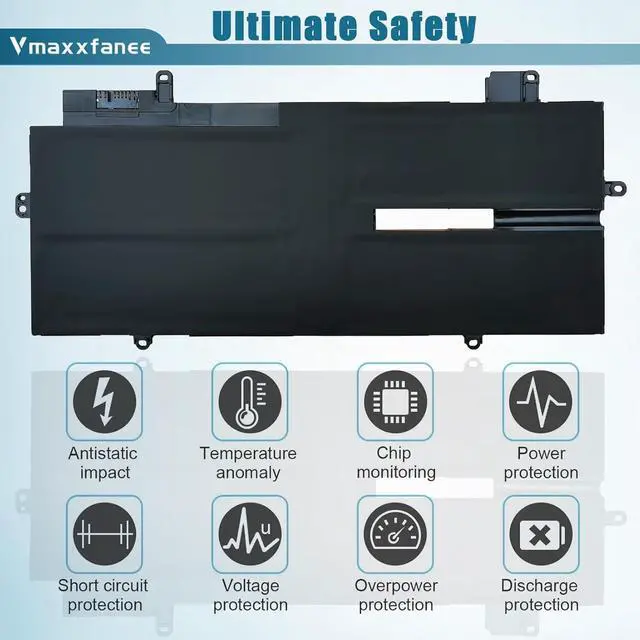
- Quality & Security Quality: grade A cells ensure fast charges and low power consumption. Safety: All of our products are Certified by UL / CE / FCC / RoHS for safety. Strict guidelines for compatibility, strict quality control standards to ensure the true capacity, stable current and low self-discharge and standards compliance for environment safety.We are confident in
+
+
Overview
Reviews
Any questions? Our AI beta will help you find out quickly.
Try me now
Dedicated to providing you with a wide range of high-quality batteries and services to improve the quality of your work and life.
Previous page
Next page L20M4P71 Battery forlaptop Models:
For Lenovo ThinkPad X1 Carbon 9th Gen (X1 Carbon 2021) Series
For Lenovo ThinkPad X1 Carbon 10th Gen (X1 Carbon 2022) Series
For Lenovo ThinkPad X1 Yoga 6th Gen (X1 Yoga 2021) Series
For Lenovo ThinkPad X1 Yoga 7th Gen (X1 Yoga 2022) Series
1 * Lenovo L20M4P71 battery.
One set of 5 IN 1 screwdrivers tool.
1 * Instruction manual.
Ultimate security
Fast charging and long discharging time
Overheating protection
Battery Model: L20M4P71
Battery Type: Li-ion
Voltage:15.44V
Capacity:57Wh/3695mAh
Condition: 100% brand New from Manufacturer
Easy to install, perfect fit.
Easily deal with various practical environments and bring you a stronger battery life experience.
Up to 1000 recharge cycles over the life of the battery.
Lenovo L20M4P71 laptop Battery Compatible Part Numbers
type L20M4P71/ L20C4P71/ L20L4P71/ L20D4P71
SB10T83215 SB10T83216 SB10T83217 5B10W13973 5B10W13974 5B10W13972 5B10W13975
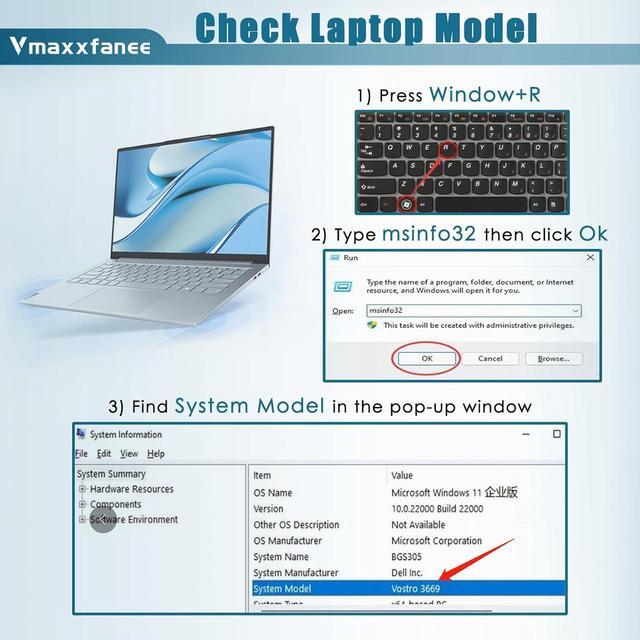
What do I need to be aware of when I receive a battery?
You need to chek the appearance, confrm the model.read the instruction manual. Cycle and charge it 5 to 6 times to activate the maximum usage space of the battery. When not in use temporarily, charge the battery to 50%-60%.
What should I do if laptop won't boot up after installing a new battery?
Check if the batteryis properly seated and connections are clean. 2. Try charging it or use the adapter alone to start. 3. Examine hardware links,like RAM andadapters. 4. Reset BlOS settings if needed. 5. Enter Safe Mode to fix system issues.
How should I do if the battery is not recognised?
If it is not recognised, it is recommended to update the Bl0S settings or please disconnecting the old battery, and holding down the power button for 20 seconds, then connect the new battery.
What should I do if the battery expands?
1.Power off your laptop and disconnect it from any power source. 2.Carefully remove the swollen battery from the laptop in a well ventilated area, avoid pressing or squeezing the battery during removal.
What can you do if you are not satisfied with the battery?
Please contact STARFAN, we will solve any problem for you.
Vmaxxfanee Tech Vmaxxfanee battery Vmaxxfanee after-sales service A friendly reminder How long does the battery last when fully charged? Tips How to charge and discharge a new battery ? Specification Specification NOTE

Previous page
Next page L20M4P71 Battery forlaptop Models:
For Lenovo ThinkPad X1 Carbon 9th Gen (X1 Carbon 2021) Series
For Lenovo ThinkPad X1 Carbon 10th Gen (X1 Carbon 2022) Series
For Lenovo ThinkPad X1 Yoga 6th Gen (X1 Yoga 2021) Series
For Lenovo ThinkPad X1 Yoga 7th Gen (X1 Yoga 2022) Series
1 * Lenovo L20M4P71 battery.
One set of 5 IN 1 screwdrivers tool.
1 * Instruction manual.
Ultimate security
Fast charging and long discharging time
Overheating protection
Battery Model: L20M4P71
Battery Type: Li-ion
Voltage:15.44V
Capacity:57Wh/3695mAh
Condition: 100% brand New from Manufacturer
Easy to install, perfect fit.
Easily deal with various practical environments and bring you a stronger battery life experience.
Up to 1000 recharge cycles over the life of the battery.
Lenovo L20M4P71 laptop Battery Compatible Part Numbers
type L20M4P71/ L20C4P71/ L20L4P71/ L20D4P71
SB10T83215 SB10T83216 SB10T83217 5B10W13973 5B10W13974 5B10W13972 5B10W13975
What do I need to be aware of when I receive a battery?
You need to chek the appearance, confrm the model.read the instruction manual. Cycle and charge it 5 to 6 times to activate the maximum usage space of the battery. When not in use temporarily, charge the battery to 50%-60%.
What should I do if laptop won't boot up after installing a new battery?
Check if the batteryis properly seated and connections are clean. 2. Try charging it or use the adapter alone to start. 3. Examine hardware links,like RAM andadapters. 4. Reset BlOS settings if needed. 5. Enter Safe Mode to fix system issues.
How should I do if the battery is not recognised?
If it is not recognised, it is recommended to update the Bl0S settings or please disconnecting the old battery, and holding down the power button for 20 seconds, then connect the new battery.
What should I do if the battery expands?
1.Power off your laptop and disconnect it from any power source. 2.Carefully remove the swollen battery from the laptop in a well ventilated area, avoid pressing or squeezing the battery during removal.
What can you do if you are not satisfied with the battery?
Please contact STARFAN, we will solve any problem for you.
Vmaxxfanee Tech Vmaxxfanee battery Vmaxxfanee after-sales service A friendly reminder How long does the battery last when fully charged? Tips How to charge and discharge a new battery ? Specification Specification NOTE
Warranty & Returns
Warranty, Returns, And Additional Information
Warranty
- Please contact the Seller directly for warranty information. Warranty information may also be found on the Manufacturer's website.
- CONTACT
Return Policies
- Return for refund within: 30 days
- Return for replacement within: non-replaceable
- This item is covered by SuZhouLiYuanLiXinBaiHuo Return Policy
Manufacturer Contact Info
- For a directory of all our manufacturers, please click below.
- Manufacturers Directory
LOADING...