Your Browsing History
Meet Your Seller
SHARGE 140W 3-Port GaN Laptop Charger, USB C MacBook Charger with Display
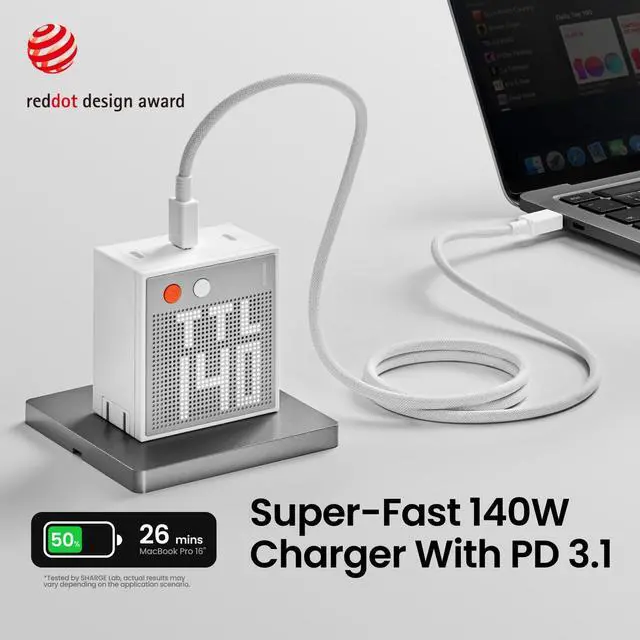
- 140W Max Fast ChargingBlazing-Fast Performance; Harness the might of PD3.1 technology and charge your MacBook Pro 16" from 0% to 50% in a mere 25 minutes. (Cable not included)
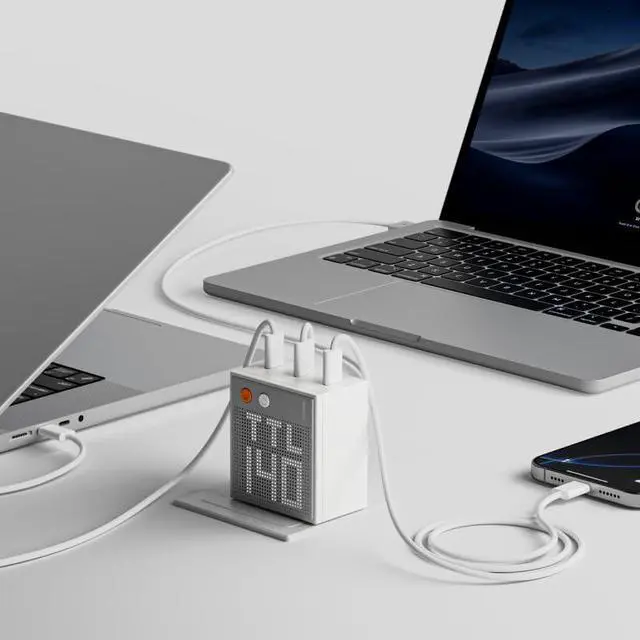
- Charge 3 Devices SimultaneouslyEach of the 3 USB C ports delivers up to 140W of power output when connected singly. It's the ultimate all-in-one solution for charging laptops, smartphones, tablets, and more
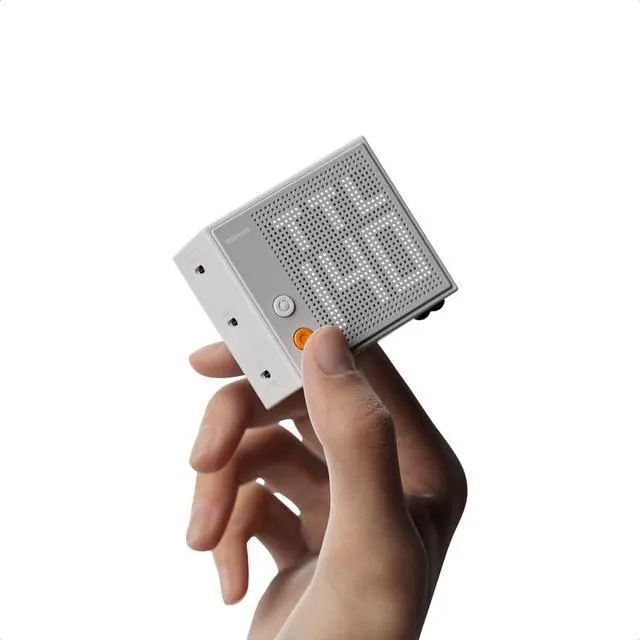
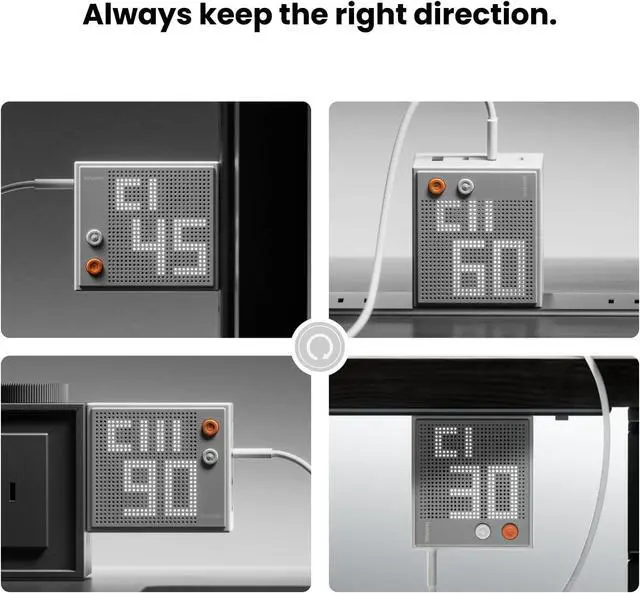
- Smart Interactive DisplayEquipped with unique adjustable dot-matrix screen. It displays real-time wattage for each port, and you can customize both the brightness and orientation to suit your needs. Whether you're using it on your desktop or taking it on the go, monitor the charging status of your devices at a glance. Stay informed and in control of your charging setup effortlessly
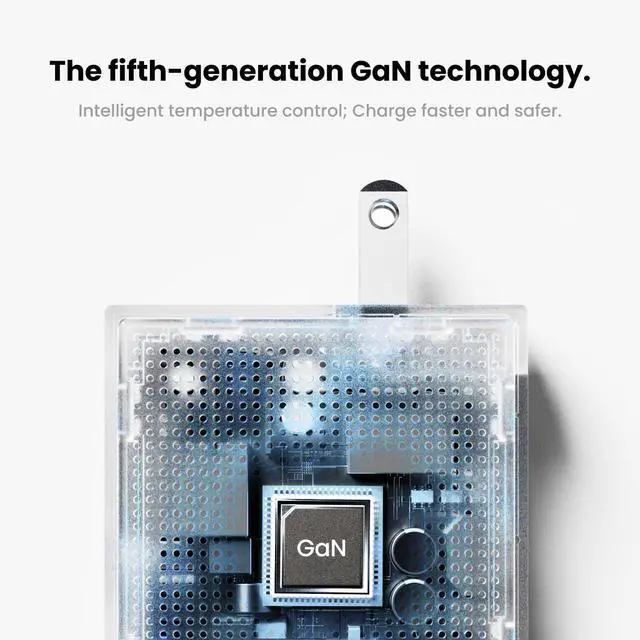
- 5th-gen GaN TechnologyAdopted the advanced GaN III technology and PFC+LLC architecture, it not only reduces size but also delivers more efficient charging. Ensuring portability without sacrificing efficiency
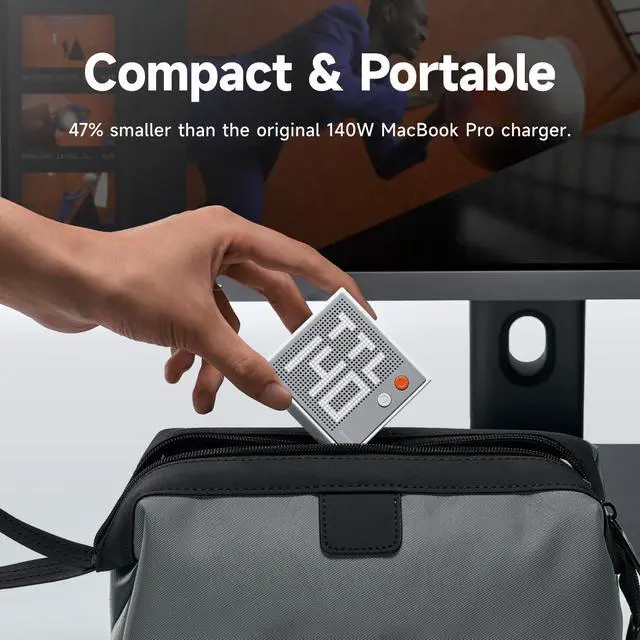
- Ultra-Comp
+
+
Overview
Specs
Reviews
Any questions? Our AI mode will help you find out quickly.
Try me now
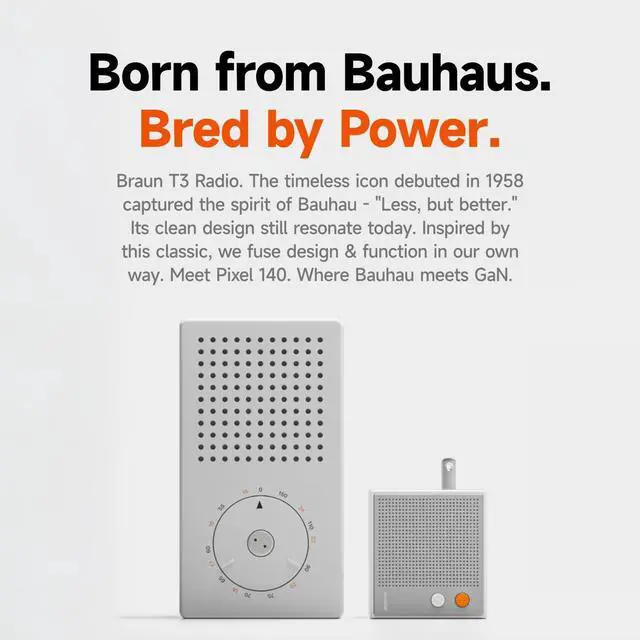
1140W Fast Charging 25th gen GaN Technology3Charge 3 Devices at Once4Active Protection System1Farewell to Clutter2Your Travel Buddy3Inspired by the Classic4Dot-Matrix Display5Adjustable Screen1Wide Compatibility2Single Port Charging3Two Ports Charging4Three Ports Charging Ports USB-C port×3 Protocols PD 3.1, PD 3.0, APPLE, BC 1.2, QC 2.0, QC 3.0, QC 4.0 +, AFC, FCP, SCP, SFCP, SFC 2.0, UFCS, PPS: 5A Input 100-240V~50/60Hz 2.5A Max Output USB-C 1: 5 V3A, 9V3A, 12V3A, 15V3A, 20V5A, 28V5A USB-C 2: 5 V3A, 9V3A, 12V3A, 15V3A, 20V5A, 28V5A USB-C 3: 5 V3A, 9V3A, 12V3A, 15V3A, 20V5A, 28V5A USB-C1+USB-C2 / USB-C1+USB-C2 / USB-C1+USB-C 2: 100 W+30W / 67W+67W / 30W+100W USB-C1+USB-C2+USB-C 3: 67 W+30W+30W / 45W+45W+30W Total Output 140W Max Dimensions and Weight 2.5 × 2.3 × 2.3 x 1.5 inches.
Weight: 0.56 lbs. Screen Brightness Settings There are 3 levels: high/low/off.
FAQ1 Q: What's the meaning of CI/CII/CIII/A1/TTL on the screen?
A: The first line of the screen displays the current port, the Roman numbers represent the USB C1/C2/C3/A1 port. The next line displays the charging power of the current port. TTL represents the total output power of all ports.
FAQ 2 Q: What do the 2 buttons on the charger mean?
A: Orange button is for screen on/off and brightness adjustment; gray button is for screen direction adjustment.
FAQ 3 Q: Does it include charging cable?
A: No FAQ 4
Q: How to get 140W fast charging?
A: Single connect USB C port, and your device must support the PD 3.1 protocol and use a cable with a power greater than or equal to 140W Tip 1 Due to the specific charging protocol limitations of Dell laptops, third-party chargers cannot meet its full -speed charging. For Dell laptops that require more than 100W of power, a slow charging indication may display. Tip 2 The charger features overheating protection, which will automatically lower the power output according to the temperature of the charger to protect safe charging. Product Specification

Weight: 0.56 lbs. Screen Brightness Settings There are 3 levels: high/low/off.
FAQ1 Q: What's the meaning of CI/CII/CIII/A1/TTL on the screen?
A: The first line of the screen displays the current port, the Roman numbers represent the USB C1/C2/C3/A1 port. The next line displays the charging power of the current port. TTL represents the total output power of all ports.
FAQ 2 Q: What do the 2 buttons on the charger mean?
A: Orange button is for screen on/off and brightness adjustment; gray button is for screen direction adjustment.
FAQ 3 Q: Does it include charging cable?
A: No FAQ 4
Q: How to get 140W fast charging?
A: Single connect USB C port, and your device must support the PD 3.1 protocol and use a cable with a power greater than or equal to 140W Tip 1 Due to the specific charging protocol limitations of Dell laptops, third-party chargers cannot meet its full -speed charging. For Dell laptops that require more than 100W of power, a slow charging indication may display. Tip 2 The charger features overheating protection, which will automatically lower the power output according to the temperature of the charger to protect safe charging. Product Specification
Warranty & Returns
Warranty, Returns, And Additional Information
Warranty
- Please contact the Seller directly for warranty information. Warranty information may also be found on the Manufacturer's website.
- CONTACT
Return Policies
- Return for refund within: 30 days
- Return for replacement within: 30 days
- This item is covered by LionTech Direct Return Policy
Manufacturer Contact Info
- For a directory of all our manufacturers, please click below.
- Manufacturers Directory
LOADING...