Your Browsing History
Meet Your Seller
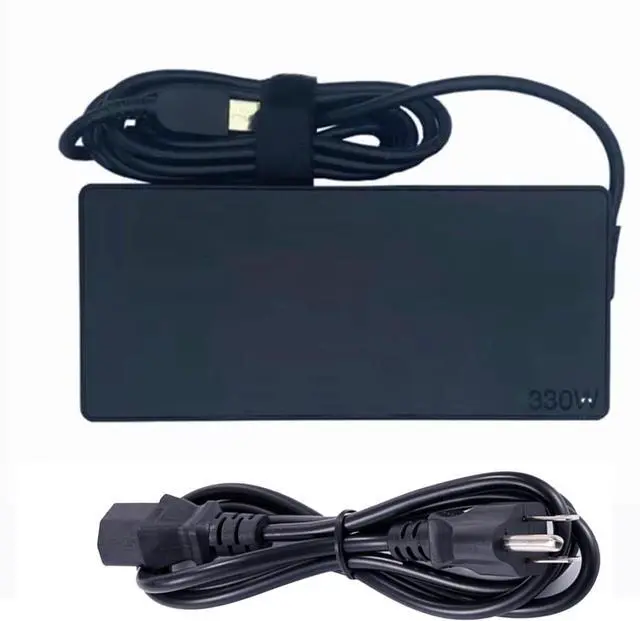
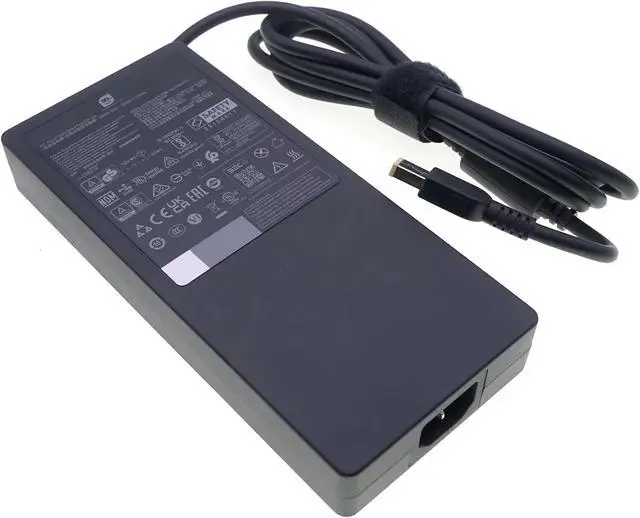
330W Slim Charger for Lenovo Legion pro 9 7 5 16IRX8H 16IRX8 16IRX9 16ARX8H RTX 4060 4070 4080 4090 Gaming Laptop AC Power Supply Adapter Cord 20V 16.5A
- Compatible withLenovo Legion Pro 7 16IRX8H 16ARX8H Gaming LaptopCompatible with Lenovo Legion 9 16IRX8 16IRX9 Gaming Laptop
- Compatible withLenovo Legion pro 9 7 5 16IRX8 16IRX9 16IRX8H 16ARX8H RTX 4060 4070 4080 4090 Gaming LaptopLenovo legion pro 9 7 7i 5i 5, pro 15 16 17 Yoga AIO 7
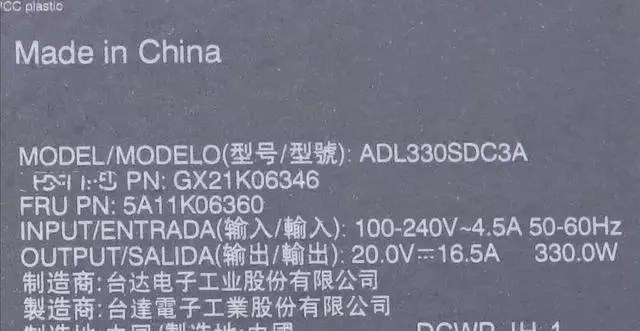
- GX21M50608 ADL330SDC3A ADL300SDC3A GX21F23045 ADL300SLC3A
- Input: 100-240VAC, 50-60Hz Output :20V 16.5A Max(330W) ,also Compatible with Genuine 20V 15A 300W , 20V 11.5A 230W Charger
+
+
Overview
Specs
Reviews
Any questions? Our AI mode will help you find out quickly.
Try me now
Specifications:
Input: 100-240V 4.5A 50-60Hz (worldwide use)
Output: 20V 16.5A
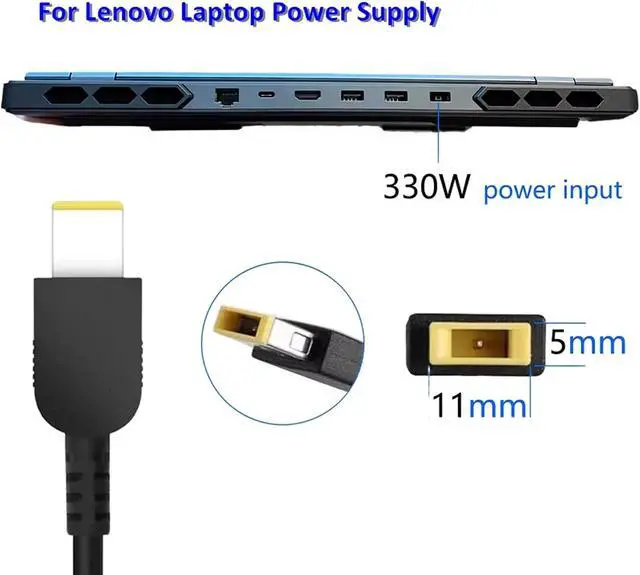
Power: 330W
DC pin sizes: Yellow Square Tip
Compatible with Lenovo Laptop Models:
Lenovo Legion 7 pro
Lenovo Legion 9 16IRX8
Legion Pro 7 16ARX8H 16IRX8H 16IRX9H
Lenovo legion pro 9 7 7i 5i 5, pro 15 16 17 Yoga AIO 7
GX21M50608 ADL330SDC3A ADL300SDC3A GX21F23045 ADL300SLC3A
Check the following three items to determine whether the charger is faulty:
1. Check the AC socket to see if there is electricity.
2. Connect the charger to the alternating current and the equipment to see if the device indicator light is on, or to see if the setting can start normally.
3. See if the indicator light of the charger is on, or check the DC plug of the charger with a multimeter to see if there is a voltage.

Input: 100-240V 4.5A 50-60Hz (worldwide use)
Output: 20V 16.5A
Power: 330W
DC pin sizes: Yellow Square Tip
Compatible with Lenovo Laptop Models:
Lenovo Legion 7 pro
Lenovo Legion 9 16IRX8
Legion Pro 7 16ARX8H 16IRX8H 16IRX9H
Lenovo legion pro 9 7 7i 5i 5, pro 15 16 17 Yoga AIO 7
GX21M50608 ADL330SDC3A ADL300SDC3A GX21F23045 ADL300SLC3A
Check the following three items to determine whether the charger is faulty:
1. Check the AC socket to see if there is electricity.
2. Connect the charger to the alternating current and the equipment to see if the device indicator light is on, or to see if the setting can start normally.
3. See if the indicator light of the charger is on, or check the DC plug of the charger with a multimeter to see if there is a voltage.
Warranty & Returns
Warranty, Returns, And Additional Information
Warranty
- Please contact the Seller directly for warranty information. Warranty information may also be found on the Manufacturer's website.
- CONTACT
Return Policies
- Return for refund within: 30 days
- Return for replacement within: 30 days
- This item is covered by LionTech Direct Return Policy
Manufacturer Contact Info
- For a directory of all our manufacturers, please click below.
- Manufacturers Directory
LOADING...