

Your Browsing History

Meet Your Seller


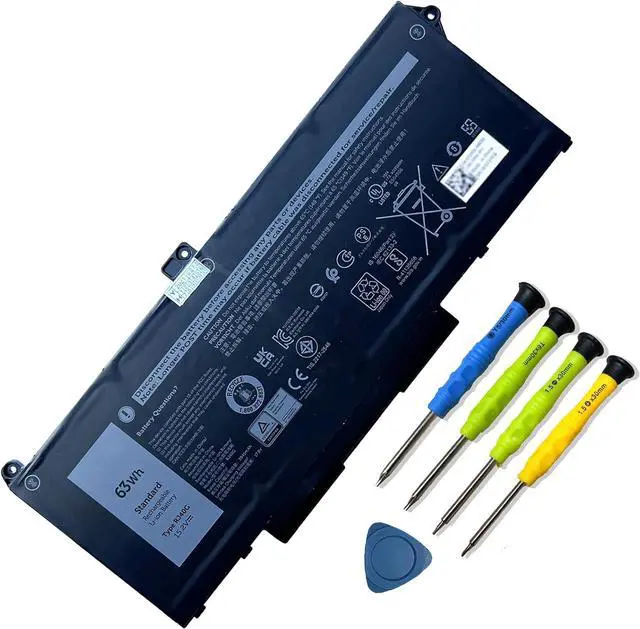


RJ40G 4-Cell 63Wh Laptop Battery Replacement for Dell Latitude 15 5520 Latitude 14 5420 Precision 15 3560 Series M033W 01K2CF 075X16 WY9DX P137G P137G001 P104F P104F001 0WK3F1 0M3KCN 15.2V 3941mAh
- Battery Capacity: 63Wh/3941mAh lithium-ion battery provides long-lasting power for your laptop
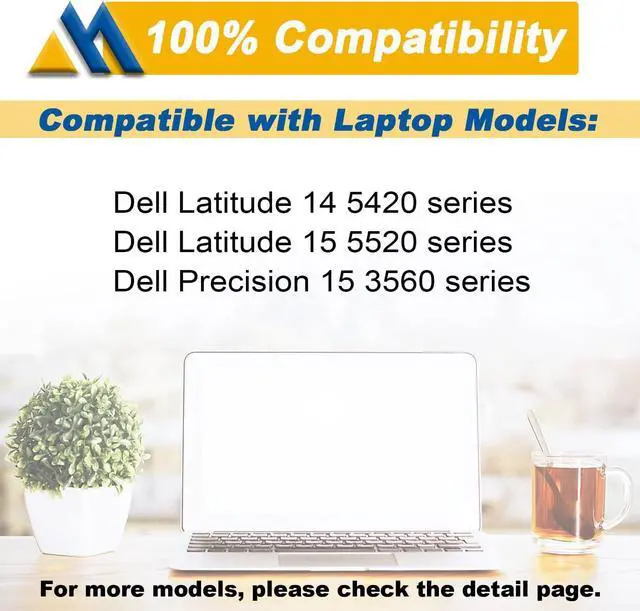
- Compatible Models: Fits Dell Latitude 14 5420, 15 5520, Precision 15 3560 series laptops
- Safety Certified: UL, CE, FCC, RoHS certified for safety and quality assurance
- High Reusability: Li-ion battery cells provide up to 500 recharge cycles over the life of the battery
- Reliable Performance: Strict quality control and standards compliance for safety and reliability
+
+
Overview
Specs
Reviews

Any questions? Our AI mode will help you find out quickly.
Try me now
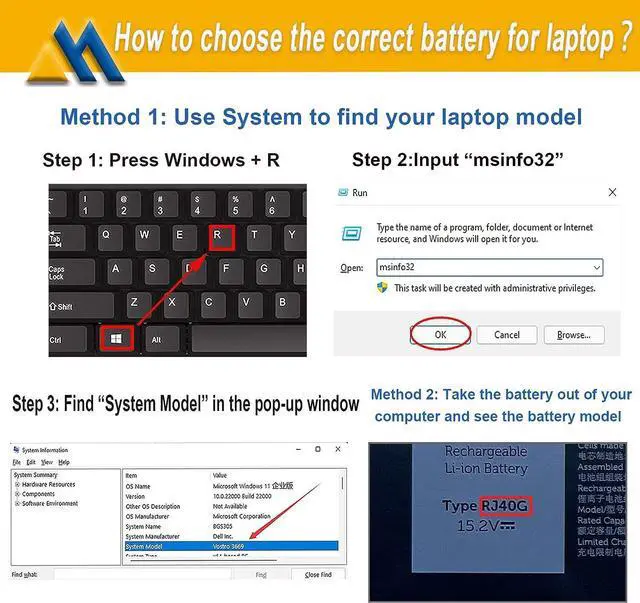
How to purchase batteries correctly?
Method 1:You have to find your specific laptop model before ordering a correct battery.
How to check your laptop model?
Press [Win] + [R] , input "msinfo32" , then click "OK" to find your system model in the pop-up window.
Method 2:Take the battery out of your computer, confirm your original battery model and appearance, compared with our battery image, make sure that's what you need.
Mobik is a professional manufacturer of laptop batteries, committed to creating high quality batteries and bringing our customers very cost-effective products. We strictly control the quality of our products and our batteries meet or exceed OEM standards, you can rest assured that shopping with us is safe and reliable.
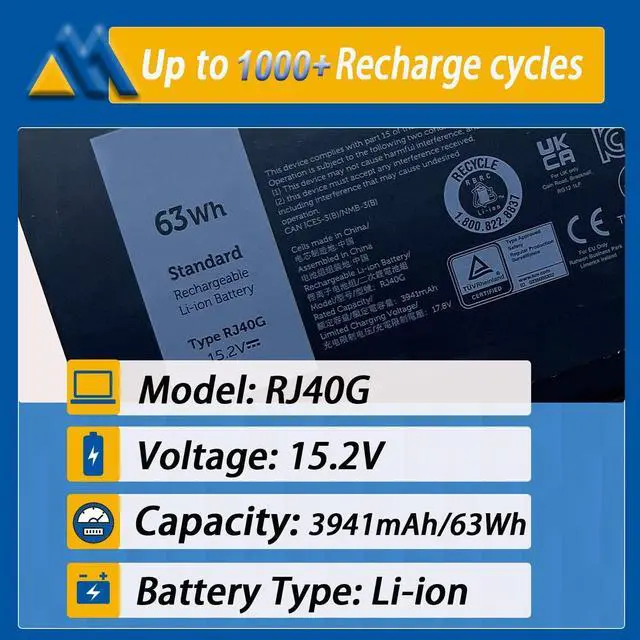
Up to 1000+ recharge cycles
Easy to install
Safe use anytime
Reliable performance
Model: RJ40G
Voltage: 15.2V
Capacity: 63Wh/ 3941mAh
Battery Type: Rechargeable Lithium-ion Battery
Contion: 100% New from Manufacturer, Grade A Cell
Replacement Part Number:
RJ40G / 01K2CF / 075X16 / WY9DX / 0WK3F1 / 0M3KCN / 005R42
Package included:
1* battery + 1* instruction manual + 1* screwdriver kit
High-quality materials and circuit board
100% compatible to meet OEM specifications
Longer Discharge Time & Quicker Charging
Long battery life & lower power consumption
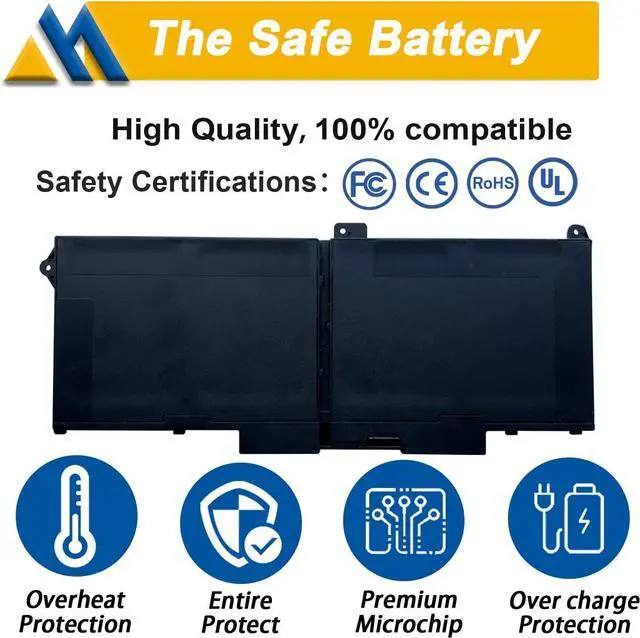
Short circuit, overheat & overload protection
Compatible Models (use "Ctrl+F to find your model quickly")
For Dell Latitude 14 5420 series
Dell Latitude 14 5420 CHKFM Dell Latitude 14 5420 FDTCY
Dell Latitude 14 5420 XPC5H.
For Dell Latitude 15 5520 series
Dell Latitude 15 5520 39V1H Dell Latitude 15 5520 FPKNM.
For Dell Precision 15 3560 series
Dell Precision 15 3560 3H45YDell Precision 15 3560 4MTF7
Dell Precision 15 3560 758J7Dell Precision 15 3560 7RV10
Dell Precision 15 3560 F3T9T.
For Dell P137G P137G001 ,Dell P104F P104F001 P104F002.
All Mobik products are certified by UL / CE / FCC / RoHS for safety. Every one of our replacement notebook batteries are tested to meet or exeed OEM specifications.
Each battery include multiple built-in protections such as overheating, overcurrent and overload protection for maximum safety.
All our batteries are 100% brand new, We offer new generation laptop batteries with Grade A cells, real capacity, long lasting and low power consumption.
New battery:With a new battery, you'd better discharge it to 5%(not 0%) and charge up to 95%.Then cycle 3-4 times to wake up the new battery.
Overuse: Do not always run out of a battery to 0%, this would make it damaged or usage life shortened. Please recharge immediately when the battery reduced to 5%.
Long-term storage:If you remove battery for a long time, it is important to cycle it (discharge => charge) regularly, at least once a month. Please store the unused battery fully charged. Do not store at low power to prevent reduce the lifespan of a battery.
Charging sequence: when charging, first install the battery, then turn on the power, when fully charged, first cut off the power, then pull the power plug.
You need to turn off your laptop and disconnect the power.Turn the laptop to the back, install a new battery, and fix it with a tool.
Battery Installation is easy, you can search for the video about laptop battery or just find a repair technician for help.
Avoid artificial shocks, disassembly, crush or puncture. Do not dispose of it in fire or water.
1.Maybe it is caused by a loose battery, please remove the battery and reinstall it again.
2.Maybe due to conductive material damaged which the laptop motherboard and battery anode and cathode contact position, you can try to confirm it with your original battery.
3.Check whether the battery drive is in normal condition, if not, download the corresponding
Method 1:You have to find your specific laptop model before ordering a correct battery.
How to check your laptop model?
Press [Win] + [R] , input "msinfo32" , then click "OK" to find your system model in the pop-up window.
Method 2:Take the battery out of your computer, confirm your original battery model and appearance, compared with our battery image, make sure that's what you need.
Mobik is a professional manufacturer of laptop batteries, committed to creating high quality batteries and bringing our customers very cost-effective products. We strictly control the quality of our products and our batteries meet or exceed OEM standards, you can rest assured that shopping with us is safe and reliable.
Up to 1000+ recharge cycles
Easy to install
Safe use anytime
Reliable performance
Model: RJ40G
Voltage: 15.2V
Capacity: 63Wh/ 3941mAh
Battery Type: Rechargeable Lithium-ion Battery
Contion: 100% New from Manufacturer, Grade A Cell
Replacement Part Number:
RJ40G / 01K2CF / 075X16 / WY9DX / 0WK3F1 / 0M3KCN / 005R42
Package included:
1* battery + 1* instruction manual + 1* screwdriver kit
High-quality materials and circuit board
100% compatible to meet OEM specifications
Longer Discharge Time & Quicker Charging
Long battery life & lower power consumption
Short circuit, overheat & overload protection
Compatible Models (use "Ctrl+F to find your model quickly")
For Dell Latitude 14 5420 series
Dell Latitude 14 5420 CHKFM Dell Latitude 14 5420 FDTCY
Dell Latitude 14 5420 XPC5H.
For Dell Latitude 15 5520 series
Dell Latitude 15 5520 39V1H Dell Latitude 15 5520 FPKNM.
For Dell Precision 15 3560 series
Dell Precision 15 3560 3H45YDell Precision 15 3560 4MTF7
Dell Precision 15 3560 758J7Dell Precision 15 3560 7RV10
Dell Precision 15 3560 F3T9T.
For Dell P137G P137G001 ,Dell P104F P104F001 P104F002.
All Mobik products are certified by UL / CE / FCC / RoHS for safety. Every one of our replacement notebook batteries are tested to meet or exeed OEM specifications.
Each battery include multiple built-in protections such as overheating, overcurrent and overload protection for maximum safety.
All our batteries are 100% brand new, We offer new generation laptop batteries with Grade A cells, real capacity, long lasting and low power consumption.
New battery:With a new battery, you'd better discharge it to 5%(not 0%) and charge up to 95%.Then cycle 3-4 times to wake up the new battery.
Overuse: Do not always run out of a battery to 0%, this would make it damaged or usage life shortened. Please recharge immediately when the battery reduced to 5%.
Long-term storage:If you remove battery for a long time, it is important to cycle it (discharge => charge) regularly, at least once a month. Please store the unused battery fully charged. Do not store at low power to prevent reduce the lifespan of a battery.
Charging sequence: when charging, first install the battery, then turn on the power, when fully charged, first cut off the power, then pull the power plug.
You need to turn off your laptop and disconnect the power.Turn the laptop to the back, install a new battery, and fix it with a tool.
Battery Installation is easy, you can search for the video about laptop battery or just find a repair technician for help.
Avoid artificial shocks, disassembly, crush or puncture. Do not dispose of it in fire or water.
1.Maybe it is caused by a loose battery, please remove the battery and reinstall it again.
2.Maybe due to conductive material damaged which the laptop motherboard and battery anode and cathode contact position, you can try to confirm it with your original battery.
3.Check whether the battery drive is in normal condition, if not, download the corresponding
Warranty & Returns
Warranty, Returns, And Additional Information
Warranty
- Please contact the Seller directly for warranty information. Warranty information may also be found on the Manufacturer's website.
- CONTACT
Return Policies
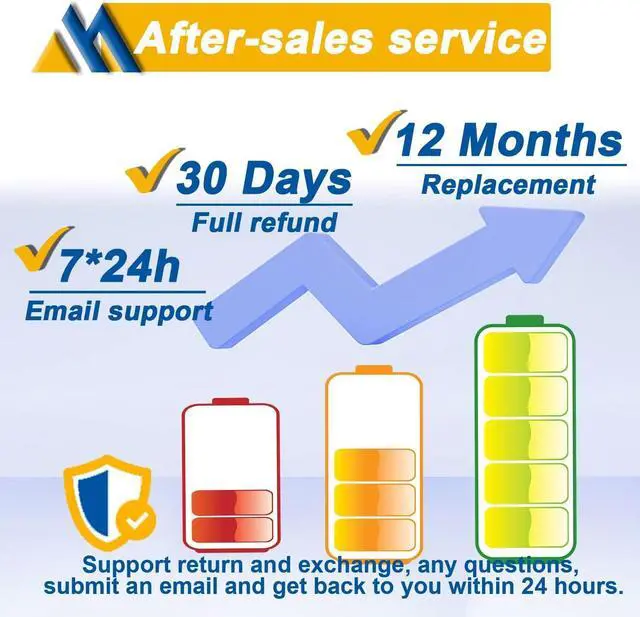
- Return for refund within: 30 days
- Return for replacement within: 30 days
- This item is covered by LionTech Direct Return Policy
Manufacturer Contact Info
- For a directory of all our manufacturers, please click below.
- Manufacturers Directory
LOADING...