Your Browsing History
Meet Your Seller
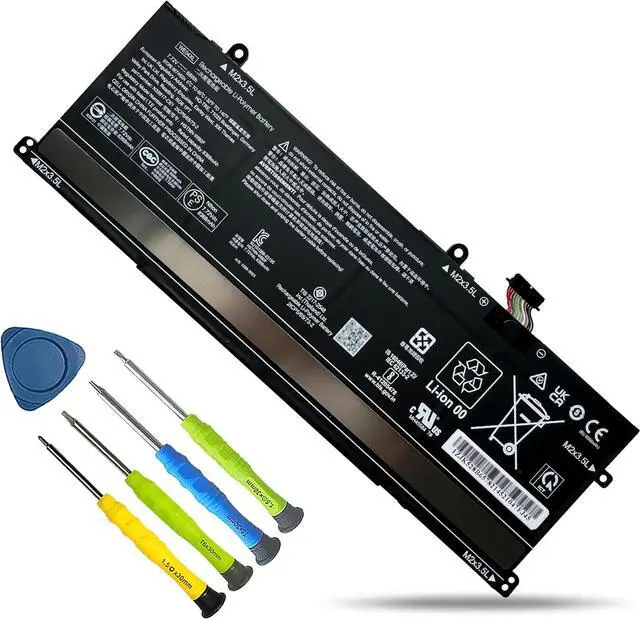
WE04XL N39857-005 Battery Replacement for HP X360 Spectre 14-EU 14-eu0098nf, Envy X360 16-AC 16-AD 2-in-1, Pavilion Plus 14-ew 14-ey 16-ab 16t-ab 14-ey0000 Series Notebook TPN-DB1Q 68Wh
- Customer First24 x 7 email support. For assistance with the WE04XL battery, please visit our product detail page OR please contact us by email at any time, our professional technical team is standing by to provide you with assistance and service.
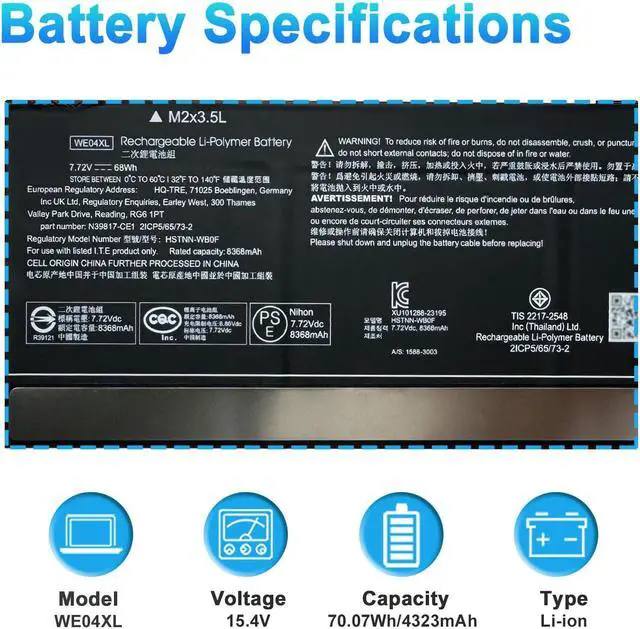
- SpecificationsModel: WE04XL Rechargeable Battery, Voltage: 7.72V, Capacity: 68Wh/8368mAh ,Type: Li-ion Battery. Package include: 1* WE04XL battery 1 set matching installation tools. 1*Instructions for WE04XL Battery. All our products up to 500 recharge cycles over the life of the battery.
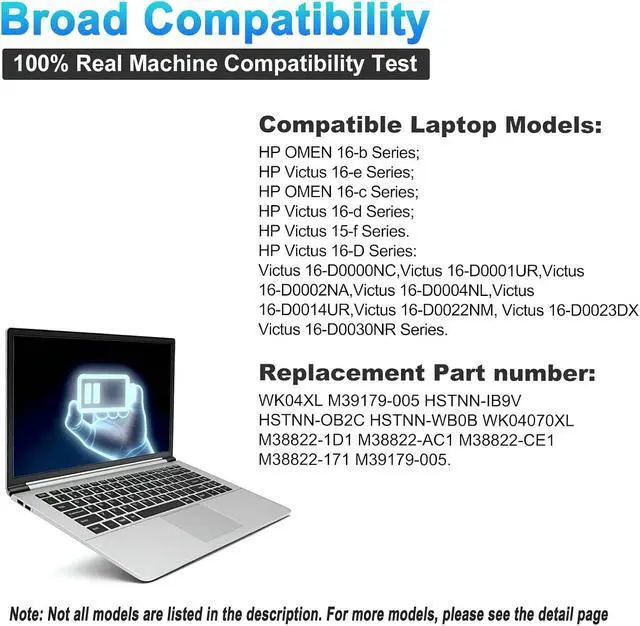
- Replacement for Part NumberReplacement for N39857-005, TPN-DB1Q, WE04XL, WE04068XL, HSTNN-WB0F, N39817-2C1, N39817-2D1, N39817-CE1, N39817-CF1.
- Compatible with ModelsFor HP Pavilion Plus 14-ew Series,For HP Pavilion Plus 14-ey Series,For HP X360 Spectre 14-eu Series, For HP Pavilion Plus 16-AB0XXX Series, For HP Pavilion Plus 90N29PA 90N32PA 90N38PA 90N45PA 90N49PA 90N62PA 93T28PA 95S65PA Series, For HP PAVILION PLUS 16T-AB000 Series, For
+
+
Overview
Specs
Reviews
Any questions? Our AI mode will help you find out quickly.
Try me now
We are a professional laptop/tablet battery provider, dedicated to providing different types of high-quality batteries for our customers to bring their laptops back to life again. Thanks for your choice and trust, Enjoy your shopping!
Warm tips before purchasing
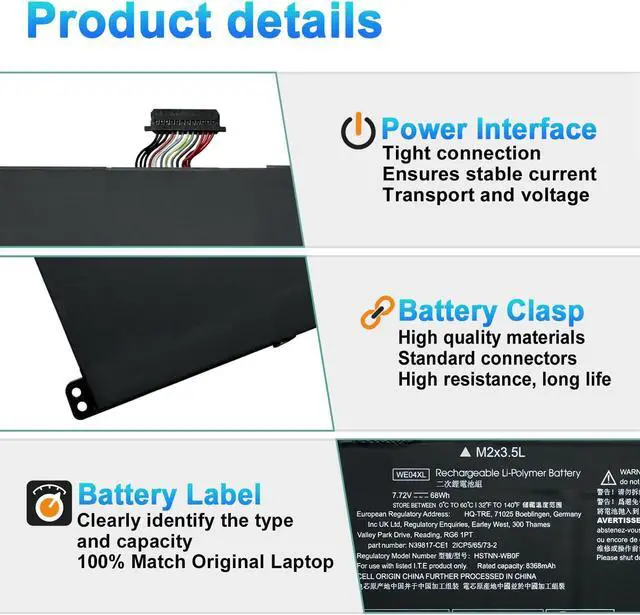
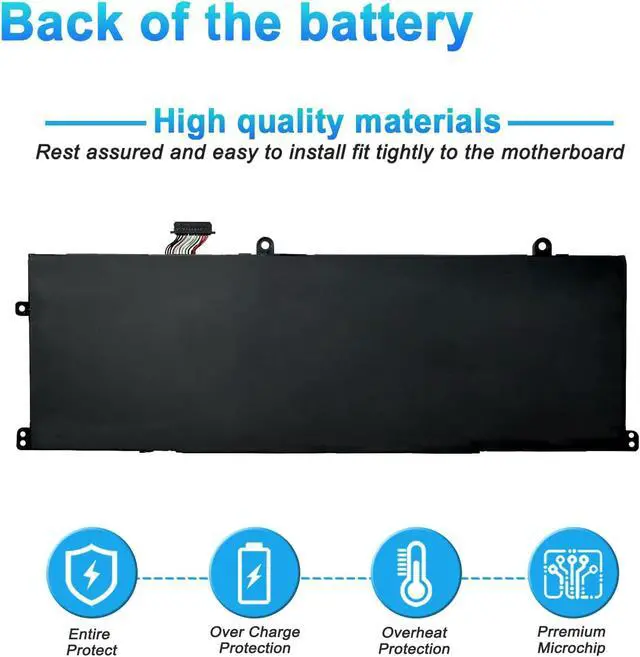
Please open your laptop case, check and confirm your original battery model and appearance, compared with our battery image, and make sure that's what you need. Especially the location of the connector and the cable length (long or short).
Method 1: Use System Information to find your laptop model
Step 1: Press "Windows + R" to open the Run window.
Step 2: Type "msinfo32" in the empty box and click OK to open System Information.
Step 3: Keep in the "System Summary" section and you will find the "System Model " item in the right pane.
Method 2: Open the back cover of the laptop and confirm the battery type and capacity, as well as the model of the laptop.
Step 1: Shut down the laptop and unplug the interface cable (to prevent electrical shock)
Step 2: Remove the back panel with a screwdriver. (Please handle carefully to avoid damaging the parts of the laptop)
Step 3: Disconnect the battery and remove it. Then check the battery specifications, especially the type/part number
Model Name: WE04XL
Battery Type: Li-ion
Battery Voltage: 7.72V
Battery Capacity: 68Wh 8368mAh
Battery cells: 4-cell
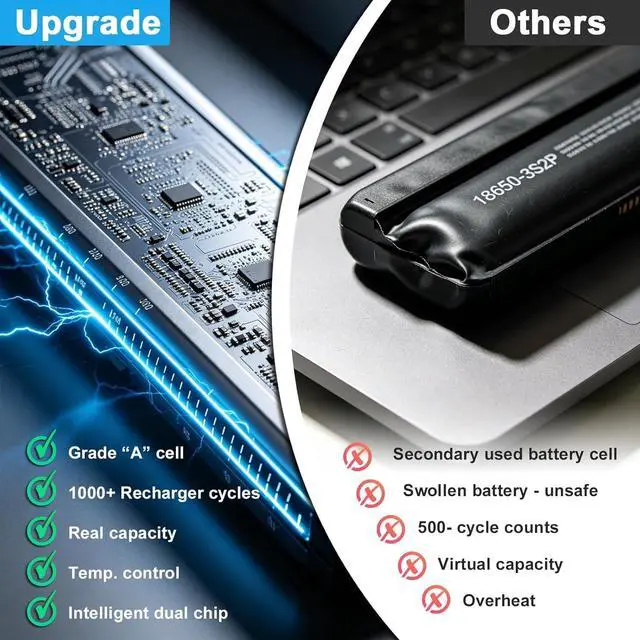
Condition: 100% New from Manufacturer, Grade A Cell
Replacement for Part Number:
WE04XL N39857-005 WE04068XL TPN-DB1Q HSTNN-WB0F
N39817-2D1 N39817-CE1 N39817-CF1 N39817-2C1
Replacement for HP Pavilion Plus 14-ew Series:
14-ew0000 14-ew0153TU 14-ew1001nf 14-ew1010nr
Replacement for HP Pavilion Plus 14-ey Series:
14-ey0000 14-ey0000AU 14-ey0000NA 14-ey0000NS 14-ey0000SL 14-ey0001NO 14-ey0002NO 14-ey0003AU 14-ey0003NL 14-ey0004NF 14-ey0000NA 14-ey0001NO 14ey0003AU 14-ey0003NL 14-ey0004NN 14-ey0005AU 14-ey0011AU 14-ey0013DX 14-ey0015AU 14-ey0021NO 14-ey0025ND 14-ey0028AU 14-ey0037AU 14-ey0044AU 14-ey0095cl 14-ey0710ND
Replacement for HP X360 Spectre 14-eu Series:
14-eu0004nf 14-eu0005nf 14-eu0006nf 14-eu0078ng 14-eu0097nf 14-eu0098nf
Replacement for HP Spectre x360 2-in-1 14t-eu000 Series;
Replacement for Pavilion Plus 14t-ew000 14t-ew100 Series;
Replacement for Pavilion Plus 14z-ey100 14z-ey100 Series;
Replacement for HP Pavilion Plus 16-AB0XXX Series:
16-ab0000TU 16-ab0000TX 16-ab0004TU 16-ab0004TX 16-ab0008TU 16-ab0008TX 16-ab0010TU 16-ab0010TX 16-ab0001NF 16-ab0003TX 16-ab0007NL 16-ab0007TX 16-ab0009TX 16-ab0010NN 16-ab0011NN 16-ab0012NB 16-ab0014TX 16-ab0024NB 16-ab0970ND
Replacement for HP Pavilion Plus 90N29PA 90N32PA 90N38PA 90N45PA 90N49PA 90N62PA 93T28PA 95S65PA Series;
Replacement for HP PAVILION PLUS 16T-AB000 Series;
Replacement for HP Envy x360 16-AC0XXX Series:
16-AC0000TU 16-AC0001TU 16-AC0010TU 16-AC0017TU 16-AC0018TU 16-AC0020TU 16-AC0023TU 16-AC0027TU 16-AC0033DX 6-AD0007AU
Replacement for HP Envy x360 16-ad 16-ad0007AU Series;
Replacement for HP Envy X360 2-in-1 16-ad0097nr Series;
Replacement for HP Envy X360 9S1R9UA 9V7D9PA 9V7N1PA 9W639PA 9W677PA 9X2S6PA A01HYPA A01J1PA A19Y6PA A1KX1PA Series.
When you get the new battery, discharge the battery to 5% (not 0%), then charge it to 95%, and cycle 3-4 times to wake up the new battery.
The important point is to perform a full discharge and charge every other month to extend the battery life.
Do not connect the adapter for a long time while using the battery. It may damage the battery.
Avoid artificial shocks, disassembly, crush or puncture. Do not dispose of it in fire or water.
It may be caused by a loose battery. Please remove the battery and try to install it several times.
You can try using the original battery to confirm.
Inspections whether the battery drive is in normal condition, if not, download the corresp

Warm tips before purchasing
Please open your laptop case, check and confirm your original battery model and appearance, compared with our battery image, and make sure that's what you need. Especially the location of the connector and the cable length (long or short).
Method 1: Use System Information to find your laptop model
Step 1: Press "Windows + R" to open the Run window.
Step 2: Type "msinfo32" in the empty box and click OK to open System Information.
Step 3: Keep in the "System Summary" section and you will find the "System Model " item in the right pane.
Method 2: Open the back cover of the laptop and confirm the battery type and capacity, as well as the model of the laptop.
Step 1: Shut down the laptop and unplug the interface cable (to prevent electrical shock)
Step 2: Remove the back panel with a screwdriver. (Please handle carefully to avoid damaging the parts of the laptop)
Step 3: Disconnect the battery and remove it. Then check the battery specifications, especially the type/part number
Model Name: WE04XL
Battery Type: Li-ion
Battery Voltage: 7.72V
Battery Capacity: 68Wh 8368mAh
Battery cells: 4-cell
Condition: 100% New from Manufacturer, Grade A Cell
Replacement for Part Number:
WE04XL N39857-005 WE04068XL TPN-DB1Q HSTNN-WB0F
N39817-2D1 N39817-CE1 N39817-CF1 N39817-2C1
Replacement for HP Pavilion Plus 14-ew Series:
14-ew0000 14-ew0153TU 14-ew1001nf 14-ew1010nr
Replacement for HP Pavilion Plus 14-ey Series:
14-ey0000 14-ey0000AU 14-ey0000NA 14-ey0000NS 14-ey0000SL 14-ey0001NO 14-ey0002NO 14-ey0003AU 14-ey0003NL 14-ey0004NF 14-ey0000NA 14-ey0001NO 14ey0003AU 14-ey0003NL 14-ey0004NN 14-ey0005AU 14-ey0011AU 14-ey0013DX 14-ey0015AU 14-ey0021NO 14-ey0025ND 14-ey0028AU 14-ey0037AU 14-ey0044AU 14-ey0095cl 14-ey0710ND
Replacement for HP X360 Spectre 14-eu Series:
14-eu0004nf 14-eu0005nf 14-eu0006nf 14-eu0078ng 14-eu0097nf 14-eu0098nf
Replacement for HP Spectre x360 2-in-1 14t-eu000 Series;
Replacement for Pavilion Plus 14t-ew000 14t-ew100 Series;
Replacement for Pavilion Plus 14z-ey100 14z-ey100 Series;
Replacement for HP Pavilion Plus 16-AB0XXX Series:
16-ab0000TU 16-ab0000TX 16-ab0004TU 16-ab0004TX 16-ab0008TU 16-ab0008TX 16-ab0010TU 16-ab0010TX 16-ab0001NF 16-ab0003TX 16-ab0007NL 16-ab0007TX 16-ab0009TX 16-ab0010NN 16-ab0011NN 16-ab0012NB 16-ab0014TX 16-ab0024NB 16-ab0970ND
Replacement for HP Pavilion Plus 90N29PA 90N32PA 90N38PA 90N45PA 90N49PA 90N62PA 93T28PA 95S65PA Series;
Replacement for HP PAVILION PLUS 16T-AB000 Series;
Replacement for HP Envy x360 16-AC0XXX Series:
16-AC0000TU 16-AC0001TU 16-AC0010TU 16-AC0017TU 16-AC0018TU 16-AC0020TU 16-AC0023TU 16-AC0027TU 16-AC0033DX 6-AD0007AU
Replacement for HP Envy x360 16-ad 16-ad0007AU Series;
Replacement for HP Envy X360 2-in-1 16-ad0097nr Series;
Replacement for HP Envy X360 9S1R9UA 9V7D9PA 9V7N1PA 9W639PA 9W677PA 9X2S6PA A01HYPA A01J1PA A19Y6PA A1KX1PA Series.
When you get the new battery, discharge the battery to 5% (not 0%), then charge it to 95%, and cycle 3-4 times to wake up the new battery.
The important point is to perform a full discharge and charge every other month to extend the battery life.
Do not connect the adapter for a long time while using the battery. It may damage the battery.
Avoid artificial shocks, disassembly, crush or puncture. Do not dispose of it in fire or water.
It may be caused by a loose battery. Please remove the battery and try to install it several times.
You can try using the original battery to confirm.
Inspections whether the battery drive is in normal condition, if not, download the corresp
Warranty & Returns
Warranty, Returns, And Additional Information
Warranty
- Please contact the Seller directly for warranty information. Warranty information may also be found on the Manufacturer's website.
- CONTACT
Return Policies
- Return for refund within: 30 days
- Return for replacement within: 30 days
- This item is covered by LionTech Direct Return Policy
Manufacturer Contact Info
- For a directory of all our manufacturers, please click below.
- Manufacturers Directory
LOADING...