

Your Browsing History

Meet Your Seller


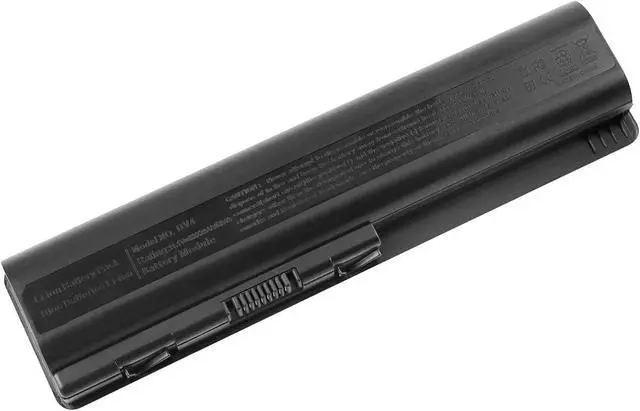
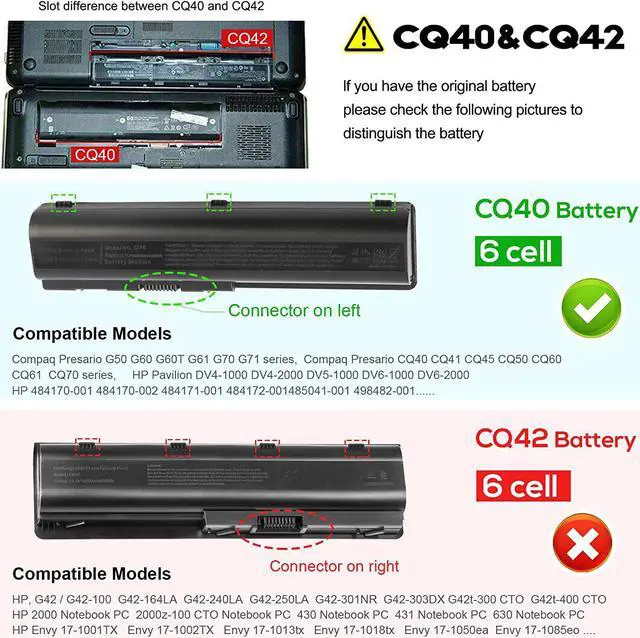
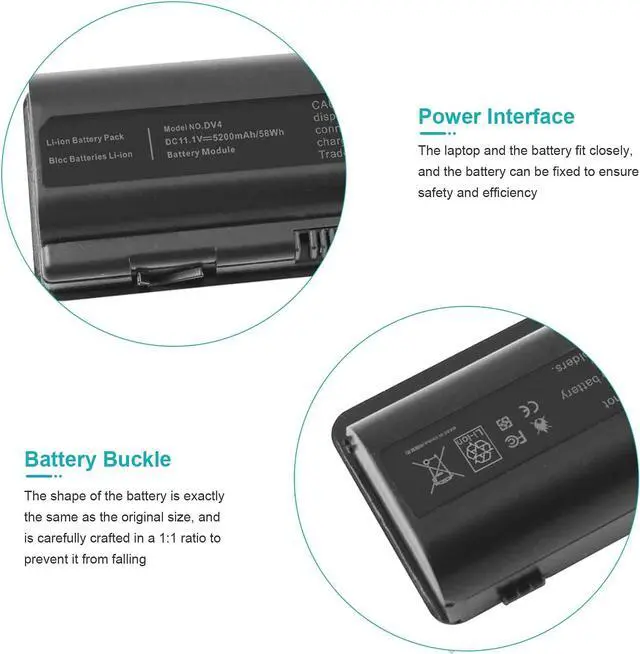
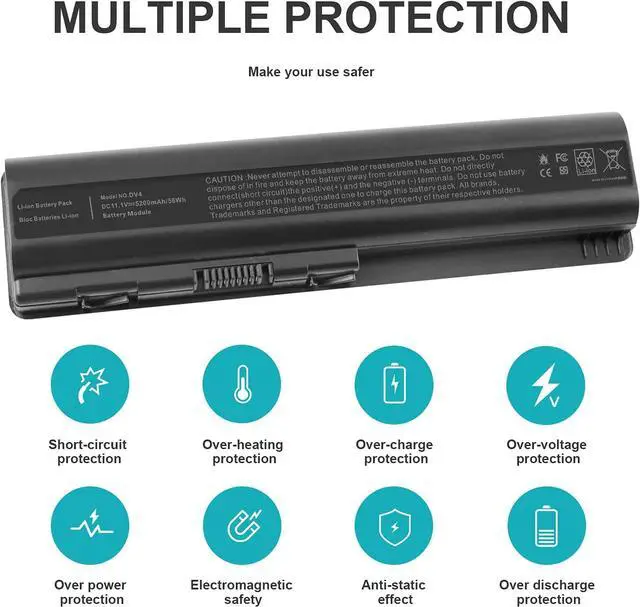
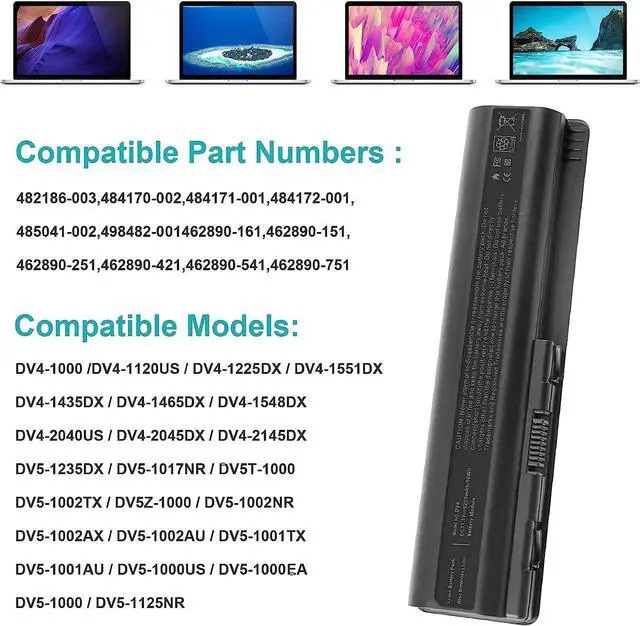
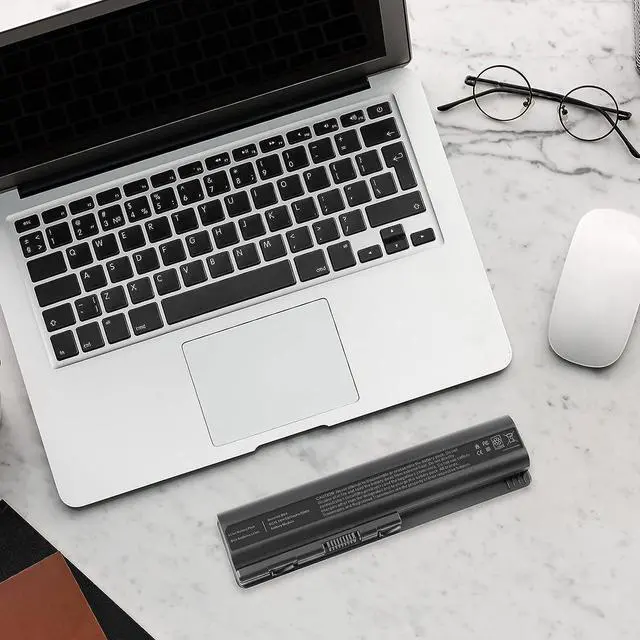


Fancy Buying New Replacement Battery for HP 6-Cell Primary (EV06) KS524AA 511872-001 484170-002 484170001 485041-001 462889-141 462890-542 LaptopG70 G71 CQ50 CQ60 CQ61 CQ71 Series (Better Battery)
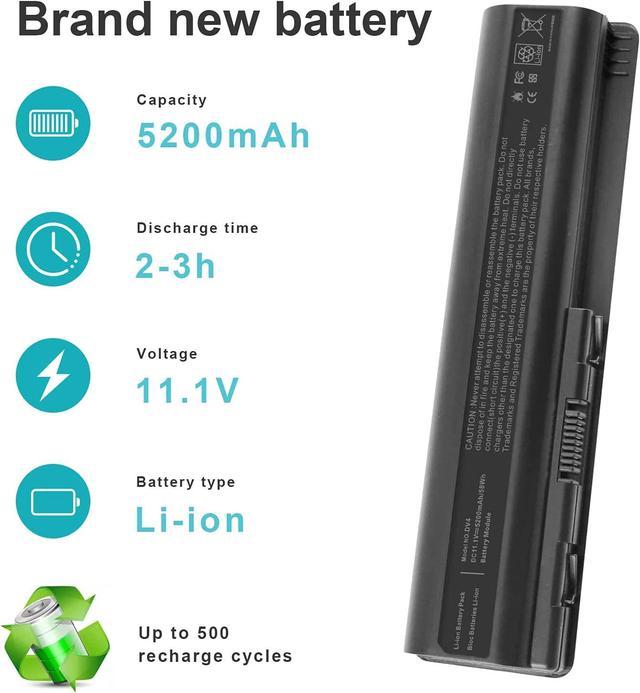
- Li-ion Samsung Grade A 6 Cells 5200mAh 56Wh 10.8V
- Part#: SHTNN-CB72 HSTNN-UB72 Series
- CE-/FCC-/RoHS-Certified ,500 recharge cycles over the life
- Compatible Part#: EV06055, HSTNN-CB72, HSTNN-CB73, HSTNN-DB72, HSTNN-DB73, HSTNN-IB72, HSTNN-IB73, HSTNN-IB79, HSTNN-LB72, HSTNN-LB73, HSTNN-UB72, HSTNN-UB73, HSTNN-XB72, HSTNN-XB73, HSTNN-XB79, KS524AA, KS526AA, KS527A
- Note:As this replacement battery can fit many models and part numbers,the factory can not mark all the compatible part numbers on it,please understand.If you have any problems,pls contact us by the message, we will help you to deal with it timely.
+
+
Overview
Specs
Reviews

Any questions? Our AI mode will help you find out quickly.
Try me now
Compatible HP Part Numbers:
462889-121 | 462889-122 | 462889-141 | 462889-142 | 462889-242 | 462889-261 | 462889-262 | 462889-421 | 462889-422 | 462889-541 | 462889-542 | 462889-721 | 462889-722 | 462889-741 | 462889-742 | 462889-761 | 462889-762 | 462890-121 | 462890-141 | 462890-142 | 462890-151 | 462890-161 | 462890-241 | 462890-251 | 462890-252 | 462890-421 | 462890-422 | 462890-541 | 462890-542 | 462890-721 | 462890-722 | 462890-741 | 462890-742 | 462890-751 | 462890-761 | 462891-141 | 462891-142 | 462891-161 | 462891-162 | 462891-422 | 462891-542 | 463665-007 | 481193-001 | 482186-003 | 484170-001 | 484170-002 | 484171-001 | 484172-001 | 485041-001 | 485041-002 | 485041-003 | 487296-001 | 487354-001 | 497694-001 | 497695-001 | 498482-001 | 500028-131 | 500028-141 | 509458-001 | 509459-001 | 511872-001 | 511872-002 | 511883-001 | 511884-001 | 512413-002 | 513775-001 | 516477-191 | 516915-001 | 534115-291 | 536436-001 | 597598-001 | 7F08A4 | 7F0914 | DQ-EV06055-6 | EV03 | EV06 | EV06047 | EV06055 | EV12 | EV12095 | HSTNN-C51C | HSTNN-C52C | HSTNN-C53C | HSTNN-CB72 | HSTNN-CB73 | HSTNN-D875 | HSTNN-DB72 | HSTNN-DB73 | HSTNN-I58C | HSTNN-IB72 | HSTNN-IB73 | HSTNN-IB79 | HSTNN-IB96 | HSTNN-LB72 | HSTNN-LB73 | HSTNN-LB79 | HSTNN-N50C | HSTNN-Q34C | HSTNN-Q36C | HSTNN-Q37C | HSTNN-Q39C | HSTNN-Q40C | HSTNN-Q43C | HSTNN-Q58C | HSTNN-UB72 | HSTNN-UB73 | HSTNN-UB79 | HSTNN-W48C | HSTNN-W49C | HSTNN-W50C | HSTNN-W51C | HSTNN-W52C | HSTNN-XB72 | HSTNN-XB73 | HSTNN-XB79 | KS524AA#ABA | KS524AA | KS526AA | KS527AA | LBHP6055 | NC273AA#ABA | NC273AA | NH493AA#ABA | NH493AA
Compatible HP Models:
G60-535DX | G50 | G60 | G60T | G61 | G70 | G70T | G71 | G71T | HDX X16 | HDX X16-1000 | HDX X16-1100 | HDX X16-1200 | HDX X16-1300 | HDX X16T
Pavilion Series DV4 | DV4-1000 | DV4-1100 | DV4-1200 | DV4-1300 | DV4-1400 | DV4-1500 | DV4-1600 | DV4-2000 | DV4-2100 | DV4I-2100 CTO | DV4I-2100 | DV4T | DV4T-1000 | DV4T-1000 CTO | DV4Z | DV4Z-1000 | DV4Z-1100 | DV4Z-1200 | DV5 | DV5-1000 | DV5-1100 | DV5-1200 | DV5-1300 | DV5T | DV5T-1000 | DV5T-1100 CTO | DV5T-1200 CTO | DV5TSE | DV5Z | DV5Z-1000 | DV5Z-1100 CTO | DV5Z-1200 CTO | DV6 | DV6-1000 | DV6-1100 | DV6-1200 | DV6-1300 | DV6-1400 | DV6-2000 | DV6-2100 | DV6T | DV6T-1000 CTO | DV6T-1100 CTO | DV6T-1200 CTO | DV6T-1300 CTO | DV6T-2000 CTO | DV6T-2100 CTO | DV6T-2300 CTO | DV6Z | DV6Z-1000 CTO | DV6Z-2000 CTO | DV6Z-2100 CTO
Presario Series CQ40 | CQ40-100 | CQ40-200 | CQ40-300 | CQ40-400 | CQ40-500 | CQ40-600 | CQ40-700 | CQ41 | CQ41-100 | CQ41-200 | CQ45 | CQ45-100 | CQ45-200 | CQ45-300 | CQ50 | CQ50-100 | CQ50-200 | CQ50T | CQ50Z | CQ60 | CQ60-100 | CQ60-200 | CQ60-300 | CQ60-400 | CQ60-500 | CQ60-600 | CQ60Z | CQ61 | CQ61-100 | CQ61-200 | CQ61-300 | CQ61-400 | CQ61Z | CQ70 | CQ70-100 | CQ70-200 | CQ71 | CQ71-100 | CQ71-200 | CQ71-300 | CQ71-400
Install A New Battery:
1. You need to turn off your laptop and disconnect the power.
2. Remove the old battery, carefully install the new battery on the battery case, and connect the wiring of the new battery.
3. If you don't understand the above steps, you can search for the video about laptop battery installation on YouTube. Maybe it will help you.
Laptop Maintenance Tips:
1. New battery: For use a new battery, youd better try a few cycles of discharging to 5%. then charging up to 95%. So that it can be activated completely
2. Overuse: Do not always run out of a battery to 0%, this would make it damaged or usage life shortened
3. Charging sequence: when charging, first install the battery, then turn on the power, when fully charged, first cut off the power, then pull the power plug.
4. Long-term storage:Please store the unused battery fully charged.(Charge it once a month) Do not store at low power to prevent reduce the lifespan of a battery
5. Charger: Do not replace the laptop adapter casually. If the original adapter cannot be applied due to malfunction or damag
462889-121 | 462889-122 | 462889-141 | 462889-142 | 462889-242 | 462889-261 | 462889-262 | 462889-421 | 462889-422 | 462889-541 | 462889-542 | 462889-721 | 462889-722 | 462889-741 | 462889-742 | 462889-761 | 462889-762 | 462890-121 | 462890-141 | 462890-142 | 462890-151 | 462890-161 | 462890-241 | 462890-251 | 462890-252 | 462890-421 | 462890-422 | 462890-541 | 462890-542 | 462890-721 | 462890-722 | 462890-741 | 462890-742 | 462890-751 | 462890-761 | 462891-141 | 462891-142 | 462891-161 | 462891-162 | 462891-422 | 462891-542 | 463665-007 | 481193-001 | 482186-003 | 484170-001 | 484170-002 | 484171-001 | 484172-001 | 485041-001 | 485041-002 | 485041-003 | 487296-001 | 487354-001 | 497694-001 | 497695-001 | 498482-001 | 500028-131 | 500028-141 | 509458-001 | 509459-001 | 511872-001 | 511872-002 | 511883-001 | 511884-001 | 512413-002 | 513775-001 | 516477-191 | 516915-001 | 534115-291 | 536436-001 | 597598-001 | 7F08A4 | 7F0914 | DQ-EV06055-6 | EV03 | EV06 | EV06047 | EV06055 | EV12 | EV12095 | HSTNN-C51C | HSTNN-C52C | HSTNN-C53C | HSTNN-CB72 | HSTNN-CB73 | HSTNN-D875 | HSTNN-DB72 | HSTNN-DB73 | HSTNN-I58C | HSTNN-IB72 | HSTNN-IB73 | HSTNN-IB79 | HSTNN-IB96 | HSTNN-LB72 | HSTNN-LB73 | HSTNN-LB79 | HSTNN-N50C | HSTNN-Q34C | HSTNN-Q36C | HSTNN-Q37C | HSTNN-Q39C | HSTNN-Q40C | HSTNN-Q43C | HSTNN-Q58C | HSTNN-UB72 | HSTNN-UB73 | HSTNN-UB79 | HSTNN-W48C | HSTNN-W49C | HSTNN-W50C | HSTNN-W51C | HSTNN-W52C | HSTNN-XB72 | HSTNN-XB73 | HSTNN-XB79 | KS524AA#ABA | KS524AA | KS526AA | KS527AA | LBHP6055 | NC273AA#ABA | NC273AA | NH493AA#ABA | NH493AA
Compatible HP Models:
G60-535DX | G50 | G60 | G60T | G61 | G70 | G70T | G71 | G71T | HDX X16 | HDX X16-1000 | HDX X16-1100 | HDX X16-1200 | HDX X16-1300 | HDX X16T
Pavilion Series DV4 | DV4-1000 | DV4-1100 | DV4-1200 | DV4-1300 | DV4-1400 | DV4-1500 | DV4-1600 | DV4-2000 | DV4-2100 | DV4I-2100 CTO | DV4I-2100 | DV4T | DV4T-1000 | DV4T-1000 CTO | DV4Z | DV4Z-1000 | DV4Z-1100 | DV4Z-1200 | DV5 | DV5-1000 | DV5-1100 | DV5-1200 | DV5-1300 | DV5T | DV5T-1000 | DV5T-1100 CTO | DV5T-1200 CTO | DV5TSE | DV5Z | DV5Z-1000 | DV5Z-1100 CTO | DV5Z-1200 CTO | DV6 | DV6-1000 | DV6-1100 | DV6-1200 | DV6-1300 | DV6-1400 | DV6-2000 | DV6-2100 | DV6T | DV6T-1000 CTO | DV6T-1100 CTO | DV6T-1200 CTO | DV6T-1300 CTO | DV6T-2000 CTO | DV6T-2100 CTO | DV6T-2300 CTO | DV6Z | DV6Z-1000 CTO | DV6Z-2000 CTO | DV6Z-2100 CTO
Presario Series CQ40 | CQ40-100 | CQ40-200 | CQ40-300 | CQ40-400 | CQ40-500 | CQ40-600 | CQ40-700 | CQ41 | CQ41-100 | CQ41-200 | CQ45 | CQ45-100 | CQ45-200 | CQ45-300 | CQ50 | CQ50-100 | CQ50-200 | CQ50T | CQ50Z | CQ60 | CQ60-100 | CQ60-200 | CQ60-300 | CQ60-400 | CQ60-500 | CQ60-600 | CQ60Z | CQ61 | CQ61-100 | CQ61-200 | CQ61-300 | CQ61-400 | CQ61Z | CQ70 | CQ70-100 | CQ70-200 | CQ71 | CQ71-100 | CQ71-200 | CQ71-300 | CQ71-400
Install A New Battery:
1. You need to turn off your laptop and disconnect the power.
2. Remove the old battery, carefully install the new battery on the battery case, and connect the wiring of the new battery.
3. If you don't understand the above steps, you can search for the video about laptop battery installation on YouTube. Maybe it will help you.
Laptop Maintenance Tips:
1. New battery: For use a new battery, youd better try a few cycles of discharging to 5%. then charging up to 95%. So that it can be activated completely
2. Overuse: Do not always run out of a battery to 0%, this would make it damaged or usage life shortened
3. Charging sequence: when charging, first install the battery, then turn on the power, when fully charged, first cut off the power, then pull the power plug.
4. Long-term storage:Please store the unused battery fully charged.(Charge it once a month) Do not store at low power to prevent reduce the lifespan of a battery
5. Charger: Do not replace the laptop adapter casually. If the original adapter cannot be applied due to malfunction or damag
Warranty & Returns
Warranty, Returns, And Additional Information
Warranty
- Please contact the Seller directly for warranty information. Warranty information may also be found on the Manufacturer's website.
- CONTACT
Return Policies
- Return for refund within: 30 days
- Return for replacement within: 30 days
- This item is covered by LionTech Direct Return Policy
Manufacturer Contact Info
- For a directory of all our manufacturers, please click below.
- Manufacturers Directory
LOADING...