Your Browsing History
Meet Your Seller
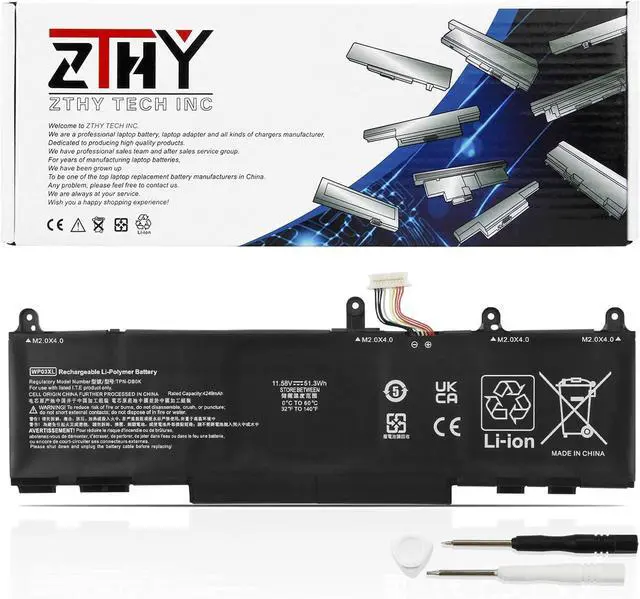
WP03XL Battery for HP EliteBook 830 835 840 845 860 865 G9 G10/ 840 860 G11
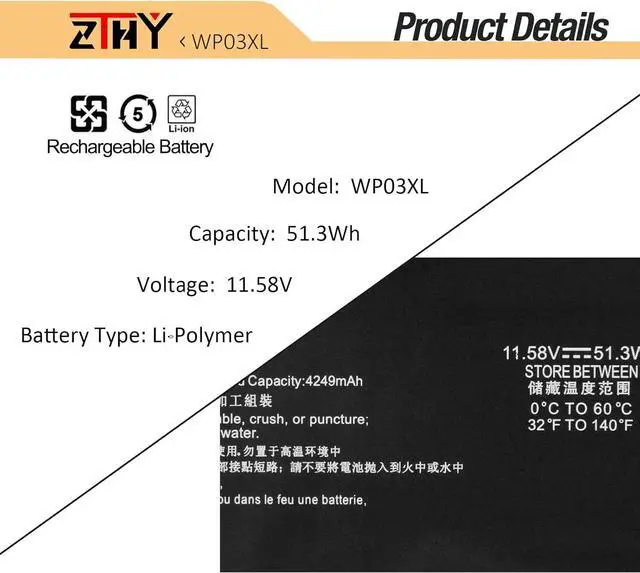
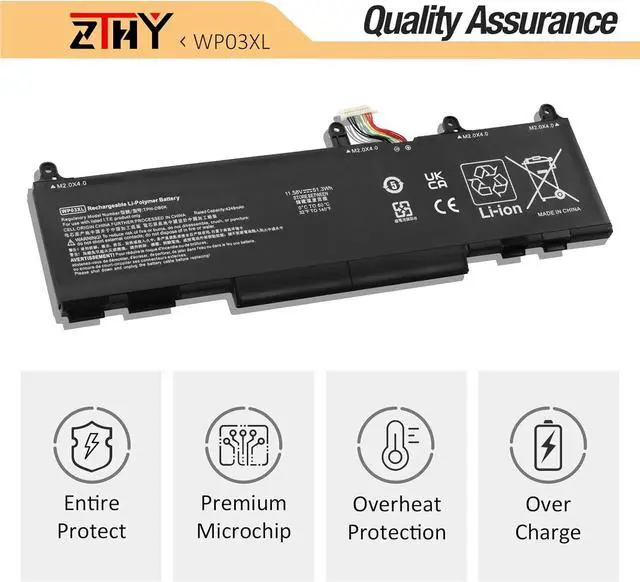
- Specifications: Battery type: Li-Polymer. Color: Black. Voltage:11.58V. Capacity: 51.3Wh. ZTHY specializes in Laptop and camera Accessories including Laptop Batteries, Tablet batteries, Camera Batteries, Camcorder Batteries, Vacuum Batteries, and chargers
- Compatible Part Number: WP03XL HSTNN-0B2J HSTNN-LB8W HSTNN-LB9C M64305-AC1 M64305-421 M73466-005 M64304-422 M64304-2D1 L60373-005 L78555-005 31CP6/60/75
- Compatible Models: Replacement for HP Split X2 13-M0000 Series; Replacement for HP EliteBook 830 835840 845 860 865 G9 Series; Replacement for HP EliteBook 830 835 840 845 860 865 G10 Series; Replacement for HP EliteBook x360 1040 G9 G10 Series; Replacement for HP Elite x360 830 840 860 G11 Series; Replacement for HP EliteBook x360 1040 G9 2-in-1 Series; Replacement for HP EliteBook x360 1040 G10 2-in-1 Series; Replacement for HP ZBook Firefly 14 G9 Mobile Workstation Series; Replacement for HP ZBook Firefly 14 G10 Mobile Workstation Series; Replacement for HP ZBook Firefly 14 G11
+
+
Overview
Specs
Reviews
Any questions? Our AI mode will help you find out quickly.
Try me now
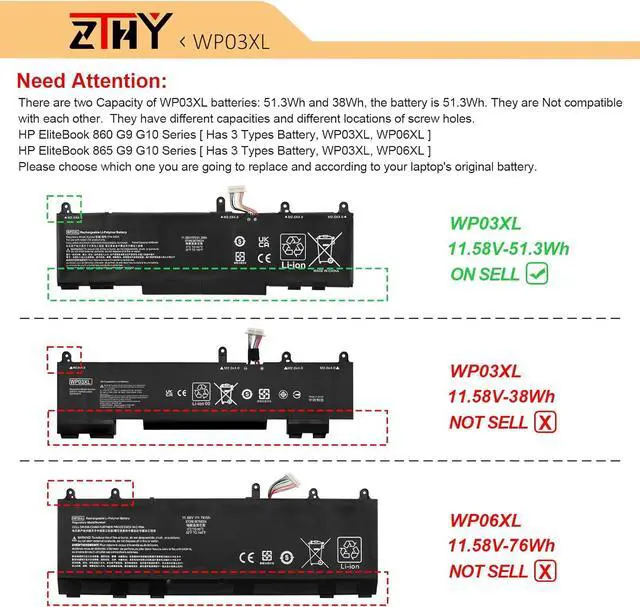
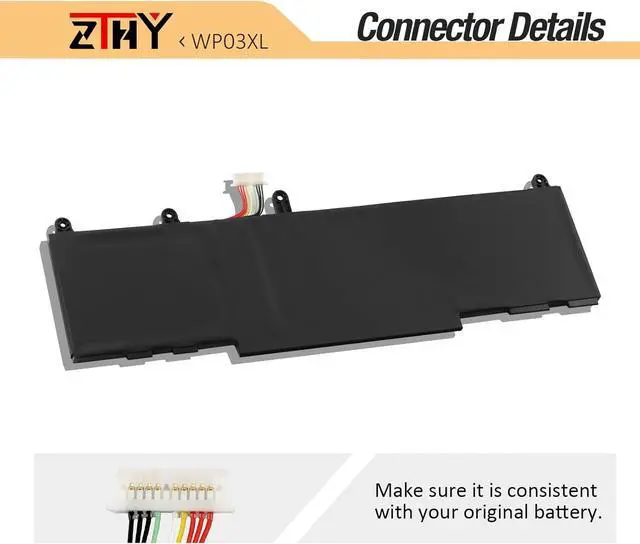
Compatible Part Number WP03XL HSTNN-0B2J HSTNN-LB8W HSTNN-LB9C M64305-421 M73466-005 L78555-005 M64304-422 M64304-2D1 31CP6/60/75 Compatible Part Number Replacement for HP EliteBook 830 835 840 845 860 865 G9 Series; Compatible Model Replacement for HP EliteBook 830 835 840 845 860 865 G10 Series; Compatible Model Replacement for HP Elite x360 830 840 860 G11 Series; Compatible Model Replacement for HP EliteBook X360 1040 G9 G10 Series; Compatible Model Replacement for HP EliteBook X360 1040 G9 G10 2-in-1 Series; Compatible Model Replacement for HP Split X2 13-M000 Series; Compatible Model Replacement for HP ZBook Firefly 14 G9 Mobile Workstation Series; Compatible Model Replacement for HP ZBook Firefly 14 G10 Mobile Workstation Series; Compatible Model Replacement for HP ZBook Firefly 14 G11 Series; Compatible Model Replacement for HP ZBook FireFly 14 inch G11 A Series; Compatible Model Replacement for HP ZBook Firefly 16 G11 Series. Attention There are two Capacity of WP03XL batteries: 51.3Wh and 38Wh, the battery is 51.3Wh. They are Not compatible with each other. They have different capacities and different locations of screw holes. Please choose which one you are going to replace and according to your laptop's original battery. What do I need to be aware of when I receive a new laptop battery?
Check appearance, model, manual. Do 5-6 full charge-discharge cycles to activate. Store long-term at 50%-60% in cool dry place; check every 2-3 months & recharge if needed. These steps extend battery life & reliability.
What should I do if laptop won't boot up after installing a new battery?
1. Check battery seated & contacts clean. 2. Run laptop on charger alone (battery out). 3. If charger works, charge new battery 30 mins then boot with battery. 4. Reset BIOS/EC (hold power 30s). 5. Reinstall old battery to verify laptop hardware.
How should I do if the battery is not recognised?
Update BIOS to latest version. Power off, disconnect battery (and adapter), hold power button 20s, reconnect battery and adapter, reboot. If still not recognised, reseat battery and clean contacts.
What should I do if the battery expands?
1. Power off & unplug laptop. 2. Do not charge or use. 3. In ventilated area, remove swollen battery carefully, avoid pressing or puncturing.
What can you do if you are not satisfied with the battery?
Please use Amazon's messaging system with your order details. We are committed to your satisfaction and will do our best to help resolve any issue.
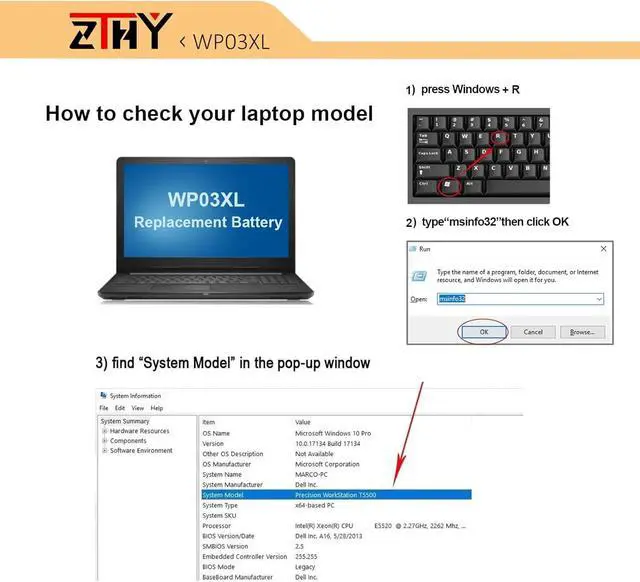
Compatible with Laptop models: Press [Ctrl + F] to search for your type What do I need to be aware of when I receive a new laptop battery?
What should I do if laptop won't boot up after installing a new battery?
How should I do if the battery is not recognised?
What should I do if the battery expands?
What can you do if you are not satisfied with the battery?

Check appearance, model, manual. Do 5-6 full charge-discharge cycles to activate. Store long-term at 50%-60% in cool dry place; check every 2-3 months & recharge if needed. These steps extend battery life & reliability.
What should I do if laptop won't boot up after installing a new battery?
1. Check battery seated & contacts clean. 2. Run laptop on charger alone (battery out). 3. If charger works, charge new battery 30 mins then boot with battery. 4. Reset BIOS/EC (hold power 30s). 5. Reinstall old battery to verify laptop hardware.
How should I do if the battery is not recognised?
Update BIOS to latest version. Power off, disconnect battery (and adapter), hold power button 20s, reconnect battery and adapter, reboot. If still not recognised, reseat battery and clean contacts.
What should I do if the battery expands?
1. Power off & unplug laptop. 2. Do not charge or use. 3. In ventilated area, remove swollen battery carefully, avoid pressing or puncturing.
What can you do if you are not satisfied with the battery?
Please use Amazon's messaging system with your order details. We are committed to your satisfaction and will do our best to help resolve any issue.
Compatible with Laptop models: Press [Ctrl + F] to search for your type What do I need to be aware of when I receive a new laptop battery?
What should I do if laptop won't boot up after installing a new battery?
How should I do if the battery is not recognised?
What should I do if the battery expands?
What can you do if you are not satisfied with the battery?
Warranty & Returns
Warranty, Returns, And Additional Information
Warranty
- Please contact the Seller directly for warranty information. Warranty information may also be found on the Manufacturer's website.
- CONTACT
Return Policies
- Return for refund within: 30 days
- Return for replacement within: 30 days
- This item is covered by LionTech Direct Return Policy
Manufacturer Contact Info
- For a directory of all our manufacturers, please click below.
- Manufacturers Directory
LOADING...