Your Browsing History
Meet Your Seller
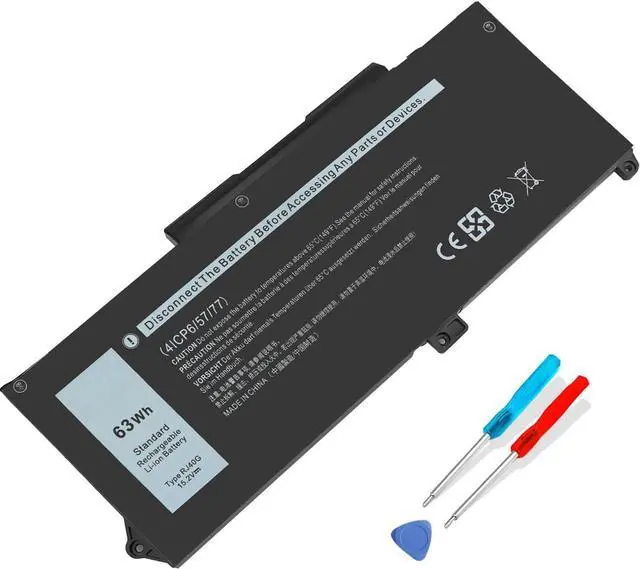
63Wh RJ40G Battery for Dell Latitude 14 5420 15 5520 Precision 15 3560
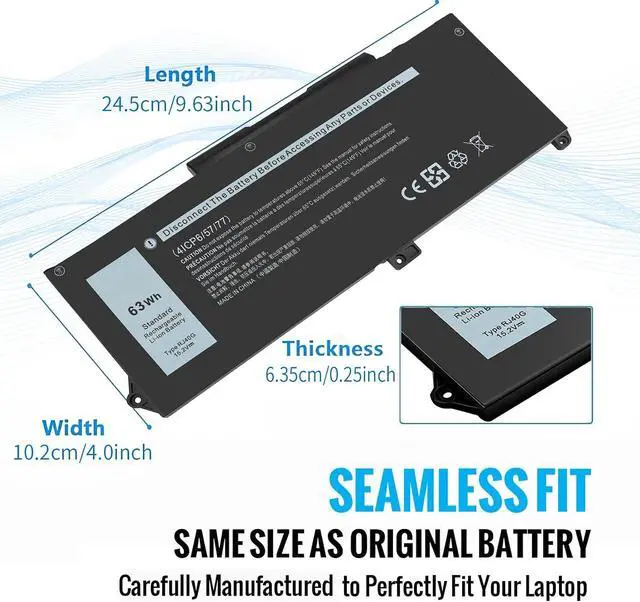
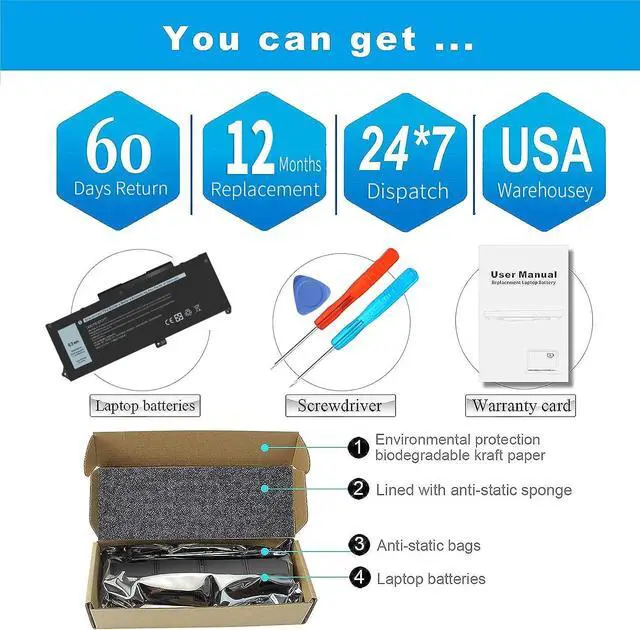
- [ Specifications ] Replacement for RJ40G Dell Battery , Voltage: 15.2V, Capacity: 63Wh, Cells: 4-celL, Condition: New. Packages includes: 1x RJ40G Laptop Battery , 2 x Screwdrivers, 1x Instruction
- [ Compatible Part Number ] Fits for Dell RJ40G 01K2CF 075X16 WY9DX 0WK3F1 0M3KCN 005R42 RJ4OG
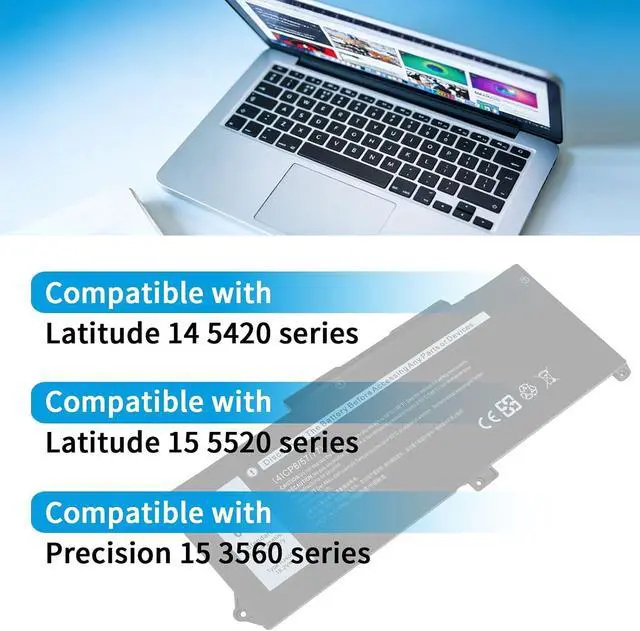
- [ Compatible Laptop Models ] Fits for Dell Latitude 14 5420, Latitude 15 5520, Precision 15 3560 series laptops, for Dell P137G P137G001 P104F P104F001 P104F002 series Laptop Notebook
- [ Quality Control ] 100% New from Manufacturer. Up to 1000 recharge cycles over the life of the battery! Made of high quality materials, top grade battery cells and packed with safety features. ALL our batteries are Tested under strict quality control standards. CE-/FCC-/RoHS-Certified.
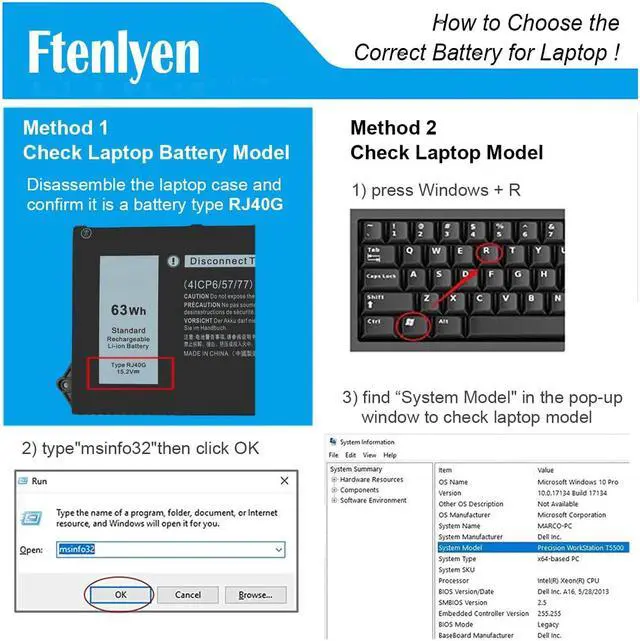
- [ Purchasing Note ] There are 2 battery(RJ40G-63Wh and WY9DX-42Wh)of the Latitude 5420 5520 laptop, Please choose the which one you are going to replace and according to your laptop's original battery
+
+
Overview
Specs
Reviews
Any questions? Our AI mode will help you find out quickly.
Try me now
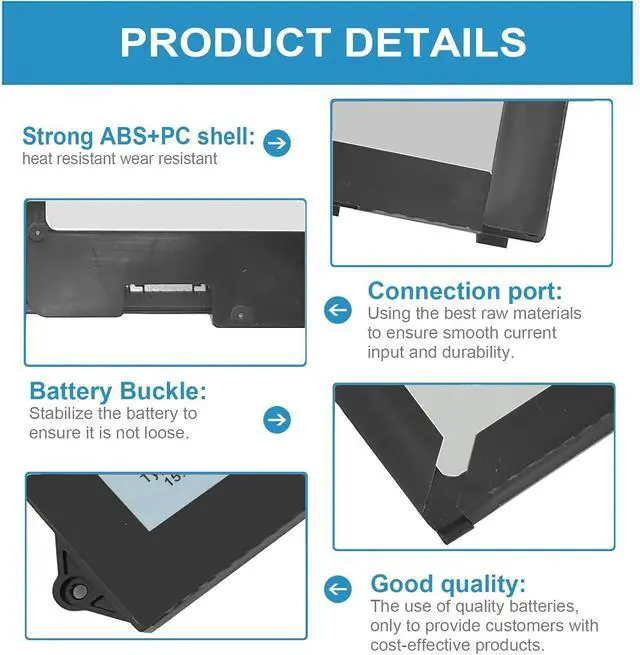
Part Number: RJ40G / 01K2CF / 075X16 / WY9DX / 0WK3F1 / 0M3KCN / 005R42 Compatibility Compatible with Latitude 14 5420 Series : Latitude 14 5420 CHKFM / Latitude 14 5420 FDTCY / Latitude 14 5420 XPC5H Compatibility Compatible with Latitude 15 5520 series : Latitude 15 5520 39V1H / Latitude 15 5520 FPKNM Compatibility Compatible with Precision 15 3560 series : Precision 15 3560 3H45Y / Precision 15 3560 4MTF7 / Precision 15 3560 758J7 / Precision 15 3560 7RV10 / Precision 15 3560 F3T9T Compatibility P137G P137G001 P104F P104F001 P104F002 1Multiple Protection2Stable Wires3High Quality Material What do we need to pay attention to using batteries for the first time?
1. The battery must be full charged before first use
2. You need to turn off your laptop and disconnect the power when you install a new battery
3. Do Discharge the new battery use to 5%/7%(not to 0%o) and then charge to 95%, and cycle 3-4 times
How should I do if the battery is not recognised?
When the computer is turned on,if it is not recognised,it is recommended to update the BlOS settings or please disconnecting the old battery, and holding down the power button for 20 seconds, then connect the new battery.
How should I charge my laptop battery?
It is suggested to charge the battery before the power runsout completely.It is best to charge when the remaining power is about 5-10%,and the battery should be charged in a relatively dry place.
How should I preserve my laptop battery when I dont use it?
The ideal preservation method is to charge the battery to about 4o%. The battery should be used once a month, which can not only good preservation of the battery but also prevent the battery from being damaged by the complete loss of power.
Compatible Models What do we need to pay attention to using batteries for the first time?
How should I do if the battery is not recognised?
How should I charge my laptop battery?
How should I preserve my laptop battery when I dont use it?

1. The battery must be full charged before first use
2. You need to turn off your laptop and disconnect the power when you install a new battery
3. Do Discharge the new battery use to 5%/7%(not to 0%o) and then charge to 95%, and cycle 3-4 times
How should I do if the battery is not recognised?
When the computer is turned on,if it is not recognised,it is recommended to update the BlOS settings or please disconnecting the old battery, and holding down the power button for 20 seconds, then connect the new battery.
How should I charge my laptop battery?
It is suggested to charge the battery before the power runsout completely.It is best to charge when the remaining power is about 5-10%,and the battery should be charged in a relatively dry place.
How should I preserve my laptop battery when I dont use it?
The ideal preservation method is to charge the battery to about 4o%. The battery should be used once a month, which can not only good preservation of the battery but also prevent the battery from being damaged by the complete loss of power.
Compatible Models What do we need to pay attention to using batteries for the first time?
How should I do if the battery is not recognised?
How should I charge my laptop battery?
How should I preserve my laptop battery when I dont use it?
Warranty & Returns
Warranty, Returns, And Additional Information
Warranty
- Please contact the Seller directly for warranty information. Warranty information may also be found on the Manufacturer's website.
- CONTACT
Return Policies
- Return for refund within: 30 days
- Return for replacement within: 30 days
- This item is covered by LionTech Direct Return Policy
Manufacturer Contact Info
- For a directory of all our manufacturers, please click below.
- Manufacturers Directory
LOADING...