• $79.99
  • Free 30-day Returns
  • Shipped by LionTech Direct

    Price alert
    Shop it at NeweggBusiness.

    Meet Your Seller

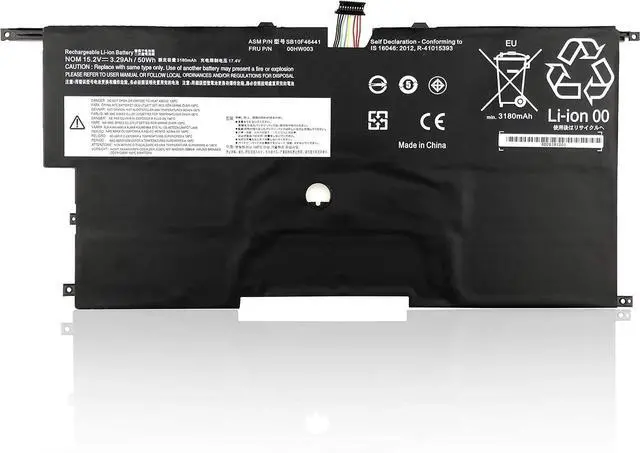
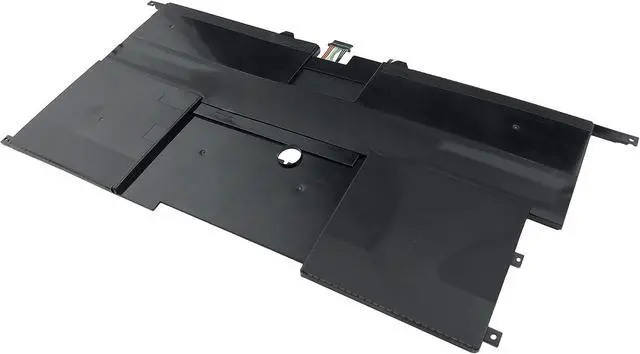
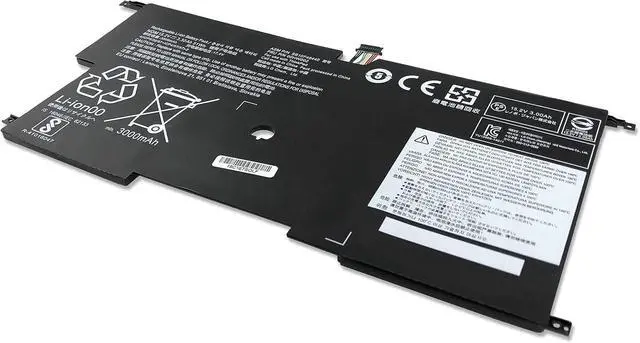
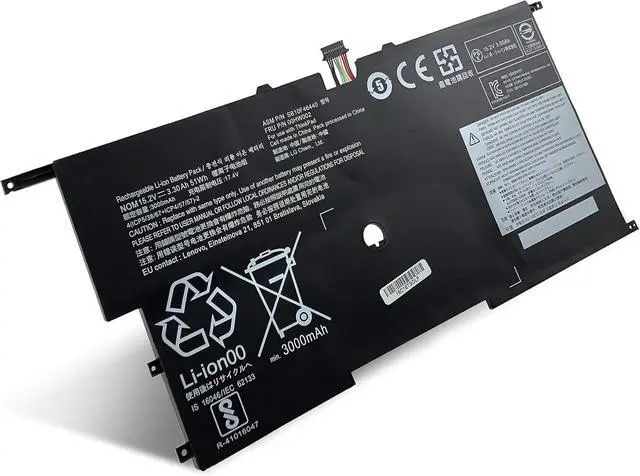
    45N1700 Battery Fit for Lenovo ThinkPad New X1 Carbon 20A7A04ACD 14-Inch, ThinkPad X1 Carbon Gen 3, 45N1701 (15.2V 51Wh)

    • EERSY has its own R&D team and has been committed to providing users with efficient, safe and reliable product!
    • Our goal is to always strive to create more cost-effective products. All of our products have passed CE, FCC, RoHS certification, and have been tested by manufacturers, and exported all over the world.
    • #205,358 in Computers & Accessories (See Top 100 in Computers & Accessories)
    • #13,021 in Laptop Batteries
    • 5 star4 star3 star2 star1 star5 star71%15%0%0%14%71%
    • 5 star4 star3 star2 star1 star4 star71%15%0%0%14%15%
    • 5 star4 star3 star2 star1 star3 star71%15%0%0%14%0%
    • 5 star4 star3 star2 star1 star2 star71%15%0%0%14%0%
    • 5 star4 star3 star2 star1 star1 star71%15%0%0%14%14%
    • Bob McNutt5 out of 5 starsGood valueReviewed in the United States on September 12, 2020Verified PurchaseBrief content visible, double tap to read full content.Full content visible, double tap to read brief content.Easy to install w works greatRead moreRead lessHelpfulSending feedback...Thank you for your fe
    +
    +
    Overview
    Specs
    Reviews
    avatar

    Any questions? Our AI mode will help you find out quickly.

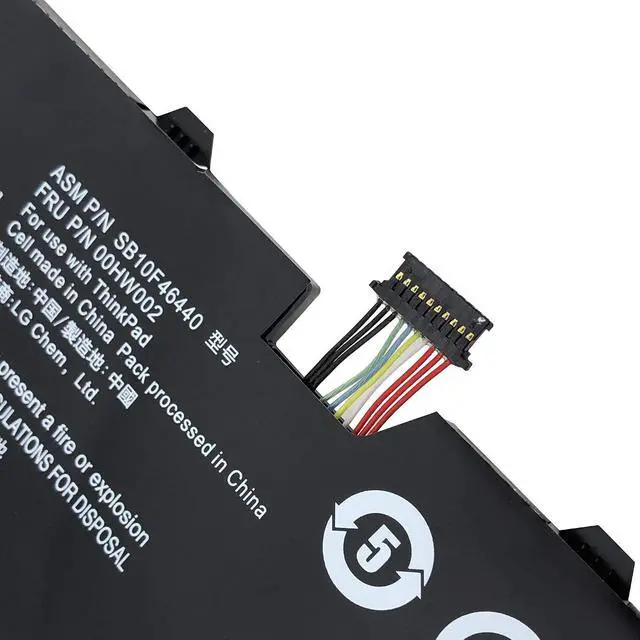
    Replaces these Lenovo X1 carbon part numbers
    45N1700 45N1701 4ICP5/58/73-2
    00HW002, 00HW003, ASM SB10F46440, FRU 00HW002, ASM SB10F46441, FRU 00HW003, SB10F46440, SB10F46441
    Compatible with Lenovo laptop machine number
    Carbon X1 i7-4600
    ThinkPad New X1 Carbon 20A7A04ACD 14-Inch
    ThinkPad X1c (Only Fit New model 2014)
    ThinkPad New X1 Carbon 14
    Thinkpad X1 Carbon3 2015 (The third generation 2015 ThinkPad X1 Carbon) :
    ThinkPad X1 Carbon 2015 20BTA06ECD 20BTA06CCD, ThinkPad X1 Carbon 2015 20BTA0AMCD 20BTA06DCD
    ThinkPad X1 Carbon 2015 20BTA1AXCD 20BTA0S4CD, ThinkPad X1 Carbon 2015 20BTA07BCD 20BTA0ANCD
    ThinkPad X1 Carbon 2015 20BTA0S5CD 20BTA07CCD, ThinkPad X1 Carbon 2015 20BTA0M400 20BTA0FMCD
    ThinkPad X1 Carbon 2015 20BTA06FCD
    1.Turn off the laptop.
    2.Unplug AC power.
    3.Remove the battery.
    4.Replace AC power.
    5.Turn on laptop,allow OS to boot.
    6.Once logged in to the machine, perform a normal shut donw.
    7.Unplug AC power.
    8.Replace battery
    9.Turn on laptop,allow os to boot.
    When battery was recognized in the bios before it even loaded windows.
    We suggest you got it to register by enabling BIOS version rollback (setting in the BIOS), and then flashed the BIOS back to a random version from the past that you downloaded from Lenovo's website. It came back up after the BIOS flash.
    Finally, please ran it though a couple full charge/discharge cycles. if problem still can't be solve, please let us know.
    Tips for Successful Battery using: Here are have some steps to solve the battery's recognized.

    Warranty & Returns

    Warranty, Returns, And Additional Information

    Warranty

    • Please contact the Seller directly for warranty information. Warranty information may also be found on the Manufacturer's website.
    • CONTACT

    Return Policies

    Manufacturer Contact Info

    LOADING...