Your Browsing History
Meet Your Seller
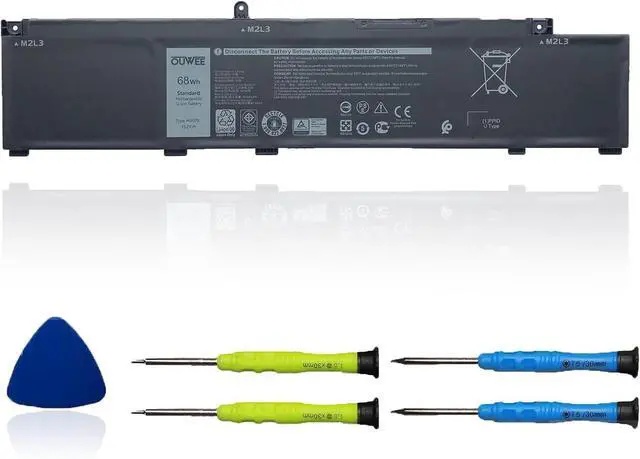
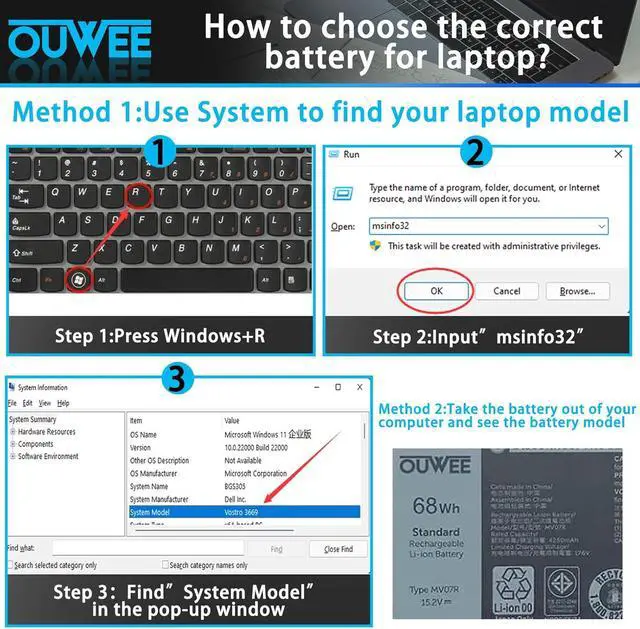
MV07R Laptop Battery Compatible with Dell G3 15 3500 3590 G5 5500 5505 SE Series Notebook 0JJRRD 266J9 15.2V 68Wh 4250mAh
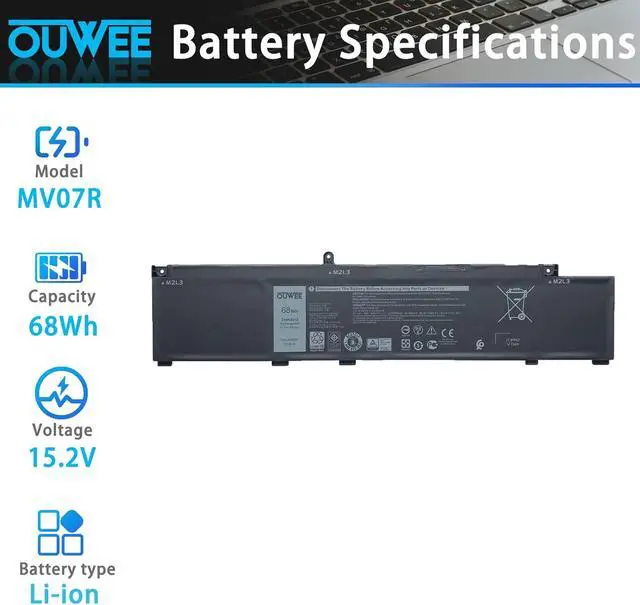
- Battery typeLi-ion. Voltage: 15.2V. Capacity: 68Wh 4250mAh .
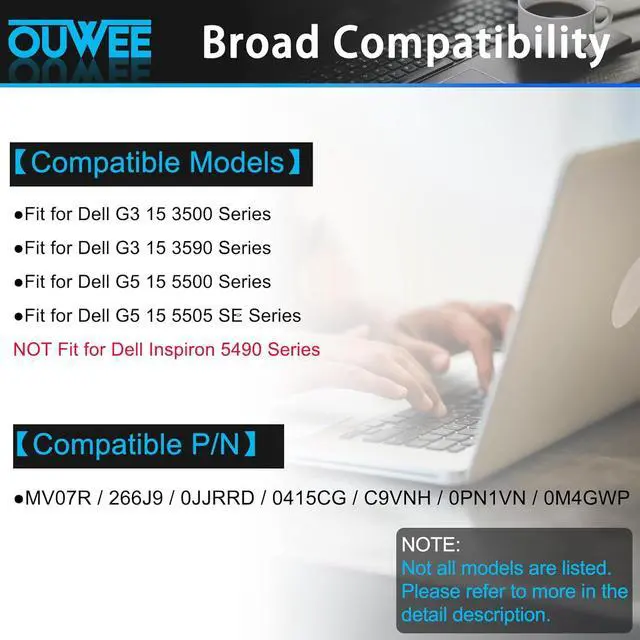
- Compatible Part NumberMV07R 0JJRRD 266J9.(Purchasing Note: NOT fit for Inspiron 5490 )
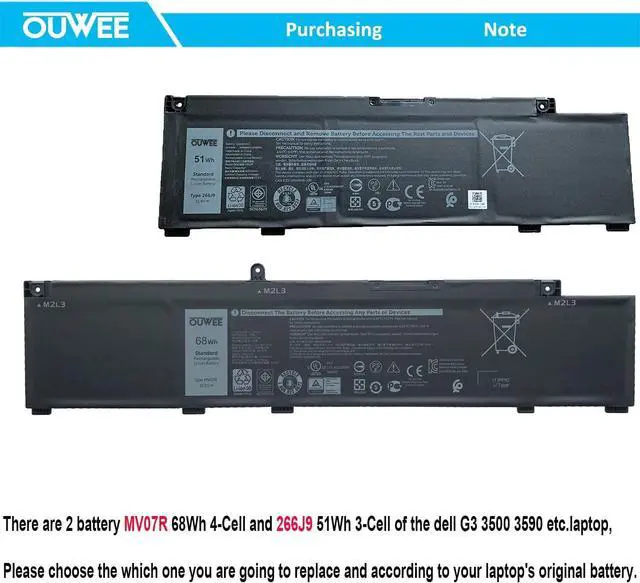
- Replacement For LaptopDell G3 15 3500 3590 G5 5500 5505 SE Series Notebook.(Purchasing Note: There are 2 battery MV07R 68Wh 4-Cell and 266J9 51Wh 3-Cell of the dell G3 3500 3590 G5 5500 5505 SE laptop,Please choose the which one you are going to replace and according to your laptop's original battery)
- CertificateAll OUWEE products are Certified by CE, FCC for safety. Strict guidelines for compatibility, and standards compliance for environment safety.
- OUWEE Worry-Free Warranty ServiceRest assured with 30 days Refund and 12 months Replacement,also get our friendly customer service.
+
+
Overview
Specs
Reviews
Any questions? Our AI mode will help you find out quickly.
Try me now
Model MV07R Capacity 68Wh Voltage 15.2V Type Li-ion Color Black Condition Brand New
Fit for Dell G3 15 3500 Series;
Fit for Dell G3 15 3590 Series;
Fit for Dell G5 15 5500 Series;
Fit for Dell G5 15 5505 SE Series;
NOT Fit for Dell Inspiron 5490 Series.
Replacement for Part Number:
MV07R / 266J9 / 0JJRRD / 0415CG / C9VNH / 0PN1VN / 0M4GWP
Why isnt your laptop detecting the battery or showing the correct battery level after installation? This could happen if the battery isnt properly connected. Make sure the battery cable is securely attached. Another possible cause is damaged conductive material between the laptops motherboard and the batterys positive contacttry testing with the original battery to verify. Also, check if the battery driver is functioning correctly. If not, download and install the latest driver update.
When you receive a new battery, discharge the battery to 5% (not 0%), then charge it to 95% and cycle 3-4 times to wake up the new battery. It is important to fully discharge and recharge every other month to extend battery life. Do not leave the adapter connected for long periods of time when using the battery. It may damage the battery. Avoid human impact, disassembly, crushing or puncturing. Do not put it in fire or water.
100% True Capacity No falsely labeled capacity battery The internal integrated chip is designed to take your laptop to Over-Charge,Over-Current,Over-Voltage,Short-Circuit, Temperature Protection High Quality, fast charge and Long Lasting time. Top Batteries at Great value.
Product information Compatible Models (use "Ctrl+F to find your model quickly") Common Troubleshooting Methods Battery maintenance methods for optimal use Why should you choose OUWEE Batteries?

Fit for Dell G3 15 3500 Series;
Fit for Dell G3 15 3590 Series;
Fit for Dell G5 15 5500 Series;
Fit for Dell G5 15 5505 SE Series;
NOT Fit for Dell Inspiron 5490 Series.
Replacement for Part Number:
MV07R / 266J9 / 0JJRRD / 0415CG / C9VNH / 0PN1VN / 0M4GWP
Why isnt your laptop detecting the battery or showing the correct battery level after installation? This could happen if the battery isnt properly connected. Make sure the battery cable is securely attached. Another possible cause is damaged conductive material between the laptops motherboard and the batterys positive contacttry testing with the original battery to verify. Also, check if the battery driver is functioning correctly. If not, download and install the latest driver update.
When you receive a new battery, discharge the battery to 5% (not 0%), then charge it to 95% and cycle 3-4 times to wake up the new battery. It is important to fully discharge and recharge every other month to extend battery life. Do not leave the adapter connected for long periods of time when using the battery. It may damage the battery. Avoid human impact, disassembly, crushing or puncturing. Do not put it in fire or water.
100% True Capacity No falsely labeled capacity battery The internal integrated chip is designed to take your laptop to Over-Charge,Over-Current,Over-Voltage,Short-Circuit, Temperature Protection High Quality, fast charge and Long Lasting time. Top Batteries at Great value.
Product information Compatible Models (use "Ctrl+F to find your model quickly") Common Troubleshooting Methods Battery maintenance methods for optimal use Why should you choose OUWEE Batteries?
Warranty & Returns
Warranty, Returns, And Additional Information
Warranty
- Please contact the Seller directly for warranty information. Warranty information may also be found on the Manufacturer's website.
- CONTACT
Return Policies
- Return for refund within: 30 days
- Return for replacement within: 30 days
- This item is covered by LionTech Direct Return Policy
Manufacturer Contact Info
- For a directory of all our manufacturers, please click below.
- Manufacturers Directory
LOADING...