Your Browsing History
Meet Your Seller
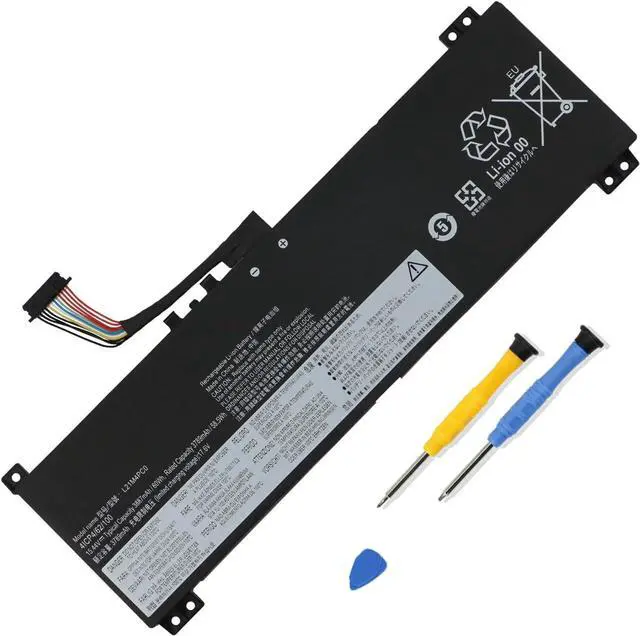
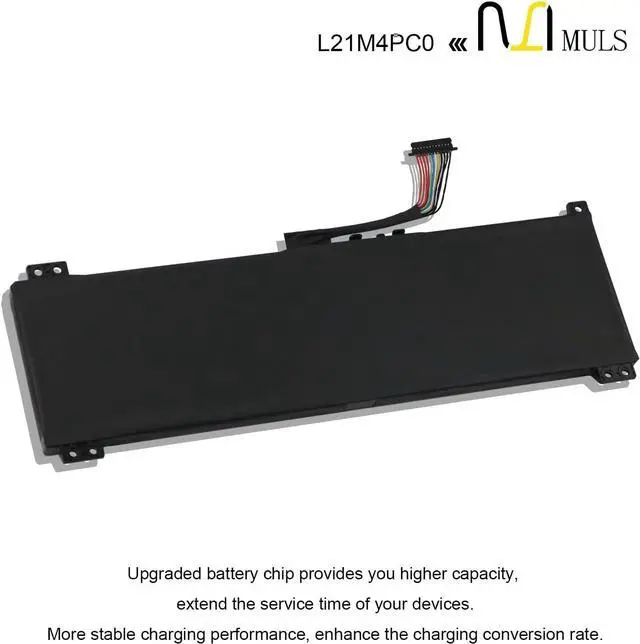
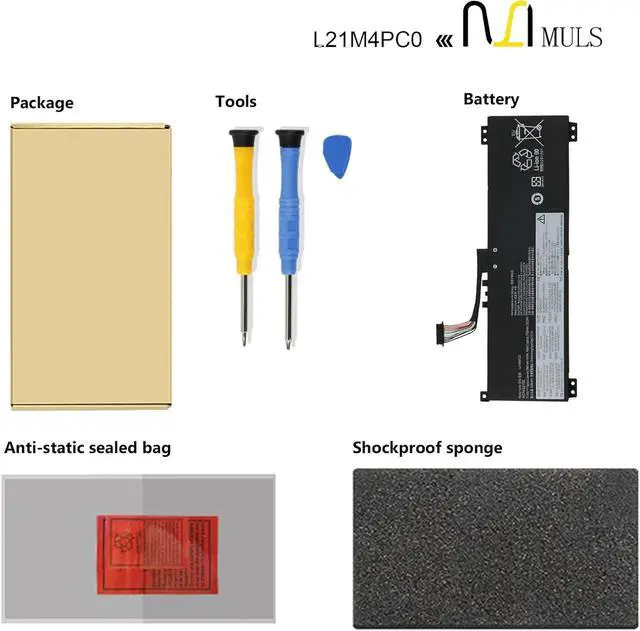
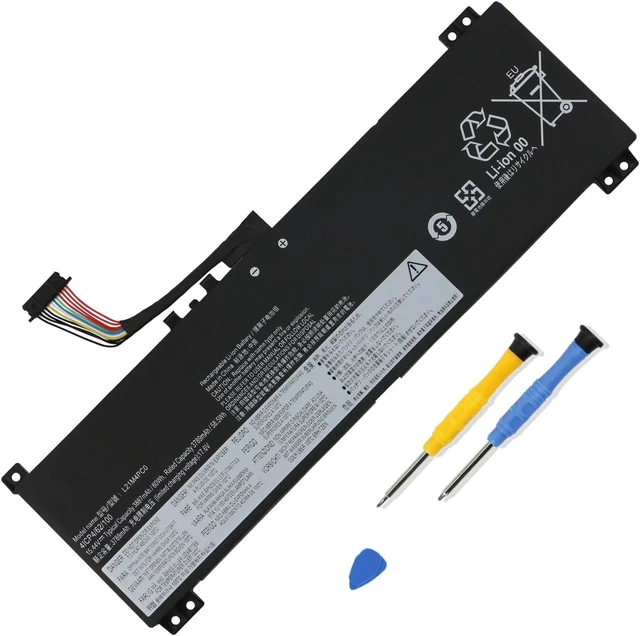
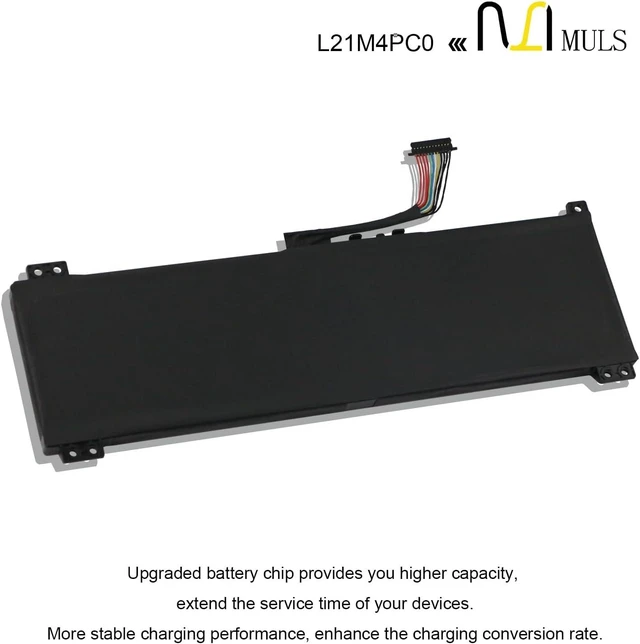
MULS L21M4PC0 Laptop Battery for Lenovo IdeaPad Legion 5-15ARH7 5-15ARH7H
- Replacement For Laptop: Fit for Lenovo IdeaPad Gaming 3-15ARH7 3-15IAH7 Series, Lenovo Legion 5-15ARH7 5-15ARH7H 5-15IAH7 5-15IAH7H 5-15ACH6 5-15ACH6A 5-15ACH6H Series, Lenovo Legion 5 Pro-16ARH7 Pro-16ARH7H Pro-16IAH7 Pro-16IAH7H Pro-16ACH6H Pro-16ITH6 Pro-16ITH6H Series.
- Compatible with Part Number: L21D4PC1 SB11F24153 5B11F24156 L21M4PC2 SB11F24155 5B11F24152 L21B4PC0 SB11F24159 5B11F24147 L21M4PC3 SB11F24164 5B11F24148 L21C4PC1 SB11F24149 5B11F24161 L21D4PC0 SB11F24145 5B11F24163 L21C4PC0 SB11F24160 5B11F24157 L21L4PC0 SB11F24162 5B11F24151 L21M4PC0 SB11F24146 5B11F24158 L21M4PC1 SB11F24154 5B11F24150.
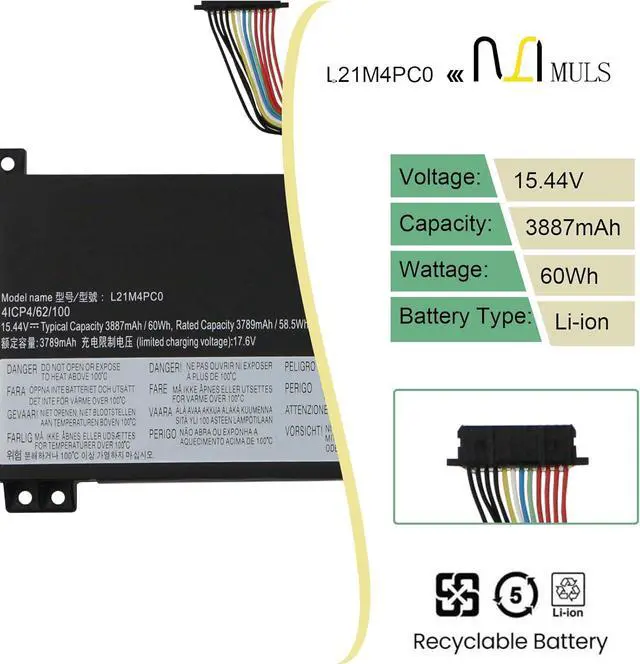
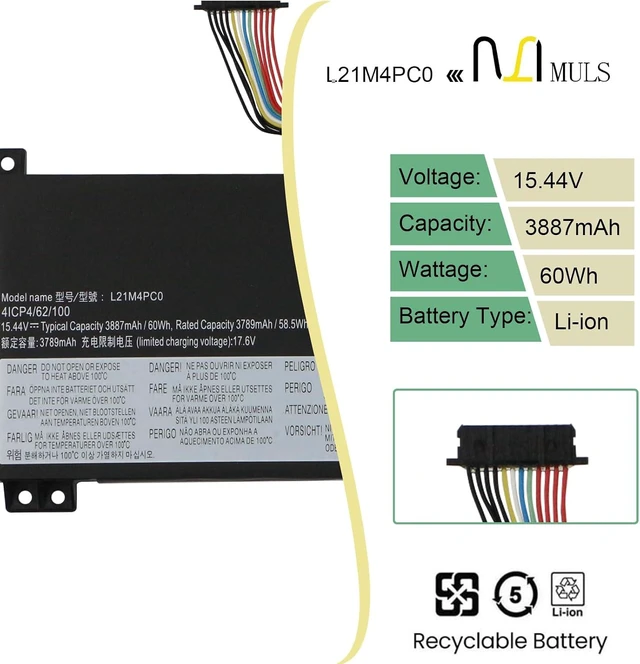
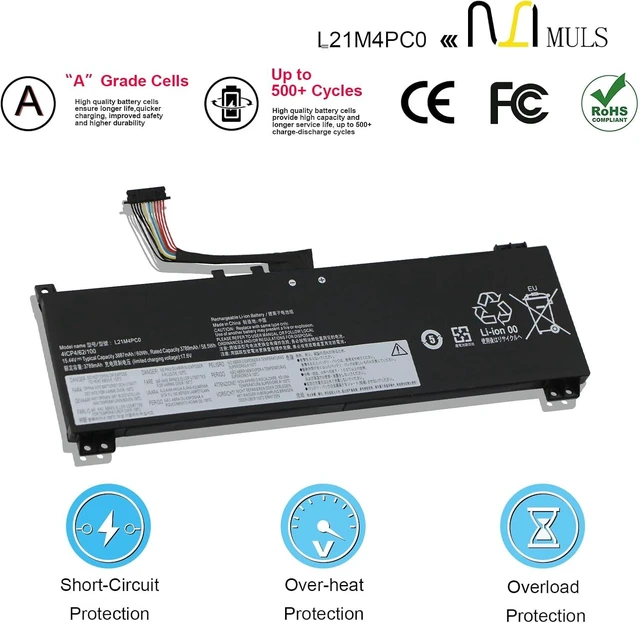
- Battery Specification: Capacity: 60Wh 3887mAh Voltage: 15.44V. Brand new. Up to 500 recharge cycles over the life of the battery. High-quality materials and circuit board.
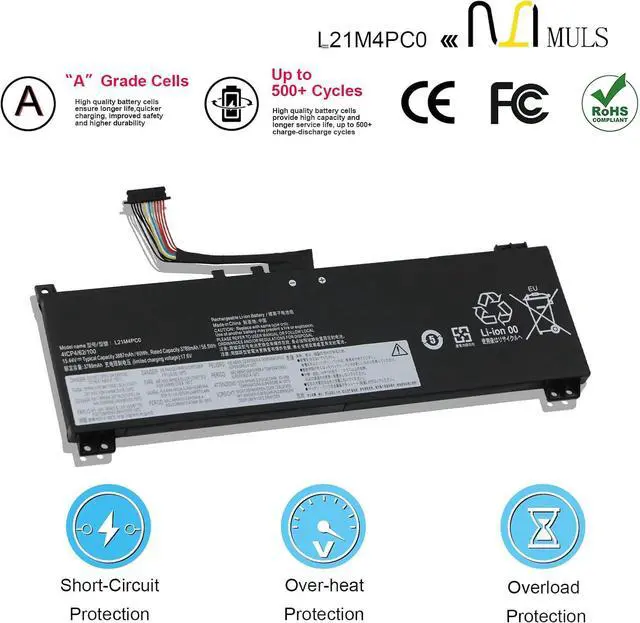
- Safety Above All: Our batteries are certified by CE, FCC and RoHS to ensure your safety, and packed with prevention measures like short circuit, overheat and overcharge protection.Our laptop batteries are made
+
+
Overview
Specs
Reviews
Any questions? Our AI mode will help you find out quickly.
Try me now
About MULS
1. We have professional battery and adapter experience!
Strictly test before shipment to ensure full capacity and safety without harming the computer!
2. We recommend that the first charge is not less than 5 hours.
3. The new battery cannot be charged, is there a problem with the battery?
Usually not. The computer charges the battery for the first time. Due to the instability of voltage and current, the computer may stop charging the battery when the battery is half charged (sometimes more, sometimes less). If this happens, Don't worry, just take the battery out of the computer and recharge it again. The new battery charged for the first time may require several iterations. Don't worry, this is normal.
4. When the battery is in normal operation, if the battery is discharged to 3%, it must be shut down or recharged. If the battery is discharged to 0%, the battery will be damaged and its life will be attenuated.
5. Avoid falling, heating, and short-circuit, avoid using the battery in an environment where the temperature is too high or too low.
Specification:
Voltage:15.44V
Capatity:60Wh 3887mAh
Condition: 100% brand new from manufacture, Grade A cell
Compatible Laptop Models:
Lenovo IdeaPad Gaming 3-15ARH7 Series
Lenovo IdeaPad Gaming 3-15IAH7 Series
Lenovo Legion 5-15ARH7 Series
Lenovo Legion 5-15ARH7H Series
Lenovo Legion 5-15IAH7 Series
Lenovo Legion 5-15IAH7H Series
Lenovo Legion 5-15ACH6 Series
Lenovo Legion 5-15ACH6A Series
Lenovo Legion 5-15ACH6H Series
Lenovo Legion 5 Pro-16ARH7 Series
Lenovo Legion 5 Pro-16ARH7H Series
Lenovo Legion 5 Pro-16IAH7 Series
Lenovo Legion 5 Pro-16IAH7H Series
Lenovo Legion 5 Pro-16ACH6H Series
Lenovo Legion 5 Pro-16ITH6 Series
Lenovo Legion 5 Pro-16ITH6H Series
Replacement for Part Number
L21D4PC1 SB11F24153 5B11F24156
L21M4PC2 SB11F24155 5B11F24152
L21B4PC0 SB11F24159 5B11F24147
L21M4PC3 SB11F24164 5B11F24148
L21C4PC1 SB11F24149 5B11F24161
L21D4PC0 SB11F24145 5B11F24163
L21C4PC0 SB11F24160 5B11F24157
L21L4PC0 SB11F24162 5B11F24151
L21M4PC0 SB11F24146 5B11F24158
L21M4PC1 SB11F24154 5B11F24150
Please open the back cover of your laptop to check the original battery size and capacity before placing an order. Please scroll down to the list to purchase.
1. Turn off your laptop and disconnect the power.
2. Disconnect the connection between the old battery and the motherboard to avoid unnecessary damage caused by disassembling the battery. Then unscrew the old battery screws one by one and carefully save each screw.
3. Remove the old battery, carefully connect the new battery to the mainboard, reinstall all the parts that have been removed earlier, and connect the wiring of the new battery.
4. If you don't understand the above steps, you can search the relevant installation tutorial video on YouTube for help.
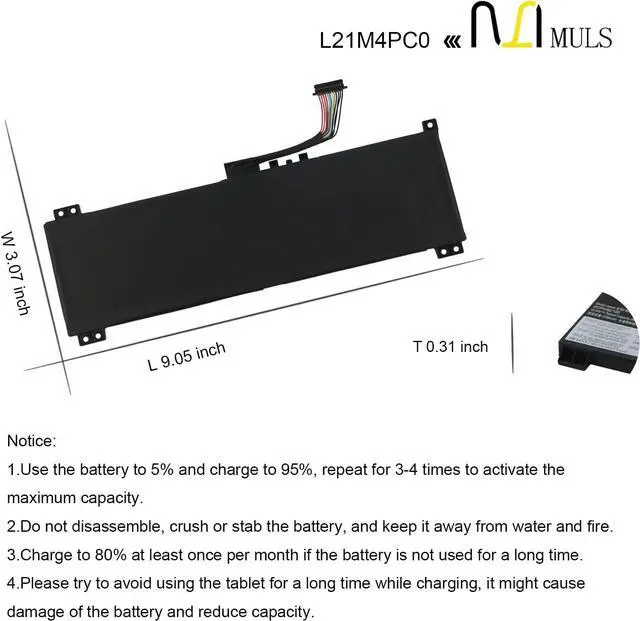
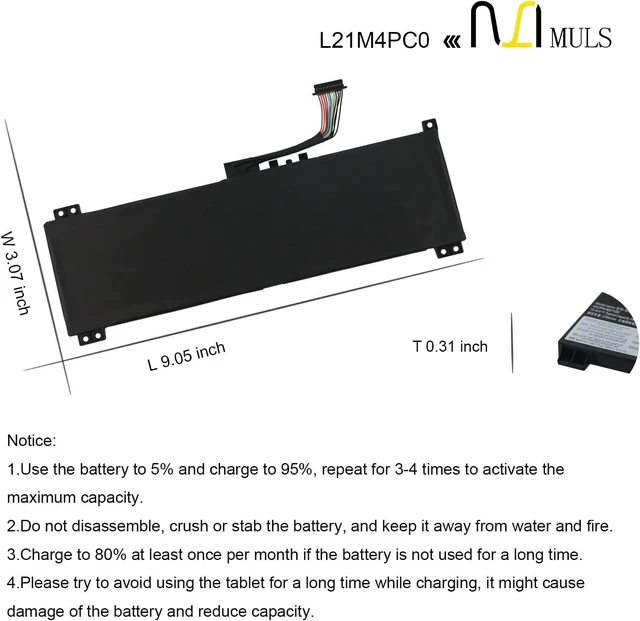
1. New battery: Discharge the new battery to 10% (not 0%), then charging up to 95% and repeat 3-4 times to activate the maximum capacity.
2. Overuse: Do not always run out of a battery to 0%, that would damage the battery or shorten the usage life.
3. Charging sequence: when charging, first install the battery, then turn on the power, when fully charged, first cut off the power, then pull the power plug.
4. Fully charge the battery before long-term storage, and keep charging once a month.
Do not store the battery at low power circumstances.
Could be caused by battery loss. Please re-install the battery and make sure that the battery cable and the motherboard interface are tightly inserted.
Maybe due to conductive material damage which the laptop motherboard and battery anode and cathode contact position, you can try to confirm it with your original battery.
Check whether the battery drive is in normal condition, if not, download the correspond

1. We have professional battery and adapter experience!
Strictly test before shipment to ensure full capacity and safety without harming the computer!
2. We recommend that the first charge is not less than 5 hours.
3. The new battery cannot be charged, is there a problem with the battery?
Usually not. The computer charges the battery for the first time. Due to the instability of voltage and current, the computer may stop charging the battery when the battery is half charged (sometimes more, sometimes less). If this happens, Don't worry, just take the battery out of the computer and recharge it again. The new battery charged for the first time may require several iterations. Don't worry, this is normal.
4. When the battery is in normal operation, if the battery is discharged to 3%, it must be shut down or recharged. If the battery is discharged to 0%, the battery will be damaged and its life will be attenuated.
5. Avoid falling, heating, and short-circuit, avoid using the battery in an environment where the temperature is too high or too low.
Specification:
Voltage:15.44V
Capatity:60Wh 3887mAh
Condition: 100% brand new from manufacture, Grade A cell
Compatible Laptop Models:
Lenovo IdeaPad Gaming 3-15ARH7 Series
Lenovo IdeaPad Gaming 3-15IAH7 Series
Lenovo Legion 5-15ARH7 Series
Lenovo Legion 5-15ARH7H Series
Lenovo Legion 5-15IAH7 Series
Lenovo Legion 5-15IAH7H Series
Lenovo Legion 5-15ACH6 Series
Lenovo Legion 5-15ACH6A Series
Lenovo Legion 5-15ACH6H Series
Lenovo Legion 5 Pro-16ARH7 Series
Lenovo Legion 5 Pro-16ARH7H Series
Lenovo Legion 5 Pro-16IAH7 Series
Lenovo Legion 5 Pro-16IAH7H Series
Lenovo Legion 5 Pro-16ACH6H Series
Lenovo Legion 5 Pro-16ITH6 Series
Lenovo Legion 5 Pro-16ITH6H Series
Replacement for Part Number
L21D4PC1 SB11F24153 5B11F24156
L21M4PC2 SB11F24155 5B11F24152
L21B4PC0 SB11F24159 5B11F24147
L21M4PC3 SB11F24164 5B11F24148
L21C4PC1 SB11F24149 5B11F24161
L21D4PC0 SB11F24145 5B11F24163
L21C4PC0 SB11F24160 5B11F24157
L21L4PC0 SB11F24162 5B11F24151
L21M4PC0 SB11F24146 5B11F24158
L21M4PC1 SB11F24154 5B11F24150
Please open the back cover of your laptop to check the original battery size and capacity before placing an order. Please scroll down to the list to purchase.
1. Turn off your laptop and disconnect the power.
2. Disconnect the connection between the old battery and the motherboard to avoid unnecessary damage caused by disassembling the battery. Then unscrew the old battery screws one by one and carefully save each screw.
3. Remove the old battery, carefully connect the new battery to the mainboard, reinstall all the parts that have been removed earlier, and connect the wiring of the new battery.
4. If you don't understand the above steps, you can search the relevant installation tutorial video on YouTube for help.
1. New battery: Discharge the new battery to 10% (not 0%), then charging up to 95% and repeat 3-4 times to activate the maximum capacity.
2. Overuse: Do not always run out of a battery to 0%, that would damage the battery or shorten the usage life.
3. Charging sequence: when charging, first install the battery, then turn on the power, when fully charged, first cut off the power, then pull the power plug.
4. Fully charge the battery before long-term storage, and keep charging once a month.
Do not store the battery at low power circumstances.
Could be caused by battery loss. Please re-install the battery and make sure that the battery cable and the motherboard interface are tightly inserted.
Maybe due to conductive material damage which the laptop motherboard and battery anode and cathode contact position, you can try to confirm it with your original battery.
Check whether the battery drive is in normal condition, if not, download the correspond
Warranty & Returns
Warranty, Returns, And Additional Information
Warranty
- Please contact the Seller directly for warranty information. Warranty information may also be found on the Manufacturer's website.
- CONTACT
Return Policies
- Return for refund within: 30 days
- Return for replacement within: 30 days
- This item is covered by LionTech Direct Return Policy
Manufacturer Contact Info
- For a directory of all our manufacturers, please click below.
- Manufacturers Directory
LOADING...