Your Browsing History
Meet Your Seller
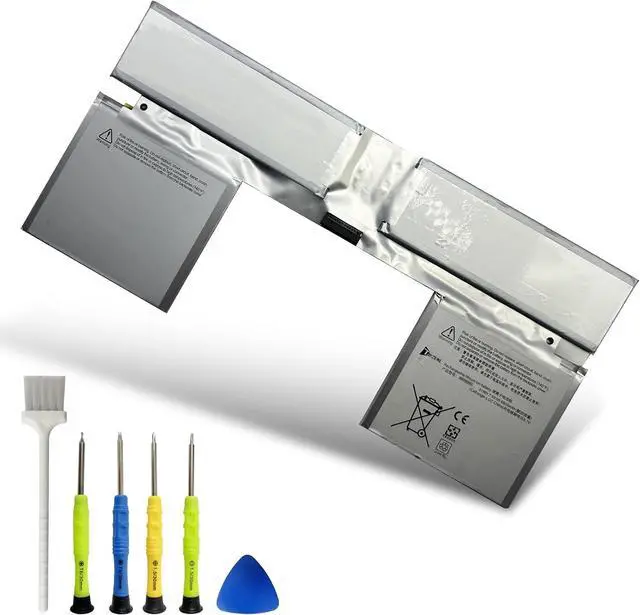
G3HTA066H Laptop Battery Replacement for Surface Book 2 (13.5 inch) and Surface Book 3 (13.5-inch) Keyboard Base Series G3HTA043H G3HTA048H
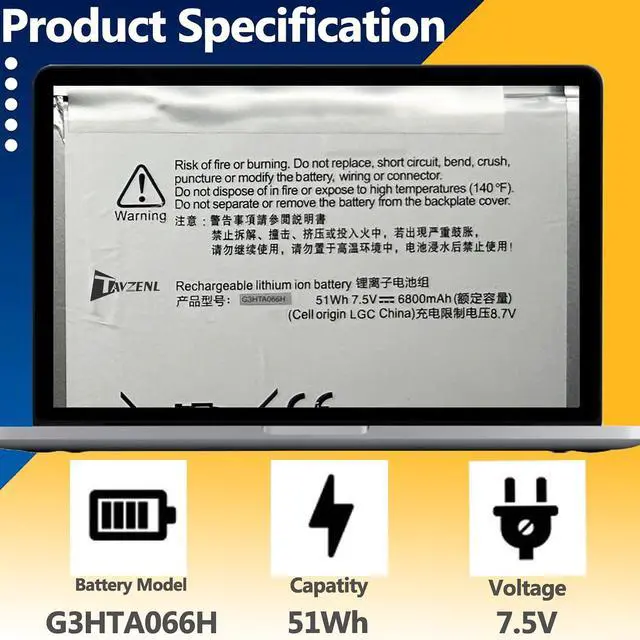
- SpecificationsModel: G3HTA066H Capatity: 54.83Wh Voltage:7.5V Battery type: Rechargeable Li-ion Battery Color: Black 100% brand New from Manufacturer.
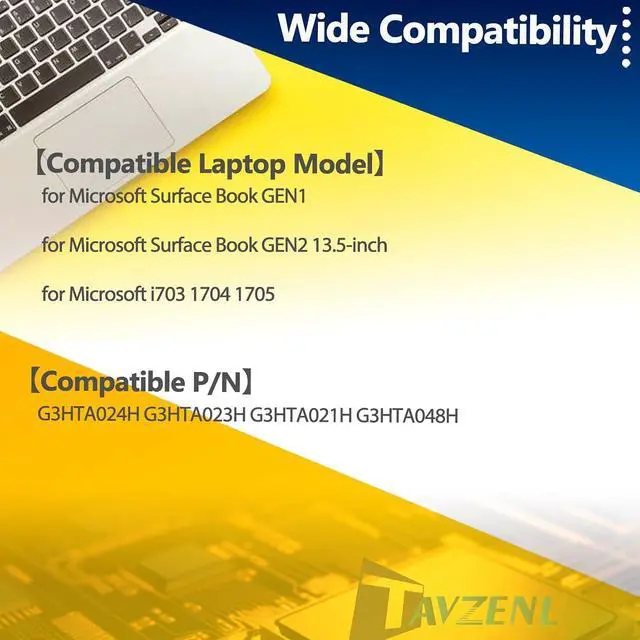
- Compatible Model for Microsoft Surface Book 3 13.5 Inch 1908 Keyboard, Microsoft Surface BOOK 2 1834 Keyboard base.
- Compatible C/NG3HTA066H,G3HTA048H,G3HTA043H
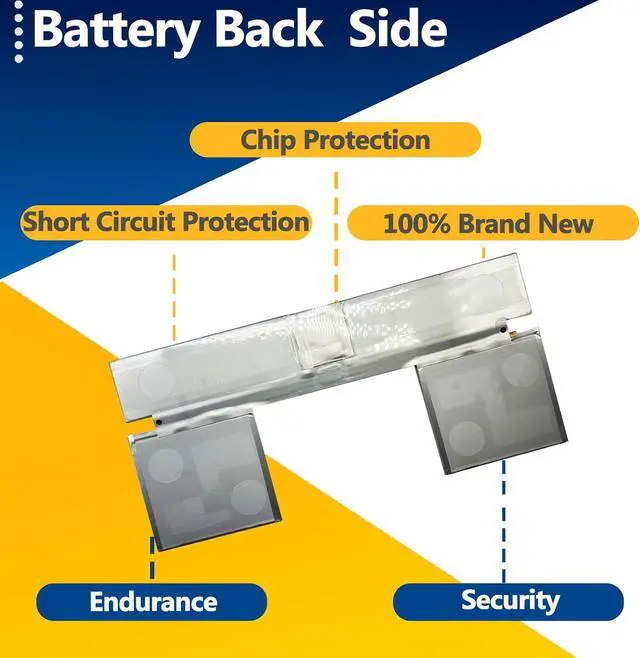
- HIGH-PERFORMANCE, LONGER LASTINGWe have passed a series tests of short circuit, overheating, and overload protection before shipments. ALL of our battery are CE,FCC,RoHS Certified .Premium battery chip ,makes a faster-charging and longer-lasting performance to meeds your daily working,learning and playing needs.
- Reassured After-sales We promise 30-Day Refund & 1-Year Warranty. For any battery questions, just feel free to contact us for help via the order or click on"TAVZENL", then you can see "Ask a question" on the page. We will glad to help you solve any battery problems within 24 hours.
+
+
Overview
Specs
Reviews
Any questions? Our AI mode will help you find out quickly.
Try me now
Welcome to TAVZENL ! We are professional in laptop battery R & D, production and retail .Each link and process are strictly control and testing to ensure our product "Practicality, Safety, Compatibility, Endurance". we are strive to provide every customer with the best quality and service. When you have any batteries questions , please feel free to send us an email by click on"TAVZENL", then you can see "Ask a question" on the page. We are glad to help you solve any battery problems within 24 hours.
Product introduction
Battery Model: G3HTA066H
Capatity: 54.83Wh
Voltage:7.5V
Battery type: Rechargeable Li-ion Battery
Compatible Part Numbers
G3HTA066H
G3HTA043H
G3HTA048H
Compatible Models (use "Ctrl+F to find your model quickly")
For Microsoft Surface BOOK 2 1834 Keyboard base
For Microsoft Surface BOOK 2 13.5Inch Keyboard base
For Microsoft Surface BOOK 2 13.5-Inch CORE I5 Keyboard base
For Microsoft Surface BOOK 3 13.5 Inch 1908 Keyboard base
For Microsoft Surface BOOK 3 13.5Inch Keyboard base
For Microsoft Surface BOOK 3 13.5-Inch CORE I5 Keyboard base
Package List:
1 X G3HTA066H Battery
1 X Instruction Manual
One set of screwdrivers tool
Battery Mantainance:
· Before replacing the new battery, you need to completely shut down the computer and remove the power and battery to avoid short-circuit during the replacement process.
· Check and clean the battery slots first to make sure all connectors and screws are properly installed.
· When removing and installing batteries, handle them with care to avoid damage caused by collision or falling.
· Do Discharge the new battery use to 5%(not to 0%) and then charge to 95%, and cycle 3-4 times.
· The important point is to perform a full discharge charge every other month to extend battery life.
· Do not use the laptop in a high temperature environment and avoid fully charging or discharging the laptop battery for a long time, as this may damage the battery.

Product introduction
Battery Model: G3HTA066H
Capatity: 54.83Wh
Voltage:7.5V
Battery type: Rechargeable Li-ion Battery
Compatible Part Numbers
G3HTA066H
G3HTA043H
G3HTA048H
Compatible Models (use "Ctrl+F to find your model quickly")
For Microsoft Surface BOOK 2 1834 Keyboard base
For Microsoft Surface BOOK 2 13.5Inch Keyboard base
For Microsoft Surface BOOK 2 13.5-Inch CORE I5 Keyboard base
For Microsoft Surface BOOK 3 13.5 Inch 1908 Keyboard base
For Microsoft Surface BOOK 3 13.5Inch Keyboard base
For Microsoft Surface BOOK 3 13.5-Inch CORE I5 Keyboard base
Package List:
1 X G3HTA066H Battery
1 X Instruction Manual
One set of screwdrivers tool
Battery Mantainance:
· Before replacing the new battery, you need to completely shut down the computer and remove the power and battery to avoid short-circuit during the replacement process.
· Check and clean the battery slots first to make sure all connectors and screws are properly installed.
· When removing and installing batteries, handle them with care to avoid damage caused by collision or falling.
· Do Discharge the new battery use to 5%(not to 0%) and then charge to 95%, and cycle 3-4 times.
· The important point is to perform a full discharge charge every other month to extend battery life.
· Do not use the laptop in a high temperature environment and avoid fully charging or discharging the laptop battery for a long time, as this may damage the battery.
Warranty & Returns
Warranty, Returns, And Additional Information
Warranty
- Please contact the Seller directly for warranty information. Warranty information may also be found on the Manufacturer's website.
- CONTACT
Return Policies
- Return for refund within: 30 days
- Return for replacement within: 30 days
- This item is covered by LionTech Direct Return Policy
Manufacturer Contact Info
- For a directory of all our manufacturers, please click below.
- Manufacturers Directory
LOADING...