Your Browsing History
Meet Your Seller
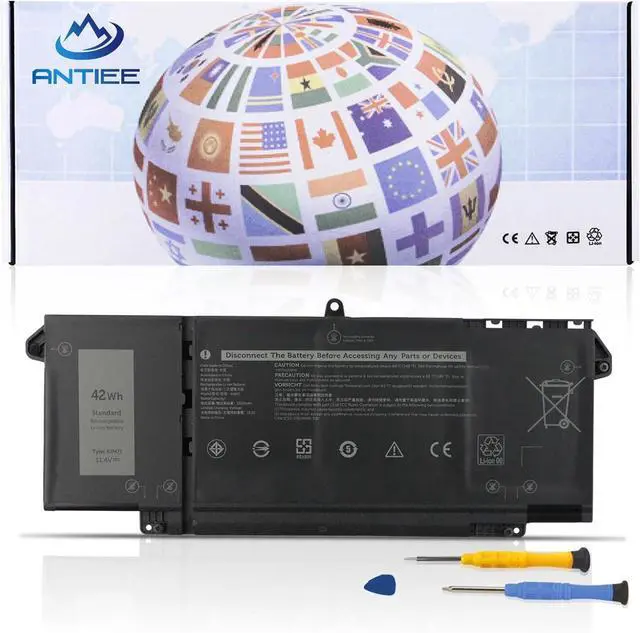
9JM71 42Wh Laptop Battery for Dell Latitude 5320 7420 7320 7520 Series
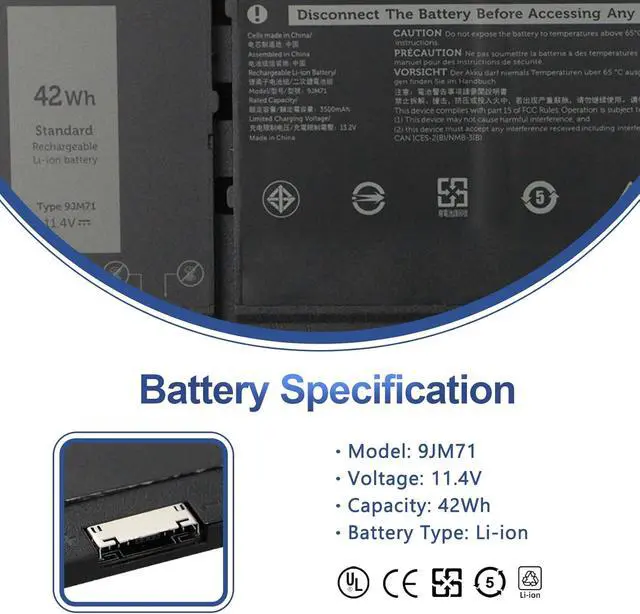
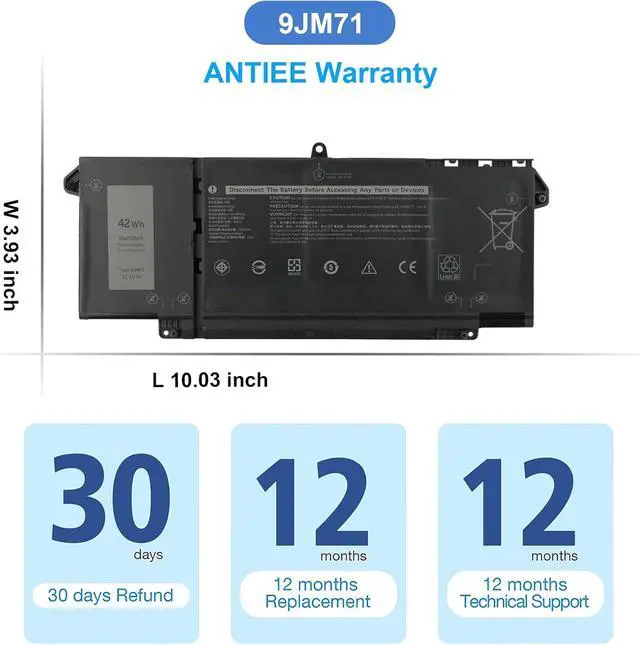
- SpecificationVoltage: 11.4V. Capacity: 42Wh 3500mAh 4-Cell. Battery Type: Li-Polymer. Condition: Brand new, from high quality materials, top circuit boards and smart chip.
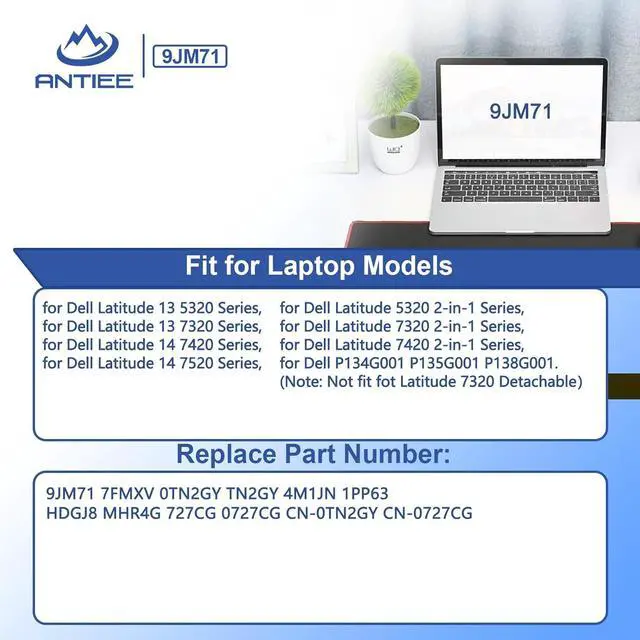
- Replace Part NumberFit for 9JM71 7FMXV TN2GY 0TN2GY 1PP63 HDGJ8 4M1JN MHR4G 727CG 0727CG CN-0TN2GY CN-0727CG.
- Compatible Laptop ModelsFit for Dell Latitude 5320 7320 7520 7420 series (Note: Not fit fot Dell Latitude 7320 Detachable); Dell Latitude 5320 2-in-1 series; Dell Latitude 7320 2-in-1 series; Dell Latitude 7420 2-in-1 series Notebook.
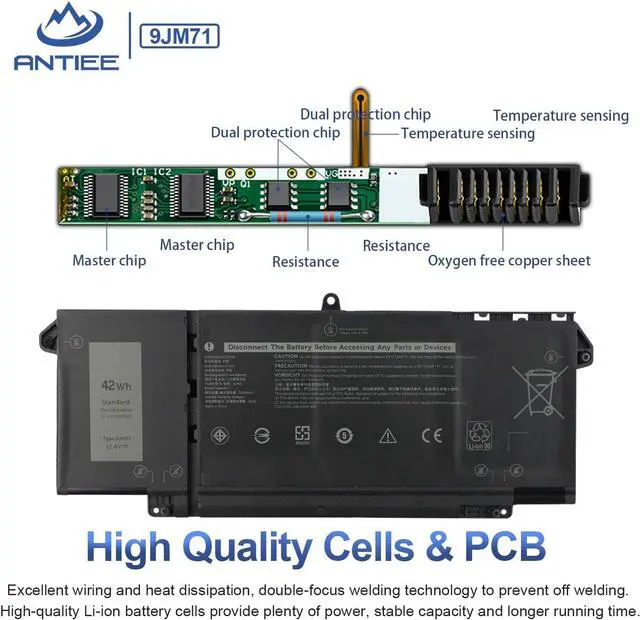
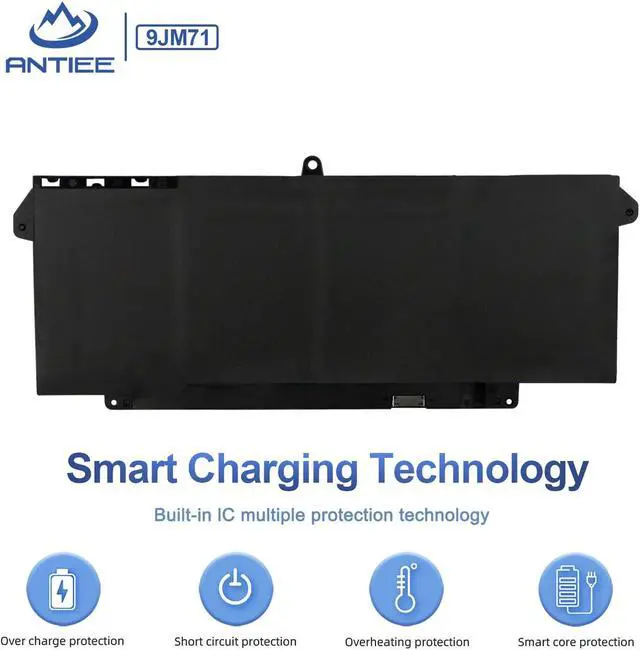
- ANTIEE PromiseEach products has undergone rigorous testing to ensure the correct voltage, circuit protection, stable current, low self-discharge and CE / FCC / RoHS Certified for safety. About 500 recharge cycles over the life.
- ANTIEE After-sales12 months of warranty! Support: The return window will be closed a month after you received the the product. Contact us by email at any time, we will be more than glad to offer a perfect solution.
+
+
Overview
Specs
Reviews
Any questions? Our AI mode will help you find out quickly.
Try me now
We are a manufacturer specializing in various laptop batteries and tablet batteries. We emphasizes the basic product concept of high-quality, safety and reliability. ANTIEE Laptop batteries are 100% DIRECT from Manufacturer with over 10 years' Laptop Battery Production and Research experience.
We are always working hard to ensure high quality laptop battery standards through multiple quality checks. With multi-protections such as short circuit, overheat, and overload. ANTIEE promises to deliver each customer to valuable, efficient and reliable battery. Let your notebook get more freedom
SPECIFICATION
Voltage: 11.4V
Capacity: 42Wh 3500mAh 4-Cells
Battery Type: Li-ion
Condition: 100% DIRECT from Manufacturer
REPALCE PART NUMBER
9JM71 7FMXV 0TN2GY TN2GY 4M1JN 1PP63 HDGJ8 MHR4G 727CG 0727CG CN-0TN2GY CN-0727CG.
Compatible Models (use "Ctrl+F" to find your model quickly):
Dell Latitude 5320 series
Dell Latitude 7320 7420 7520 series (Note: Not fit fot Dell Latitude 7320 Detachable)
Dell Latitude 5320 2-in-1 series
Dell Latitude 7420 2-in-1 series
Dell Latitude 7320 2-in-1 series
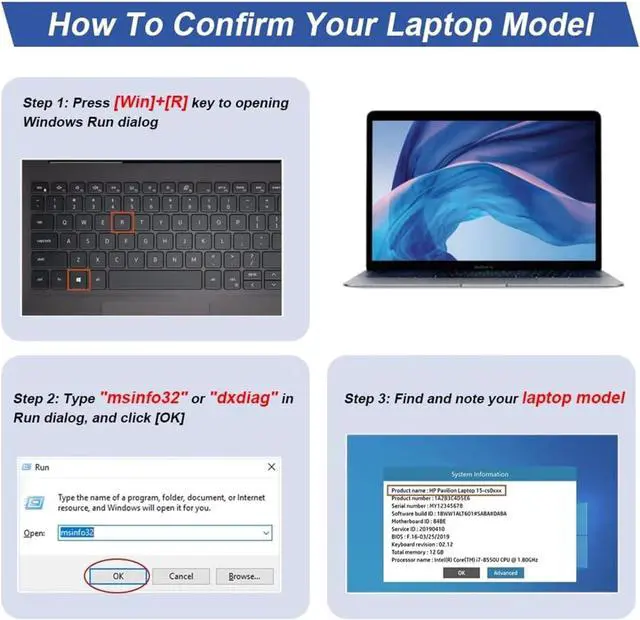
First check if the battery is the same size as your original battery after receiving it.
Before disassembling your laptop, put the old battery charge below 25%.
We recommend that you search for battery removal tutorials on the Internet in advance, or seek help from a professional technician. We won't responsible for any damage due to improper operation.
When installing the battery, pay attention to whether the battery cable is fixed. If the battery cable is not installed correctly, the battery may not be charged.
Why doesn't your laptop detect the battery or display the battery level properly after installing the battery?
Could be caused by battery loose. Please check whether the battery cable is installed properly.
May be due to conductive material damaged which the laptop motherboard and battery anode and cathode contact position, you can try to confirm it with your original battery.
Check whether the battery drive is in normal condition, if not, download the corresponding driver software to update.
New battery: Discharge the new battery to 10% (not 0%), then charge it to 100%. Cycle 3-5 times to activate its maximum capacity before use.
Overuse: Do not run out of battery power to 0%, the lithium battery will turn on the charge protection so that it can not be recharged, which is the nature of lithium batteries.
Long-term storage: Charge it to around 50% when you store it long term. (Charge it once a month) Do not store at low power to prevent reduce the lifespan of a battery.
Adapter: Always use the proper ac adapter charger for your device.
Welcome to ANTIEE Preparation Before Installing a New Battery Common Troubleshooting Methods Laptop Battery Manual

We are always working hard to ensure high quality laptop battery standards through multiple quality checks. With multi-protections such as short circuit, overheat, and overload. ANTIEE promises to deliver each customer to valuable, efficient and reliable battery. Let your notebook get more freedom
SPECIFICATION
Voltage: 11.4V
Capacity: 42Wh 3500mAh 4-Cells
Battery Type: Li-ion
Condition: 100% DIRECT from Manufacturer
REPALCE PART NUMBER
9JM71 7FMXV 0TN2GY TN2GY 4M1JN 1PP63 HDGJ8 MHR4G 727CG 0727CG CN-0TN2GY CN-0727CG.
Compatible Models (use "Ctrl+F" to find your model quickly):
Dell Latitude 5320 series
Dell Latitude 7320 7420 7520 series (Note: Not fit fot Dell Latitude 7320 Detachable)
Dell Latitude 5320 2-in-1 series
Dell Latitude 7420 2-in-1 series
Dell Latitude 7320 2-in-1 series
First check if the battery is the same size as your original battery after receiving it.
Before disassembling your laptop, put the old battery charge below 25%.
We recommend that you search for battery removal tutorials on the Internet in advance, or seek help from a professional technician. We won't responsible for any damage due to improper operation.
When installing the battery, pay attention to whether the battery cable is fixed. If the battery cable is not installed correctly, the battery may not be charged.
Why doesn't your laptop detect the battery or display the battery level properly after installing the battery?
Could be caused by battery loose. Please check whether the battery cable is installed properly.
May be due to conductive material damaged which the laptop motherboard and battery anode and cathode contact position, you can try to confirm it with your original battery.
Check whether the battery drive is in normal condition, if not, download the corresponding driver software to update.
New battery: Discharge the new battery to 10% (not 0%), then charge it to 100%. Cycle 3-5 times to activate its maximum capacity before use.
Overuse: Do not run out of battery power to 0%, the lithium battery will turn on the charge protection so that it can not be recharged, which is the nature of lithium batteries.
Long-term storage: Charge it to around 50% when you store it long term. (Charge it once a month) Do not store at low power to prevent reduce the lifespan of a battery.
Adapter: Always use the proper ac adapter charger for your device.
Welcome to ANTIEE Preparation Before Installing a New Battery Common Troubleshooting Methods Laptop Battery Manual
Warranty & Returns
Warranty, Returns, And Additional Information
Warranty
- Please contact the Seller directly for warranty information. Warranty information may also be found on the Manufacturer's website.
- CONTACT
Return Policies
- Return for refund within: 30 days
- Return for replacement within: 30 days
- This item is covered by LionTech Direct Return Policy
Manufacturer Contact Info
- For a directory of all our manufacturers, please click below.
- Manufacturers Directory
LOADING...