

Your Browsing History
- Free 30-day Returns
$108.99

Meet Your Seller

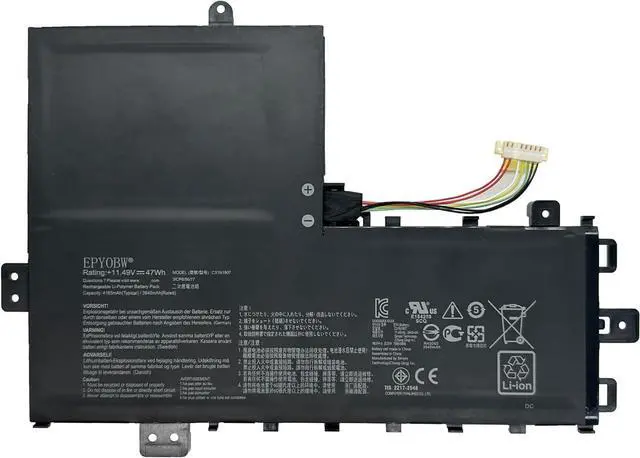
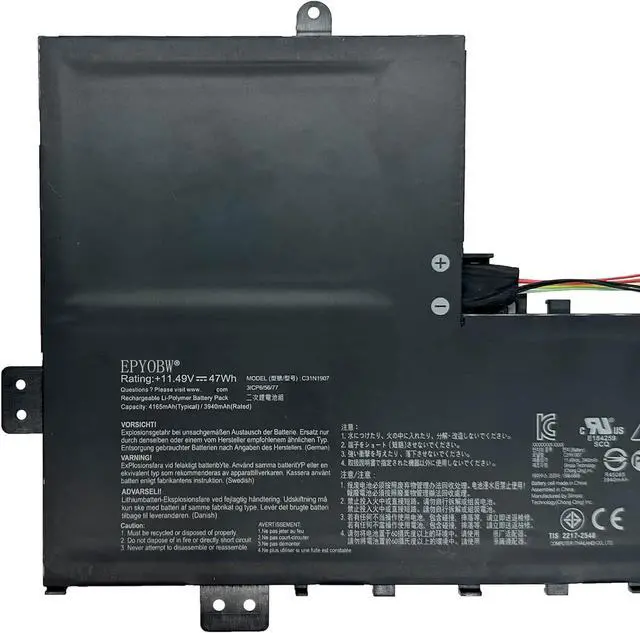
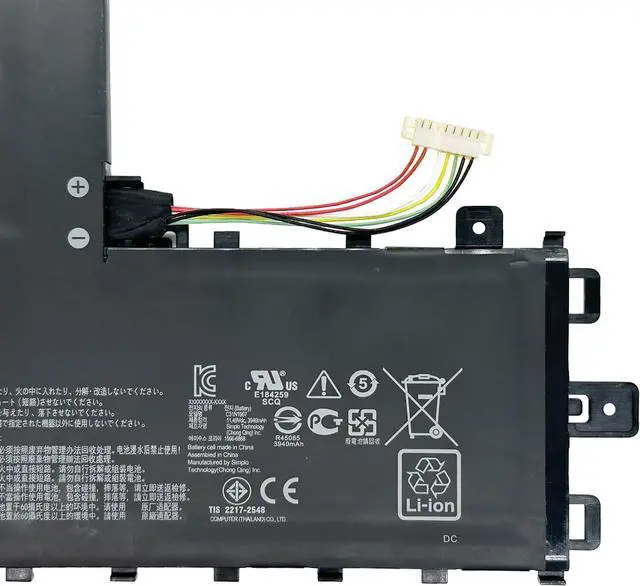
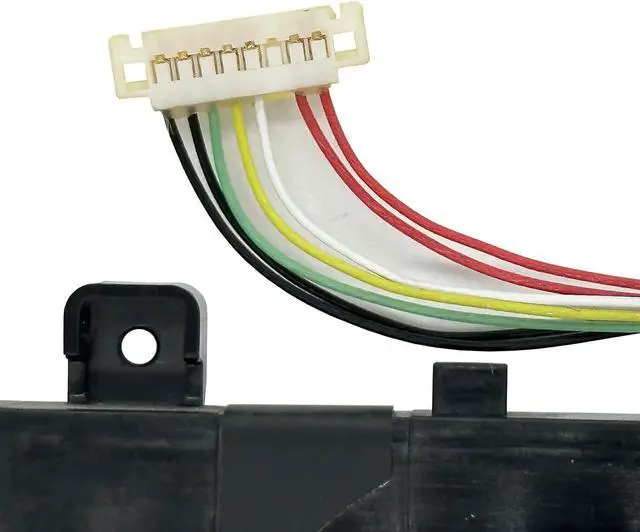
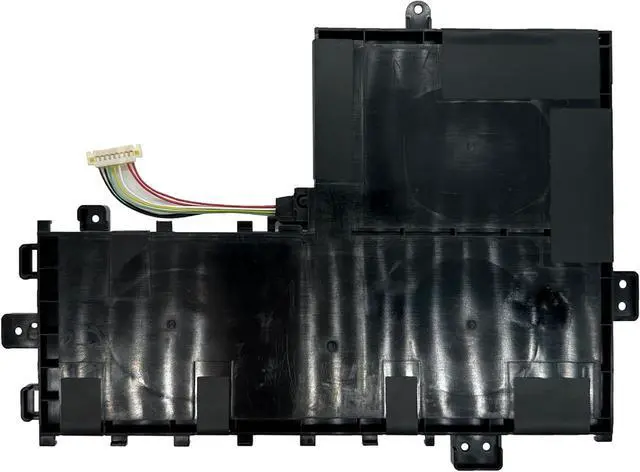


C31N1907 Laptop Battery 47Wh 4165mAh 11.49V Compatible with ASUS VivoBook 17 F712FB F712FB-AU154T F712FB-AU239T F712FA F712FA-AU239T F712FA-AU265T Series 0B200-03350600 3ICP6/56/77
- SpecificationsBattery Model: C31N1907 / Voltage: 11.49V / Capacity: 47Wh 4165mAh 3-cell / Color: Black / Condition: Brand New.
- Replace Part NumberC31N1907 0B200-03350600 3ICP6/56/77
- Compatible with Laptop Models For ASUS VivoBook 17 F712FA F712FA-AU239T F712FA-AU265T F712FA-AU370T F712FA-AU402T F712FA-AU517T F712FA-AU518T F712FA-AU520T F712FA-AU524T F712FA-BX059T F712FA-BX092T F712FA-BX123T F712FA-BX124T F712FA-BX270T F712FA-BX319T F712FA-BX364T F712FA-BX365 F712FA-BX417T F712FA-BX535T F712FA-DB51 Series; For ASUS VivoBook 17 F712FB F712FB-AU154T F712FB-AU239T F712FB-BX064T F712FB-BX202T Series.
- Purchase SkillsPlease open the back cover of the laptop before ordering and make sure that the original battery model is consistent with the listing. After getting the battery, please install the battery correctly, make sure that the battery connector is firmly connected to the laptop motherboard, and use the original charger to charge the laptop.Discharge the new battery to 5% (not
+
+
Overview
Specs
Reviews

Any questions? Our AI mode will help you find out quickly.
Try me now
EPYOBW is a professional laptop battery supplier that continues to provide durable and safe laptop batteries. Wish you a happy shopping
Step 1: Press the "Windows + R" keys to pop up the window.
Step 2: Enter "msinfo32" and click "OK".
Step 3: View the "System Model" in the right pane.
Step 1: Shut down the laptop and unplug the power cord.
Step 2: Carefully use a screwdriver to remove the back panel to prevent damage to laptop components.
Step 3: Disconnect the cable connected to the battery, then you can check the model number and specific specifications on the battery.
Brand new battery
Rechargeable up to 1000+ times
Overcharging protection
Overheating protection
Short circuit protection
professional
Battery Model: C31N1907
Capacity: 47Wh 4165mAh 3-cell
Voltage: 11.49V
Battery Type: Li-ion
Condition: Brand New Color: Black
Replace Part Number:
C31N1907 0B200-03350600 3ICP6/56/77
Compatible Laptop Models: (use"Ctrl+F" to find your model quickly)
for Asus VivoBook A712FA A712JA Series
for Asus VivoBook D712DA Series
for Asus VivoBook F712DA F712FA F712FAC Series
for Asus VivoBook K712FA Series
for Asus VivoBook M710DA M712DA M712DAM M712DK M712FA M712JA M712UA Series
for Asus VivoBook P1701CEA P1701EA P1701FA P1701FB P1701JA Series
for Asus VivoBook R712DAM R712DK Series
for Asus VivoBook S712DA S712DAM S712DK S712EA S712EQ S712FA S712FAM S712FB S712JA S712JAM S712UA Series
for Asus VivoBook X712DA X712DK X712EA X712EQ X712FA X712FAC X712FB X712JA X712UA Series
for ASUS VivoBook 17 F712FA Series:
F712FA-AU239T F712FA-AU265T F712FA-AU370T F712FA-AU402T
F712FA-AU517T F712FA-AU518T F712FA-AU520T F712FA-AU524T
F712FA-BX059T F712FA-BX092T F712FA-BX123T F712FA-BX124T
F712FA-BX270T F712FA-BX319T F712FA-BX364T F712FA-BX365
F712FA-BX417T F712FA-BX535T F712FA-DB51
for ASUS VivoBook 17 F712FB Series:
F712FB-AU154T F712FB-AU239T F712FB-BX064T F712FB-BX202T
Notice needing attention:
Not all compatible laptop models are listed or included here.
Some of these models use 47Wh C31N1907, and some use 32Wh B21N1818.
You can open the back of your laptop to check the original battery model number.
Brand new battery
100% compatible
Meet OEM specifications
Rechargeable up to 1000+ times
capacity is true, stable current, low self-discharge
short circuit, overheat, and overload protections
Multiple protection
Strong battery life
Good "core" quality
After getting the battery, please install the battery correctly, make sure that the battery connector is firmly connected to the laptop motherboard, and start charging the laptop. Discharge the new battery to 5% (not 0%), then charge and cycle 3-4 times to wake up the new battery.
Remember not to discharge the battery to 0%, otherwise the battery will be easily damaged.
After the battery is exhausted, please charge it in time. If it is not charged for a long time, the battery may be damaged.
If the battery is not used for a long time, it needs to be charged to more than 70% for storage. The storage time should not exceed 3 months.
If you often use it with a charger, please use the battery power regularly and use it more than once a week.
Please use original chargers. Inferior chargers will affect the normal charging of the battery.
Regularly clean the fan dust to increase the heat dissipation effect and reduce power consumption, which can effectively extend the battery life.
Please feel free to choose us Welcome to EPYOBW How to get the correct battery? Method 1: Use the shortcut "Window+R" to check your laptop model. Method 2: Open the back cover of the laptop and confirm the battery type, capacity, and laptop model. Brand: EPYOBW Specification EPYOBW High Quality Laptop Battery High Quality Battery Grade "A" cells
Step 1: Press the "Windows + R" keys to pop up the window.
Step 2: Enter "msinfo32" and click "OK".
Step 3: View the "System Model" in the right pane.
Step 1: Shut down the laptop and unplug the power cord.
Step 2: Carefully use a screwdriver to remove the back panel to prevent damage to laptop components.
Step 3: Disconnect the cable connected to the battery, then you can check the model number and specific specifications on the battery.
Brand new battery
Rechargeable up to 1000+ times
Overcharging protection
Overheating protection
Short circuit protection
professional
Battery Model: C31N1907
Capacity: 47Wh 4165mAh 3-cell
Voltage: 11.49V
Battery Type: Li-ion
Condition: Brand New Color: Black
Replace Part Number:
C31N1907 0B200-03350600 3ICP6/56/77
Compatible Laptop Models: (use"Ctrl+F" to find your model quickly)
for Asus VivoBook A712FA A712JA Series
for Asus VivoBook D712DA Series
for Asus VivoBook F712DA F712FA F712FAC Series
for Asus VivoBook K712FA Series
for Asus VivoBook M710DA M712DA M712DAM M712DK M712FA M712JA M712UA Series
for Asus VivoBook P1701CEA P1701EA P1701FA P1701FB P1701JA Series
for Asus VivoBook R712DAM R712DK Series
for Asus VivoBook S712DA S712DAM S712DK S712EA S712EQ S712FA S712FAM S712FB S712JA S712JAM S712UA Series
for Asus VivoBook X712DA X712DK X712EA X712EQ X712FA X712FAC X712FB X712JA X712UA Series
for ASUS VivoBook 17 F712FA Series:
F712FA-AU239T F712FA-AU265T F712FA-AU370T F712FA-AU402T
F712FA-AU517T F712FA-AU518T F712FA-AU520T F712FA-AU524T
F712FA-BX059T F712FA-BX092T F712FA-BX123T F712FA-BX124T
F712FA-BX270T F712FA-BX319T F712FA-BX364T F712FA-BX365
F712FA-BX417T F712FA-BX535T F712FA-DB51
for ASUS VivoBook 17 F712FB Series:
F712FB-AU154T F712FB-AU239T F712FB-BX064T F712FB-BX202T
Notice needing attention:
Not all compatible laptop models are listed or included here.
Some of these models use 47Wh C31N1907, and some use 32Wh B21N1818.
You can open the back of your laptop to check the original battery model number.
Brand new battery
100% compatible
Meet OEM specifications
Rechargeable up to 1000+ times
capacity is true, stable current, low self-discharge
short circuit, overheat, and overload protections
Multiple protection
Strong battery life
Good "core" quality
After getting the battery, please install the battery correctly, make sure that the battery connector is firmly connected to the laptop motherboard, and start charging the laptop. Discharge the new battery to 5% (not 0%), then charge and cycle 3-4 times to wake up the new battery.
Remember not to discharge the battery to 0%, otherwise the battery will be easily damaged.
After the battery is exhausted, please charge it in time. If it is not charged for a long time, the battery may be damaged.
If the battery is not used for a long time, it needs to be charged to more than 70% for storage. The storage time should not exceed 3 months.
If you often use it with a charger, please use the battery power regularly and use it more than once a week.
Please use original chargers. Inferior chargers will affect the normal charging of the battery.
Regularly clean the fan dust to increase the heat dissipation effect and reduce power consumption, which can effectively extend the battery life.
Please feel free to choose us Welcome to EPYOBW How to get the correct battery? Method 1: Use the shortcut "Window+R" to check your laptop model. Method 2: Open the back cover of the laptop and confirm the battery type, capacity, and laptop model. Brand: EPYOBW Specification EPYOBW High Quality Laptop Battery High Quality Battery Grade "A" cells
Warranty & Returns
Warranty, Returns, And Additional Information
Warranty
- Please contact the Seller directly for warranty information. Warranty information may also be found on the Manufacturer's website.
- CONTACT
Return Policies
- Return for refund within: 30 days
- Return for replacement within: 30 days
- This item is covered by LionTech Direct Return Policy
Manufacturer Contact Info
- For a directory of all our manufacturers, please click below.
- Manufacturers Directory
LOADING...