Your Premier Source for Laptop and Tablet Batteries. As a distinguished manufacturer, we have honed our expertise in producing an array of specialized laptop and tablet batteries.
Our foundation rests on a core product philosophy of unwavering commitment to high-quality, safety, and reliability. With over a decade of dedicated experience in laptop battery production and research, UGXKNAE Laptop Batteries have evolved to stand at the forefront of innovation.
Consistent reliability
Quicker Charging
Ultimate Safety
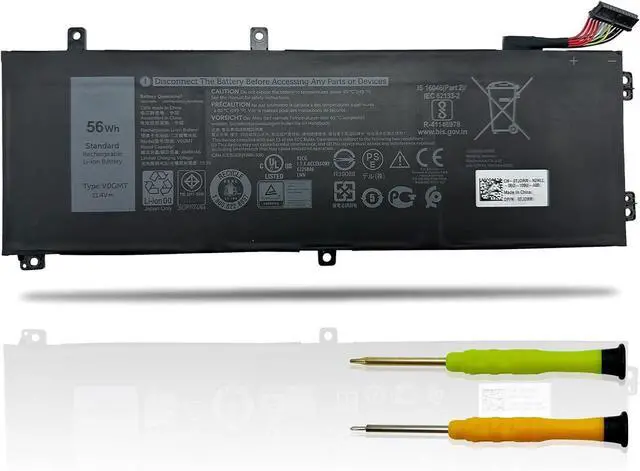
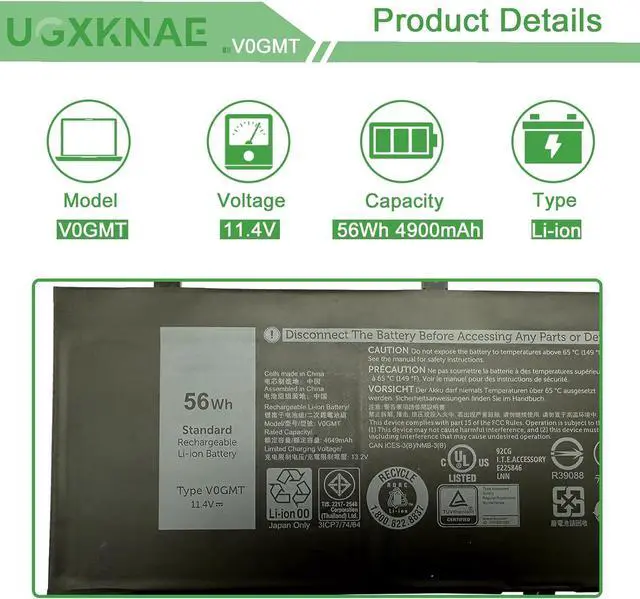
Battery Model: V0GMT
Voltage: 11.4V
Capacity: 56Wh 4900mAh
Battery Type: Li-ion
Condition: 100% New from Manufacturer, Grade A Cell
REPLACEMENT PART NUMBER:
V0GMT 4K1VM NYD3W XYCW0 TJDRR 0NCC3D NCC3D
High-quality components and circuitry
Fully compatible to fulfill OEM criteria
Extended discharge duration & faster charging
Prolonged battery lifespan & reduced power usage
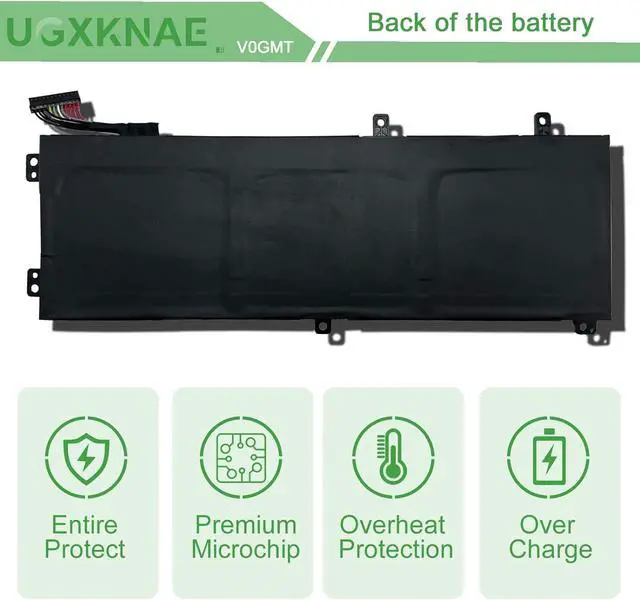
Safeguards against short circuits, overheating, and overloads
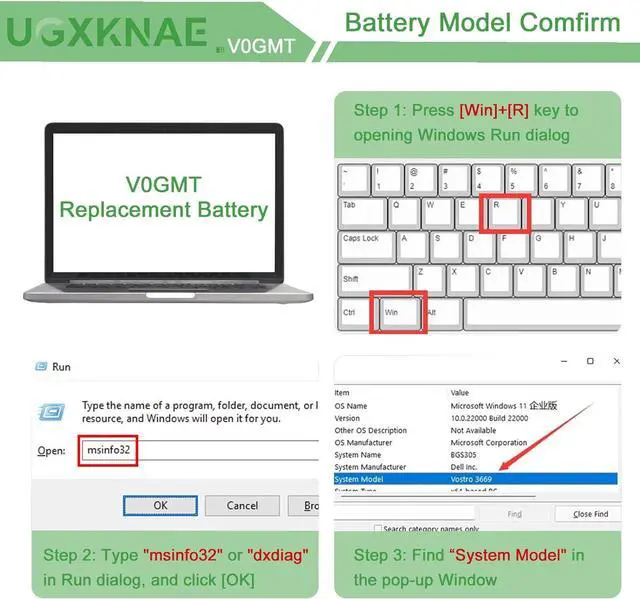
For purchasing the correct replacement battery, please check your original battery and also the specific laptop model. (combine Method 1 & 2)
Method 1.Check your original battery's type model and shape by removing the laptop back cover. Then search the part number to find the replacment battery.
Method 2. Check your specific laptop model name by pressing [Win] + [R] key and entering [msinfo32] or [dxdiag]. Then click OK to find your system model. Find the replacement battery base on your laptop model name.
Compatible with Dell Laptop Models:(Use "Ctrl"+"F" to find your laptop model)
for Dell G7 17 Gaming (7700) Series
for Dell XPS 15 7590 9570 9560 9550 Series
for Dell Precision 5510 5520 5540 5530 Series (Not fit for Precision 5530 2-in-1 Series)
for Dell Inspiron 15 7501 7500 7591 7590 Series (Not fit for Inspiron 7591 2-in-1 & Inspiron 7590 2-in-1 Series)
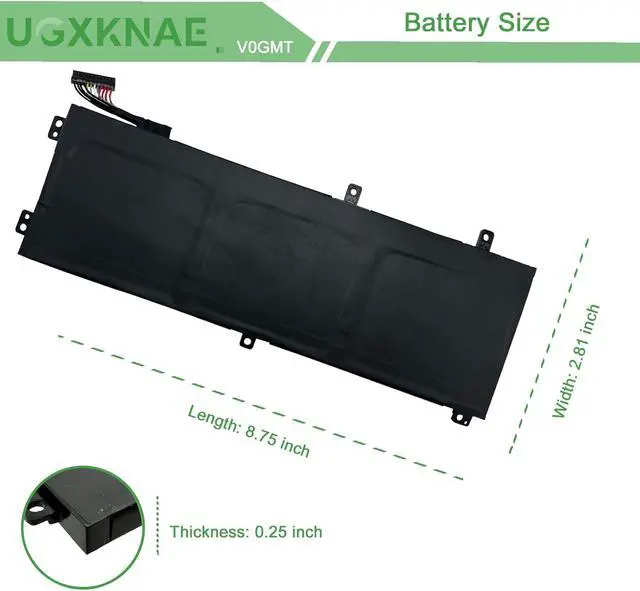
The V0GMT(56wh 3-Cell) only fit for the laptop with a M.2 SSD storage and the length of V0GMT is much Shorter.
All UGXKNAE batteries meet or exceed all OEM specifications for safety and efficiency. All the batteries are 100% brand new.
Same dimensions as the original battery, no need to concern yourself with assembly or compatibility problems.
Each battery contains built in multi-protection functions, including safeguards against short circuits, overheating, and overloads, ensuring maximum safety.
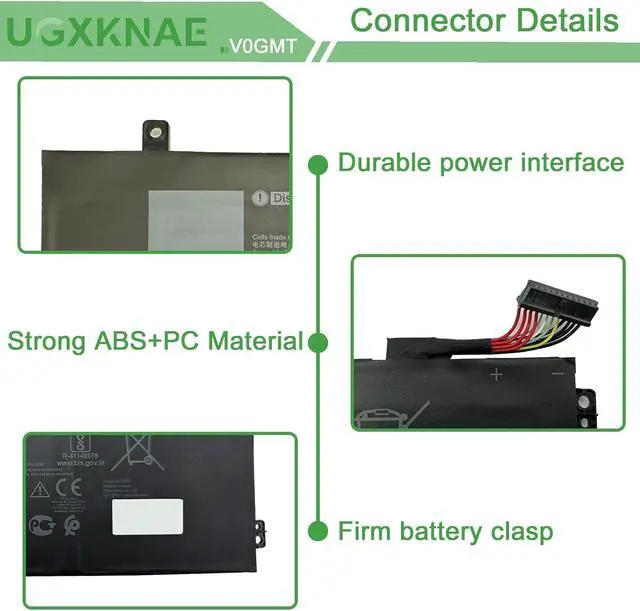
Power Interface: Gold-plated connector points ensure outstanding current conductivity and stable performance.
Enclosure: Made from premium ABS + PC materials, this enclosure offers exceptional heat resistance, protecting your laptop from overheating.
Battery Buckle: The battery buckle firmly attaches to the laptop, guaranteeing a stable power connection via its metal interface.
Lost Battery Connection: Ensure that the battery cable is securely attached and that the motherboard connector is tightly plugged in. A loose connection can prevent the laptop from detecting the battery.
Damage to Motherboard Contacts: Damage to the conductive material on the laptop's motherboard, particularly at the points where it connects with the battery's anode and cathode, could be the culprit. You can verify this by testing with your original battery.
Battery Driver Issues: Check the functionality of the battery driver. If it's not working correctly, consider downloading and installing the appropriate driver software to update it, which may resolve the recognition problem.
By addressing these potential causes, you can troubleshoot and potentially resolve the issue of your laptop not recognizing the battery.
V0GMT Battery for Dell SPECIFICATION: How to purchase the correct replacement battery? Perfect Fit Ultimate Safety Product details The laptop's inability to recognize the battery can occur for various reasons:





 here!
here!