

Your Browsing History
- Free 30-day Returns
$103.99

Meet Your Seller

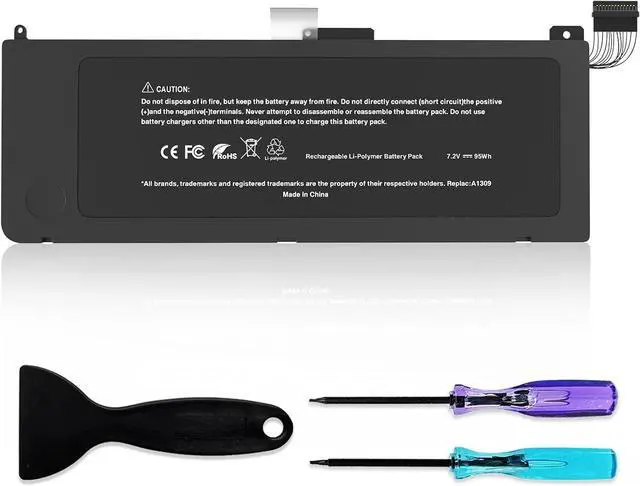
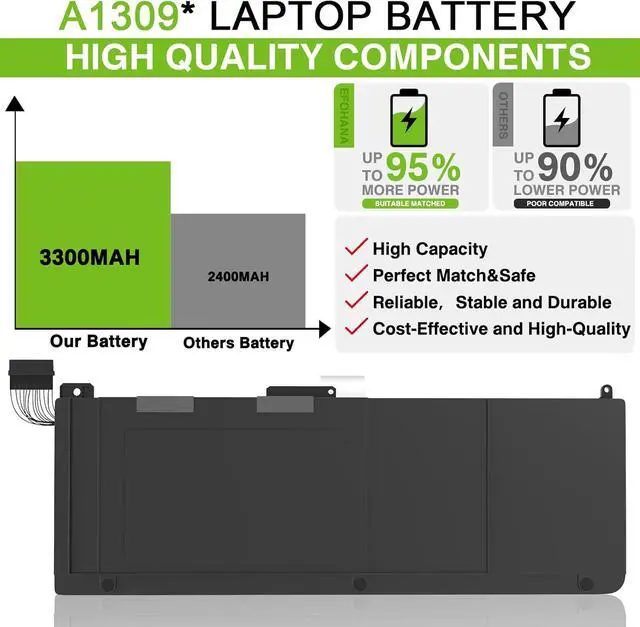


A1309 Battery A1297 Laptop Battery Replacement for MacBook Pro 17 inch A1297 (Only fit Early 2009 Mid2009 Mid2010 Version) EMC 2272, EMC 2329*, EMC 2352* MC226/A MC226CH/A MC226J/A 7.2V 95Wh
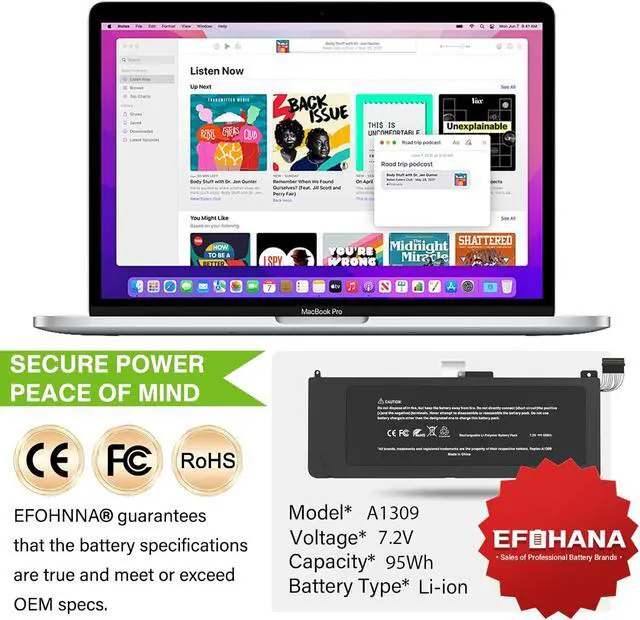
- SpecificationsModel:A1309 // Battery type: Li-ion // Voltage: 7.2V // Capacity: 95Wh // 100% New from Manufacturer. Top circuit boards and smart chip.
- Compatible Part NumberA1309 A1297 (EMC 2272, EMC 2329*, EMC 2352*) MB604LL/A MC024LL/A MC226LL/A* MC226LL/A MC226TA/A MC226ZP/A 2009 020-6313-C 661-5037-A
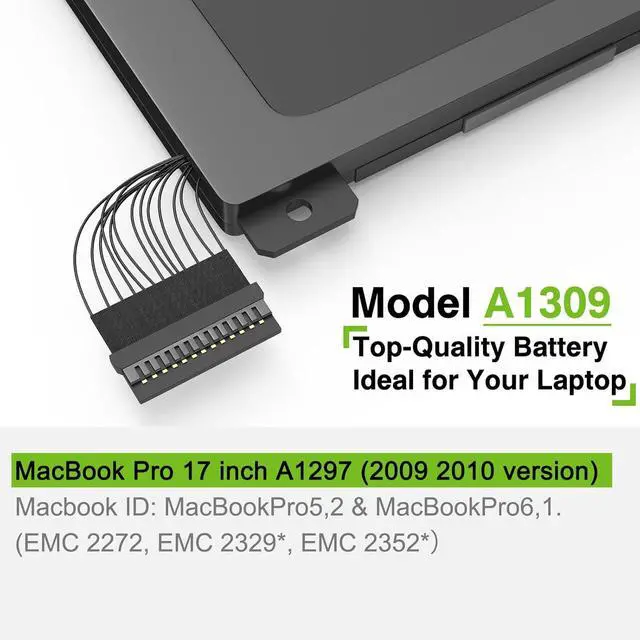
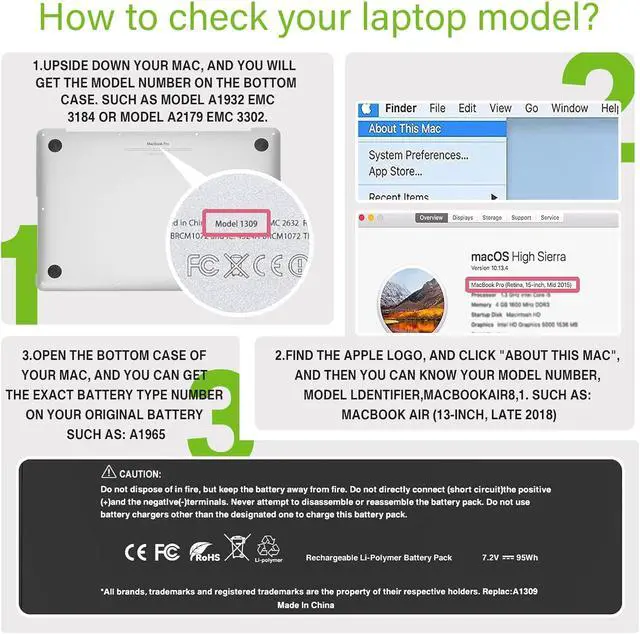
- Compatible with Laptop ModelsOnly Fit for A1308 A1297 MacBook Pro 17" (Early 2009, Mid-2009, & Mid-2010) [Macbook ID: MacBookPro5,2 & MacBookPro6,1. ] (NOT FIT FOR:MacBook Pro 17" A1383 A1297 2011 Version battery)
- After ServiceReturn and exchange are permitted within 30 days, accompanied by a 12-month warranty. (NOTE: If you encounter any issues with the battery, please reach out to usunder "YOUR ORDER," select the "contact seller" option.)
- Gentle ReminderIf the new battery is not recognized during the initial installation, please reinstall and check if the interface is fully connected. Discharge the new battery to 20% (not 0%), then charge and cycle 4-5 times to reach
+
+
Overview
Specs
Reviews

Any questions? Our AI mode will help you find out quickly.
Try me now
EFOHANA is committed to providing you with high quality laptop batteries, tablet batteries, adapters and other products. We will also provide you with high quality and efficient after-sales service to attract and retain more customers.
Model: A1309
Voltage:7.2V
Capatity:95Wh 12000mAh
Battery Condition: Brand New
Compatible Part Number :
A1309 A1297 (EMC 2272, EMC 2329*, EMC 2352*) MB604LL/A MC024LL/A MC226LL/A* MC226LL/A MC226TA/A MC226ZP/A 2009 020-6313-C 661-5037-A
Compatible Models(Use "Ctrl"+"F" to find your laptop model)
Fit for 2009 2010 MacBook Pro 17" A1297 Model Number:
MacBook Pro 17 inch A1297 (2009 Version)
MacBook Pro 17 inch MB604LL/A, MC024LL/A, MC226*/A, MC226CH/A, MC226J/A, MC226LL/A*, MC226LL/A, MC226TA/A, MC226ZP/A
MacBook Pro 17 inch Precision Aluminum Unibody(2009 Version)
MacBook Pro 17-inch A1297(Mid-2009)
MacBook Pro 17-inch A1297(Mid-2010)
MacBook Pro 17-inch(Unibody) A1297(Early 2009)
MacBook Pro Core 2 DUO 2.66GHZ 17 inch A1297(EMC 2272)
MacBook Pro Core 2 DUO 2.8GHZ 17 inch A1297(EMC 2329*)
MacBook Pro Core 2 DUO 2.93GHZ 17 inch A1297(EMC 2272)
MacBook Pro Core 2 DUO 3.06GHZ 17 inch A1297(EMC 2329*)
MacBook Pro Core I5 2.53GHZ 17 inch A1297(EMC 2352*)
MacBook Pro Core I7 2.66GHZ 17 inch A1297(EMC 2352*)
MacBook Pro Core I7 2.8GHZ 17 inch A1297(EMC 2352*)
We wanted to deliver a battery that doesn't only only last long, but also safe for use. Weve incorporated Grade A battery cells to ensure longer battery life, durability, and lower power consumption. All of our batteries offer 1000+ recharge cycles over life of battery.
Each battery contains built in multi-protection functions such as short circuit, overheat & overload for maximum safety.
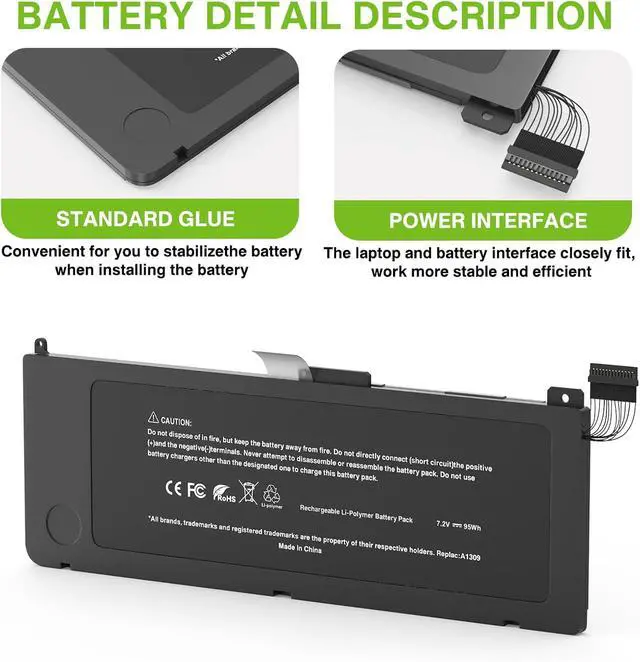
Power Interface: Gold-plated connector points to ensure current transport excellently and serve stably.
Enclosure: The enclosure is made of ABS + PC high quality material, it has high temperature resistant function to protect your laptop overheat.
Battery Buckle: The battery buckle is closely connected to the laptop, and the metal interface is stably powered.
All of our batteries are brand new and are 100% compatible to meet OEM specifications for safety and efficiency. Same size as original battery, Don't worry about assembly and adaptation issues.
Heat is the enemy: Lithium-ion batteries do not like high temperatures. Avoid placing your laptop anywhere it might become hot. Make sure your laptop's ventilation ports are not obstructed. Avoid using your laptop on a blanket or a pillow for long periods of time.
Do not discharge to 0%
Do not completely discharge and then recharge your li-ion battery on a regular basis. This is actually a destructive practice. Instead,try to always aim for the 60-90% sweet spot.Let your battery discharge to 20% (With out bottoming it) and then charge it again.
Use the battery.Discharge and charge the battery at least once every 3 weeks if battery is not constantly in use.
Proper storing: If not in use for long periods of time,charge the battery to above 50% and store it in a dry,cool place away from any heat sources and metallic objects.
In cases of battery bloating,stop using it,disconnect it.
New battery: For use a new battery, youd better try a few cycles of discharging to 5%. then charging up to 95%. So that it can be activated completely.
Overuse: Do not always run out of a battery to 0%, this would make it damaged or usage life shortened.
Charging sequence: when charging, first install the battery, then turn on the power, when fully charged, first cut off the power, then pull the power plug.
Long-term storage:Please store the unused battery fully charged.(Charge it once a month) Do not store at low power to prevent reduce the lifespan of a battery.
Turn off the laptop.
Unplug AC power.
Remove the battery.
Replace AC power
Model: A1309
Voltage:7.2V
Capatity:95Wh 12000mAh
Battery Condition: Brand New
Compatible Part Number :
A1309 A1297 (EMC 2272, EMC 2329*, EMC 2352*) MB604LL/A MC024LL/A MC226LL/A* MC226LL/A MC226TA/A MC226ZP/A 2009 020-6313-C 661-5037-A
Compatible Models(Use "Ctrl"+"F" to find your laptop model)
Fit for 2009 2010 MacBook Pro 17" A1297 Model Number:
MacBook Pro 17 inch A1297 (2009 Version)
MacBook Pro 17 inch MB604LL/A, MC024LL/A, MC226*/A, MC226CH/A, MC226J/A, MC226LL/A*, MC226LL/A, MC226TA/A, MC226ZP/A
MacBook Pro 17 inch Precision Aluminum Unibody(2009 Version)
MacBook Pro 17-inch A1297(Mid-2009)
MacBook Pro 17-inch A1297(Mid-2010)
MacBook Pro 17-inch(Unibody) A1297(Early 2009)
MacBook Pro Core 2 DUO 2.66GHZ 17 inch A1297(EMC 2272)
MacBook Pro Core 2 DUO 2.8GHZ 17 inch A1297(EMC 2329*)
MacBook Pro Core 2 DUO 2.93GHZ 17 inch A1297(EMC 2272)
MacBook Pro Core 2 DUO 3.06GHZ 17 inch A1297(EMC 2329*)
MacBook Pro Core I5 2.53GHZ 17 inch A1297(EMC 2352*)
MacBook Pro Core I7 2.66GHZ 17 inch A1297(EMC 2352*)
MacBook Pro Core I7 2.8GHZ 17 inch A1297(EMC 2352*)
We wanted to deliver a battery that doesn't only only last long, but also safe for use. Weve incorporated Grade A battery cells to ensure longer battery life, durability, and lower power consumption. All of our batteries offer 1000+ recharge cycles over life of battery.
Each battery contains built in multi-protection functions such as short circuit, overheat & overload for maximum safety.
Power Interface: Gold-plated connector points to ensure current transport excellently and serve stably.
Enclosure: The enclosure is made of ABS + PC high quality material, it has high temperature resistant function to protect your laptop overheat.
Battery Buckle: The battery buckle is closely connected to the laptop, and the metal interface is stably powered.
All of our batteries are brand new and are 100% compatible to meet OEM specifications for safety and efficiency. Same size as original battery, Don't worry about assembly and adaptation issues.
Heat is the enemy: Lithium-ion batteries do not like high temperatures. Avoid placing your laptop anywhere it might become hot. Make sure your laptop's ventilation ports are not obstructed. Avoid using your laptop on a blanket or a pillow for long periods of time.
Do not discharge to 0%
Do not completely discharge and then recharge your li-ion battery on a regular basis. This is actually a destructive practice. Instead,try to always aim for the 60-90% sweet spot.Let your battery discharge to 20% (With out bottoming it) and then charge it again.
Use the battery.Discharge and charge the battery at least once every 3 weeks if battery is not constantly in use.
Proper storing: If not in use for long periods of time,charge the battery to above 50% and store it in a dry,cool place away from any heat sources and metallic objects.
In cases of battery bloating,stop using it,disconnect it.
New battery: For use a new battery, youd better try a few cycles of discharging to 5%. then charging up to 95%. So that it can be activated completely.
Overuse: Do not always run out of a battery to 0%, this would make it damaged or usage life shortened.
Charging sequence: when charging, first install the battery, then turn on the power, when fully charged, first cut off the power, then pull the power plug.
Long-term storage:Please store the unused battery fully charged.(Charge it once a month) Do not store at low power to prevent reduce the lifespan of a battery.
Turn off the laptop.
Unplug AC power.
Remove the battery.
Replace AC power
Warranty & Returns
Warranty, Returns, And Additional Information
Warranty
- Please contact the Seller directly for warranty information. Warranty information may also be found on the Manufacturer's website.
- CONTACT
Return Policies
- Return for refund within: 30 days
- Return for replacement within: 30 days
- This item is covered by LionTech Direct Return Policy
Manufacturer Contact Info
- For a directory of all our manufacturers, please click below.
- Manufacturers Directory
LOADING...