

Your Browsing History

Meet Your Seller

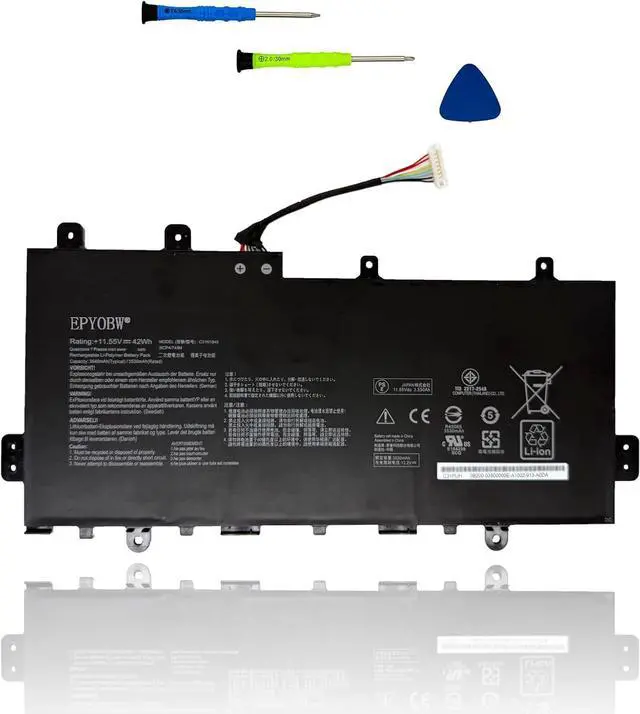
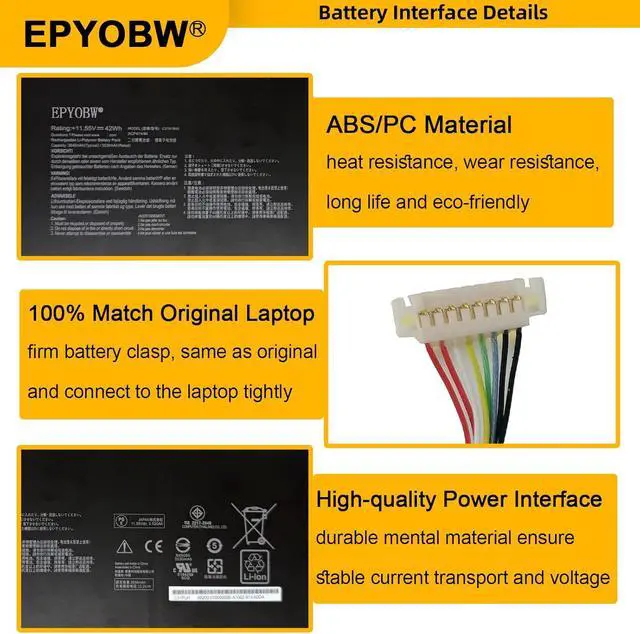
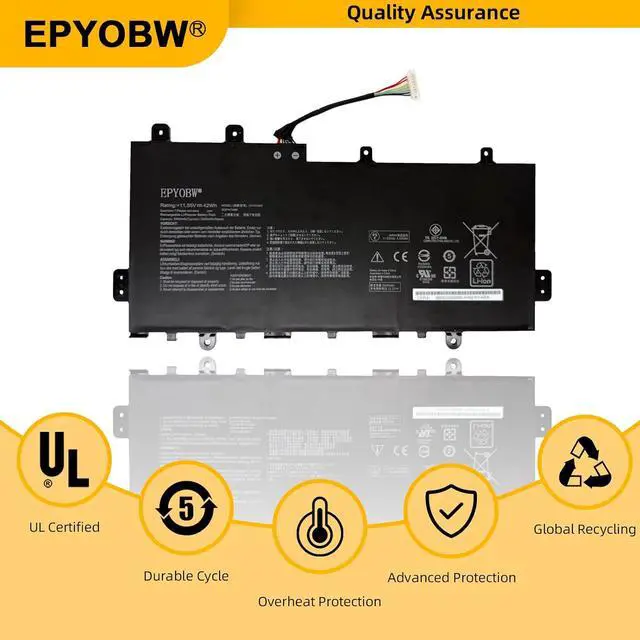
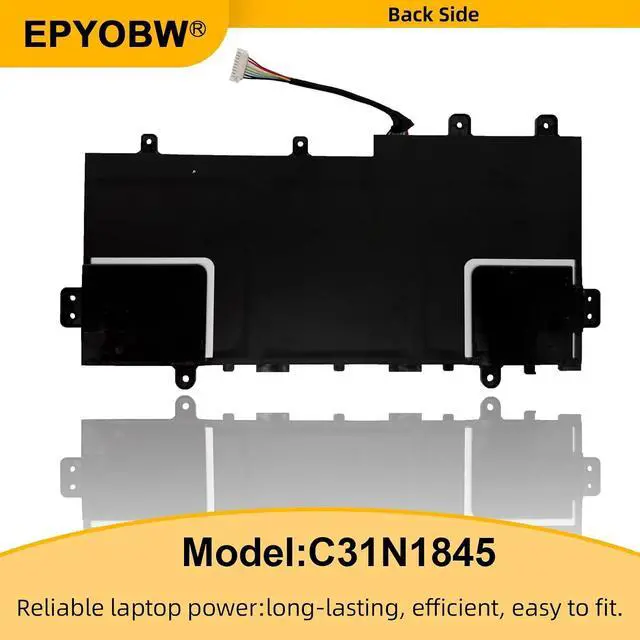


C31N1845 Laptop Battery 42Wh Compatible with ASUS Chromebook C424MA C424MA-DH48F / Chromebook Flip C436FA C436FA-DS599TW C436FA-E10005 Series Notebook 3ICP4/74/84 0B200-03570000
- SpecificationsBattery Model: C31N1845 / Voltage: 11.55V / Capacity: 42Wh 3640mAh / Color: Black / Condition: Brand New.
- Replace Part NumberC31N1845 3ICP4/74/84 0B200-03570000
- Compatible with Laptop Models For ASUS Chromebook Flip C436FA Series: C436FA-DS599TW C436FA-E10005 C436FA-E10027; For ASUS Chromebook C424MA Series: C424MA-DH48F
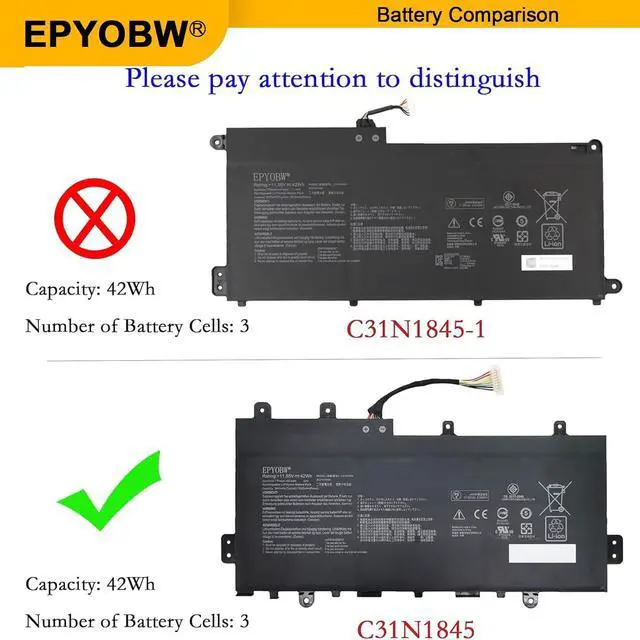
- Purchase SkillsPlease open the back cover of the laptop before ordering and make sure that the original battery model is consistent with the listing. After getting the battery, please install the battery correctly, make sure that the battery connector is firmly connected to the laptop motherboard, and use the original charger to charge the laptop.Discharge the new battery to 5% (not 0%), then charge and cycle 3-46 times to wake up the new battery.
- EPYOBW PromiseAll EPYOBW's batteries are certificated by UL/CE/FCC/RoHS. Our batteries are tested by strict quality control standards to ensure that the capacity is true, stable current, low self-
+
+
Overview
Specs
Reviews

Any questions? Our AI mode will help you find out quickly.
Try me now
EPYOBW is a professional laptop battery supplier that continues to provide durable and safe laptop batteries. Wish you a happy shopping
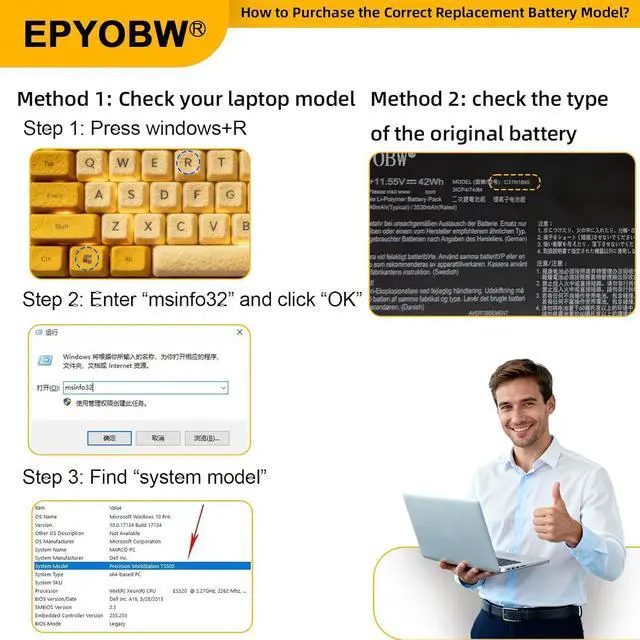
Step 1: Press the "Windows + R" keys to pop up the window.
Step 2: Enter "msinfo32" and click "OK".
Step 3: View the "System Model" in the right pane.
Step 1: Shut down the laptop and unplug the power cord.
Step 2: Carefully use a screwdriver to remove the back panel to prevent damage to laptop components.
Step 3: Disconnect the cable connected to the battery, then you can check the model number and specific specifications on the battery.
Brand new battery
Rechargeable up to 1000+ times
Overcharging protection
Overheating protection
Short circuit protection
professional
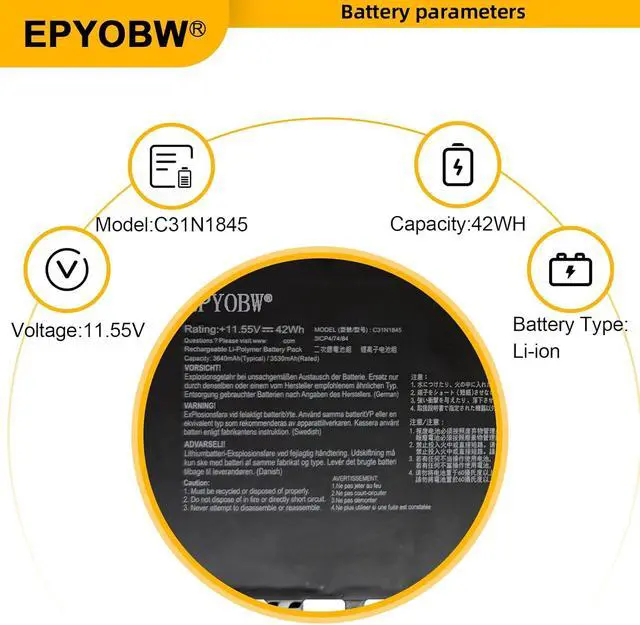
Battery Model: C31N1845
Capacity: 42Wh 3640mAh
Voltage: 11.55V
Battery Type: Li-ion
Condition: Brand New Color: Black
Replace Part Number:
C31N1845 3ICP4/74/84 0B200-03570000
for ASUS Chromebook Flip C436FA Series:
C436FA-DS599TW C436FA-E10005 C436FA-E10027
for ASUS Chromebook C424MA Series:
C424MA-DH48F
Notice needing attention:
Not all compatible laptop models are listed or included here.
You can open the back of your laptop to check the original battery model number.
Customer Reviews 5.0 out of 5 stars1 Price $62.99$62.99$62.99$62.99 Model C31N1845 C31N1845-1 Capacity & Voltage 42Wh 3640mAh 11.55V 42Wh 3640mAh 11.55V Replace Part Number L22M3PF2 SB11K09315 5B11K09317 L22B3PF2 SB11K09310 5B11K09314 L22D3PF2 SB11K09308 5B11K09313 L22C3PF2 SB11K09316 5B11K09309 SB11N45314 5B11N45329 L22X3PF2 SB11N45309 5B11N45310 SB11K09311 5B11K09312 L23D3PF0 SB11N45297 5B11N45315 SB11M43391 L22B2PG2 SB11K24750 5B11K24752 SB11N46008 5B11N45970 L22D2PG2 SB11K24749 5B11K24746 SB11N56337 5B11N56339 Replace Part Number 5B11M43390 SB11N45308 5B11N45307 SB11N45336 5B11N45300 5B11N45311 L22B2PG2 SB11K24750 5B11K24752 SB11N46008 5B11N45970 L22D2PG2 SB11K24749 5B11K24746 SB11N56337 5B11N56339 L22M2PG2 SB11K24748 5B11K24747 SB11N45986 5B11N45996 L22M2PG2 SB11K24748 5B11K24747 SB11N45986 5B11N45996 Compatible Laptop Models for ASUS Chromebook Flip C436FA Series:C436FA-DS599TW C436FA-E10005 C436FA-E10027 for ASUS Chromebook Flip C346FA Series for ASUS Chromebook Flip C436 Seriesfor ASUS Chromebook Pro Flip 14 C436FA Series: C436FA-E10073 Compatible Laptop Models for ASUS Chromebook C424MA Series:C424MA-DH48F for ASUS Chromebook Flip C436FA Series: DS599T DS599TW E10005 E10006 E10027 E10029 E10031 E10033 E10035 E10038 E10046 E10050 E10059 E10073 E10087 E10097 E10117 E10127 E10130-BE E10131 E10194 E10219 E10221 E10243 E10256 E10275 DS388T Overheating protection Short circuit protection Overcharging protection Brand EPYOBW EPYOBW Brand new battery
100% compatible
Meet OEM specifications
Rechargeable up to 1000+ times
capacity is true, stable current, low self-discharge
short circuit, overheat, and overload protections
Multiple protection
Strong battery life
Good "core" quality
After getting the battery, please install the battery correctly, make sure that the battery connector is firmly connected to the laptop motherboard, and start charging the laptop. Discharge the new battery to 5% (not 0%), then charge and cycle 3-4 times to wake up the new battery.
Remember not to discharge the battery to 0%, otherwise the battery will be easily damaged.
After the battery is exhausted, please charge it in time. If it is not charged for a long time, the battery may be damaged.
If the battery is not used for a long time, it needs to be charged to more than 70% for storage. The storage time should not exceed 3 months.
If you often use it with a charger, please use the battery power regularly and use it more than once a week.
Please use original chargers. Inferior chargers will affect the normal charging of the battery.
Regularly clean the fan dust to increase
Step 1: Press the "Windows + R" keys to pop up the window.
Step 2: Enter "msinfo32" and click "OK".
Step 3: View the "System Model" in the right pane.
Step 1: Shut down the laptop and unplug the power cord.
Step 2: Carefully use a screwdriver to remove the back panel to prevent damage to laptop components.
Step 3: Disconnect the cable connected to the battery, then you can check the model number and specific specifications on the battery.
Brand new battery
Rechargeable up to 1000+ times
Overcharging protection
Overheating protection
Short circuit protection
professional
Battery Model: C31N1845
Capacity: 42Wh 3640mAh
Voltage: 11.55V
Battery Type: Li-ion
Condition: Brand New Color: Black
Replace Part Number:
C31N1845 3ICP4/74/84 0B200-03570000
for ASUS Chromebook Flip C436FA Series:
C436FA-DS599TW C436FA-E10005 C436FA-E10027
for ASUS Chromebook C424MA Series:
C424MA-DH48F
Notice needing attention:
Not all compatible laptop models are listed or included here.
You can open the back of your laptop to check the original battery model number.
Customer Reviews 5.0 out of 5 stars1 Price $62.99$62.99$62.99$62.99 Model C31N1845 C31N1845-1 Capacity & Voltage 42Wh 3640mAh 11.55V 42Wh 3640mAh 11.55V Replace Part Number L22M3PF2 SB11K09315 5B11K09317 L22B3PF2 SB11K09310 5B11K09314 L22D3PF2 SB11K09308 5B11K09313 L22C3PF2 SB11K09316 5B11K09309 SB11N45314 5B11N45329 L22X3PF2 SB11N45309 5B11N45310 SB11K09311 5B11K09312 L23D3PF0 SB11N45297 5B11N45315 SB11M43391 L22B2PG2 SB11K24750 5B11K24752 SB11N46008 5B11N45970 L22D2PG2 SB11K24749 5B11K24746 SB11N56337 5B11N56339 Replace Part Number 5B11M43390 SB11N45308 5B11N45307 SB11N45336 5B11N45300 5B11N45311 L22B2PG2 SB11K24750 5B11K24752 SB11N46008 5B11N45970 L22D2PG2 SB11K24749 5B11K24746 SB11N56337 5B11N56339 L22M2PG2 SB11K24748 5B11K24747 SB11N45986 5B11N45996 L22M2PG2 SB11K24748 5B11K24747 SB11N45986 5B11N45996 Compatible Laptop Models for ASUS Chromebook Flip C436FA Series:C436FA-DS599TW C436FA-E10005 C436FA-E10027 for ASUS Chromebook Flip C346FA Series for ASUS Chromebook Flip C436 Seriesfor ASUS Chromebook Pro Flip 14 C436FA Series: C436FA-E10073 Compatible Laptop Models for ASUS Chromebook C424MA Series:C424MA-DH48F for ASUS Chromebook Flip C436FA Series: DS599T DS599TW E10005 E10006 E10027 E10029 E10031 E10033 E10035 E10038 E10046 E10050 E10059 E10073 E10087 E10097 E10117 E10127 E10130-BE E10131 E10194 E10219 E10221 E10243 E10256 E10275 DS388T Overheating protection Short circuit protection Overcharging protection Brand EPYOBW EPYOBW Brand new battery
100% compatible
Meet OEM specifications
Rechargeable up to 1000+ times
capacity is true, stable current, low self-discharge
short circuit, overheat, and overload protections
Multiple protection
Strong battery life
Good "core" quality
After getting the battery, please install the battery correctly, make sure that the battery connector is firmly connected to the laptop motherboard, and start charging the laptop. Discharge the new battery to 5% (not 0%), then charge and cycle 3-4 times to wake up the new battery.
Remember not to discharge the battery to 0%, otherwise the battery will be easily damaged.
After the battery is exhausted, please charge it in time. If it is not charged for a long time, the battery may be damaged.
If the battery is not used for a long time, it needs to be charged to more than 70% for storage. The storage time should not exceed 3 months.
If you often use it with a charger, please use the battery power regularly and use it more than once a week.
Please use original chargers. Inferior chargers will affect the normal charging of the battery.
Regularly clean the fan dust to increase
Warranty & Returns
Warranty, Returns, And Additional Information
Warranty
- Please contact the Seller directly for warranty information. Warranty information may also be found on the Manufacturer's website.
- CONTACT
Return Policies
- Return for refund within: 30 days
- Return for replacement within: 30 days
- This item is covered by LionTech Direct Return Policy
Manufacturer Contact Info
- For a directory of all our manufacturers, please click below.
- Manufacturers Directory
LOADING...