MULS is a manufacturer integrating production and sales. Our products including various batteries, office electronic equipment and household supplies.
All the products had certified and come with excellent after-sales service, please feel free to communicate with us if you have any problem or concern.
Voltage: 7.58V
Capacity: 6041mAh
Wattage: 45.8Wh
Cells: 6-Cell
Battery Type: Li-ion
Certified by: CE, FCC, RoHS
Condition: Brand new from manufacture, Grade A cell
Package included:
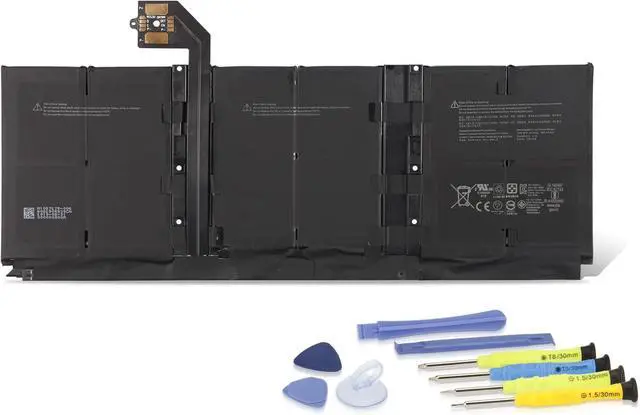
1* MULS G3HTA052H Battery
1* Installation Tools Kit
Compatible Part Number
DYNT02
G3HTA052H
G3HTA053H
G3HTA057H
G3HTA058H
Compatible with
Microsoft Surface Lapto 3 Gen 13.5 Inch Keyboard Base 1867
Microsoft Surface Lapto 3 Gen 13.5 Inch Keyboard Base 1868
High power conversion rate, provide maximum capacity for your devices.
Ensure the reliability of products through high standard quality tests. Improve the usability, stability and security of the batteries.
Enhanced safety design, automatically repair the accidental short circuit.
Turn off your laptop and disconnect the power.
Gently disconnect the cable of old battery from the mainboard, and carefully save the small parts.
Connect new battery to the mainboard, and reinstall all the parts that have been removed earlier.
You can search the relevant installation guide on YouTube to help you replace the battery step by step.
The replacement process may requires professional skills, please ask for help form the professionals if youre not sure you can install it properly, we won't responsible for any damage due to improper operation.
If your laptop cannot be powered on with the new battery, try to install it again and check if the cable has been properly connected.
Use the battery to 5% and charge to 95%, repeat for 3-4 times to activate the maximum capacity.
Do not disassemble, crush or stab the battery, and keep it away from water and fire.
Charge to 80% at least once per month if the battery is not used for a long time.
Specifications 100% Real Capacity Fast Charging Double Protection How to replace the battery Notice





 here!
here!