Your Browsing History
Meet Your Seller
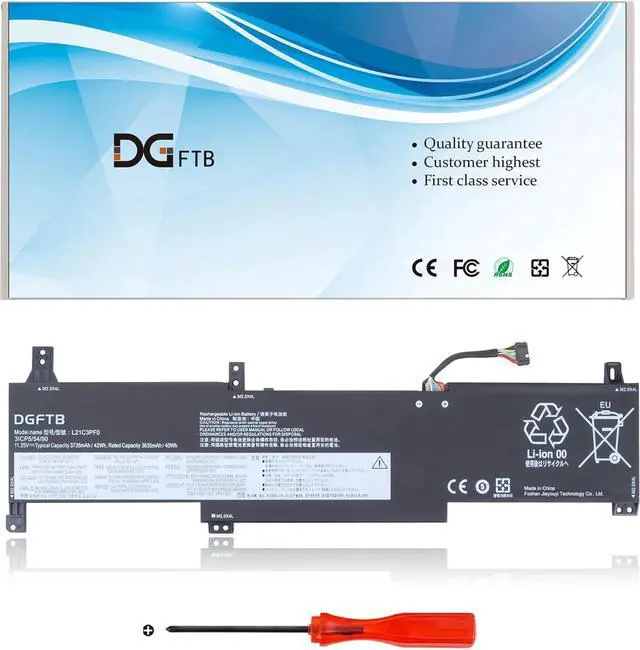
L21C3PF0 L21M3PF0 L21M3PF1 L21D3PF0 L21L3PF0 laptop battery for Lenovo IdeaPad 1-14ALC7 14IAU7 14IGL7 14IJL7 14ADA7 14AMN7 1-15ADA7 15IGL7 15IJL7 15IAU7 15ALC7 15AMN7 15IRU7 V15 G2-ITL G2ITL 3735mAh
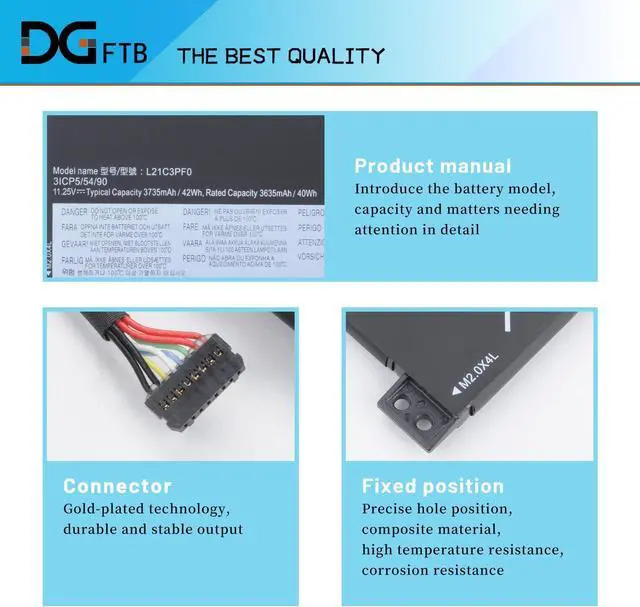
- Replacement Battery TypeLi-ion; Voltage: 11.25V ; Capacity: 42Wh/3735mAh.
- Compatible P/NL21C3PF0 L21M3PF0 SB11D70894 5B11D70895 SB11N51748 5B11N51759 L21L3PF0 SB11D70892 5B11D70896 SB11N51763 5B11N51739 SB11D96114 5B11D96113 SB11N51754 5B11N51734 L21D3PF0 SB11D70893 5B11D70891 SB11N51721 5B11N51728 L21M3PF1 SB11E24663 5B11E24662 SB11N51756 5B11N51724 3ICP5/54/90 3ICP5/54/90
- Compatible Modelsfor Lenovo IdeaPad 1-14ALC7 1-14ADA7 1-14AMN7 Series; for Lenovo IdeaPad 1-14IAU7 1-14IGL7 1-14IJL7 Series; for Lenovo IdeaPad 15ALC7 1-15ADA7 1-15AMN7 15IAU7 Series; for Lenovo IdeaPad 1-15IRU7 15IGL7 Series..
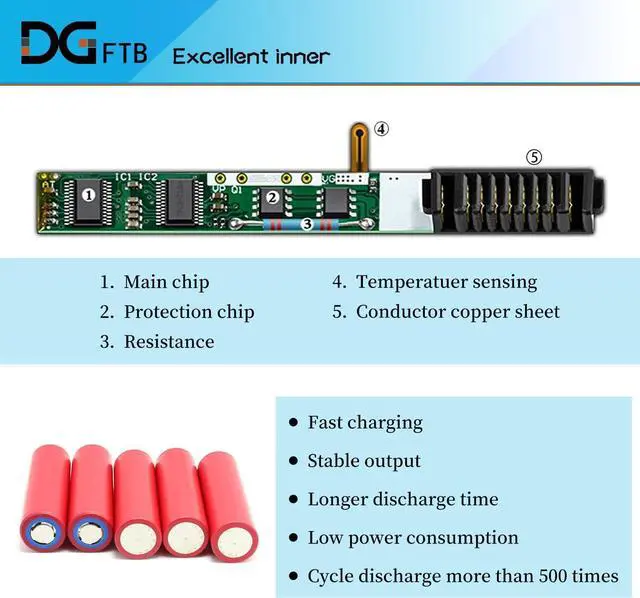
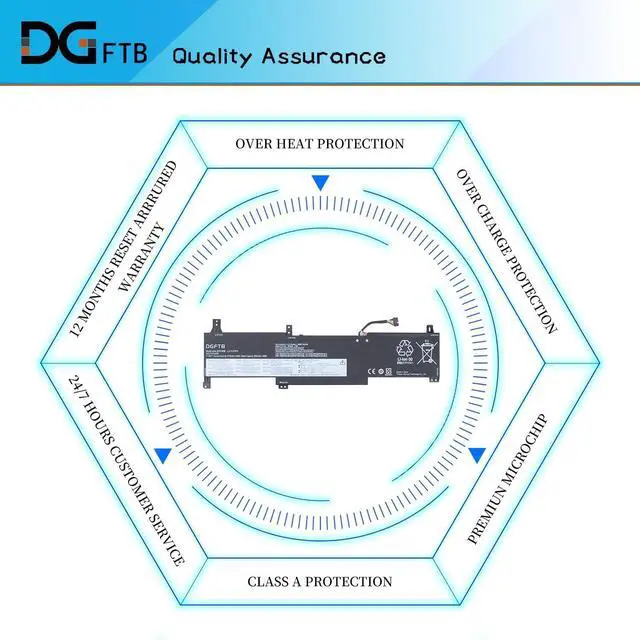
- DG QualityGrade A cells mitigate the risk of battery leakage and maximize output stability. Built-in circuit protection, enhances safety of usage and extends battery life.
- DG TIPSFor the initial installation, please reinstall and check the interface fully connected, discharge the battery to 5%(not to 0%) and then charge to 95%, and cycle 3-4 times.
+
+
Overview
Specs
Reviews
Any questions? Our AI mode will help you find out quickly.
Try me now
We are a professional laptop battery provider,
We are always working hard to ensure high quality laptop battery standards.
Your satisfaction is our team goal, your support is our most precious wealth
Voltage: 11.25V
Capacity: 42Wh/3735mAh
Battery Condition: Brand New
Battery Type: Lithium Ion
L21C3PF0 SB11D96114 5B11D96113 SB11N51754 5B11N51734
L21M3PF0 SB11D70894 5B11D70895 SB11N51748 5B11N51759
L21L3PF0 SB11D70892 5B11D70896 SB11N51763 5B11N51739
L21D3PF0 SB11D70893 5B11D70891 SB11N51721 5B11N51728
L21M3PF1 SB11E24663 5B11E24662 SB11N51756 5B11N51724 3ICP5/54/90 3ICP5/54/90
Compatible Machine Models:
Fit for Lenovo IdeaPad 1-14IGL7 1-14IJL7 1-14IAU7 1-14ADA7 1-14ALC7 1-14AMN7 Series
Fit for Lenovo IdeaPad 1-15IGL7 1-15IJL7 1-15IAU7 1-15ADA7 1-15ALC7 1-15AMN7 1-15IRU7 Series
for Lenovo IdeaPad 1-14IJL7 (Type 82LV) Series
for Lenovo IdeaPad 1-15IJL7 (Type 82LX, 82QH) Series
for Lenovo IdeaPad 1 15IJL7 82LX0074RA
for Lenovo IdeaPad 1 15IJL7 82LX007BGE
for Lenovo IdeaPad 1-14IAU7 (Type 82QC) Series
for Lenovo IdeaPad 1-15IAU7 (Type 82QD, 82VY) Series
for Lenovo IdeaPad 1-14ADA7 (Type 82R0) Series
for Lenovo IdeaPad 1 14ADA7-82R0001NMJ
for Lenovo IdeaPad 1-15ADA7 (Type 82R1) Series
for Lenovo IdeaPad 1-14ALC7 (Type 82R3) Series
for Lenovo IdeaPad 1-15ALC7 (Type 82R4) Series
for Lenovo IdeaPad 1-14IGL7 (Type 82V6) Series
for Lenovo IdeaPad 1-15IGL7 (Type 82V7, 82VX) Series
for Lenovo IdeaPad 1-14AMN7 Series
for Lenovo IdeaPad 1-15AMN7 Series
for Lenovo IdeaPad 1-15IRU7 Series
1, Disconnect the connection between the old battery and the motherboard to avoid unnecessary damage caused by disassembling the battery. Then unscrew the old battery screws one by one and carefully save each.
2, Remove the old battery, carefully install the new battery on the battery case, and connect the wiring of the new battery.
3, If you don't understand the above steps, you can search for the video about laptop battery installation on YouTube. Maybe it will help you
Remove all battery drivers
Remove battery
Connect laptop using AC charger, double check no battery drivers installed
Connect battery
Drivers will install automatically
Full charge the battery by ac adapter
Leave charger and let the battery drain to shut off
Weve been doing this for the many years.
We know how to get the most out of our batteries for you.
The safety and longevity of battery is our goal for the buyer.
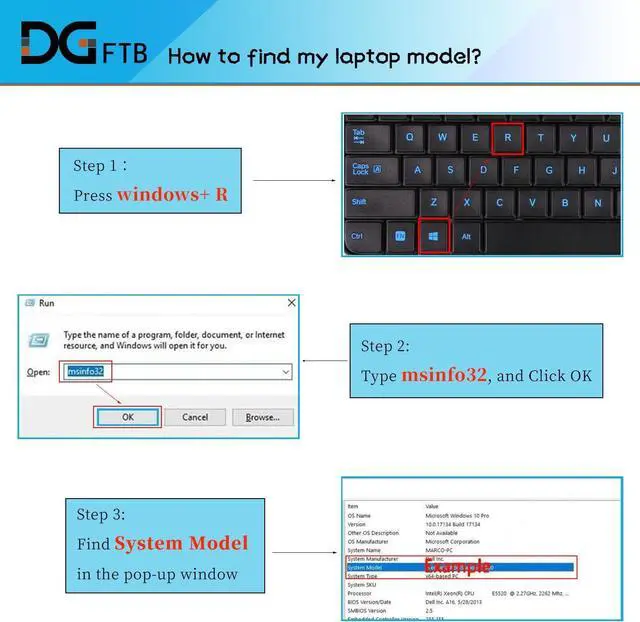
Before placing an order, please open the back cover of your laptop,
check and confirm your original battery model and appearance,
and compare with our battery pictures to ensure that this is what you need.
It helps you to buy the correct battery which you really want.
Welcome to DGTFB Specification: Compatible Part Numbers: Install A New Battery: Battery can't be recognized by my laptop: Unparalleled Expertise:

We are always working hard to ensure high quality laptop battery standards.
Your satisfaction is our team goal, your support is our most precious wealth
Voltage: 11.25V
Capacity: 42Wh/3735mAh
Battery Condition: Brand New
Battery Type: Lithium Ion
L21C3PF0 SB11D96114 5B11D96113 SB11N51754 5B11N51734
L21M3PF0 SB11D70894 5B11D70895 SB11N51748 5B11N51759
L21L3PF0 SB11D70892 5B11D70896 SB11N51763 5B11N51739
L21D3PF0 SB11D70893 5B11D70891 SB11N51721 5B11N51728
L21M3PF1 SB11E24663 5B11E24662 SB11N51756 5B11N51724 3ICP5/54/90 3ICP5/54/90
Compatible Machine Models:
Fit for Lenovo IdeaPad 1-14IGL7 1-14IJL7 1-14IAU7 1-14ADA7 1-14ALC7 1-14AMN7 Series
Fit for Lenovo IdeaPad 1-15IGL7 1-15IJL7 1-15IAU7 1-15ADA7 1-15ALC7 1-15AMN7 1-15IRU7 Series
for Lenovo IdeaPad 1-14IJL7 (Type 82LV) Series
for Lenovo IdeaPad 1-15IJL7 (Type 82LX, 82QH) Series
for Lenovo IdeaPad 1 15IJL7 82LX0074RA
for Lenovo IdeaPad 1 15IJL7 82LX007BGE
for Lenovo IdeaPad 1-14IAU7 (Type 82QC) Series
for Lenovo IdeaPad 1-15IAU7 (Type 82QD, 82VY) Series
for Lenovo IdeaPad 1-14ADA7 (Type 82R0) Series
for Lenovo IdeaPad 1 14ADA7-82R0001NMJ
for Lenovo IdeaPad 1-15ADA7 (Type 82R1) Series
for Lenovo IdeaPad 1-14ALC7 (Type 82R3) Series
for Lenovo IdeaPad 1-15ALC7 (Type 82R4) Series
for Lenovo IdeaPad 1-14IGL7 (Type 82V6) Series
for Lenovo IdeaPad 1-15IGL7 (Type 82V7, 82VX) Series
for Lenovo IdeaPad 1-14AMN7 Series
for Lenovo IdeaPad 1-15AMN7 Series
for Lenovo IdeaPad 1-15IRU7 Series
1, Disconnect the connection between the old battery and the motherboard to avoid unnecessary damage caused by disassembling the battery. Then unscrew the old battery screws one by one and carefully save each.
2, Remove the old battery, carefully install the new battery on the battery case, and connect the wiring of the new battery.
3, If you don't understand the above steps, you can search for the video about laptop battery installation on YouTube. Maybe it will help you
Remove all battery drivers
Remove battery
Connect laptop using AC charger, double check no battery drivers installed
Connect battery
Drivers will install automatically
Full charge the battery by ac adapter
Leave charger and let the battery drain to shut off
Weve been doing this for the many years.
We know how to get the most out of our batteries for you.
The safety and longevity of battery is our goal for the buyer.
Before placing an order, please open the back cover of your laptop,
check and confirm your original battery model and appearance,
and compare with our battery pictures to ensure that this is what you need.
It helps you to buy the correct battery which you really want.
Welcome to DGTFB Specification: Compatible Part Numbers: Install A New Battery: Battery can't be recognized by my laptop: Unparalleled Expertise:
Warranty & Returns
Warranty, Returns, And Additional Information
Warranty
- Please contact the Seller directly for warranty information. Warranty information may also be found on the Manufacturer's website.
- CONTACT
Return Policies
- Return for refund within: 30 days
- Return for replacement within: 30 days
- This item is covered by LionTech Direct Return Policy
Manufacturer Contact Info
- For a directory of all our manufacturers, please click below.
- Manufacturers Directory
LOADING...