Your Browsing History
Meet Your Seller
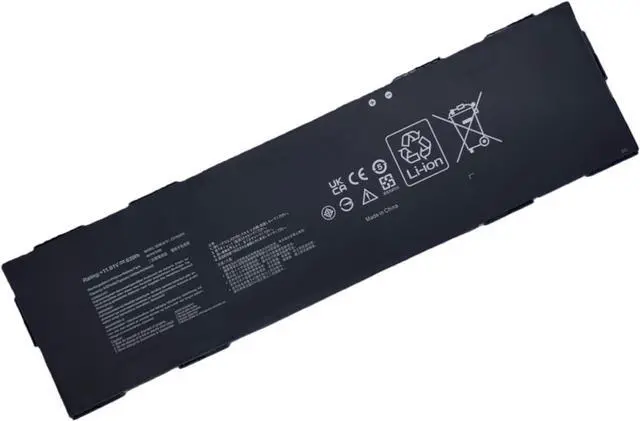
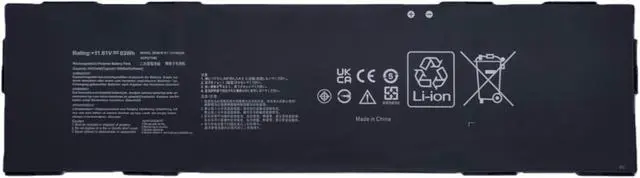
C31N2205 Replacement Laptop Battery Compatible with Asus Chromebook CX34 Flip CX3401 ExpertBook B3 B3404CVF Series 0B200-04010000 - 11.61V 63Wh
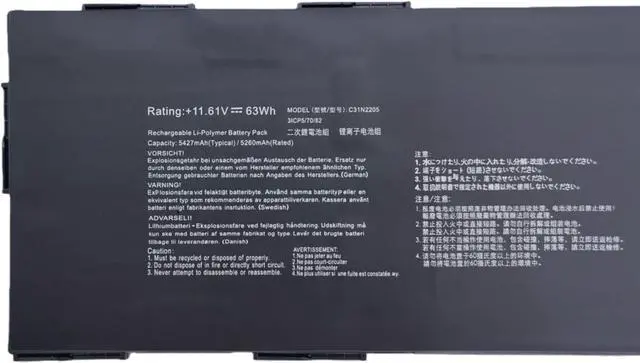
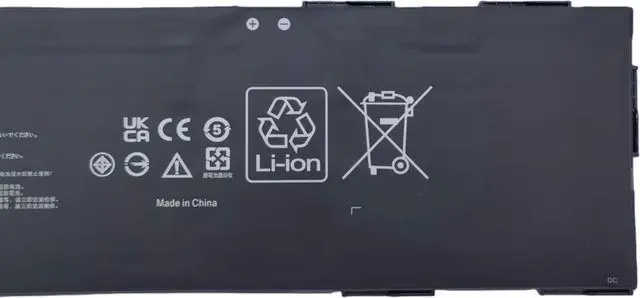
- Battery Type: Li-ion; Voltage: 11.61V; Capacity: 63Wh / 3-Cell.
- Compatible Part Number: C31N2205 0B200-04010000 3ICP6/70/81
- Compatible with Machines Model: For Asus Chromebook Vibe CX34 Flip CX3401FBA CM3401FFA CM3401-R3128BL CX9 CX9400CEA-DS566T ExpertBook B3 B3404CVF Series
- Our batteries are assembled from top quality material and circuit boards to ensure fast charges and low power consumption, 100% New from Manufacturer, Overcharge and Overdischarge Circuit Protection, Over-temperature and Short-circuit Protection, up to 500 recharge cycles over the life of the battery, meet OEM standard.
- CE-/FCC-/RoHS-Certified for safety. 24 x 7 email support
+
+
Overview
Specs
Reviews
Any questions? Our AI mode will help you find out quickly.
Try me now
Model Name: C31N2205
Condition: Brand New
Battery Type: Li-ion
Battery Voltage: 11.61V
Battery Capacity: 63Wh / 5427mAh
Compatible Paer Number:
C31N2205 0B200-04010000 3ICP6/70/81
Compatible Models: (use "Ctrl+F" to find your model quickly)
For Asus Chromebook Vibe CX34 Flip CX3401FBA CM3401FFA CM3401-R3128BL Series
Not all the compatible laptop models have been listed, please remove the back case of your laptop and choose the right battery model according to your latpop's origibal battery.
Instructions for use:
Please install the battery correctly and ensure that the battery interface and the motherboard are firmly connected. Please use the original charger to charge the laptop. Please open the back cover of the laptop before purchasing to confirm the original battery type is the same as the picture.

Condition: Brand New
Battery Type: Li-ion
Battery Voltage: 11.61V
Battery Capacity: 63Wh / 5427mAh
Compatible Paer Number:
C31N2205 0B200-04010000 3ICP6/70/81
Compatible Models: (use "Ctrl+F" to find your model quickly)
For Asus Chromebook Vibe CX34 Flip CX3401FBA CM3401FFA CM3401-R3128BL Series
Not all the compatible laptop models have been listed, please remove the back case of your laptop and choose the right battery model according to your latpop's origibal battery.
Instructions for use:
Please install the battery correctly and ensure that the battery interface and the motherboard are firmly connected. Please use the original charger to charge the laptop. Please open the back cover of the laptop before purchasing to confirm the original battery type is the same as the picture.
Warranty & Returns
Warranty, Returns, And Additional Information
Warranty
- Please contact the Seller directly for warranty information. Warranty information may also be found on the Manufacturer's website.
- CONTACT
Return Policies
- Return for refund within: 30 days
- Return for replacement within: 30 days
- This item is covered by LionTech Direct Return Policy
Manufacturer Contact Info
- For a directory of all our manufacturers, please click below.
- Manufacturers Directory
LOADING...