Your Browsing History
Meet Your Seller
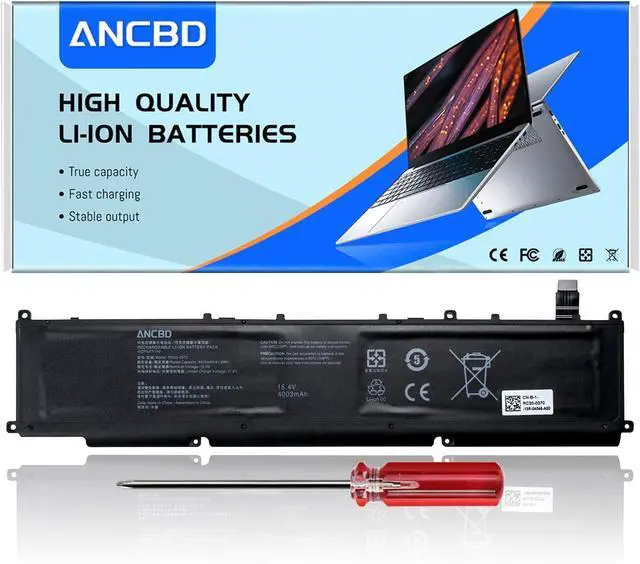
RC30-0370 RZ09-0370 Laptop Battery for Razer Blade 14 2021 2022
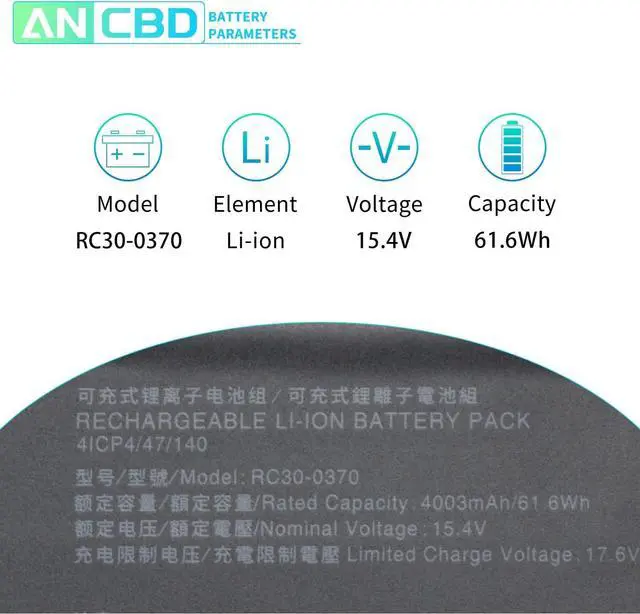
- Specification: Voltage:15.4V Capacity: 61.6Wh/4003mAh Conditiin :100% brand new
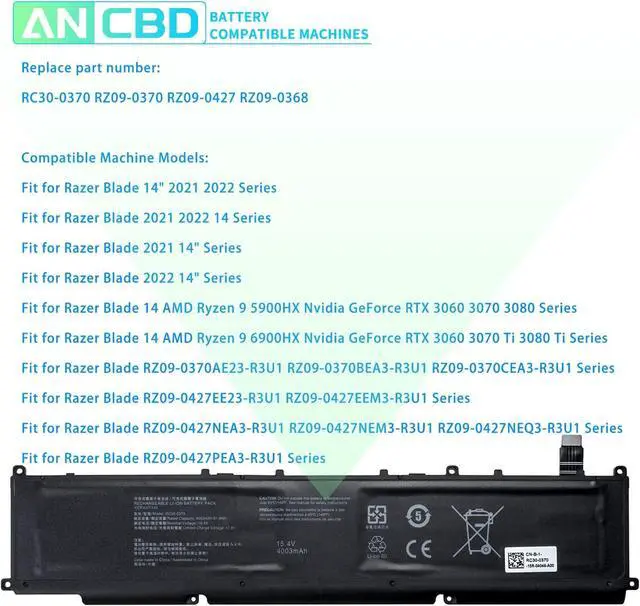
- Compatible Part Number: RC30-0370 RZ09-0370 RZ09-0427 RZ09-0368
- Compatible Machine Models: Fit for Razer Blade 14" 2021 2022 Series, fit for Razer Blade 2021 2022 14 Series,fit for Razer Blade 2021 14" Series,fit for Razer Blade 2022 14" Series, fit for Razer Blade 14 AMD Ryzen 9 5900HX Nvidia GeForce RTX 3060 3070 3080 Series,fit for Razer Blade 14 AMD Ryzen 9 6900HX Nvidia GeForce RTX 3060 3070 Ti 3080 Ti Series
- Fit for Razer Blade RZ09-0370AE23-R3U1 RZ09-0370BEA3-R3U1 RZ09-0370CEA3-R3U1 Series,fit for Razer Blade RZ09-0427EE23-R3U1 RZ09-0427EEM3-R3U1 Series,fit for Razer Blade RZ09-0427NEA3-R3U1 RZ09-0427NEM3-R3U1 RZ09-0427NEQ3-R3U1 RZ09-0427PEA3-R3U1 Series
- ANCBD Promise: We provide professional factory direct selling high-quality power products and high-quality customer service. The manufacturer is 100% brand new. Overcharge and over discharge circuit protection; Overheating and short circuit prot
+
+
Overview
Specs
Reviews
Any questions? Our AI mode will help you find out quickly.
Try me now
Model Name:RC30-0370
Battery Voltage: 15.4V
Battery Capacity: 61.6Wh 4003mAh
Color:black
Battery Type: Li-ion
Condition: 100% New from Manufacturer, Grade A Cell
RC30-0370 RZ09-0370 RZ09-0427 RZ09-0368
Fit for Razer Blade 14" 2021 2022 Series
Fit for Razer Blade 2021 2022 14 Series
Fit for Razer Blade 2021 14" Series
Fit for Razer Blade 2022 14" Series
Fit for Razer Blade 14 AMD Ryzen 9 5900HX Nvidia GeForce RTX 3060 3070 3080 Series
Fit for Razer Blade 14 AMD Ryzen 9 6900HX Nvidia GeForce RTX 3060 3070 Ti 3080 Ti Series
Fit for Razer Blade RZ09-0370AE23-R3U1 RZ09-0370BEA3-R3U1 RZ09-0370CEA3-R3U1 Series
Fit for Razer Blade RZ09-0427EE23-R3U1 RZ09-0427EEM3-R3U1 Series
Fit for Razer Blade RZ09-0427NEA3-R3U1 RZ09-0427NEM3-R3U1 RZ09-0427NEQ3-R3U1 RZ09-0427PEA3-R3U1 Series
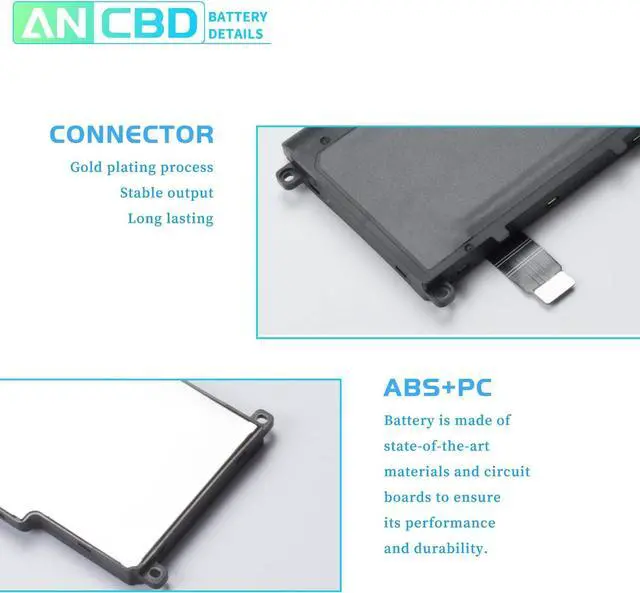
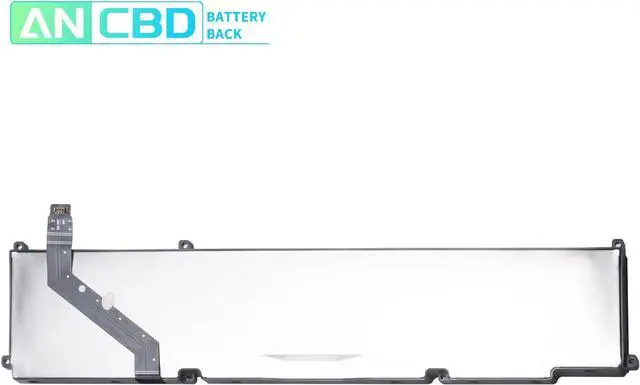
Please open your laptop case, check and confirm your original battery model and appearance, and make sure that this is the battery you need by comparing it with our battery picture, paying special attention to the position of the connector and the length of the cable.
Use System Information to find your laptop model.
Step 1: Press Windows + R to open Run window.
Step 2: Input "msinfo32" in the empty box and click OK to open System Information.
Step 3: Keep in the System Summary section, and you will find the System
1, first you need to turn off the laptop and disconnect the power.
2. Disconnect the old battery from the mainboard to avoid unnecessary damage caused by battery disassembly. Then unscrew the old battery in turn and store it carefully.
3, remove the old battery, install the new battery carefully on the battery box, tighten the screws, and connect the wiring of the new battery.
4, if you don't understand the above steps, you can search for laptop battery installation videos on YouTube, it will help you.
If my computer doesn't recognize this battery, or if I install this battery and it doesn't work, how do we fix it?
This is because the remaining power in the laptop components causes the battery to not work properly. First disconnect the old battery, while holding down the power button for 20 seconds, and then connect the new battery. This eats up the remaining power, and once the laptop is reassembled, the battery will work properly.
(1) It is best not to completely drain the battery when charging. Discharge the new battery to 5%, then charge and cycle 3-4 times to fully charge the new battery.
(2) Remember to fully discharge and charge every other month to extend battery life.
(3) Remember not to connect the adapter for a long time when using the battery. It may damage the battery.
(4) Avoid using batteries in environments with high or low temperatures, to avoid personal safety.
Specification: Replace part number: Compatible Machine Models: Please confirm before purchasing I hope our suggestions can help you use your battery better. How to confirm that the battery is suitable for your laptop? New battery installation: New battery installation common problems and solutions Reminder:

Battery Voltage: 15.4V
Battery Capacity: 61.6Wh 4003mAh
Color:black
Battery Type: Li-ion
Condition: 100% New from Manufacturer, Grade A Cell
RC30-0370 RZ09-0370 RZ09-0427 RZ09-0368
Fit for Razer Blade 14" 2021 2022 Series
Fit for Razer Blade 2021 2022 14 Series
Fit for Razer Blade 2021 14" Series
Fit for Razer Blade 2022 14" Series
Fit for Razer Blade 14 AMD Ryzen 9 5900HX Nvidia GeForce RTX 3060 3070 3080 Series
Fit for Razer Blade 14 AMD Ryzen 9 6900HX Nvidia GeForce RTX 3060 3070 Ti 3080 Ti Series
Fit for Razer Blade RZ09-0370AE23-R3U1 RZ09-0370BEA3-R3U1 RZ09-0370CEA3-R3U1 Series
Fit for Razer Blade RZ09-0427EE23-R3U1 RZ09-0427EEM3-R3U1 Series
Fit for Razer Blade RZ09-0427NEA3-R3U1 RZ09-0427NEM3-R3U1 RZ09-0427NEQ3-R3U1 RZ09-0427PEA3-R3U1 Series
Please open your laptop case, check and confirm your original battery model and appearance, and make sure that this is the battery you need by comparing it with our battery picture, paying special attention to the position of the connector and the length of the cable.
Use System Information to find your laptop model.
Step 1: Press Windows + R to open Run window.
Step 2: Input "msinfo32" in the empty box and click OK to open System Information.
Step 3: Keep in the System Summary section, and you will find the System
1, first you need to turn off the laptop and disconnect the power.
2. Disconnect the old battery from the mainboard to avoid unnecessary damage caused by battery disassembly. Then unscrew the old battery in turn and store it carefully.
3, remove the old battery, install the new battery carefully on the battery box, tighten the screws, and connect the wiring of the new battery.
4, if you don't understand the above steps, you can search for laptop battery installation videos on YouTube, it will help you.
If my computer doesn't recognize this battery, or if I install this battery and it doesn't work, how do we fix it?
This is because the remaining power in the laptop components causes the battery to not work properly. First disconnect the old battery, while holding down the power button for 20 seconds, and then connect the new battery. This eats up the remaining power, and once the laptop is reassembled, the battery will work properly.
(1) It is best not to completely drain the battery when charging. Discharge the new battery to 5%, then charge and cycle 3-4 times to fully charge the new battery.
(2) Remember to fully discharge and charge every other month to extend battery life.
(3) Remember not to connect the adapter for a long time when using the battery. It may damage the battery.
(4) Avoid using batteries in environments with high or low temperatures, to avoid personal safety.
Specification: Replace part number: Compatible Machine Models: Please confirm before purchasing I hope our suggestions can help you use your battery better. How to confirm that the battery is suitable for your laptop? New battery installation: New battery installation common problems and solutions Reminder:
Warranty & Returns
Warranty, Returns, And Additional Information
Warranty
- Please contact the Seller directly for warranty information. Warranty information may also be found on the Manufacturer's website.
- CONTACT
Return Policies
- Return for refund within: 30 days
- Return for replacement within: 30 days
- This item is covered by LionTech Direct Return Policy
Manufacturer Contact Info
- For a directory of all our manufacturers, please click below.
- Manufacturers Directory
LOADING...