Your Browsing History
Meet Your Seller
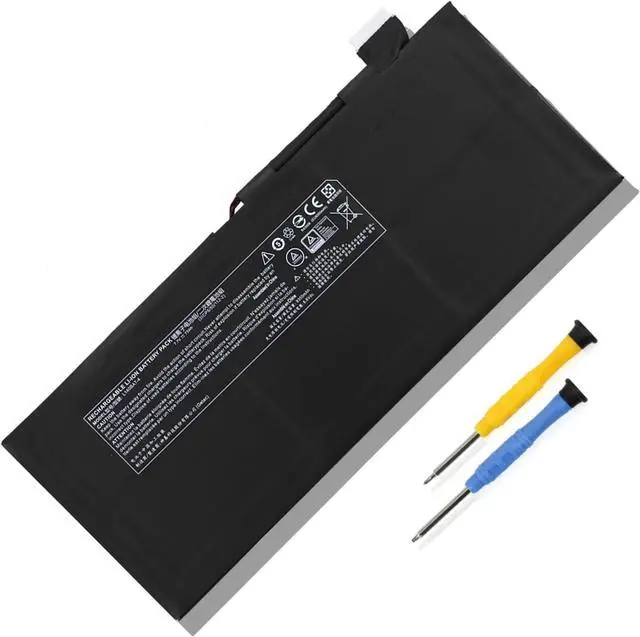
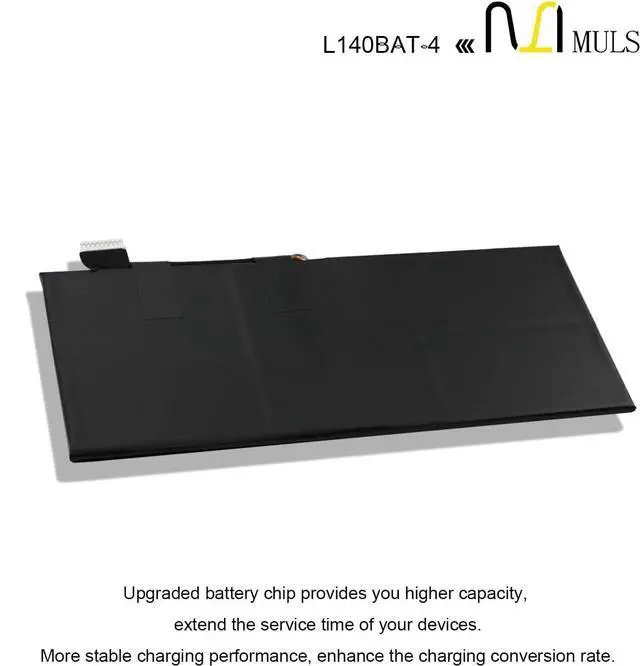
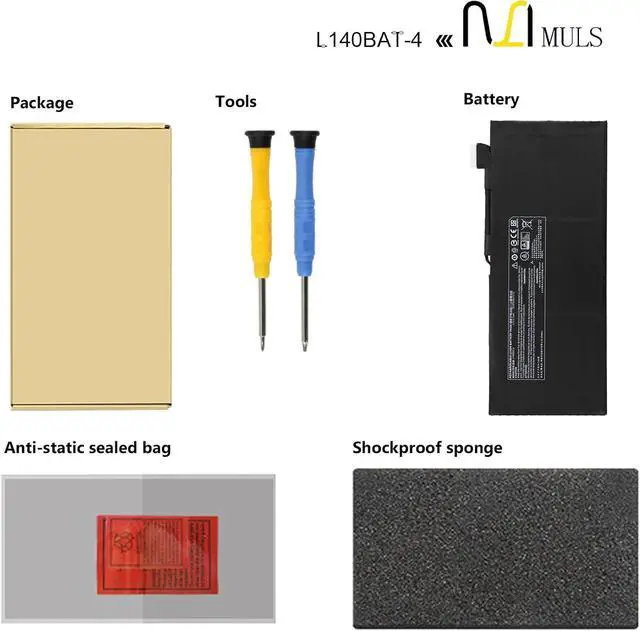
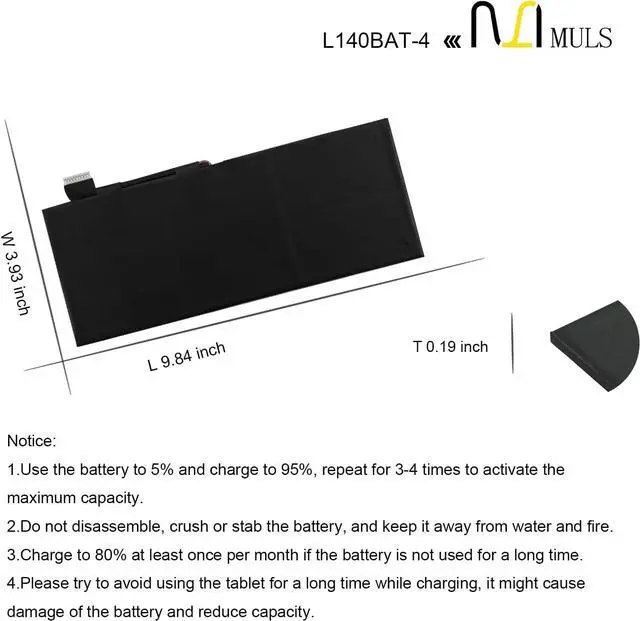
MULS L140BAT-4 Battery Replacement for Lemur P9 System 76 Darter Pro 2021
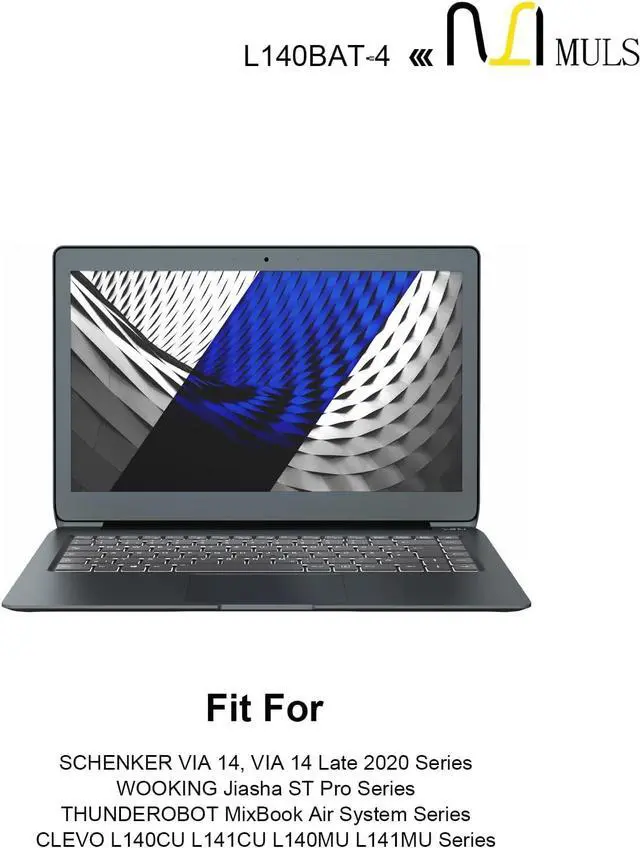
- Replacement For Laptop: Fit for Darter Pro 2021 L140CU L141CU L140MU L141MU, Fit for SCHENKER VIA 14, VIA 14 Late 2020, Fit for WOOKING Jiasha ST Pro, Fit for THUNDEROBOT MixBook Air, Fit for System 76 Lemur Pro(9) Darter Pro 2021, Fit for CLEVO L140CU L141CU L140MU L141MU, Fit for Hyperbook L14 Ultra , Fit for Schenker VIA 14 Late 2020 , Fit for Schenker Work 17 Tiger Lake-H , Fit for System76 Lemur Pro 14 2020 2021 2022 (lemp9)(lemp10)(lemp11) .
- Compatible with Part Number: L140BAT-4 6-87-L140S-72B01 6-87-L140S-32B01 6-87-L140S-72B00 2ICP5/50/112-2.
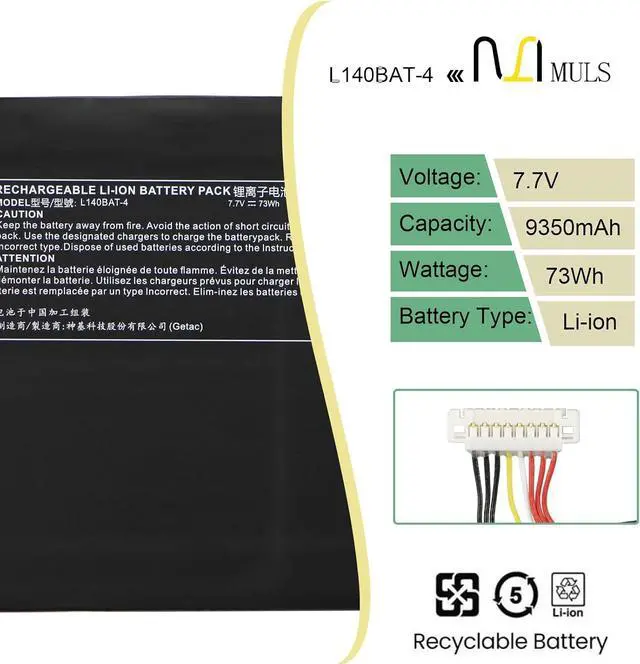
- Battery Specification: Capacity: 73Wh Voltage: 7.7V. Brand new. Up to 500 recharge cycles over the life of the battery. High-quality materials and circuit board.
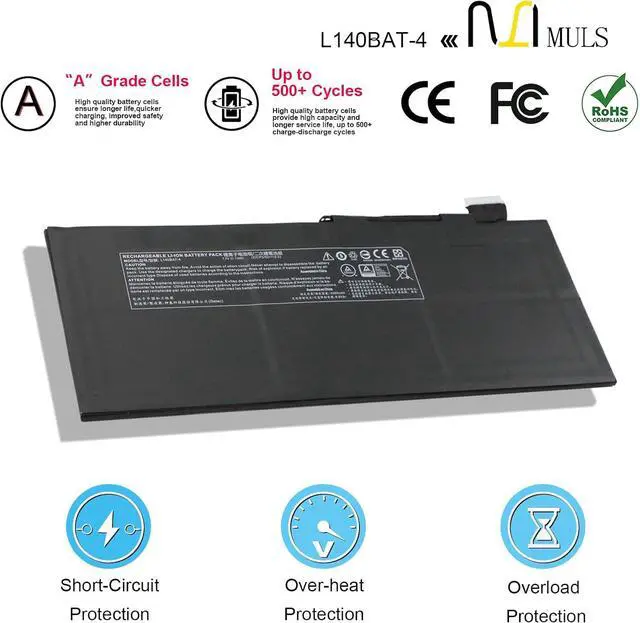
- Safety Above All: Our batteries are certified by CE, FCC and RoHS to ensure your safety, and packed with prevention measures like short circuit, overheat and overcharge protection.Our laptop batteries are made with premium materials and circuit boards to ensure pe
+
+
Overview
Specs
Reviews
Any questions? Our AI mode will help you find out quickly.
Try me now
About MULS
1. We have professional battery and adapter experience!
Strictly test before shipment to ensure full capacity and safety without harming the computer!
2. We recommend that the first charge is not less than 5 hours.
3. The new battery cannot be charged, is there a problem with the battery?
Usually not. The computer charges the battery for the first time. Due to the instability of voltage and current, the computer may stop charging the battery when the battery is half charged (sometimes more, sometimes less). If this happens, Don't worry, just take the battery out of the computer and recharge it again. The new battery charged for the first time may require several iterations. Don't worry, this is normal.
4. When the battery is in normal operation, if the battery is discharged to 3%, it must be shut down or recharged. If the battery is discharged to 0%, the battery will be damaged and its life will be attenuated.
5. Avoid falling, heating, and short-circuit, avoid using the battery in an environment where the temperature is too high or too low.
Specification
Voltage: 7.7V
Capacity: 73Wh
Condition: Brand new from manufacture, Grade A cell
Replacement for Part Number
L140BAT-4
6-87-L140S-72B01
6-87-L140S-32B01
6-87-L140S-72B00
2ICP5/50/112-2
Compatible Laptop Models
Fit for Clevo L140CU L141CU L140MU L141MU Series;
Fit for Hyperbook L14 Ultra Series;
Fit for THUNDEROBOT MixBook Air Series;
Fit for WOOKING Jiasha ST Pro Series;
Fit for Schenker VIA 14 Late 2020 Series;
Fit for Schenker Work 17 Tiger Lake-H Series;
Fit for System 76 darter Pro, darp7 Series;
Fit for System 76 Lemur Pro(9) Darter Pro 2021 Series;
Fit for System 76 Lemur Pro 14 2020 2021 2022 (lemp9)(lemp10)(lemp11) Series.
Note: Please open the back cover of your laptop to check the original battery size and capacity before placing an order. Please scroll down to the list to purchase.
What should I be mindful of when charging the battery?
1. Use a compatible charger: Always use a charger that matches your laptop's original specifications (same voltage and current parameters).
2. Charging environment requirements: When charging, place your laptop in a well-ventilated, cool area away from direct sunlight and heat sources. Keep it distant from flammable or explosive items (such as paper or alcohol) to prevent battery overheating, swelling, or fire.
3. Charging rhythm management: For new batteries, there is no need to deliberately charge for 12 hours during the first charge. Charge to 100% and then continue charging for 30 minutes. For subsequent charges, unplug the charger promptly after reaching full capacity to avoid prolonged charging while the battery is fully charged.
Note: If the battery exhibits severe heating, unusual odors, bulging, or other abnormalities during charging, immediately unplug the charger, shut down the laptop, stop using the battery. Do not continue charging or using the battery.
How to extend your laptop battery's lifespan during daily use?
1. Maintain optimal charge levels: Keep battery levels between 20% and 80% during regular use. Avoid prolonged deep discharges (below 10%) or storing at full charge for extended periods. For long-term storage, charge to around 50% and recharge monthly.
2. Minimize Heavy Loads: Avoid running resource-intensive software (e.g., video editing, gaming) or connecting multiple external devices for extended periods while on battery power. This reduces high-power discharge and minimizes wear.
3. Calibrate the battery periodically: Every 1-2 months, drain the battery until the device shuts down automatically (recommended to start around 10% charge to avoid over-discharge), then fully charge it to 100%. This completes one calibration cycle, helping the laptop accurately recognize the battery capacity.
4. Avoid Extreme Environments: Do not

1. We have professional battery and adapter experience!
Strictly test before shipment to ensure full capacity and safety without harming the computer!
2. We recommend that the first charge is not less than 5 hours.
3. The new battery cannot be charged, is there a problem with the battery?
Usually not. The computer charges the battery for the first time. Due to the instability of voltage and current, the computer may stop charging the battery when the battery is half charged (sometimes more, sometimes less). If this happens, Don't worry, just take the battery out of the computer and recharge it again. The new battery charged for the first time may require several iterations. Don't worry, this is normal.
4. When the battery is in normal operation, if the battery is discharged to 3%, it must be shut down or recharged. If the battery is discharged to 0%, the battery will be damaged and its life will be attenuated.
5. Avoid falling, heating, and short-circuit, avoid using the battery in an environment where the temperature is too high or too low.
Specification
Voltage: 7.7V
Capacity: 73Wh
Condition: Brand new from manufacture, Grade A cell
Replacement for Part Number
L140BAT-4
6-87-L140S-72B01
6-87-L140S-32B01
6-87-L140S-72B00
2ICP5/50/112-2
Compatible Laptop Models
Fit for Clevo L140CU L141CU L140MU L141MU Series;
Fit for Hyperbook L14 Ultra Series;
Fit for THUNDEROBOT MixBook Air Series;
Fit for WOOKING Jiasha ST Pro Series;
Fit for Schenker VIA 14 Late 2020 Series;
Fit for Schenker Work 17 Tiger Lake-H Series;
Fit for System 76 darter Pro, darp7 Series;
Fit for System 76 Lemur Pro(9) Darter Pro 2021 Series;
Fit for System 76 Lemur Pro 14 2020 2021 2022 (lemp9)(lemp10)(lemp11) Series.
Note: Please open the back cover of your laptop to check the original battery size and capacity before placing an order. Please scroll down to the list to purchase.
What should I be mindful of when charging the battery?
1. Use a compatible charger: Always use a charger that matches your laptop's original specifications (same voltage and current parameters).
2. Charging environment requirements: When charging, place your laptop in a well-ventilated, cool area away from direct sunlight and heat sources. Keep it distant from flammable or explosive items (such as paper or alcohol) to prevent battery overheating, swelling, or fire.
3. Charging rhythm management: For new batteries, there is no need to deliberately charge for 12 hours during the first charge. Charge to 100% and then continue charging for 30 minutes. For subsequent charges, unplug the charger promptly after reaching full capacity to avoid prolonged charging while the battery is fully charged.
Note: If the battery exhibits severe heating, unusual odors, bulging, or other abnormalities during charging, immediately unplug the charger, shut down the laptop, stop using the battery. Do not continue charging or using the battery.
How to extend your laptop battery's lifespan during daily use?
1. Maintain optimal charge levels: Keep battery levels between 20% and 80% during regular use. Avoid prolonged deep discharges (below 10%) or storing at full charge for extended periods. For long-term storage, charge to around 50% and recharge monthly.
2. Minimize Heavy Loads: Avoid running resource-intensive software (e.g., video editing, gaming) or connecting multiple external devices for extended periods while on battery power. This reduces high-power discharge and minimizes wear.
3. Calibrate the battery periodically: Every 1-2 months, drain the battery until the device shuts down automatically (recommended to start around 10% charge to avoid over-discharge), then fully charge it to 100%. This completes one calibration cycle, helping the laptop accurately recognize the battery capacity.
4. Avoid Extreme Environments: Do not
Warranty & Returns
Warranty, Returns, And Additional Information
Warranty
- Please contact the Seller directly for warranty information. Warranty information may also be found on the Manufacturer's website.
- CONTACT
Return Policies
- Return for refund within: 30 days
- Return for replacement within: 30 days
- This item is covered by LionTech Direct Return Policy
Manufacturer Contact Info
- For a directory of all our manufacturers, please click below.
- Manufacturers Directory
LOADING...