Your Browsing History
Meet Your Seller
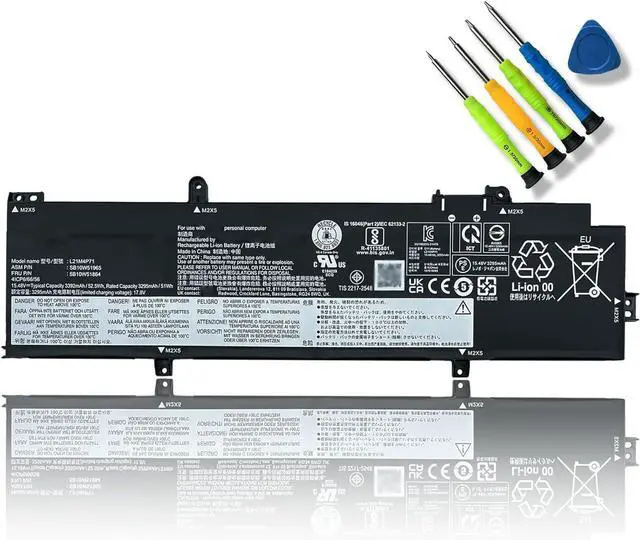
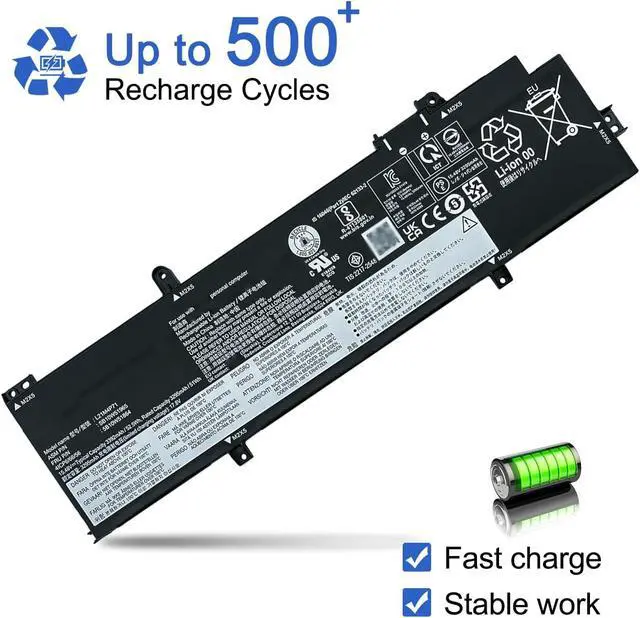
JOTACT L21M4P71 SB10W51965 5B10W51864 Laptop Battery Replacement for Lenovo ThinkPad T14 P14s 3rd Gen 2022 Series L21L4P71 SB10W51964 L21M4P72 SB10W51966 L21D4P71 SB10W51968 L21C4P71 15.48V 52.5Wh
- Customer SupportRest assured with 30 days Refund and 12 months Replacement,also get our friendly customer service;(Note: The return window will be closed a month after you received the Battery .If you have any problem with this battery, please Contact us - in "YOUR ORDER" options click the "contact seller")
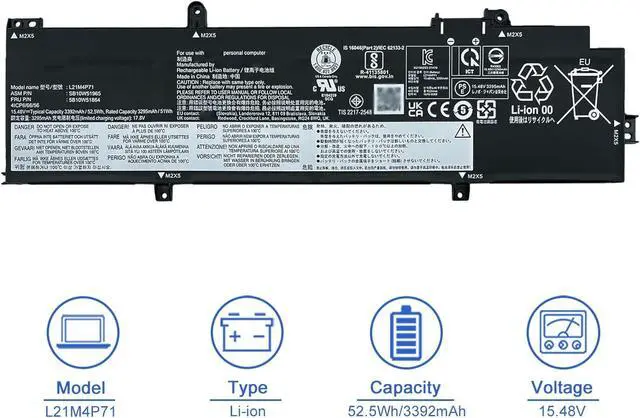
- SpecificationsBattery Model :L21M4P71;Product Type: Replacement battery; Battery Type: Li-ion; Voltage: 15.48V; Capacity: 52.5Wh/3392mAh; Battery Life: Up to 1000+ cycling over the life of the battery
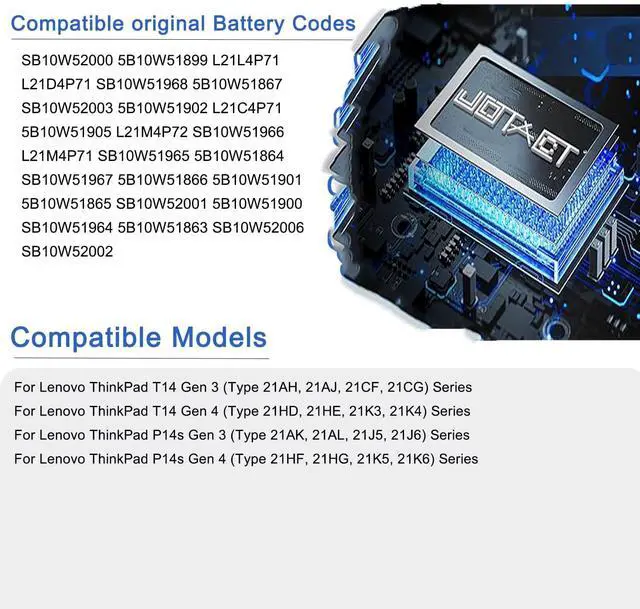
- Compatible original Battery CodesL21M4P71 SB10W51965 5B10W51864 SB10W52000 5B10W51899 L21L4P71 SB10W51964 5B10W51863 SB10W52006 5B10W51905 L21M4P72 SB10W51966 5B10W51865 SB10W52001 5B10W51900 L21D4P71 SB10W51968 5B10W51867 SB10W52003 5B10W51902 L21C4P71 SB10W51967 5B10W51866 5B10W51901 SB10W52002
- Compatible Laptop ModelsFor Lenovo ThinkPad T14 Gen 3 2022 Series; For Lenovo ThinkPad T14 Gen 4 2023 Series; For Lenovo ThinkPad P14s Gen 4 2023 Series; For Lenovo ThinkPad P14s G
+
+
Overview
Specs
Reviews
Any questions? Our AI mode will help you find out quickly.
Try me now
Why the laptop does not recognize the battery
Could be caused by battery loose. Please re-install the battery and make sure that the battery cable and the motherboard interface are tightly inserted.
Maybe due to conductive material damaged which the laptop motherboard and battery anode and cathode contact position, you can try to confirm it with your original battery.
Check whether the battery drive is in normal condition, if not, download the corresponding driver software to update.
There is a problem with the computer detection software, which usually just restart the computer.
How to use the new battery correctly
1. When using your new battery for the first time, you need to prime the battery by charging it to 100% and discharging it to 20% for 3 times. If you don't know how to install a new laptop battery, you can search "How to install a new laptop battery?" on website.
2. DO NOT let the battery drain to 0%: If you constantly let it drain to 0%, the battery becomes unstable will be seriously degraded.
3. DO NOT keep your battery always fully charged: Just like emptying your battery to 0%, keeping your battery permanently charged at 100% is very harmful. As time goes by, this will increase its internal resistance and reduce its capacity.
4. Perform regular charging cycles: If you dont use your Laptop battery very often, it is important to cycle it (discharge => charge) regularly, at least once a month. Please store the unused battery fully charged. Do not store at low power to prevent reduce the lifespan of a battery.
5.The battery life depends on how you use your laptop. If you open a lot of software at the same time, in the office, while listening to music, while browsing the Internet, also watching a movie, then the battery will drain fast; If you don't have a lot of software running on your computer, and you're only on standby or browsing the web, the battery will last longer.
Easy Ways To Maximize Battery Life:
1. Change your laptop power plan settings. I would suggest you choose the power saver plan. Then Change advanced power settings, scroll down to find Processor power management. Click the On-battery option and reduce the processor state to 20%.
2. Always keep your laptop neat and clean. The dust easily enters the hardware through the vents which are meant to release the heat generated from various computer components. It then blocks the vents preventing the outflow of the heat. This damages the computer parts including the battery.
3. Close Wi-Fi, Bluetooth, and other settings. You should keep the Bluetooth and WiFi off when youre watching movies or doing other things which dont require network connectivity. This can help your computer save precious battery life.
1.Battery Buckle
The laptop is tightly connected to the buckle, stabilizing the battery to ensure no loosening, solid and safe.
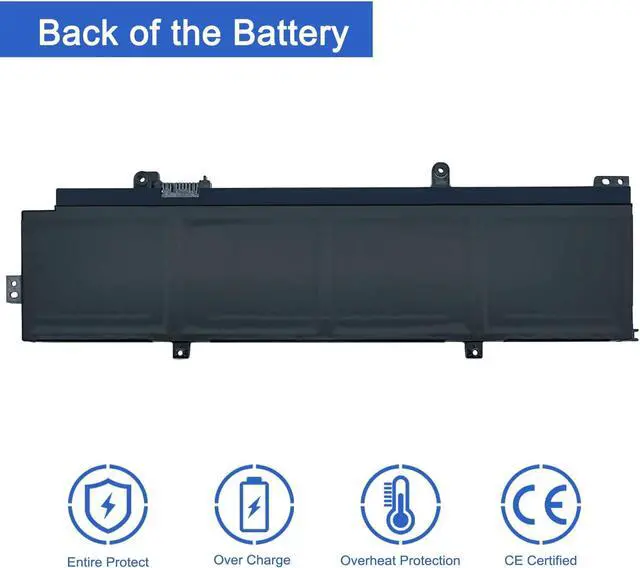
2.Back of the Battery
The shell is made of ABS + PC composite material casting, good heat and flame retardant performance, good resistance to wear and tear, safe to use. Designed same size as original battery, 100% compatible to meet OEM specifications.
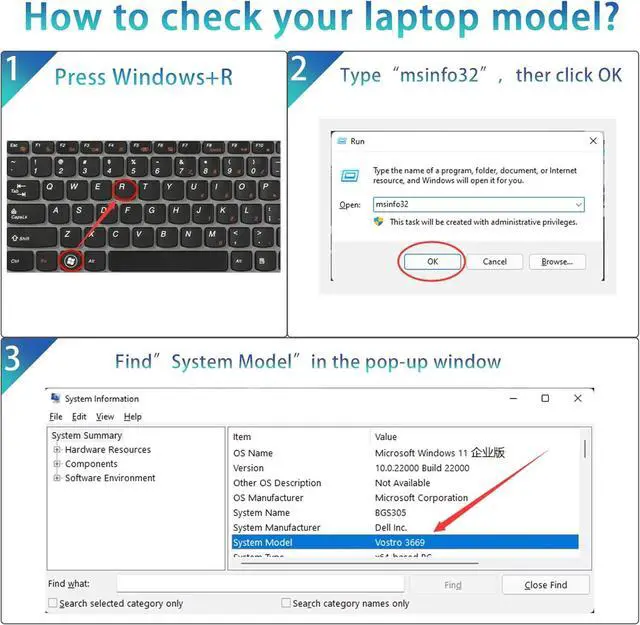
Step 1: Press Windows + R to open Run window.
Step 2: Input "msinfo32" in the empty box and click OK to open System Information.
Step 3: Keep in the System Summary section, and you will find the System Model item in the right pane.
Compatible laptop models: Please "Ctrl+F"search your laptop model
For Lenovo ThinkPad T14 Gen 3 (Type 21AH, 21AJ, 21CF, 21CG) Series
For Lenovo ThinkPad T14 Gen 4 (Type 21HD, 21HE, 21K3, 21K4) Series
For Lenovo ThinkPad P14s Gen 3 (Type 21AK, 21AL, 21J5, 21J6) Series
For Lenovo ThinkPad P14s Gen 4 (Type 21HF, 21HG, 21K5, 21K6) Series
Over-temperature and Short-circuit Protection
Each battery include multiple built-in protections such as short circuit, overheating and overload for maximum safety.

Could be caused by battery loose. Please re-install the battery and make sure that the battery cable and the motherboard interface are tightly inserted.
Maybe due to conductive material damaged which the laptop motherboard and battery anode and cathode contact position, you can try to confirm it with your original battery.
Check whether the battery drive is in normal condition, if not, download the corresponding driver software to update.
There is a problem with the computer detection software, which usually just restart the computer.
How to use the new battery correctly
1. When using your new battery for the first time, you need to prime the battery by charging it to 100% and discharging it to 20% for 3 times. If you don't know how to install a new laptop battery, you can search "How to install a new laptop battery?" on website.
2. DO NOT let the battery drain to 0%: If you constantly let it drain to 0%, the battery becomes unstable will be seriously degraded.
3. DO NOT keep your battery always fully charged: Just like emptying your battery to 0%, keeping your battery permanently charged at 100% is very harmful. As time goes by, this will increase its internal resistance and reduce its capacity.
4. Perform regular charging cycles: If you dont use your Laptop battery very often, it is important to cycle it (discharge => charge) regularly, at least once a month. Please store the unused battery fully charged. Do not store at low power to prevent reduce the lifespan of a battery.
5.The battery life depends on how you use your laptop. If you open a lot of software at the same time, in the office, while listening to music, while browsing the Internet, also watching a movie, then the battery will drain fast; If you don't have a lot of software running on your computer, and you're only on standby or browsing the web, the battery will last longer.
Easy Ways To Maximize Battery Life:
1. Change your laptop power plan settings. I would suggest you choose the power saver plan. Then Change advanced power settings, scroll down to find Processor power management. Click the On-battery option and reduce the processor state to 20%.
2. Always keep your laptop neat and clean. The dust easily enters the hardware through the vents which are meant to release the heat generated from various computer components. It then blocks the vents preventing the outflow of the heat. This damages the computer parts including the battery.
3. Close Wi-Fi, Bluetooth, and other settings. You should keep the Bluetooth and WiFi off when youre watching movies or doing other things which dont require network connectivity. This can help your computer save precious battery life.
1.Battery Buckle
The laptop is tightly connected to the buckle, stabilizing the battery to ensure no loosening, solid and safe.
2.Back of the Battery
The shell is made of ABS + PC composite material casting, good heat and flame retardant performance, good resistance to wear and tear, safe to use. Designed same size as original battery, 100% compatible to meet OEM specifications.
Step 1: Press Windows + R to open Run window.
Step 2: Input "msinfo32" in the empty box and click OK to open System Information.
Step 3: Keep in the System Summary section, and you will find the System Model item in the right pane.
Compatible laptop models: Please "Ctrl+F"search your laptop model
For Lenovo ThinkPad T14 Gen 3 (Type 21AH, 21AJ, 21CF, 21CG) Series
For Lenovo ThinkPad T14 Gen 4 (Type 21HD, 21HE, 21K3, 21K4) Series
For Lenovo ThinkPad P14s Gen 3 (Type 21AK, 21AL, 21J5, 21J6) Series
For Lenovo ThinkPad P14s Gen 4 (Type 21HF, 21HG, 21K5, 21K6) Series
Over-temperature and Short-circuit Protection
Each battery include multiple built-in protections such as short circuit, overheating and overload for maximum safety.
Warranty & Returns
Warranty, Returns, And Additional Information
Warranty
- Please contact the Seller directly for warranty information. Warranty information may also be found on the Manufacturer's website.
- CONTACT
Return Policies
- Return for refund within: 30 days
- Return for replacement within: 30 days
- This item is covered by LionTech Direct Return Policy
Manufacturer Contact Info
- For a directory of all our manufacturers, please click below.
- Manufacturers Directory
LOADING...