Your Browsing History
Meet Your Seller
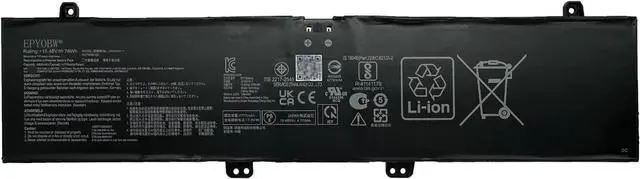
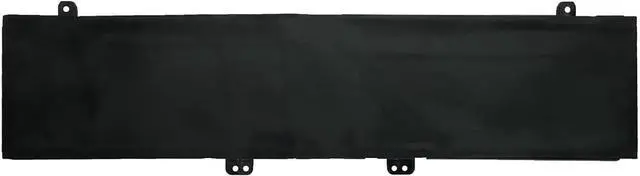
C41N2101-1 Laptop Battery 76Wh 4920mAh 4-Cell 15.48V
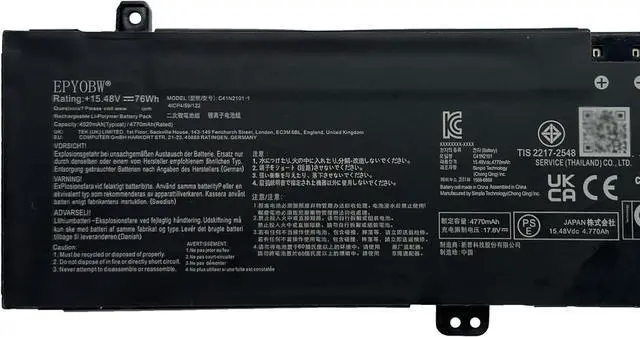
- Specifications Battery Model: C41N2101-1 / Voltage: 15.48V / Capacity: 76Wh 4920mAh 4-Cell / Color: Black / Condition: Brand New.
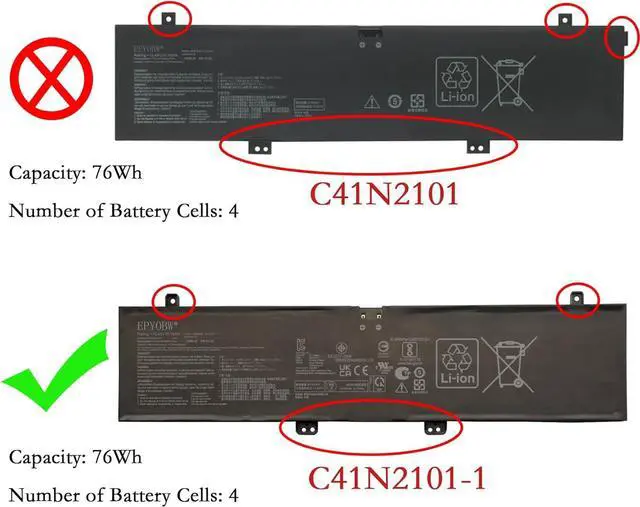
- Replace Part Number C41N2101-1
- Compatible with Laptop Models for ASUS Zenbook Pro 14 Duo Series; for ASUS Zenbook Pro 14 Duo OLED UX8402VU Series; for ASUS Zenbook Pro 14 Duo OLED UX8402VV Series; for ASUS Zenbook Pro 14 Duo OLED UX8402ZA Series; for ASUS Zenbook Pro 14 Duo OLED UX8402ZE Series
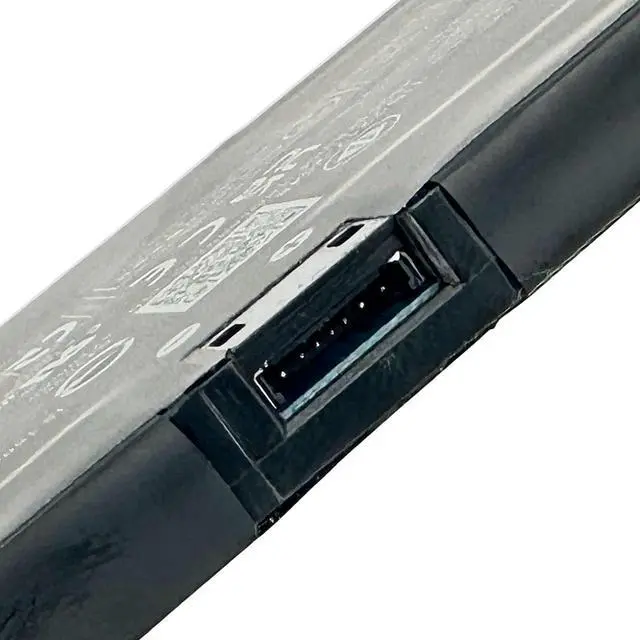
- Purchase Skills Please open the back cover of the laptop before ordering and make sure that the original battery model is consistent with the listing. After getting the battery, please install the battery correctly, make sure that the battery connector is firmly connected to the laptop motherboard, and use the original charger to charge the laptop.Discharge the new battery to 5% (not 0%), then charge and cycle 3-4 times to wake up the new battery.
- EPYOBW Promise All EPYOBW's batteries are certificated by UL/CE/FCC/RoHS. Our batteries are tested by stric
+
+
Overview
Specs
Reviews
Any questions? Our AI mode will help you find out quickly.
Try me now
Specifications Battery Model: C41N2101-1 / Voltage: 15.48V / Capacity: 76Wh 4920mAh 4-Cell / Color: Black / Condition: Brand New.
Replace Part Number C41N2101-1
Compatible with Laptop Models for ASUS Zenbook Pro 14 Duo Series; for ASUS Zenbook Pro 14 Duo OLED UX8402VU Series; for ASUS Zenbook Pro 14 Duo OLED UX8402VV Series; for ASUS Zenbook Pro 14 Duo OLED UX8402ZA Series; for ASUS Zenbook Pro 14 Duo OLED UX8402ZE Series
Purchase Skills Please open the back cover of the laptop before ordering and make sure that the original battery model is consistent with the listing. After getting the battery, please install the battery correctly, make sure that the battery connector is firmly connected to the laptop motherboard, and use the original charger to charge the laptop.Discharge the new battery to 5% (not 0%), then charge and cycle 3-4 times to wake up the new battery.
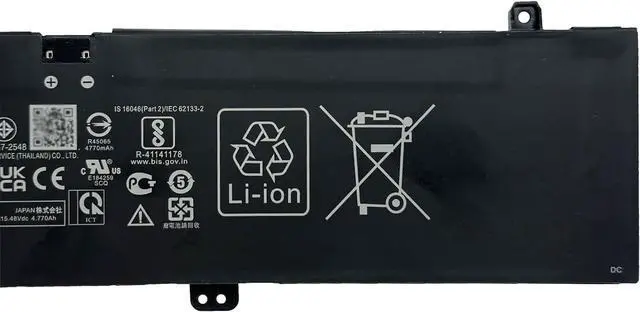
EPYOBW Promise All EPYOBW's batteries are certificated by UL/CE/FCC/RoHS. Our batteries are tested by strict quality control standards to ensure that the capacity is true, stable current, low self-discharge.And we also have short circuit, overheat, and overload protections. We are confident in the performance of replacement batteries and professional service.

Replace Part Number C41N2101-1
Compatible with Laptop Models for ASUS Zenbook Pro 14 Duo Series; for ASUS Zenbook Pro 14 Duo OLED UX8402VU Series; for ASUS Zenbook Pro 14 Duo OLED UX8402VV Series; for ASUS Zenbook Pro 14 Duo OLED UX8402ZA Series; for ASUS Zenbook Pro 14 Duo OLED UX8402ZE Series
Purchase Skills Please open the back cover of the laptop before ordering and make sure that the original battery model is consistent with the listing. After getting the battery, please install the battery correctly, make sure that the battery connector is firmly connected to the laptop motherboard, and use the original charger to charge the laptop.Discharge the new battery to 5% (not 0%), then charge and cycle 3-4 times to wake up the new battery.
EPYOBW Promise All EPYOBW's batteries are certificated by UL/CE/FCC/RoHS. Our batteries are tested by strict quality control standards to ensure that the capacity is true, stable current, low self-discharge.And we also have short circuit, overheat, and overload protections. We are confident in the performance of replacement batteries and professional service.
Warranty & Returns
Warranty, Returns, And Additional Information
Warranty
- Please contact the Seller directly for warranty information. Warranty information may also be found on the Manufacturer's website.
- CONTACT
Return Policies
- Return for refund within: 30 days
- Return for replacement within: 30 days
- This item is covered by LionTech Direct Return Policy
Manufacturer Contact Info
- For a directory of all our manufacturers, please click below.
- Manufacturers Directory
LOADING...