

Your Browsing History

Meet Your Seller

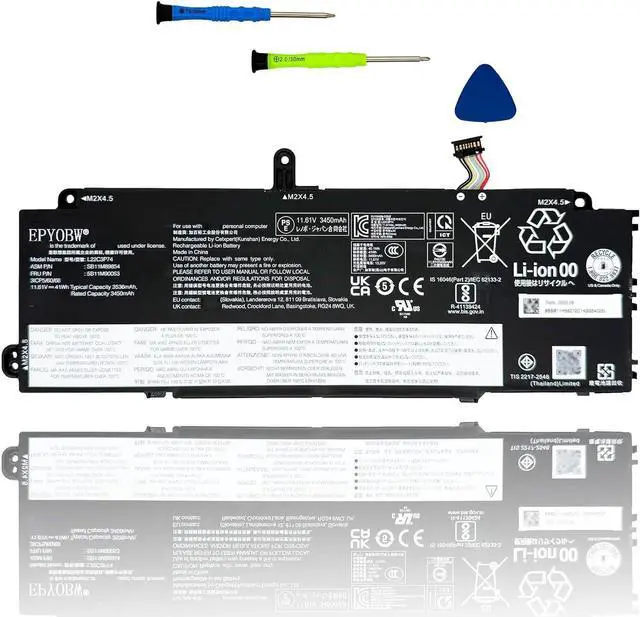
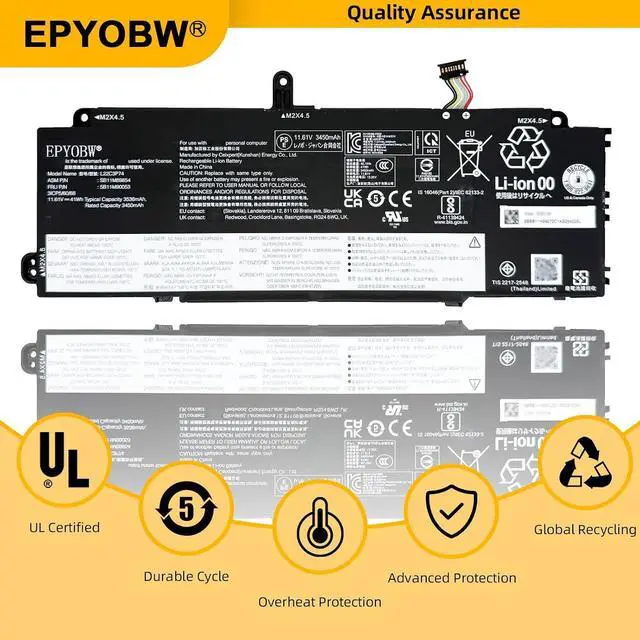
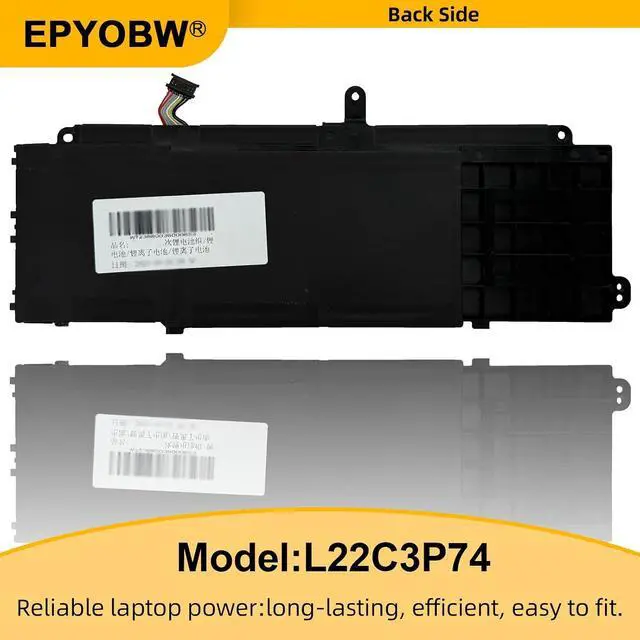


L22C3P74 Laptop Battery 41Wh Series L22D3P76 L22M3P76
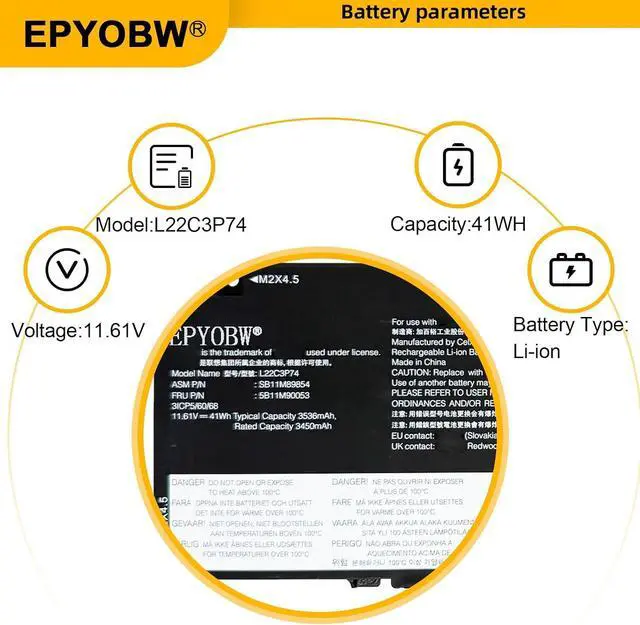
- Specifications Battery Model: L22C3P74 / Voltage: 11.61V / Capacity: 41Wh 3536mAh 3-Cell / Color: Black / Condition: Brand New.
- Replace Part Number L22C3P74 SB11H56272 5B11H56371 SB11H56271 5B11H56370 L22D3P76 SB11H56273 5B11H56372 SB11M89855 5B11M90054 L22M3P76 SB11M89853 5B11M90052 SB11M89854 5B11M90053 L22B4P70 SB11H56270 5B11H56369 SB11M89852 5B11M90051 SB11H56269 5B11H56368 SB11H56268 5B11H56367 L22M4P70 SB11M89849 5B11M90048 L22C4P70 SB11M89850 5B11M90049 SB11H56267 5B11H56366 SB11M89851 5B11M90050
- Compatible with Laptop Models for Lenovo ThinkPad X13 Gen 4 (Type 21EX, 21EY, 21J3, 21J4) Series; for Lenovo ThinkPad X13 Yoga Gen 4 (Type 21F2, 21F3) Series; for Lenovo ThinkPad X13 Gen 5 (Type 21LU, 21LV) Series; for Lenovo ThinkPad X13 2-in-1 Gen 5 (Type 21LW, 21LX) Series.(Note: There are two types of high and low capacity L22B4P70 54.7Wh and L22C3P74 41WH. Before purchasing, please open the back cover of the laptop to confirm your battery type.)
- Purchase Skills Please
+
+
Overview
Reviews

Any questions? Our AI mode will help you find out quickly.
Try me now
EPYOBW is a professional laptop battery supplier that continues to provide durable and safe laptop batteries. Wish you a happy shopping
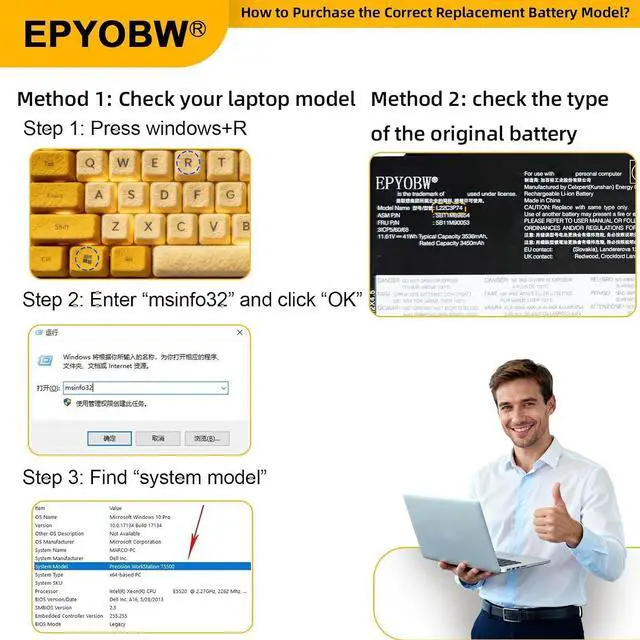
Step 1: Press the "Windows + R" keys to pop up the window.
Step 2: Enter "msinfo32" and click "OK".
Step 3: View the "System Model" in the right pane.
Step 1: Shut down the laptop and unplug the power cord.
Step 2: Carefully use a screwdriver to remove the back panel to prevent damage to laptop components.
Step 3: Disconnect the cable connected to the battery, then you can check the model number and specific specifications on the battery.
Brand new battery
Rechargeable up to 1000+ times
Overcharging protection
Overheating protection
Short circuit protection
professional
Battery Model: L22C3P74
Capacity: 41Wh 3536mAh 3-Cell
Voltage: 11.61V
Battery Type: Li-ion
Condition: Brand New
Color: Black
Replace Part Number:
L22C3P74 SB11H56272 5B11H56371 SB11H56271 5B11H56370
L22D3P76 SB11H56273 5B11H56372 SB11M89855 5B11M90054
L22M3P76 SB11M89853 5B11M90052 SB11M89854 5B11M90053
Compatible Laptop Models: (use "Ctrl+F" to find your model quickly)
for Lenovo ThinkPad X13 Gen 4 (Type 21EX, 21EY, 21J3, 21J4) Series
for Lenovo ThinkPad X13 Yoga Gen 4 (Type 21F2, 21F3) Series
for Lenovo ThinkPad X13 Gen 5 (Type 21LU, 21LV) Series
for Lenovo ThinkPad X13 2-in-1 Gen 5 (Type 21LW, 21LX) Series
(Note: There are two types of high and low capacity L22B4P70 54.7Wh and L22C3P74 41WH. Before purchasing, please open the back cover of the laptop to confirm your battery type.)
Notice needing attention:
Not all compatible laptop models are listed or included here.
You can open the back of your laptop to check the original battery model number.
Brand new battery
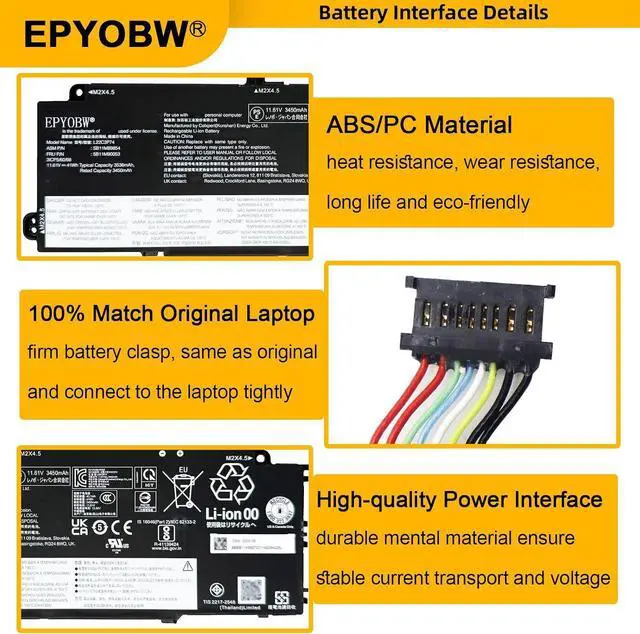
100% compatible
Meet OEM specifications
Rechargeable up to 1000+ times
capacity is true, stable current, low self-discharge
short circuit, overheat, and overload protections
Multiple protection
Strong battery life
Good "core" quality
After getting the battery, please install the battery correctly, make sure that the battery connector is firmly connected to the laptop motherboard, and start charging the laptop. Discharge the new battery to 5% (not 0%), then charge and cycle 3-4 times to wake up the new battery.
Remember not to discharge the battery to 0%, otherwise the battery will be easily damaged.
After the battery is exhausted, please charge it in time. If it is not charged for a long time, the battery may be damaged.
If the battery is not used for a long time, it needs to be charged to more than 70% for storage. The storage time should not exceed 3 months.
If you often use it with a charger, please use the battery power regularly and use it more than once a week.
Please use original chargers. Inferior chargers will affect the normal charging of the battery.
Regularly clean the fan dust to increase the heat dissipation effect and reduce power consumption, which can effectively extend the battery life.
Please feel free to choose us Welcome to EPYOBW How to get the correct battery? Method 1: Use the shortcut "Window+R" to check your laptop model. Method 2: Open the back cover of the laptop and confirm the battery type, capacity, and laptop model. Brand: EPYOBW Specification EPYOBW High Quality Laptop Battery High Quality Battery Grade "A" cells Trustworthy Easily cope with various scenarios Battery use and maintenance:
Step 1: Press the "Windows + R" keys to pop up the window.
Step 2: Enter "msinfo32" and click "OK".
Step 3: View the "System Model" in the right pane.
Step 1: Shut down the laptop and unplug the power cord.
Step 2: Carefully use a screwdriver to remove the back panel to prevent damage to laptop components.
Step 3: Disconnect the cable connected to the battery, then you can check the model number and specific specifications on the battery.
Brand new battery
Rechargeable up to 1000+ times
Overcharging protection
Overheating protection
Short circuit protection
professional
Battery Model: L22C3P74
Capacity: 41Wh 3536mAh 3-Cell
Voltage: 11.61V
Battery Type: Li-ion
Condition: Brand New
Color: Black
Replace Part Number:
L22C3P74 SB11H56272 5B11H56371 SB11H56271 5B11H56370
L22D3P76 SB11H56273 5B11H56372 SB11M89855 5B11M90054
L22M3P76 SB11M89853 5B11M90052 SB11M89854 5B11M90053
Compatible Laptop Models: (use "Ctrl+F" to find your model quickly)
for Lenovo ThinkPad X13 Gen 4 (Type 21EX, 21EY, 21J3, 21J4) Series
for Lenovo ThinkPad X13 Yoga Gen 4 (Type 21F2, 21F3) Series
for Lenovo ThinkPad X13 Gen 5 (Type 21LU, 21LV) Series
for Lenovo ThinkPad X13 2-in-1 Gen 5 (Type 21LW, 21LX) Series
(Note: There are two types of high and low capacity L22B4P70 54.7Wh and L22C3P74 41WH. Before purchasing, please open the back cover of the laptop to confirm your battery type.)
Notice needing attention:
Not all compatible laptop models are listed or included here.
You can open the back of your laptop to check the original battery model number.
Brand new battery
100% compatible
Meet OEM specifications
Rechargeable up to 1000+ times
capacity is true, stable current, low self-discharge
short circuit, overheat, and overload protections
Multiple protection
Strong battery life
Good "core" quality
After getting the battery, please install the battery correctly, make sure that the battery connector is firmly connected to the laptop motherboard, and start charging the laptop. Discharge the new battery to 5% (not 0%), then charge and cycle 3-4 times to wake up the new battery.
Remember not to discharge the battery to 0%, otherwise the battery will be easily damaged.
After the battery is exhausted, please charge it in time. If it is not charged for a long time, the battery may be damaged.
If the battery is not used for a long time, it needs to be charged to more than 70% for storage. The storage time should not exceed 3 months.
If you often use it with a charger, please use the battery power regularly and use it more than once a week.
Please use original chargers. Inferior chargers will affect the normal charging of the battery.
Regularly clean the fan dust to increase the heat dissipation effect and reduce power consumption, which can effectively extend the battery life.
Please feel free to choose us Welcome to EPYOBW How to get the correct battery? Method 1: Use the shortcut "Window+R" to check your laptop model. Method 2: Open the back cover of the laptop and confirm the battery type, capacity, and laptop model. Brand: EPYOBW Specification EPYOBW High Quality Laptop Battery High Quality Battery Grade "A" cells Trustworthy Easily cope with various scenarios Battery use and maintenance:
Warranty & Returns
Warranty, Returns, And Additional Information
Warranty
- Please contact the Seller directly for warranty information. Warranty information may also be found on the Manufacturer's website.
- CONTACT
Return Policies
- Return for refund within: 30 days
- Return for replacement within: 30 days
- This item is covered by LionTech Direct Return Policy
Manufacturer Contact Info
- For a directory of all our manufacturers, please click below.
- Manufacturers Directory
LOADING...