Specifications:
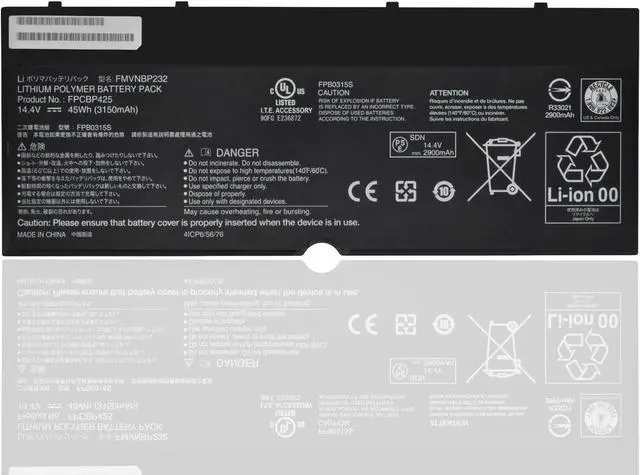
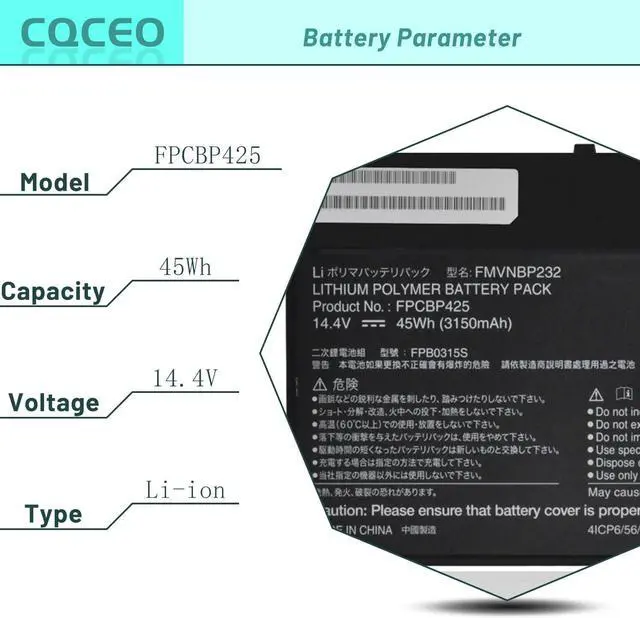
Voltage: 14.4V
Capacity: 45Wh/3150mAh/4-Cell
Battery Type: Lithium ion
Battery Condition: Brand New
Color: black
Condition: 100% New from Manufacturer, Grade A Cell
Compatible Part Numbers:
FPCBP425 FMVNBP232 FPB0315S CP703451-01 CP672845-01
CP651077-02 FPCBP425AP 4ICP6/56/76 34055117 38046571
Compatible Machine Models:
for Fujitsu LifeBook U745 T935 T936 T904 T904U Series
LifeBook T904,
LifeBook T904(VFY T9040MXA11DE), LifeBook T904(VFY T9040MXE11NL), LifeBook T904(VFY T9040MXP11DE),
LifeBook T935,
LifeBook T935(VFY T9350M47APDE), LifeBook T935(VFY T9350M451BDE),
Lifebook T936,
LifeBook T936(VFY T9360M85ABDE), LifeBook T936(VFY T9360MP87ADE),
LifeBook U745,
LifeBook U745(VFY U7450M47APDE), LifeBook U745(VFY U7450M63SBDE), LifeBook U745(VFY U7450M65SBDE), LifeBook U745(VFY U7450M73ABDE), LifeBook U745(VFY U7450M75ABDE), LifeBook U745(VFY U7450M85BBDE), LifeBook U745(VFY U7450M87APDE), LifeBook U745(VFY U7450M451BDE), LifeBook U745(VFY U7450M452BDE), LifeBook U745(VFY U7450M752BDE), LifeBook U745(VFY U7450MP5ABDE)
How to use the battery correctly :
1. To prevent safety issues from transportation, all battery out off factory are charged 40-50%,(you can check from laptop Battery indicator icon). For initial using of the battery, please discharge it to 5%(not to 0%) and then charge to 100%, and cycle 3-4 times to activate the batterys maximum capacity.
2. Please recharge immediately when battery reduced to 15% level,when you use the battery. Or it will shorten the battery life and cause damages to the battery.
3. If the battery do not use for a long time, please keep the battery to charge to a minimum 50% electricity. Or, it will maybe cause unable to charge again.To maintain the best battery state,replacement battery needs to be fully discharge to 15% and recharge to 100% each 2 month.
4.Do not unplug the battery during charging , better to turn off the laptop when recharge the it.
5.If your laptop cant be charged or cannot be fully charged,there may be possibilities that the adapter does not compatible with the laptop or theres some damage with the adapter. Please switch off your laptop and try again or change to a correct adapter.
6.The battery usage time is related to factors such as the CPU processor speed, application, program, screen brightness, wireless device external ports, and battery life of the laptop, so the actual usage time of the battery may differ from that of the same model of battery.





 here!
here!