

Your Browsing History
- Free 30-day Returns
$108.99

Meet Your Seller

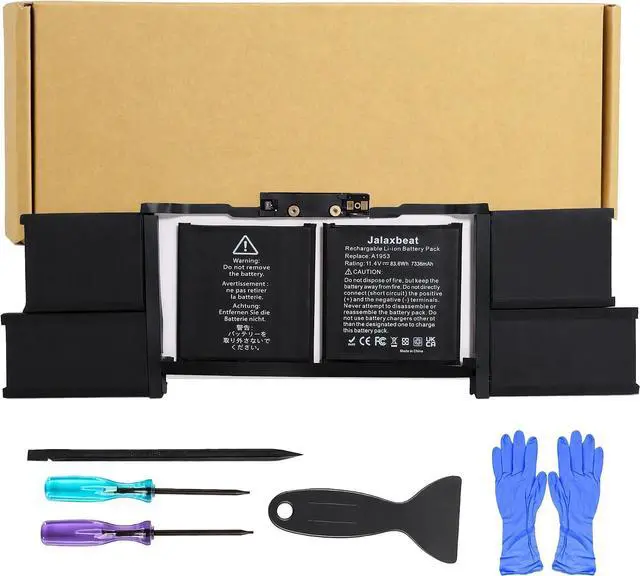



A1953 Laptop Battery for MacBook Pro 15 Inch A1990 (Mid 2018 2019)
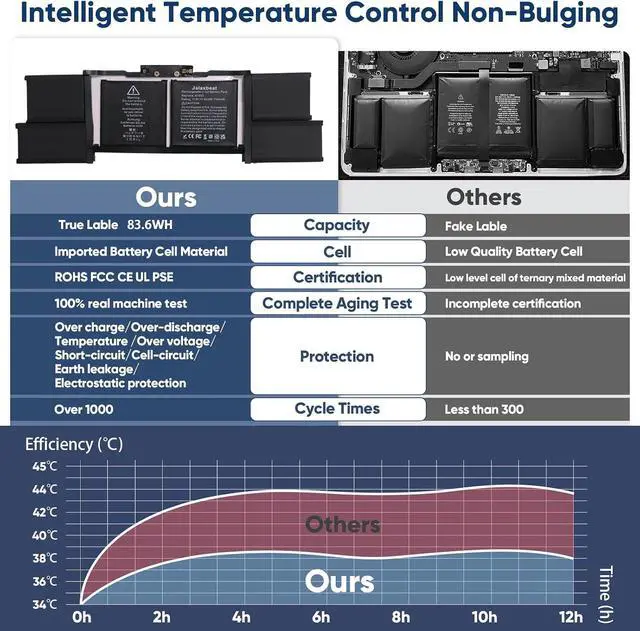
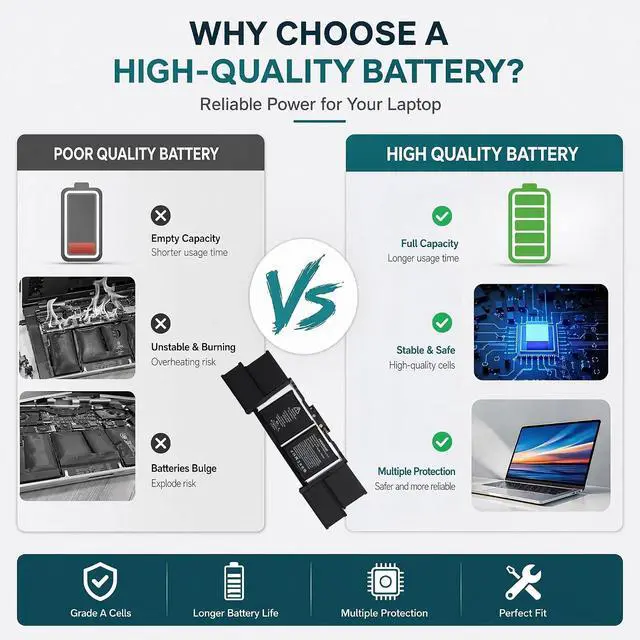
- 83.6Wh High-Capacity MacBook Pro Battery A1990 battery replacement features an 7336mAh, 83.6Wh, 11.4V. Up to 1000 recharge cycles, providing stable and reliable power performance for daily work, study, and entertainment. Each battery is tested to ensure dependable quality and consistent performance, making it an ideal replacement solution for an old, worn-out, or damaged MacBook Pro battery
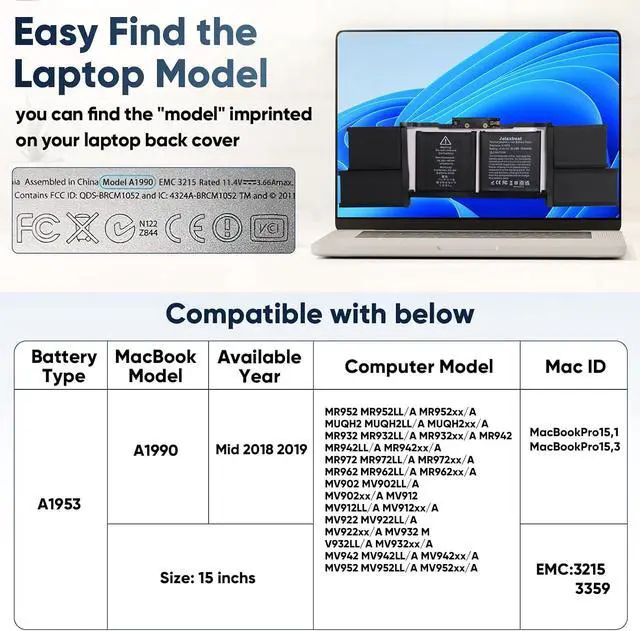
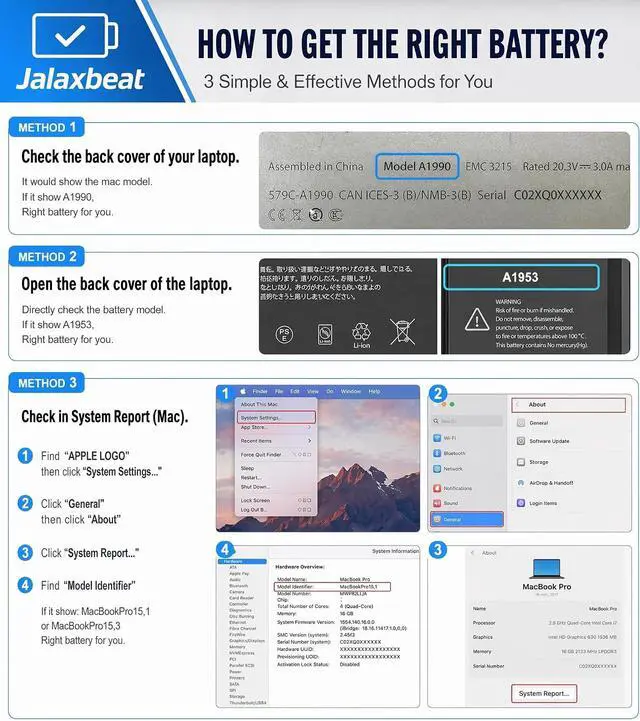
- Ensure Compatible Models This MacBook Pro 15-inch battery replacement is compatible with MacBook Pro 15-inch A1990 models (EMC 3215 / EMC 3359), including MV922B/A, MV922D/A, MV922ZE/A, MV922FN/A, MV922HN/A, MV922LL/A, MV922T/A, MV922TU/A, MV922X/A, MV922ZP/A, MV902B/A, MV902D/A, MV902HN/A, MV902LL/A, MV902N/A, MV902ZE/A, MV902ZP/A, MV902Y/A, MV902TU/A, and MV902X/A. Also compatible with A1953, 020-02391, 820-01095, 080-333-400, 2217-2548, MacBookPro15,1, and MacBookPro15,3. Please use "Ctrl + F" to search your MacBook model before purchase to ensure compatibility
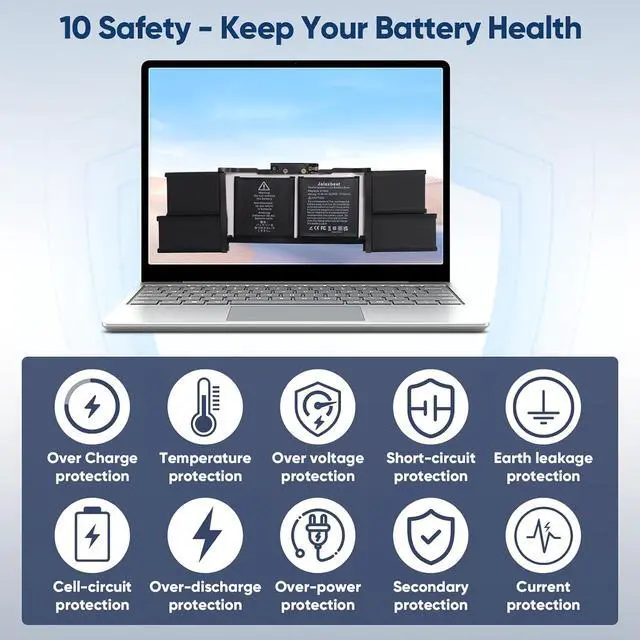
- Stable Performance in Diffe
+
+
Overview
Reviews

Any questions? Our AI mode will help you find out quickly.
Try me now
Battery Model A1953 Capacity 7336mAh 83.66Wh Voltage 11.4V Compatible MacBook Pro 15-inch Mid 2018 2019 Model Identifier MacBookPro15,1 MacBookPro15,3 MacBook Model No. A1990 EMC 3125 3359
How should I charge and use the new battery for the first time to ensure best performance?
For a new battery, we recommend performing a few full cycles: discharge it to about 5%, then charge it back to 95% (not necessarily 100%). This helps activate the battery completely. Avoid draining to 0% regularly, as that may shorten its lifespan.
How should I do if the battery is not recognised?
When the computer is turned on, if it is not recognised, it is recommended to update the BIOS settings or please disconnecting the old battery, and holding down the power button for 20 seconds, then connect the new battery
How should I store this battery if I dont use my laptop for a long time?
The ideal preservation method is to charge the battery to about 40% the battery should be used once a month, which can not only good preservation of the battery but also prevent the battery from being damaged by the complete loss of power
Can I use a different charger if my original laptop adapter is broken?
Its best to use the original or a manufacturer-recommended adapter. If the original is damaged, please replace it with an identical model (same voltage and current rating). Using an incompatible charger may reduce battery life or cause safety issues
How difficult is installation?
1. You need to turn off your laptop and disconnect the power.
2. Remove the old battery and connect the wiring of the new battery.
3. If you don't understand the above steps, you can search for the video about laptop battery installation on YouTube
How should I charge and use the new battery for the first time to ensure best performance?
How should I do if the battery is not recognised?
How should I store this battery if I dont use my laptop for a long time?
Can I use a different charger if my original laptop adapter is broken?
How difficult is installation?
How should I charge and use the new battery for the first time to ensure best performance?
For a new battery, we recommend performing a few full cycles: discharge it to about 5%, then charge it back to 95% (not necessarily 100%). This helps activate the battery completely. Avoid draining to 0% regularly, as that may shorten its lifespan.
How should I do if the battery is not recognised?
When the computer is turned on, if it is not recognised, it is recommended to update the BIOS settings or please disconnecting the old battery, and holding down the power button for 20 seconds, then connect the new battery
How should I store this battery if I dont use my laptop for a long time?
The ideal preservation method is to charge the battery to about 40% the battery should be used once a month, which can not only good preservation of the battery but also prevent the battery from being damaged by the complete loss of power
Can I use a different charger if my original laptop adapter is broken?
Its best to use the original or a manufacturer-recommended adapter. If the original is damaged, please replace it with an identical model (same voltage and current rating). Using an incompatible charger may reduce battery life or cause safety issues
How difficult is installation?
1. You need to turn off your laptop and disconnect the power.
2. Remove the old battery and connect the wiring of the new battery.
3. If you don't understand the above steps, you can search for the video about laptop battery installation on YouTube
How should I charge and use the new battery for the first time to ensure best performance?
How should I do if the battery is not recognised?
How should I store this battery if I dont use my laptop for a long time?
Can I use a different charger if my original laptop adapter is broken?
How difficult is installation?
Warranty & Returns
Warranty, Returns, And Additional Information
Warranty
- Please contact the Seller directly for warranty information. Warranty information may also be found on the Manufacturer's website.
- CONTACT
Return Policies
- Return for refund within: 30 days
- Return for replacement within: 30 days
- This item is covered by LionTech Direct Return Policy
Manufacturer Contact Info
- For a directory of all our manufacturers, please click below.
- Manufacturers Directory
LOADING...