We are a professional laptop battery manufacturer, dedicated to manufacture and provide high-quality different types laptop batteries for our customers and dedicated to serving customers wholeheartedly.
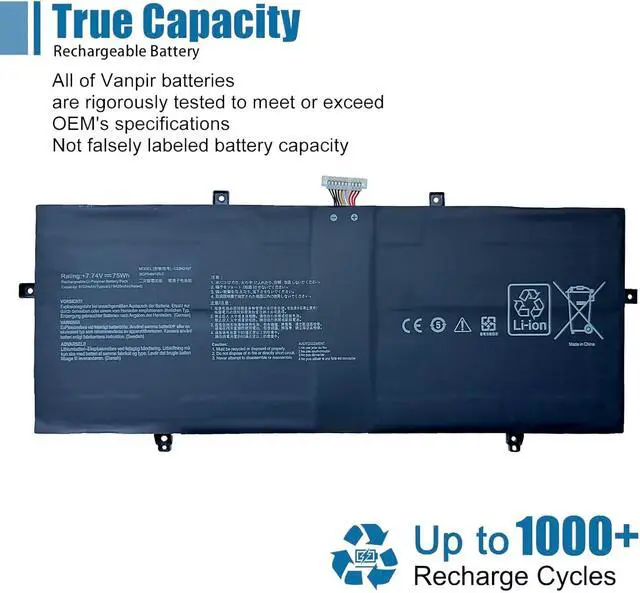
Lithium-ion batteries, rechargeable batteries for portable electronics,100% new from Manufacturer. Adopt strict quality control standards, reliable and high-quality batteries. Meet the OEMs specifications, be stable and last long, Lower Power Consumption, provide stronger power for your laptop.
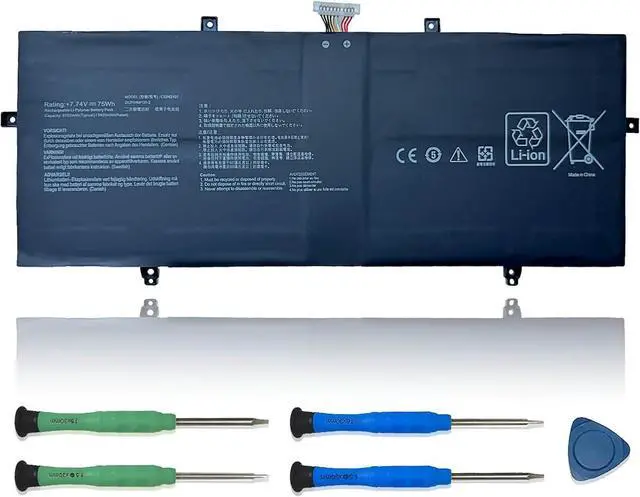
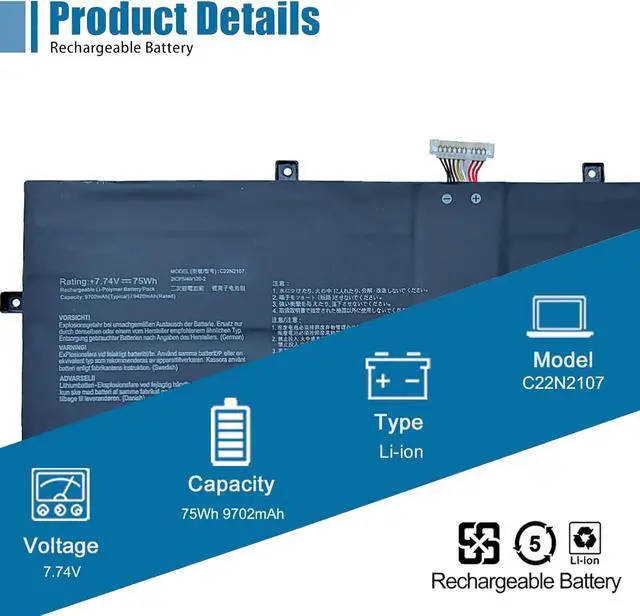
ModelC22N2107 Battery
TypeLi-ion
Voltage7.74V
Capacity75Wh 9702mAh
Condition : 100% New from Manufacturer, Grade A Cell
Packing Included:
1* C22N2107 battery
1* Instruction manual
Meet the OEM. CE / FCC / RoHS certified.
Easy to install.
Up to 1000+ recharge cycles over the life of the battery.
Easily deal with various practical environments and bring you a stronger battery life experience.
Method 1: Use System Information to find your laptop model
Step 1: Press " Windows + R " to open the Run window.
Step 2: Type " msinfo32 " in the empty box and click " OK " to open System Information.
Step 3: Keep in the " System Summary " section and you will find the " System Model " item in the right pane.
Method 2: Open the back cover of the laptop and confirm the battery type and capacity, as well as the model of the laptop.
Step 1: Turn off the laptop and unplug the power cord (to prevent electric shock)
Step 2: Remove the back panel with a screwdriver. (Please proceed with care to avoid damage to the laptop's components.)
Step 3: Disconnect the cable connected to the battery and remove it. After that, you can check the specifications of your battery.
Replacement Part Number:
C22N2107
Compatible Models: (use "Ctrl+F" to find your model quickly)
Asus ZenBook 14 OLED Q409ZA, ZenBook 14 UM3402YA-BS51-CB, ZenBook 14 OLED UX3402ZA-KM023W
Asus ZenBook 14 OLED UM3402YA-KP095W, ZenBook 14 Flip OLED UP3404VA-KN026W, ZenBook 14 OLED UX3402QA
Asus ZenBook 14 OLED UM3402YA-KM511WS, ZenBook 14 OLED UX3402VA-KM004W, ZenBook 14 Flip OLED UP3404VA
Asus ZenBook 14 UM3402YA-DS71, ZenBook 14 OLED UX3402ZA-KP377W, ZenBook 14 OLED UM3402YA-KM074W
Asus ZenBook 14 OLED UX3402VA-0082B1360P, ZenBook 14 Flip OLED UP3404VA-KN139W, ZenBook 14 2022 UX4302ZA
Asus ZenBook 14 OLED UM3402YA-KM091, ZenBook 14 Flip OLED UP3404VA-0033B1360P, ZenBook 14 UM3402YAR-BS51T-CB
Asus ZenBook 14 OLED UM3402YA, ZenBook 14 OLED UM3402YA-KM067W, ZenBook 14 OLED UX3402VA-KM005W
Asus ZenBook 14 OLED UX3402VA-KM108W, ZenBook 14 Flip OLED UP3404VA-DS54T, ZenBook 14 OLED UX3402ZA-KM531WS
Asus ZenBook 14 OLED UM3402YA-716512B0W, ZenBook 14 Flip OLED UP3404VA-KN596WS, ZenBook 14 OLED UM3402DA
Asus ZenBook 14 OLED UM3402YA-AOG58031WS, ZenBook 14 OLED UX3402VA, ZenBook 14 OLED UX3402VA-KM064W
Asus ZenBook 14 UM3402YA, ZenBook 14 OLED UX3402ZA-KP382W, ZenBook 14 OLED UM3402YA OLED
Asus ZenBook 14 Flip OLED UP3404VA-KN060W, ZenBook 14 OLED UX3402ZA, ZenBook 14 OLED UM3402YA-KM061W
Asus ZenBook 14 OLED UX3402VA-KM208W, ZenBook 14 OLED Q409ZA-EVO.I5256BL, ZenBook 14 UM3402YA-DB74T
Asus ZenBook 14 OLED UX3402ZA-KM020W, ZenBook 14 OLED UM3402YA-KP101W, ZenBook 14 Flip OLED UP3404VA-KN089W
Asus ZenBook 14 OLED UX3402ZA-KM022W, ZenBook 14 OLED UM3402YA-KM115W, ZenBook 14 OLED UX3402VA-KM168W
Asus ZenBook 14 Flip OLED UP3404VA-OLED-B7002W, ZenBook 14 UM3402YAR, ZenBook 14 OLED UM3402
Asus ZenBook 14 OLED UX3402ZA-DS71T, ZenBook 14 OLED UM3402YA-OLED063W, ZenBook 14 OLED UX3402VA-KP147W
Asus ZenBook 14 Flip OLED UP3404VA-KN117W, ZenBook 14 OLED UX3402ZA-KM731WS, ZenBook 14 OLED UM3402YA-KM096W
Asus ZenBook 14 Flip OLED UP3404VA-KN058W, ZenBook 14 UM3402YAR-DS71T-CA, ZenBook 14 OLED UM3402MA
Asus ZenBook 14 OLED UM3402YA-DS71, ZenBook 14 OLED UX3402VA-KM157W, ZenBook 14 OLED UX3402VA-KN158W
Asus ZenBook 14 UM3402Y





 here!
here!