

Your Browsing History

Meet Your Seller

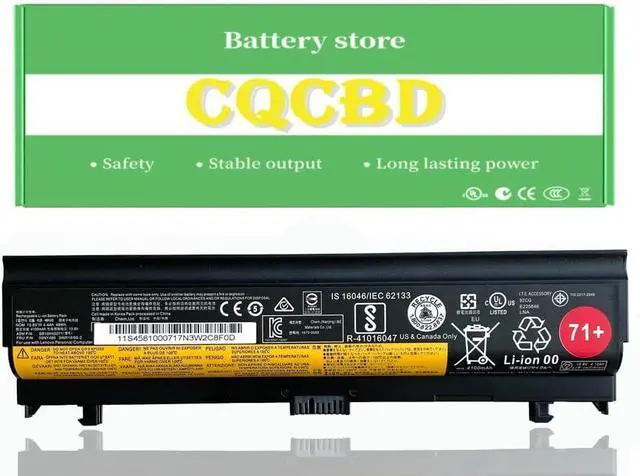
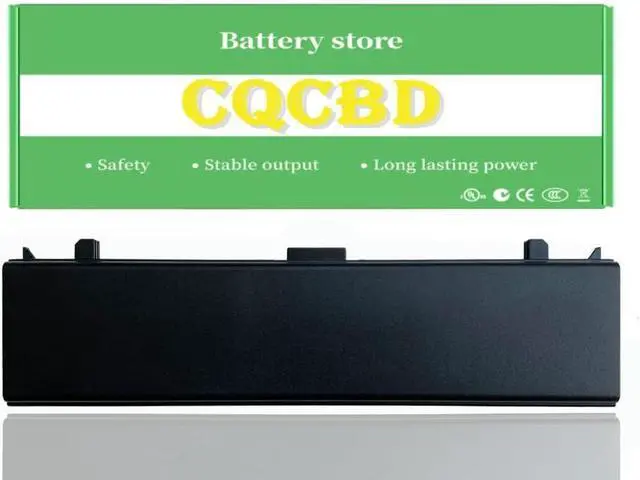



71+ 00NY486 00NY488 00NY489 Laptop Battery for Lenovo ThinkPad L560 L570 20F1 20F2 20J8 20J9 20JR 20F1001YGE 20F2S2GW00 20JRS0QP00 20JQ000PGE SB10H45071 SB10H45074 SB10H45073
- Voltage: 10.8V. Capacity: 48Wh; Grade A cells ensure fast charges and low power consumption
- Compatible Part Number:71+ SB10H45074 SB10H45073 00NY486 00NY488 SB10H45071 00NY489
- Compatible Models for ThinkPad L560 20F1 20F2 Series for ThinkPad L570 20J8 20J9 20JR 20JQ Series for ThinkPad L560 20F1 Series: for ThinkPad L560 20F10026GE 20F1001YGE 20F10032GE 20F10022GE 20F10025GE 20F1S0X705 20F1S0X706. for ThinkPad L560 20F2 Series: for ThinkPad L570 20J8 Series: for ThinkPad L570 20J9 Series
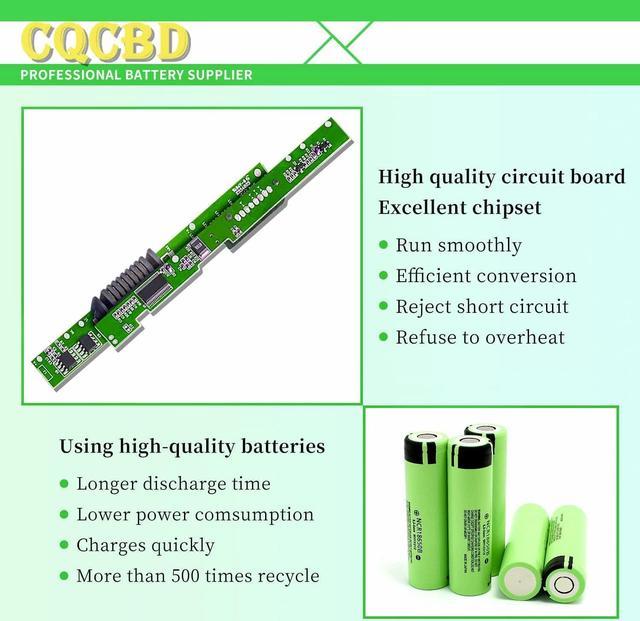
- Grade A cells mitigate the risk of battery leakage and maximize output stability. Built-in circuit protection, enhances safety of usage and extends battery life
- We offer high-quality after-sales service, 24-hour email service and one-year after-sales service. Please rest assured. If you have any questions or need assistance with the products, please contact us at any time and we will do our best to answer them for you.
+
+
Overview
Specs
Reviews

Any questions? Our AI mode will help you find out quickly.
Try me now
Battery Type: Li-ion
Voltage: 10.8V
Capacity: 48Wh/4100mAh
Battery Condition:100% Brand New
Compatible Part Numbers:
71+
SB10H45074 SB10H45073 SB10H45071
00NY486 00NY488 00NY489
Compatible Laptop/Notebook Models:
For Lenovo ThinkPad L560 L570 20F1 20F2 20J8 20J9 20JR 20F1001YGE 20F2S2GW00 20JRS0QP00 20JQ000PGE.
L560-7CD, ThinkPad L560(20F10022GE), ThinkPad L560(20F10032GE), ThinkPad L570 20J8/20J9, ThinkPad L570 20J8001BGE, ThinkPad L570 20J8001JMZ, ThinkPad L570 20J8001XMX, ThinkPad L570 20JQ/20JR, ThinkPad L570 20JRS08800, ThinkPad L560(20F2A007CD), ThinkPad L560(20F10025GE), ThinkPad L570, ThinkPad L570 20J80019GE, ThinkPad L570 20J8001BMZ, ThinkPad L570 20J8001LGE, ThinkPad L570 20J8002JGE, ThinkPad L570 20JQ000PGE, ThinkPad L560(20F2A0J1CD), L560-ACD, ThinkPad L560(20F1001YGE), ThinkPad L560(20F10026GE), Thinkpad L570 20J9S01600, ThinkPad L570 20J8001AMZ, ThinkPad L570 20J8001EIX, ThinkPad L570 20J8001MGE, ThinkPad L570 20J9S11200, ThinkPad L570 20JQ000PMZ, ThinkPad L560(20F2A06ACD), L560, ThinkPad L560
1.Please do not squeeze or stab battery. Keep battery away from dropping. Otherwise it will lead to leakage or fire
2.Please store battery between 0-45. The standard storage temperature is 20-30.
3. First check if the battery is the same size as your original battery after receiving it. When installing the battery, pay attention to whether the battery cable is fixed. If the battery cable is not installed correctly, the battery may not be charged.
4.After the battery is installed in the laptop,
please insert the adapter to activate the battery first, and then start the laptop, otherwise thelaptop will not start normally. and then charge the battery, and cycle charging 5-6 times to activate the maximum use of the battery space.
5. We recommend that you search for battery removal tutorials on the Internet in advance, or seek help from a professional technician. We won't responsible for any damage due to improper operation.
: laptop battery instruction:
Voltage: 10.8V
Capacity: 48Wh/4100mAh
Battery Condition:100% Brand New
Compatible Part Numbers:
71+
SB10H45074 SB10H45073 SB10H45071
00NY486 00NY488 00NY489
Compatible Laptop/Notebook Models:
For Lenovo ThinkPad L560 L570 20F1 20F2 20J8 20J9 20JR 20F1001YGE 20F2S2GW00 20JRS0QP00 20JQ000PGE.
L560-7CD, ThinkPad L560(20F10022GE), ThinkPad L560(20F10032GE), ThinkPad L570 20J8/20J9, ThinkPad L570 20J8001BGE, ThinkPad L570 20J8001JMZ, ThinkPad L570 20J8001XMX, ThinkPad L570 20JQ/20JR, ThinkPad L570 20JRS08800, ThinkPad L560(20F2A007CD), ThinkPad L560(20F10025GE), ThinkPad L570, ThinkPad L570 20J80019GE, ThinkPad L570 20J8001BMZ, ThinkPad L570 20J8001LGE, ThinkPad L570 20J8002JGE, ThinkPad L570 20JQ000PGE, ThinkPad L560(20F2A0J1CD), L560-ACD, ThinkPad L560(20F1001YGE), ThinkPad L560(20F10026GE), Thinkpad L570 20J9S01600, ThinkPad L570 20J8001AMZ, ThinkPad L570 20J8001EIX, ThinkPad L570 20J8001MGE, ThinkPad L570 20J9S11200, ThinkPad L570 20JQ000PMZ, ThinkPad L560(20F2A06ACD), L560, ThinkPad L560
1.Please do not squeeze or stab battery. Keep battery away from dropping. Otherwise it will lead to leakage or fire
2.Please store battery between 0-45. The standard storage temperature is 20-30.
3. First check if the battery is the same size as your original battery after receiving it. When installing the battery, pay attention to whether the battery cable is fixed. If the battery cable is not installed correctly, the battery may not be charged.
4.After the battery is installed in the laptop,
please insert the adapter to activate the battery first, and then start the laptop, otherwise thelaptop will not start normally. and then charge the battery, and cycle charging 5-6 times to activate the maximum use of the battery space.
5. We recommend that you search for battery removal tutorials on the Internet in advance, or seek help from a professional technician. We won't responsible for any damage due to improper operation.
: laptop battery instruction:
Warranty & Returns
Warranty, Returns, And Additional Information
Warranty
- Please contact the Seller directly for warranty information. Warranty information may also be found on the Manufacturer's website.
- CONTACT
Return Policies
- Return for refund within: 30 days
- Return for replacement within: 30 days
- This item is covered by LionTech Direct Return Policy
Manufacturer Contact Info
- For a directory of all our manufacturers, please click below.
- Manufacturers Directory
LOADING...