Your Browsing History
Meet Your Seller
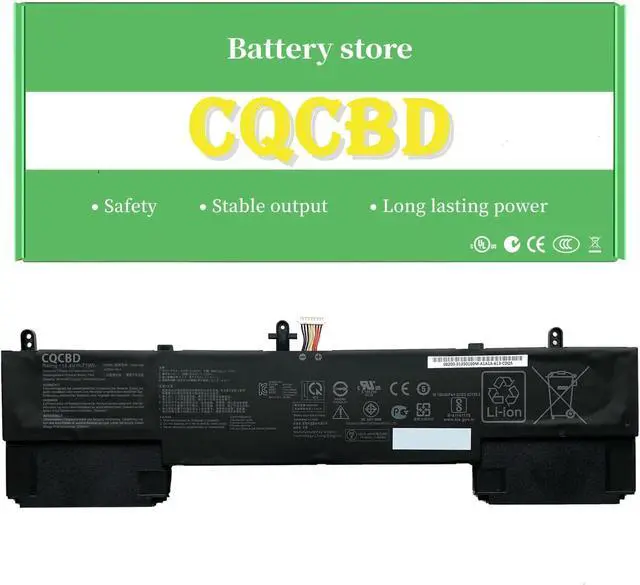
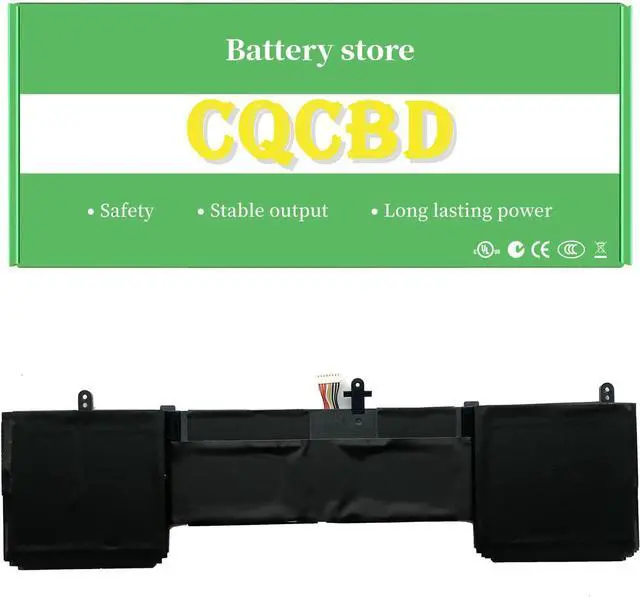
CQCQ C42N1839 Battery for ASUS ZenBook 15 UX534 UX534F UX534FA UX534FT UX563FD UX534FA UX563 UX563FD Q546F Q546FD Series Notebook Laptop (15.4V 71Wh/4480mAh)
- Battery type: Li-ion; Voltage: 15.4V; Capacity: 71Wh/4480mAh
- Replace Part Numbers: C42N1839 0B200-03470000 0B20003470000 4ICP5/41/75-2
- Compatible Models: Fit for ASUS ZenBook 15 UX533 Series, Fit for ASUS ZenBook 15 UX533FD Series, Fit for ASUS ZenBook 15 UX533FAC Series, Fit for ASUS ZenBook 15 UX533FTC Series, Fit for ASUS ZenBook 15 UX534 Series, Fit for ASUS ZenBook 15 UX534F Series, Fit for ASUS ZenBook 15 UX534FA UX534FAC Series, Fit for ASUS ZenBook 15 UX534FT UX534FTC Series, Fit for ASUS ZenBook 15 UX563 UX563FD Series, Fit for ASUS Q537FD Series, Fit for ASUS Q546F Q546FD Series, Fit for ASUS Q547FD Series
- Compatible Models: Fit for ASUS ZenBook 15 UX534FA UX534FA-A8038R UX534FA-A8038T UX534FA-A8061T UX534FA-A8077T UX534FA-A8085R UX534FA-A8085T UX534FA-A8094T UX534FA-A8179T UX534FA-A8187T UX534FA-A8194R UX534FA-A9006R UX534FA-A9007T UX534FA-A9014T UX534FA-A9020R UX534FA-AA008T UX534FA-AA025R; Fit for ASUS ZenBook 15 UX534FAC UX534FAC-A8047T UX534FAC-A8048R UX534FAC-A8048T
+
+
Overview
Specs
Reviews
Any questions? Our AI mode will help you find out quickly.
Try me now
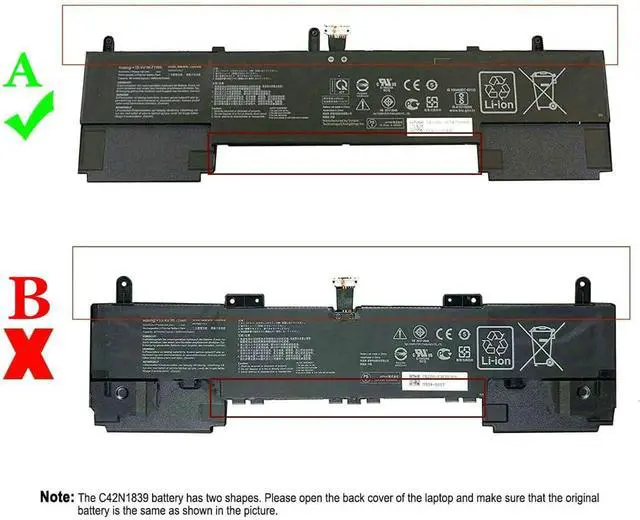
This link sells shape-A,
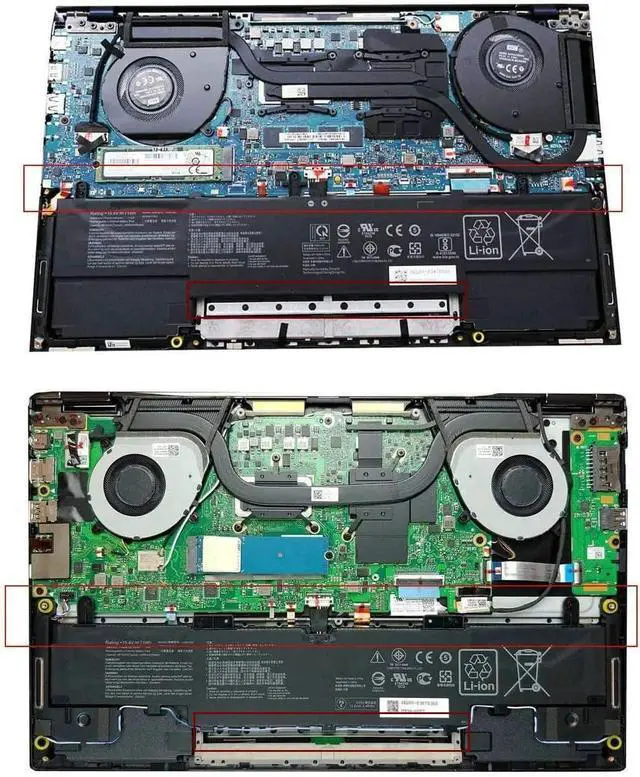
Please check your old battery before buying.
:
Battery Type: Li-polymer
Voltage: 15.4V
Capacity: 71Wh/4480mAh
Battery Condition:100% Brand New
Compatible Part Numbers:
C42N1839,
4ICP5/41/75-2,
0B200-03470000
Compatible Laptop/Notebook Models:
ASUS ZenBook 15 UX534 Series
ASUS ZenBook 15 UX534F Series
ASUS ZenBook 15 UX534FA
ASUS ZenBook 15 UX563
ASUS ZenBook 15 UX563FD
ASUS Q546F
ASUS Q546FD
UX534FA, UX534FT, UX534FT-0043B8565U, UX534FT-78D15AB, UX534FT-A7601T, UX534FT-A9002T, UX534FT-A9004T, UX534FT-A9009R, UX534FT-A9011T, UX534FT-A9012T, UX534FT-A9012TS, UX534FT-A9023T, UX534FT-AA024R, UX534FT-AA025R, UX534FT-AA025T, UX534FT-AA028R, UX534FT-AA028T, UX534FT-DB77, UX534FTC, UX563FD, ZENBOOK 15 UX534FA, ZENBOOK 15 UX534FA-A8038T, ZENBOOK 15 UX534FA-AA008T, ZENBOOK 15 UX534FT, ZENBOOK 15 UX534FT-A9014T, ZENBOOK 15 UX534FT-AA044R, ZENBOOK 15 UX534FT-DB77, ZenBook 15 UX534FTC, ZenBook 15 UX534FTC-A8078R, ZenBook 15 UX534FTC-A8110T, ZenBook 15 UX534FTC-A8125T, ZenBook 15 UX534FTC-A8145T, ZenBook 15 UX534FTC-A8184R, ZenBook 15 UX534FTC-A8210T, ZenBook 15 UX534FTC-AA052T, ZenBook 15 UX534FTC-AA064R, Zenbook 15 UX534FTC-AA092R, ZenBook 15 UX534FTC-AA249T, ZenBook 15 UX534FTC-BH74, ZenBook 15 UX534FTC-XH77, ZenBook Flip 15 UX563FD-A1015T, ZenBook Flip 15 UX563FD-A1025R, ZenBook Flip 15 UX563FD-A1027T, ZenBook Flip 15 UX563FD-A1045T, ZenBook Flip 15 UX563FD-EZ043T, ZenBook Flip 15 UX563FD-EZ050T, ZenBook Flip 15 UX563FD-EZ056T, ZenBook Flip 15 UX563FD-EZ057T, ZENBOOK UX533FD-A8067T, ZENBOOK UX534FT-BP8509T
laptop battery instruction:
1.Please do not squeeze or stab battery. Keep battery away from dropping. Otherwise it will lead to leakage or fire
2.Please store battery between 0-45. The standard storage temperature is 20-30.
3. First check if the battery is the same size as your original battery after receiving it. When installing the battery, pay attention to whether the battery cable is fixed. If the battery cable is not installed correctly, the battery may not be charged.
4.After the battery is installed in the laptop,
please insert the adapter to activate the battery first, and then start the laptop, otherwise thelaptop will not start normally. and then charge the battery, and cycle charging 5-6 times to activate the maximum use of the battery space.
5. We recommend that you search for battery removal tutorials on the Internet in advance, or seek help from a professional technician. We won't responsible for any damage due to improper operation.
Note:

Please check your old battery before buying.
:
Battery Type: Li-polymer
Voltage: 15.4V
Capacity: 71Wh/4480mAh
Battery Condition:100% Brand New
Compatible Part Numbers:
C42N1839,
4ICP5/41/75-2,
0B200-03470000
Compatible Laptop/Notebook Models:
ASUS ZenBook 15 UX534 Series
ASUS ZenBook 15 UX534F Series
ASUS ZenBook 15 UX534FA
ASUS ZenBook 15 UX563
ASUS ZenBook 15 UX563FD
ASUS Q546F
ASUS Q546FD
UX534FA, UX534FT, UX534FT-0043B8565U, UX534FT-78D15AB, UX534FT-A7601T, UX534FT-A9002T, UX534FT-A9004T, UX534FT-A9009R, UX534FT-A9011T, UX534FT-A9012T, UX534FT-A9012TS, UX534FT-A9023T, UX534FT-AA024R, UX534FT-AA025R, UX534FT-AA025T, UX534FT-AA028R, UX534FT-AA028T, UX534FT-DB77, UX534FTC, UX563FD, ZENBOOK 15 UX534FA, ZENBOOK 15 UX534FA-A8038T, ZENBOOK 15 UX534FA-AA008T, ZENBOOK 15 UX534FT, ZENBOOK 15 UX534FT-A9014T, ZENBOOK 15 UX534FT-AA044R, ZENBOOK 15 UX534FT-DB77, ZenBook 15 UX534FTC, ZenBook 15 UX534FTC-A8078R, ZenBook 15 UX534FTC-A8110T, ZenBook 15 UX534FTC-A8125T, ZenBook 15 UX534FTC-A8145T, ZenBook 15 UX534FTC-A8184R, ZenBook 15 UX534FTC-A8210T, ZenBook 15 UX534FTC-AA052T, ZenBook 15 UX534FTC-AA064R, Zenbook 15 UX534FTC-AA092R, ZenBook 15 UX534FTC-AA249T, ZenBook 15 UX534FTC-BH74, ZenBook 15 UX534FTC-XH77, ZenBook Flip 15 UX563FD-A1015T, ZenBook Flip 15 UX563FD-A1025R, ZenBook Flip 15 UX563FD-A1027T, ZenBook Flip 15 UX563FD-A1045T, ZenBook Flip 15 UX563FD-EZ043T, ZenBook Flip 15 UX563FD-EZ050T, ZenBook Flip 15 UX563FD-EZ056T, ZenBook Flip 15 UX563FD-EZ057T, ZENBOOK UX533FD-A8067T, ZENBOOK UX534FT-BP8509T
laptop battery instruction:
1.Please do not squeeze or stab battery. Keep battery away from dropping. Otherwise it will lead to leakage or fire
2.Please store battery between 0-45. The standard storage temperature is 20-30.
3. First check if the battery is the same size as your original battery after receiving it. When installing the battery, pay attention to whether the battery cable is fixed. If the battery cable is not installed correctly, the battery may not be charged.
4.After the battery is installed in the laptop,
please insert the adapter to activate the battery first, and then start the laptop, otherwise thelaptop will not start normally. and then charge the battery, and cycle charging 5-6 times to activate the maximum use of the battery space.
5. We recommend that you search for battery removal tutorials on the Internet in advance, or seek help from a professional technician. We won't responsible for any damage due to improper operation.
Note:
Warranty & Returns
Warranty, Returns, And Additional Information
Warranty
- Please contact the Seller directly for warranty information. Warranty information may also be found on the Manufacturer's website.
- CONTACT
Return Policies
- Return for refund within: 30 days
- Return for replacement within: 30 days
- This item is covered by LionTech Direct Return Policy
Manufacturer Contact Info
- For a directory of all our manufacturers, please click below.
- Manufacturers Directory
LOADING...