Your Browsing History
Meet Your Seller
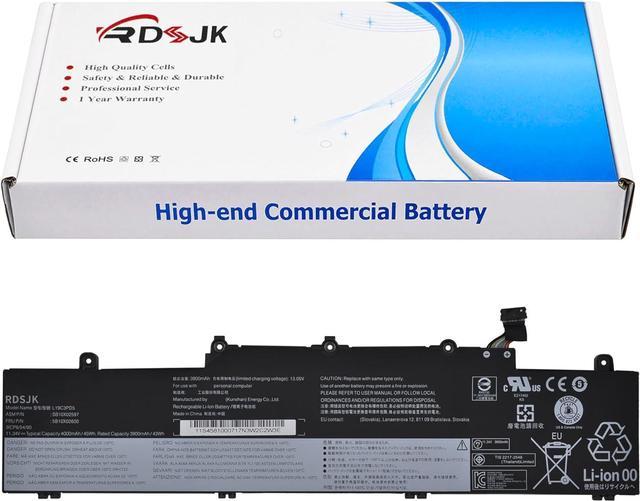
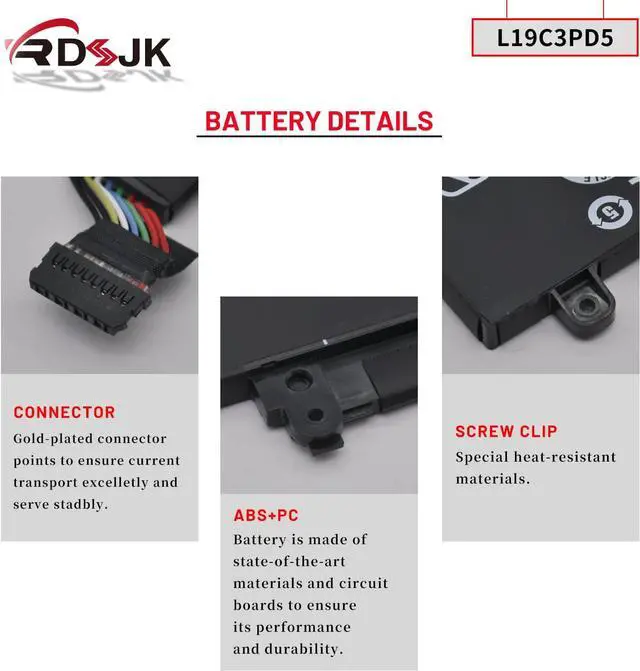
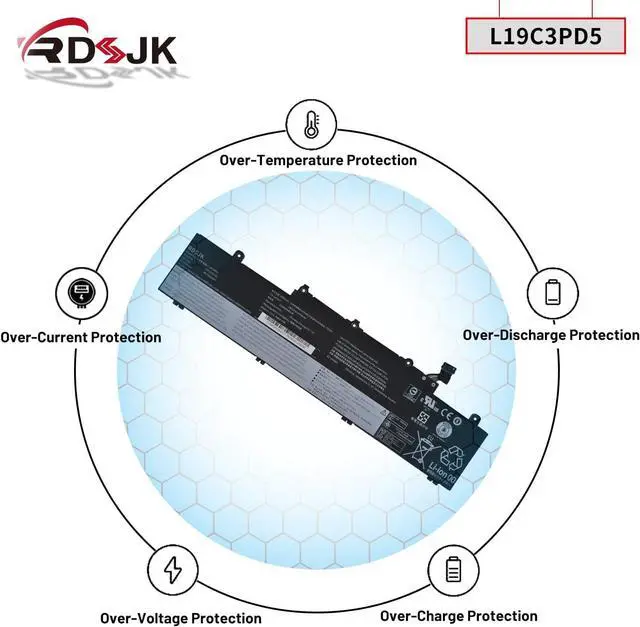
L19C3PD5 L19D3PD5 L19M3PD5 L19L3PD5 Laptop Battery for Lenovo ThinkPad E14 E15 Gen 2 3 4 Series SB10X02597 SB10X02605 SB10X02591 SB10X02608 L20C3PD4 L20D3PD4 L20M3PD4 L20L3PD4 11.34V 45Wh
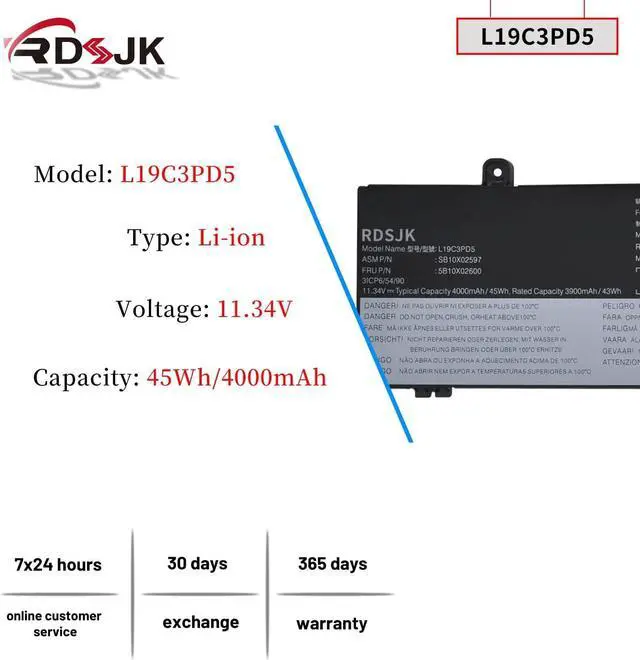
- Battery type: Li-ion; Voltage: 11.34V; Capacity: 45Wh; Cells: 3-cell
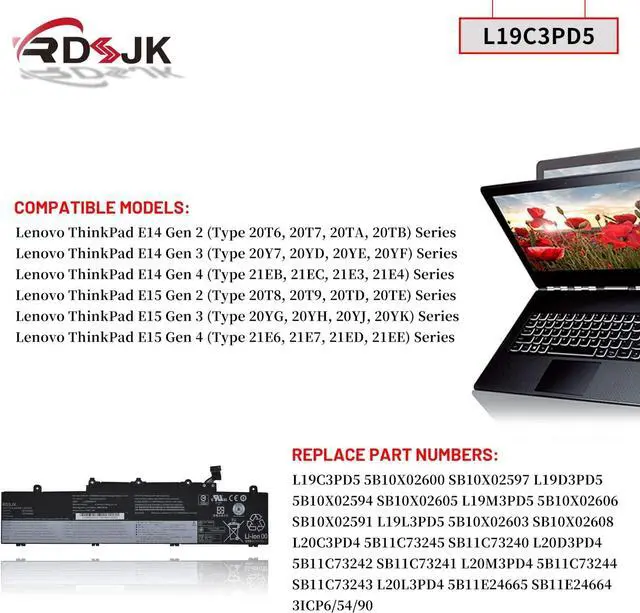
- Compatible Models: Fit for Lenovo ThinkPad E14 Gen 2 (Type 20T6, 20T7, 20TA, 20TB) Series; Fit for Lenovo ThinkPad E14 Gen 3 (Type 20Y7, 20YD, 20YE, 20YF) Series; Fit for Lenovo ThinkPad E14 Gen 4 (Type 21EB, 21EC, 21E3, 21E4) Series; Fit for Lenovo ThinkPad E15 Gen 2 (Type 20T8, 20T9, 20TD, 20TE) Series; Fit for Lenovo ThinkPad E15 Gen 3 (Type 20YG, 20YH, 20YJ, 20YK) Series; Fit for Lenovo ThinkPad E15 Gen 4 (Type 21E6, 21E7, 21ED, 21EE) Series
- Replace Part Numbers: L19C3PD5 5B10X02600 SB10X02597 L19D3PD5 5B10X02594 SB10X02605 L19M3PD5 5B10X02606 SB10X02591 L19L3PD5 5B10X02603 SB10X02608 3ICP6/54/90 L20C3PD4 5B11C73245 SB11C73240 L20D3PD4 5B11C73242 SB11C73241 L20M3PD4 5B11C73244 SB11C73243 L20L3PD4 5B11E24665 SB11E24664
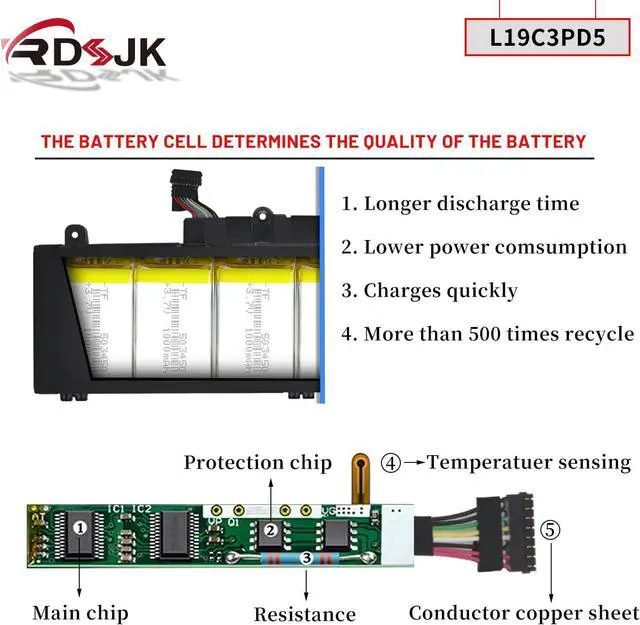
- 100% New from Manufacturer. Up to 500 recharge cycles over the life of the battery. The actual operation time will depend on how much electricity is required by the device and how you use it
- For
+
+
Overview
Specs
Reviews
Any questions? Our AI mode will help you find out quickly.
Try me now
Specifications:
Battery Type: Li-ion
Voltage: 11.34V
Capacity: 45Wh
Condition: Brand New
Replace Part Numbers:
L19C3PD5 5B10X02600 SB10X02597 L19D3PD5 5B10X02594 SB10X02605 L19M3PD5 5B10X02606 SB10X02591 L19L3PD5 5B10X02603 SB10X02608 3ICP6/54/90 L20C3PD4 5B11C73245 SB11C73240 L20D3PD4 5B11C73242 SB11C73241 L20M3PD4 5B11C73244 SB11C73243 L20L3PD4 5B11E24665 SB11E24664
How to find your laptop model?
1. Press Windows + R.
2. Type "msinfo32", then click "OK".
3. Find "System Model" in the pop-up window.
Compatible Models: (use "Ctrl+F" to find your model quickly)
Lenovo ThinkPad E14 2nd Gen (2020) Series
Lenovo ThinkPad E15 2nd Gen (2020) Series
Lenovo ThinkPad E14 3rd Gen (2021) Series
Lenovo ThinkPad E15 3rd Gen (2021) Series
Lenovo ThinkPad E14 4th Gen (2022) Series
Lenovo ThinkPad E15 4th Gen (2022) Series
Fit for Lenovo ThinkPad E14 Gen 2 (Type 20T6, 20T7, 20TA, 20TB) Series
ThinkPad E14 2nd Gen(20T6), ThinkPad E14 2nd Gen(20T6000MGE), ThinkPad E14 2nd Gen(20T6000RGE),
ThinkPad E14 Gen 2 20T6CTO1WW, ThinkPad E14 Gen 2 20T6S0GB00, ThinkPad E14 Gen 2 20T60008AU,
ThinkPad E14 2nd Gen(20T7),
ThinkPad E14 2nd Gen(20TA),
ThinkPad E14 2nd Gen(20TA000CGE), ThinkPad E14 2nd Gen(20TA000DGE), ThinkPad E14 2nd Gen(20TA000EGE),
ThinkPad E14 Gen 2 20TA002SAU, ThinkPad E14 Gen 2 20TA002WAU, ThinkPad E14 Gen 2 20TACTO1WW,
ThinkPad E14 Gen 2 20TAS02R00, ThinkPad E14 Gen 2 20TAS04L00, ThinkPad E14 Gen2-20TA000DGE,
ThinkPad E14 2nd Gen(20TB),
Fit for Lenovo ThinkPad E14 Gen 3 (Type 20Y7, 20YD, 20YE, 20YF) Series
ThinkPad E14 Gen 3(20Y7), E14 Gen 3(20YD), E14 Gen 3(20YE), E14 Gen 3(20YF),
Fit for Lenovo ThinkPad E14 Gen 4 (Type 21EB, 21EC, 21E3, 21E4) Series
Fit for Lenovo ThinkPad E15 Gen 2 (Type 20T8, 20T9, 20TD, 20TE) Series
ThinkPad E15 G2(20T8), ThinkPad E15 G2(20T8000MGE), ThinkPad E15 G2(20T8000TGE), ThinkPad E15 G2(20T8000VGE),
ThinkPad E15 Gen 2 20T8CTO1WW, ThinkPad E15 Gen 2 20T8S0AA00, ThinkPad E15 Gen 2 20T80008AU,
ThinkPad E15 G2(20T9), ThinkPad E15 Gen2-20T9S00K00,
ThinkPad E15 G2(20TD), ThinkPad E15 Gen 2 20TDCTO1WW, ThinkPad E15 Gen 2 20TDS02H00, ThinkPad E15 Gen2-20TD002MGE,
ThinkPad E15 G2(20TE),
Fit for Lenovo ThinkPad E15 Gen 3 (Type 20YG, 20YH, 20YJ, 20YK) Series
Fit for Lenovo ThinkPad E15 Gen 4 (Type 21E6, 21E7, 21ED, 21EE) Series
1. Discharge the new battery use to 5%(not to 0%) and then charge to 95%, and cycle 3-5 times.
2. Do not disassemble, crush or puncture. Do not dispose of in fire or water.
3. If you remove battery for a long time, charge more than 80% at least one time within one months.
4. When using the battery, care should be taken to prevent exposure and moisture.
1. Before disassembling your laptop, put the old battery charge below 25%. If a fully charged lithium battery is accidentally punctured, it will have serious consequences.
2. Please keep every screw you removed.
3. Make sure that interface is correctly connected to its socket.
4. Please protect your screen and touchpad.
1. Remove all battery drivers.
2. Remove battery.
3. Connect laptop using AC charger, double check no battery drivers installed
Connect battery.
4. Drivers will install automatically.
5. Full charge the battery by ac adapter.
6. Leave charger and let the battery drain to shut off.
See More Laptop Battery Instruction: Installing A New Battery: If the battery cannot be recognized by the laptop, it seems like there logic in the BIOS (ACPI) that needs to be reset with the introduction of a new battery.

Battery Type: Li-ion
Voltage: 11.34V
Capacity: 45Wh
Condition: Brand New
Replace Part Numbers:
L19C3PD5 5B10X02600 SB10X02597 L19D3PD5 5B10X02594 SB10X02605 L19M3PD5 5B10X02606 SB10X02591 L19L3PD5 5B10X02603 SB10X02608 3ICP6/54/90 L20C3PD4 5B11C73245 SB11C73240 L20D3PD4 5B11C73242 SB11C73241 L20M3PD4 5B11C73244 SB11C73243 L20L3PD4 5B11E24665 SB11E24664
How to find your laptop model?
1. Press Windows + R.
2. Type "msinfo32", then click "OK".
3. Find "System Model" in the pop-up window.
Compatible Models: (use "Ctrl+F" to find your model quickly)
Lenovo ThinkPad E14 2nd Gen (2020) Series
Lenovo ThinkPad E15 2nd Gen (2020) Series
Lenovo ThinkPad E14 3rd Gen (2021) Series
Lenovo ThinkPad E15 3rd Gen (2021) Series
Lenovo ThinkPad E14 4th Gen (2022) Series
Lenovo ThinkPad E15 4th Gen (2022) Series
Fit for Lenovo ThinkPad E14 Gen 2 (Type 20T6, 20T7, 20TA, 20TB) Series
ThinkPad E14 2nd Gen(20T6), ThinkPad E14 2nd Gen(20T6000MGE), ThinkPad E14 2nd Gen(20T6000RGE),
ThinkPad E14 Gen 2 20T6CTO1WW, ThinkPad E14 Gen 2 20T6S0GB00, ThinkPad E14 Gen 2 20T60008AU,
ThinkPad E14 2nd Gen(20T7),
ThinkPad E14 2nd Gen(20TA),
ThinkPad E14 2nd Gen(20TA000CGE), ThinkPad E14 2nd Gen(20TA000DGE), ThinkPad E14 2nd Gen(20TA000EGE),
ThinkPad E14 Gen 2 20TA002SAU, ThinkPad E14 Gen 2 20TA002WAU, ThinkPad E14 Gen 2 20TACTO1WW,
ThinkPad E14 Gen 2 20TAS02R00, ThinkPad E14 Gen 2 20TAS04L00, ThinkPad E14 Gen2-20TA000DGE,
ThinkPad E14 2nd Gen(20TB),
Fit for Lenovo ThinkPad E14 Gen 3 (Type 20Y7, 20YD, 20YE, 20YF) Series
ThinkPad E14 Gen 3(20Y7), E14 Gen 3(20YD), E14 Gen 3(20YE), E14 Gen 3(20YF),
Fit for Lenovo ThinkPad E14 Gen 4 (Type 21EB, 21EC, 21E3, 21E4) Series
Fit for Lenovo ThinkPad E15 Gen 2 (Type 20T8, 20T9, 20TD, 20TE) Series
ThinkPad E15 G2(20T8), ThinkPad E15 G2(20T8000MGE), ThinkPad E15 G2(20T8000TGE), ThinkPad E15 G2(20T8000VGE),
ThinkPad E15 Gen 2 20T8CTO1WW, ThinkPad E15 Gen 2 20T8S0AA00, ThinkPad E15 Gen 2 20T80008AU,
ThinkPad E15 G2(20T9), ThinkPad E15 Gen2-20T9S00K00,
ThinkPad E15 G2(20TD), ThinkPad E15 Gen 2 20TDCTO1WW, ThinkPad E15 Gen 2 20TDS02H00, ThinkPad E15 Gen2-20TD002MGE,
ThinkPad E15 G2(20TE),
Fit for Lenovo ThinkPad E15 Gen 3 (Type 20YG, 20YH, 20YJ, 20YK) Series
Fit for Lenovo ThinkPad E15 Gen 4 (Type 21E6, 21E7, 21ED, 21EE) Series
1. Discharge the new battery use to 5%(not to 0%) and then charge to 95%, and cycle 3-5 times.
2. Do not disassemble, crush or puncture. Do not dispose of in fire or water.
3. If you remove battery for a long time, charge more than 80% at least one time within one months.
4. When using the battery, care should be taken to prevent exposure and moisture.
1. Before disassembling your laptop, put the old battery charge below 25%. If a fully charged lithium battery is accidentally punctured, it will have serious consequences.
2. Please keep every screw you removed.
3. Make sure that interface is correctly connected to its socket.
4. Please protect your screen and touchpad.
1. Remove all battery drivers.
2. Remove battery.
3. Connect laptop using AC charger, double check no battery drivers installed
Connect battery.
4. Drivers will install automatically.
5. Full charge the battery by ac adapter.
6. Leave charger and let the battery drain to shut off.
See More Laptop Battery Instruction: Installing A New Battery: If the battery cannot be recognized by the laptop, it seems like there logic in the BIOS (ACPI) that needs to be reset with the introduction of a new battery.
Warranty & Returns
Warranty, Returns, And Additional Information
Warranty
- Please contact the Seller directly for warranty information. Warranty information may also be found on the Manufacturer's website.
- CONTACT
Return Policies
- Return for refund within: 30 days
- Return for replacement within: 30 days
- This item is covered by LionTech Direct Return Policy
Manufacturer Contact Info
- For a directory of all our manufacturers, please click below.
- Manufacturers Directory
LOADING...