Your Browsing History
Meet Your Seller
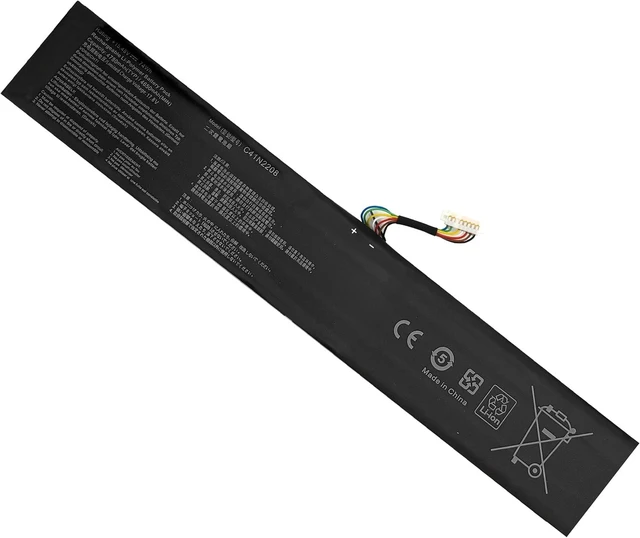
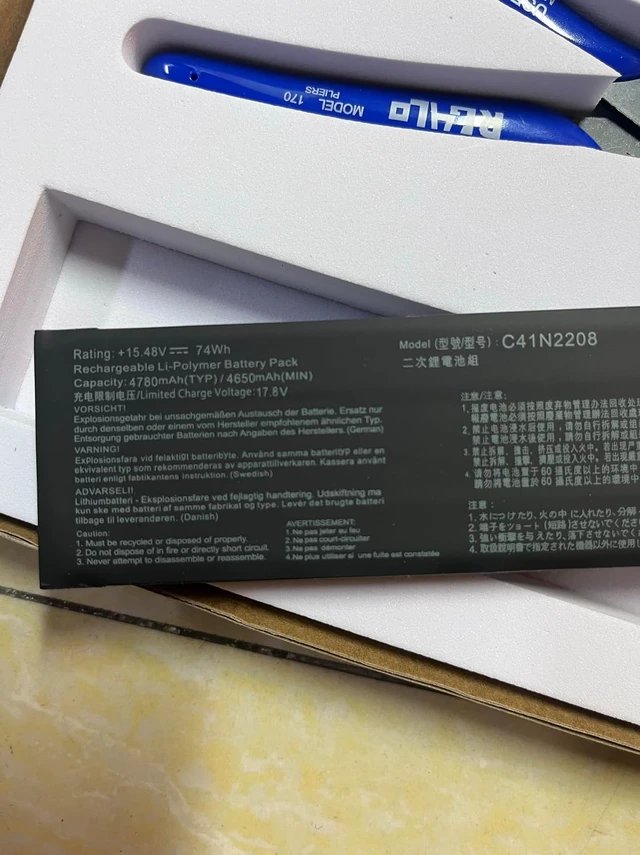
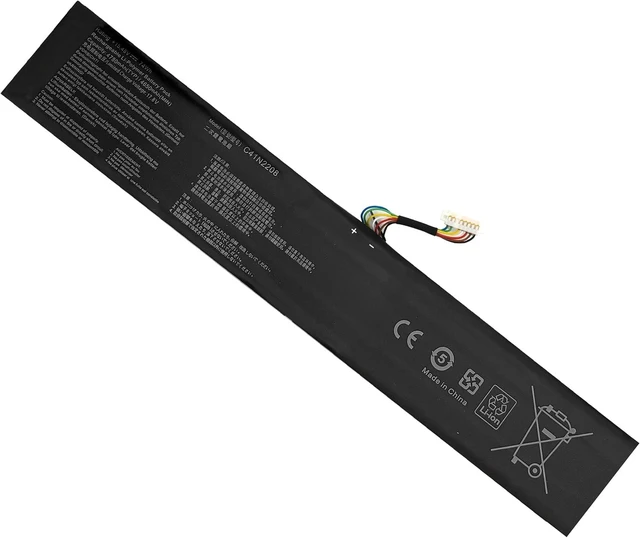
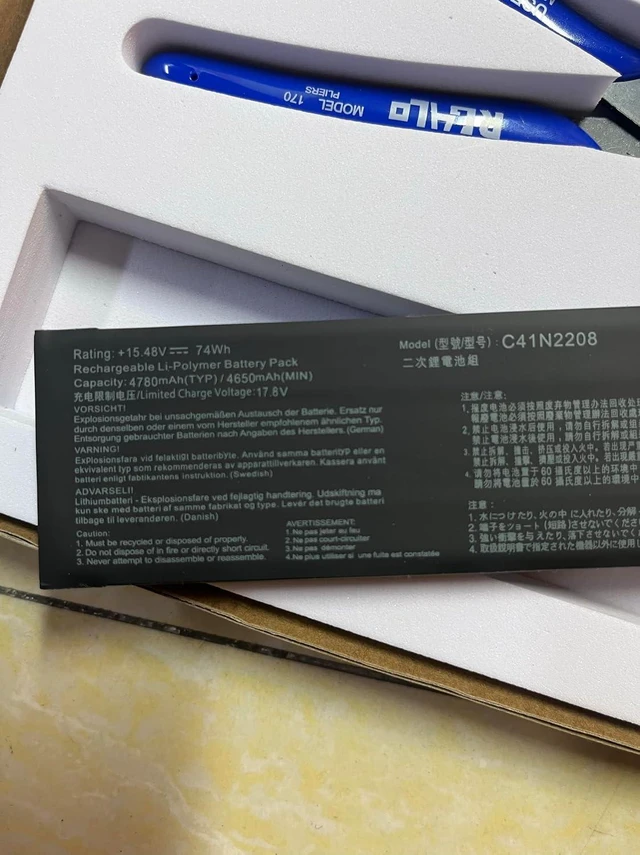
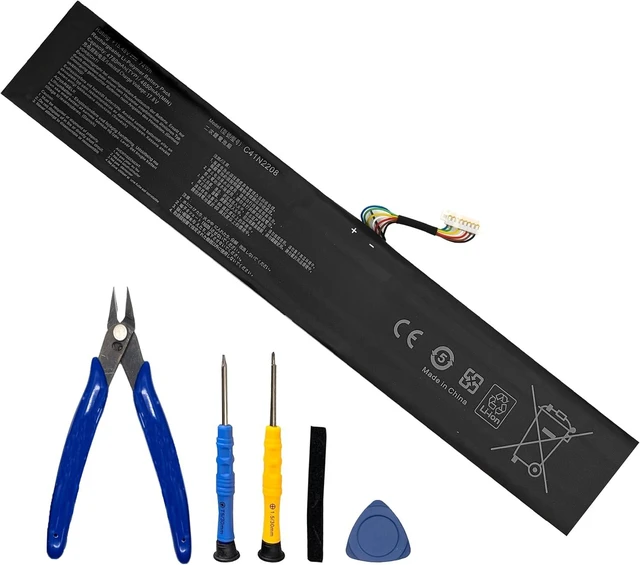
74Wh C41N2208 Battery Replacement for ROG Ally PC71L RC71L Gaming Envy x360 14 2-in-1 14-fa0000/ EliteBook Ultra G1q/ OmniBook X 14 Series 15.48V 4780mAh
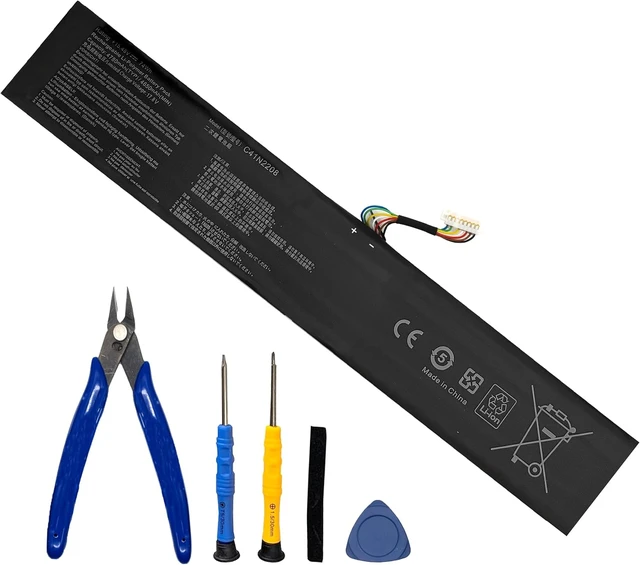
- Battery SpecificationsModel Name: C41N2208 Battery, Voltage: 15.48V; Capacity: 74Wh / 4780mAh; Color: Black. More than 500 cycles, Packages includes: 1x C41N2208 Battery ,1 Set x Screwdrivers,1x Instruction for C41N2208 Laptop Battery
- Compatible Part Number74WH C41N2208 Battery
- Compatible ModelsReplacement For ASUS ROG Ally PC71L RC71L Gaming Handheld
+
+
Overview
Specs
Reviews
Any questions? Ask CelesteSM will help you find out quickly.
Try me now
Experience extended battery life and reliable performance with the GD03XL GD03059XL N66215-005 Battery, designed specifically for HP Envy x360 14 2-in-1 14-fa0000 Series; for HP Envy x360 14 2-in-1 14-fc0000 series laptops. Upgrade your device today and enjoy uninterrupted productivity.
Specifications Battey model: GD03XL Battery, Voltage: 7.72V, Capacity: 59.16Wh 4854mAh, Cells:3-cell, Type: Li-ion Battery What you can get: Package Contents: 1 × Replacement Battery + 1 × Detailed Instruction Manual + 1 × Professional Screwdriver Kit; 30 Days Money-Return; 12 Months Replacement; 1 Years Tech Assistance Replacement for Part Number GD03XL GD03059XL N66215-005 N66000-1E1 N66000-2C1 N66000-AC1 N66000-B71 HSTNNN-AB1E HSTNNN-OB3K HSTNN-AB1E N66000-1E1 N66000-2C1 N66000-AC1 TPN-DB1V TPN-IB0Z Repalcement Laptop Model: for HP Envy x360 14 2-in-1 14-fa0000 Series; for HP Envy x360 14 2-in-1 14-fc0000 Series Repalcement Laptop Model: for HP Envy x360 14 2-in-1 14-fc0078TU Series; for HP OmniBook X 14 Series Repalcement Laptop Model: for HP OmniBook X 14-fe000 Series; for HP OmniBook X 14-fe0057nr Series Repalcement Laptop Model: for HP OmniBook X 14-fe0058nr Series; for HP OmniBook X 14-fe0087nr Series Repalcement Laptop Model: for HP OmniBook X 14-fe0097nr Series; for HP EliteBook Ultra G1q Series Repalcement Laptop Model: for HP EliteBook Ultra G1q8 Series
How should I verify and install the new laptop battery?
Upon receiving the battery, first compare its size with your original battery to ensure compatibility.
During installation, carefully connect and secure the battery cable. Note: An improperly connected cable may prevent charging.
What's the proper way to activate a new battery?
For initial use:
Don't charge immediately - first discharge the battery to 10-20%
Then perform a full charge
Repeat this process 5-6 times to maximize battery capacity
What precautions should I take before installation?
Always:
Watch online battery replacement tutorials for your specific model
Consider professional installation if unsure
Tip: For optimal battery health, avoid complete discharges (0%) after the activation process.
Why isn't my computer recognizing the new battery after installation? / Why does my new battery seem not to work?
This typically occurs due to residual power in the laptop's components. To resolve:
Disconnect the new battery
Hold down the power button for 20 seconds to discharge residual power
Reconnect the new battery properly
Power on the laptop
My laptop doesn't detect the replacement battery - what should I do?
Follow this power reset procedure:
Disconnect both AC power and battery
Press and hold power button for 20+ seconds
Reconnect new battery securely
Plug in AC adapter, Power on normally
Tip
When you get the battery, install it correctly, make sure the battery connector is securely connected to the laptop's motherboard, and then start charging the laptop. Discharge the new battery to 5% (not 0%), then charge and cycle the battery 3-4 times to wake it up.
Do not discharge the battery to 0% or the battery will be easily damaged.
Charge the battery when it is depleted. If left uncharged for a long time, the battery may be damaged.
Upgrade Your Laptop with the GD03XL GD03059XL N66215-005 HP Battery Compatible with Laptop models:Press [Ctrl + F] to search for your type How should I verify and install the new laptop battery?
What's the proper way to activate a new battery?
What precautions should I take before installation?
Why isn't my computer recognizing the new battery after installation? / Why does my new battery seem not to work?
My laptop doesn't detect the replacement battery - what should I do?
Battery Use and Maintenance:
Warranty & Returns
Warranty, Returns, And Additional Information
Warranty
- Please contact the Seller directly for warranty information. Warranty information may also be found on the Manufacturer's website.
- CONTACT
Return Policies
- Return for refund within: 30 days
- Return for replacement within: 30 days
- This item is covered by Forestgrand Return Policy
Manufacturer Contact Info
- For a directory of all our manufacturers, please click below.
- Manufacturers Directory
LOADING...