Your Browsing History
Meet Your Seller
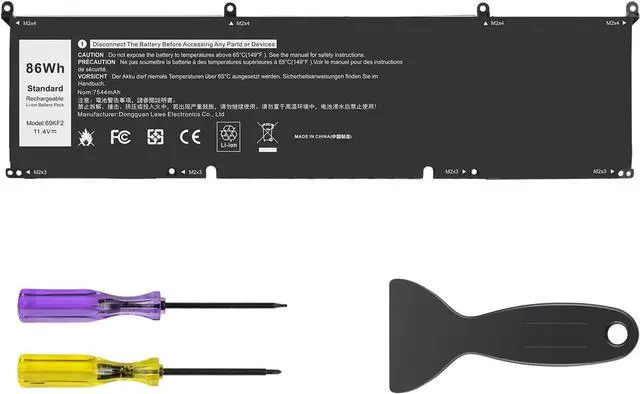
69KF2 Battery Replacement for Dell XPS 15 9500 9510 9520 9530 Precision 5550 5560 G15 5510 5511 5520 5515 5521 G7 15 7500 P91F P87F 0GFJ6 7510 7610 7620 11.4V 86Wh 6-Cell
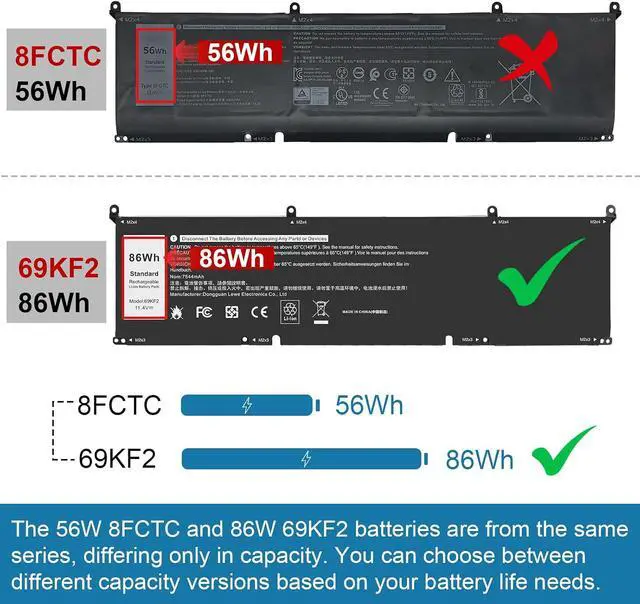
- Notes: The 56W8FCTC and 86W69KF2 batteries are from the same series, differing only in capacity. Please remove the battery from your laptop, check the battery model number, and verify whether it matches the compatible models listed for this product.
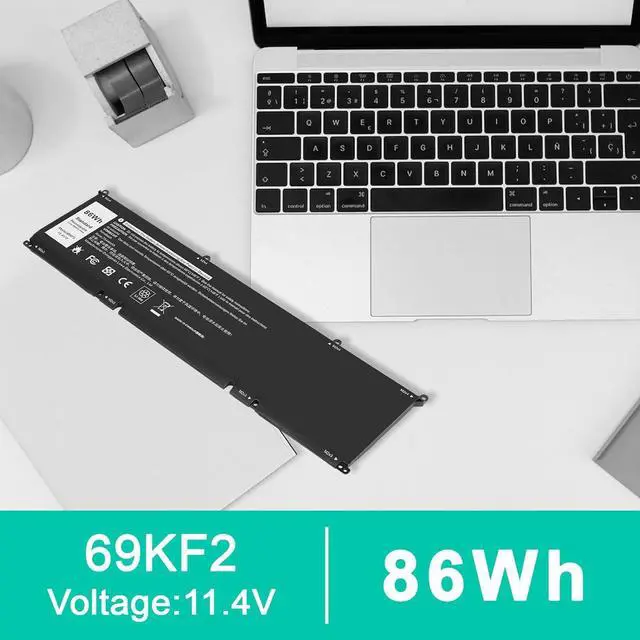
- SpecificationsBattery Type: Li-ion; Voltage: 11.4V; Capacity: 86WH; Cells: 6-Cell. Battery life: Up to 500 recharge cycles over the life of the battery.
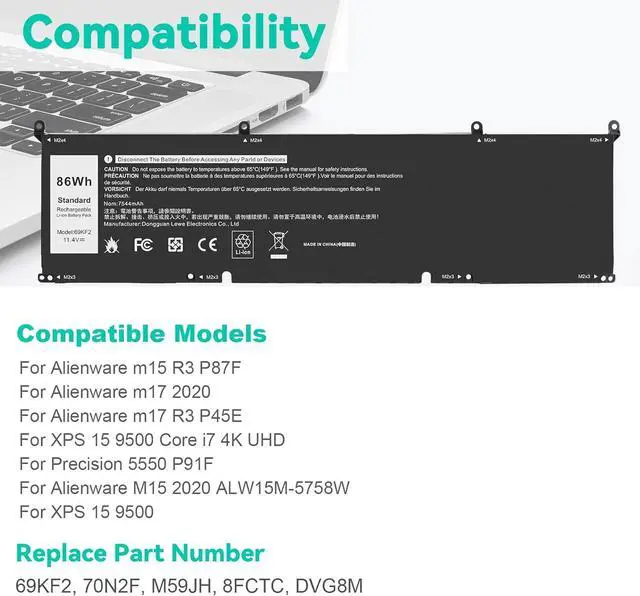
- Compatible Part Number69KF2 8FCTC 08FCTC 70N2F 070N2F M59JH 0M59JH 0P8P1P 0DVG8M
- Compatible Laptop Modelsfor Dell XPS 15 9500 Series, Dell XPS 15 9510 Series, Dell XPS 15 9520 Series, Dell XPS 15 9500 2020 Series, Dell XPS 15 9500 Core i7 4K UHD Series. For Dell Precision 5550 2020 Series, Dell Precision 5550 Mobile Workstation Series, Dell Precision 5560 Mobile Workstation Series, Dell Precision 5570 Mobile Workstation Series.
- Compatible Laptop Modelsfor Dell M15 R3 R4 R5 R6 R7 Series, Dell M15 2020 ALW15M-5758W Series, Dell M15 R3 (2020) Series, Dell M15 R4 (2021) Series Dell
+
+
Overview
Reviews
Any questions? Ask CelesteSM will help you find out quickly.
Try me now
Notes: The 56W8FCTC and 86W69KF2 batteries are from the same series, differing only in capacity. Please remove the battery from your laptop, check the battery model number, and verify whether it matches the compatible models listed for this product.
Do not purchase based on the series name only, check the specific model number. If you dont know whether your battery and product are suitable? Please ask us in time. We always stand behind our customers to offer you a solution.
Please use Ctrl+F to search for your battery model or computer model before purchasing.
Compatible Part Number69KF2 8FCTC 08FCTC 70N2F 070N2F M59JH 0M59JH 0P8P1P 0DVG8M.
Compatible Model Numbers:
for Dell XPS 15 9500 9510 9520 Series;
for Dell XPS 15 9500 2020 Series;
for Dell XPS 15 9500 Core i7 4K UHD Series;
for Dell Precision 5550 2020 Series,
for Dell Precision 5550 Mobile Workstation Series,
for Dell Precision 5560 Mobile Workstation Series,
for Dell Precision 5570 Mobile Workstation Series,
for Dell Alienware M15 R3 R4 R5 R6 R7 Series,
for Dell Alienware M15 2020 ALW15M-5758W Series,
for Dell Alienware M15 R3 (2020) Series,
for Dell Alienware M15 R4 (2021) Series
for Dell Alienware M17 R3 R4 Series,
for Dell Alienware M17 R3 (2020) Series
for Dell Alienware M15 R4 (2021) Series,
for Dell G7 15 7500 Series,
for Dell G7 15 7500 i7-10750H RTX 2060 (G7 15 Series),
for Dell G15 5510 5511 5520 Series
for Dell G15 5515 Ryzen Edition Series,
for Dell G15 5521 Special Edition Series,
for Dell Inspiron 7510 Series,
for Dell Inspiron 16 Plus 7610 Series,
for Dell Inspiron 7620 Series,
for Dell P91F P91F001, Dell P45E P45E001 P45E002,
for Dell P87F P87F002 P87F003,
for Dell P100F P100F001.
ABOUT US: We have been manufacturing the laptop battery and charger for many years. And We Promise the Quality for Customer. Direct from Manufacturer. OEM factory product .When it comes to laptop batteries TREE.NB is your best bet!
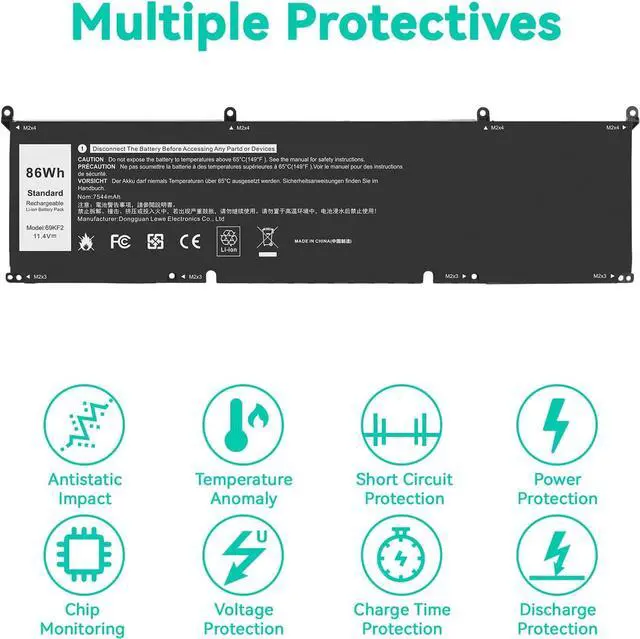
Our batteries are assembled from top quality material and circuit boards to ensure fast charges and low power consumption, 100% New from Manufacturer, Overcharge and Overdischarge Circuit Protection, Over-temperature and Short-circuit Protection, up to 500 recharge cycles over the life of the battery, meet OEM standard.
Model: 69KF2
Capacity: 86Wh
Voltage: 11.4V
Recharge Cycles: 500
Cells: 4-cells
Easy & Quick Installation, Reliable performance, Extended battery life
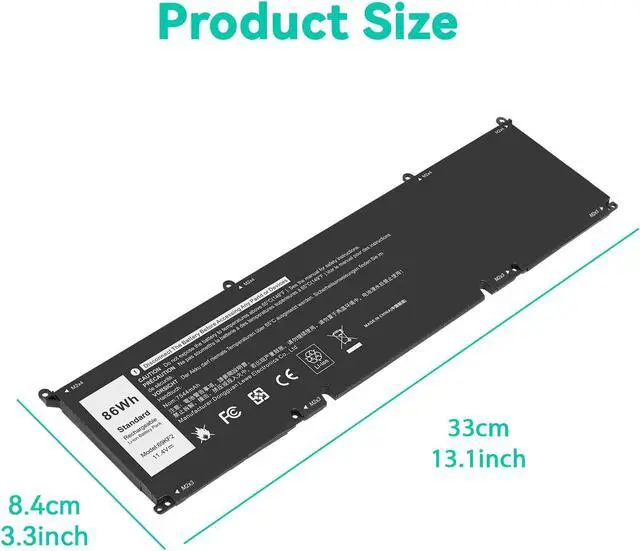
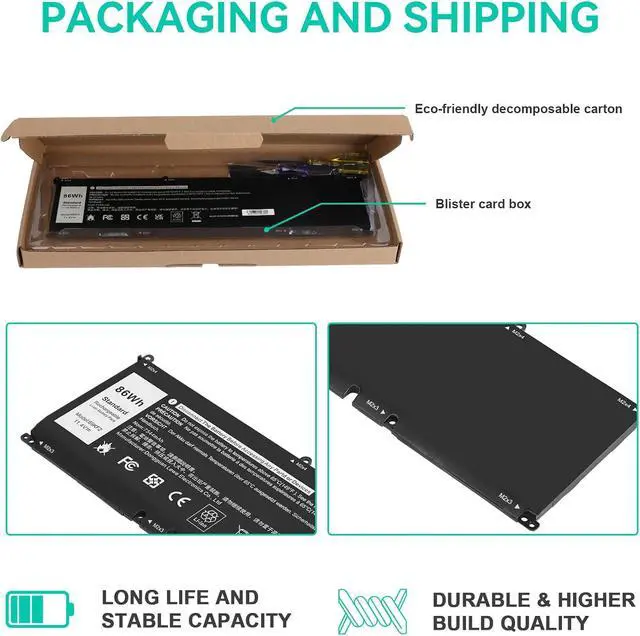
All of our batteries are brand new and are 100% compatible to meet OEM specifications for safety and efficiency. Same size as original battery, Don't worry about assembly and adaptation issues.
A suite of safeguards 100% protect your devices while charging. Including overcurrent, short-circuit, overdischarge & high temperature protections.
Reliable performance
Extended battery life
Install A New Battery:
You need to turn off your laptop and disconnect the power.
Remove the old battery, carefully install the new battery on the battery case, and connect the wiring of the new battery.
If you don't understand the above steps, you can search for the video about laptop battery installation on YouTube. Maybe it will help you.
Laptop Maintenance Tips:
New battery: For use a new battery, youd better try a few cycles of discharging to 5%. then charging up to 95%. So that it can be activated completely
Overuse: Do not always run out of a battery to 0%, this would make it damaged or usage life shortened
Charging sequence: when charging, first install the battery, then turn on the power, when fully charged, first cut off the power, then pull the power plug.
Long-term storage:Please store the unused battery fully charged.(Charge it once a month) Do not store at low power to prevent reduce the lifespan of a battery
Charger: Do not replace the laptop adapter cas
Warranty & Returns
Warranty, Returns, And Additional Information
Warranty
- Please contact the Seller directly for warranty information. Warranty information may also be found on the Manufacturer's website.
- CONTACT
Return Policies
- Return for refund within: 30 days
- Return for replacement within: 30 days
- This item is covered by Forestgrand Return Policy
Manufacturer Contact Info
- For a directory of all our manufacturers, please click below.
- Manufacturers Directory
LOADING...