Your Browsing History
Meet Your Seller
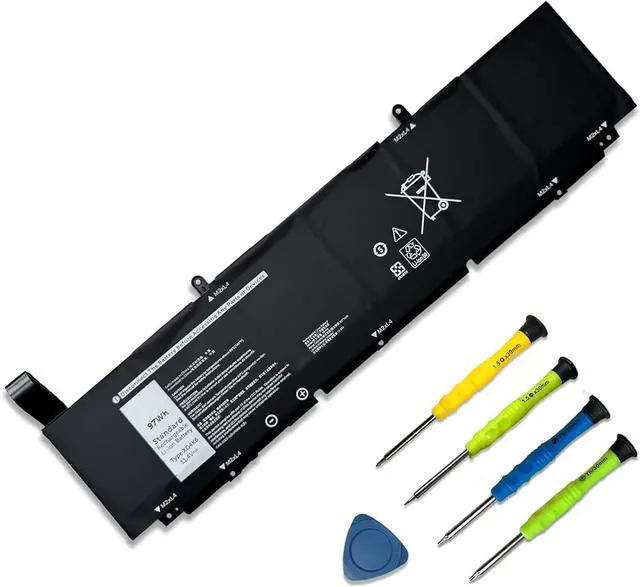
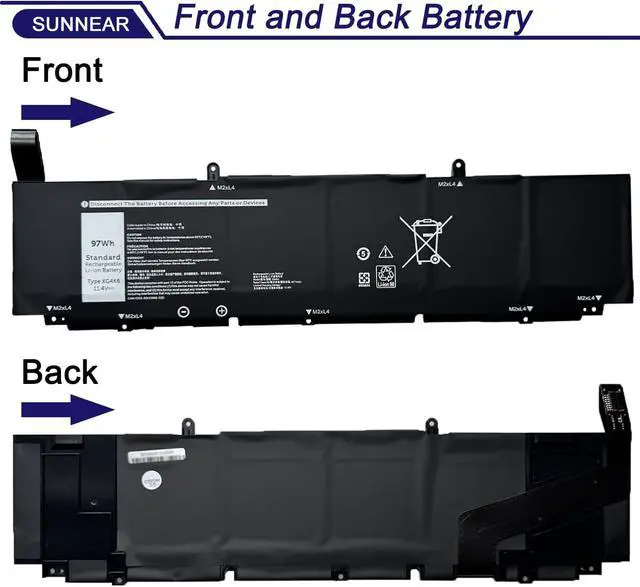
97Wh XG4K6 Battery for Dell XPS 17 9700 9710 9720 9730 Precision 5750
- 6-Cell 11.4V 8071mAh; Battery Replacement for Dell Precision 5760 5770 P92F P92F001 P92F003; 01RR3 001RR3 F8CPG KVPMY KRDHV
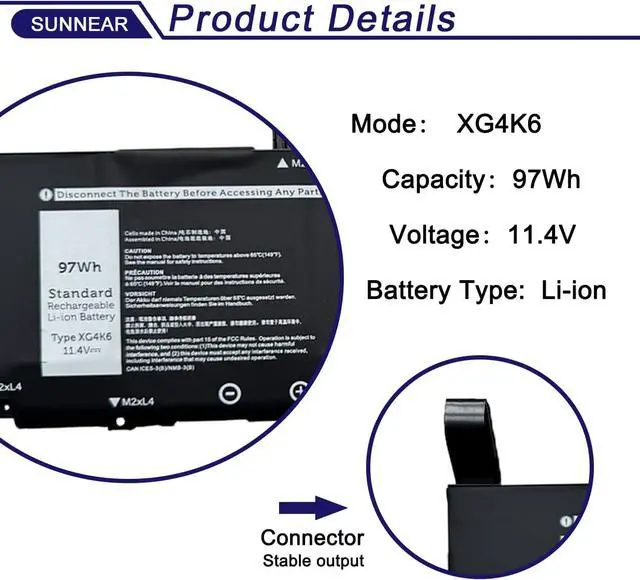
- SpecificationsModel: XG4K6; Voltage: 11.4V; Capacity: 97Wh/8071mAh; Battery type: Li-ion. (We only use grade A battery cells that provide up to 500 power cycles over the life of the battery. Come with screwdrivers.)
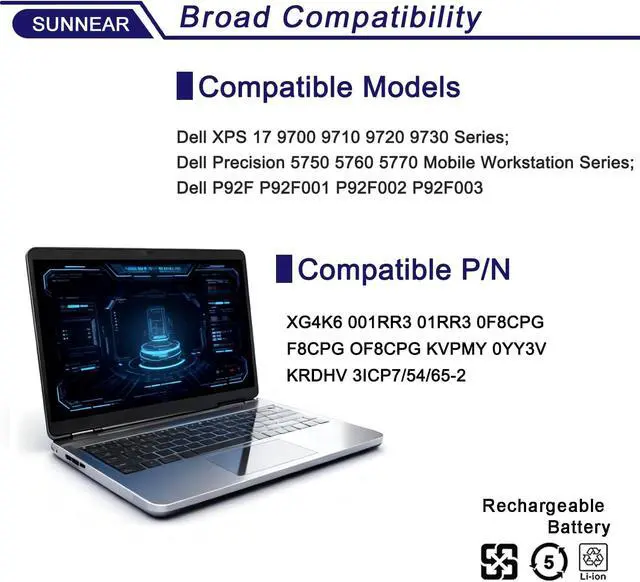
- Compatible Laptop/Notebook ModelsDell XPS 17 9700 9710 9720 9730 Series; Dell Precision 5750 5760 5770 Mobile Workstation Series; Dell P92F P92F001 P92F002 P92F003
- Compatible Part NumberXG4K6 001RR3 01RR3 0F8CPG F8CPG OF8CPG KVPMY 0YY3V KRDHV 3ICP7/54/65-2
- Purchasing NoteDue to the complexity of laptop battery models, you may not be able to accurately determine the model you need to purchase,Please open the back cover of the laptop to confirm the original battery model number
- TipsIf the new battery is not recognized during the initial installation, please reinstall and check if the interface is fully connected. Allow the new batt
+
+
Overview
Reviews
Any questions? Ask CelesteSM will help you find out quickly.
Try me now
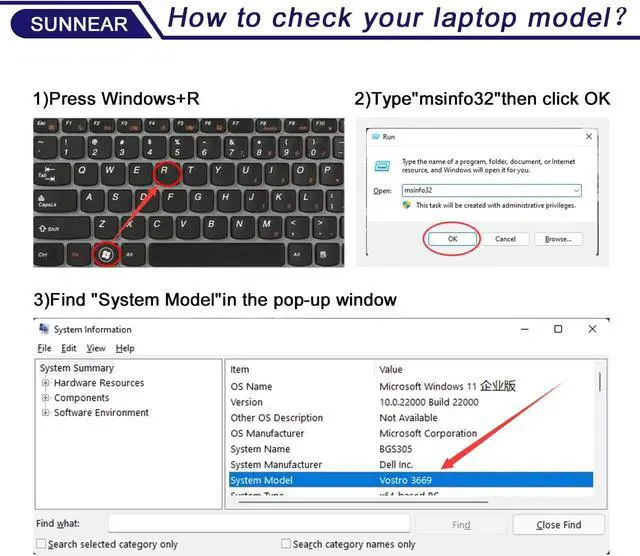
Step 1. Press Win + R
Step 2. Type"msinfo32" click OK
Step 3. Find "System Model"in the pop-up window
Step 4. check if the computer model is compatible with the battery.
Compatible Part Numbers XG4K6 001RR3 01RR3 0F8CPG F8CPG OF8CPG KVPMY 0YY3V KRDHV 3ICP7/54/65-2 Compatible Laptop Models Dell XPS 17 9700 9710 9720 9730 Series; Compatible Laptop Models Dell Precision 5750 5760 5770 Mobile Workstation Series; Compatible Laptop Models Dell P92F P92F001 P92F002 P92F003 Series; for Dell XPS 17 9700 Series: Dell XPS 17-9700-Core-i7-RTX-2060-Max-Q 17-9700-XXFK2 17-9700-094CK 17-9700-YTHR8 17-9700-MXCWV for Dell XPS 17 9700 Series: Dell XPS 17-9700-i5-10300H 17-9700-C9T5T 17-9700-0VN0J 17-9700-2194 17-9700-R1WMW 17-9700-RVN68 for Dell XPS 17 9700 Series: Dell XPS 17-9700-6FNNW 17-9700-D1741S 17-9700-D1761TS 17-9700-D2961TS 17-9700-R1505S 17-9700-R1868TS for Dell XPS 17 9700 Series: Dell XPS 17-9700-D2968TS 17-9700-R1845S 17-9700-D1968TS 17-9700-D1961TS 17-9700-R1861TS 17-9700-R1745S for Dell XPS 17 9710 Series: Dell XPS 17-9710-MKTXN9710EZUSSRT 17-9710-1J2VH 17-9710-XC3T1 17-9710-Core-i7-RTX-3060 for Dell XPS 17 9710 Series: Dell XPS 17-9710-CTOX17W10P1C3001CA 17-9710-XN9710EVHJS 17-9710-H1DG4 17-9710-54RYX for Dell XPS 17 9710 Series: Dell XPS 17-9710-H1J4W 17-9710-XN9710CTO220STG2 17-9710-9XMHG 17-9710-WP78T 17-9710-VJD41 for Dell XPS 17 9710 Series: Dell XPS 17-9710-CTOX17W10P1C3000CAF 17-9710-XN9710CTO230STG3 17-9710-XN9710EZWQSRT for Dell XPS 17 9720 Series: Dell XPS 17-9720-913N7 17-9720-CN97202CC 17-9720-CKMMG 17-9720-BN97203SB 17-9720-MKTXN9720FMJKS for Dell XPS 17 9720 Series: Dell XPS 17-9720-PV42T 17-9720-RTX-3060 17-9720-CTOX17W11P1C4002CA 17-9720-CN97205SC for Dell Precision 5750 Series Dell Precision 5750-G6F5V 5750-GCN7X 5750-370P9 5750-HH1N1 5750-W2DMX 5750-N9KK8 5750-P2KGC for Dell Precision 5750 Series Dell Precision 5750-3JGT0 5750-DMJ2M 5750-4RWVR 5750-P92F 5750-TJ9YX 5750-XK9NF for Dell Precision 5750 Series Dell Precision 5750-KVPMY 5750-0YY3V 5750-KRDHV 5750-MH0GX 5750-M3RD4 5750-9V5RY Dell XPS 17 9730 Dell XPS 17 9730 Series; What initial checks and procedures should be performed upon receiving a new battery?
After unpacking, check the battery for physical damage (such as cracks or leakage) and verify its compatibility with your device. Carefully read the accompanying safety manual and operating instructions.
What to do if your laptop won't power on after replacing the battery?
Check battery installation and clean contacts. Try starting with power adapter only to isolate issue. Ensure adapter works and internal hardware (like RAM) is secure. Reset BIOS/UEFI to defaults if needed.
What are the correct steps to take if a laptop battery is bulging?
Power off and unplug device. Wearing gloves, carefully remove battery in open area without bending/piercing. Place in non-flammable container. Contact e-waste center or professional service. Do not discard or disassemble.
Battery Maintenance Methods for Optimal Use
For optimal battery health, conduct a full power cycle each month. Avoid prolonged adapter connection during use. Protect from impacts, disassembly, crushing, or piercing. Keep away from fire and water.
What can you do if the battery performance does not meet expectations?
Contact SUNNEAR for assistance. We offer a one-year support on all battery products.
How to check your laptop model? COMPATIBLE MODELS(use "Ctrl+F" to find your model quickly): Specific Models What initial checks and procedures should be performed upon receiving a new battery?
What to do if your laptop won't power on after replacing the battery?
What are the correct steps to take if a laptop battery is bulging?
Battery Maintenance Methods for Optimal Use
What can you do if the battery performance does not meet expectations?
Warranty & Returns
Warranty, Returns, And Additional Information
Warranty
- Please contact the Seller directly for warranty information. Warranty information may also be found on the Manufacturer's website.
- CONTACT
Return Policies
- Return for refund within: 30 days
- Return for replacement within: 30 days
- This item is covered by Forestgrand Return Policy
Manufacturer Contact Info
- For a directory of all our manufacturers, please click below.
- Manufacturers Directory
LOADING...