Your Browsing History
Meet Your Seller
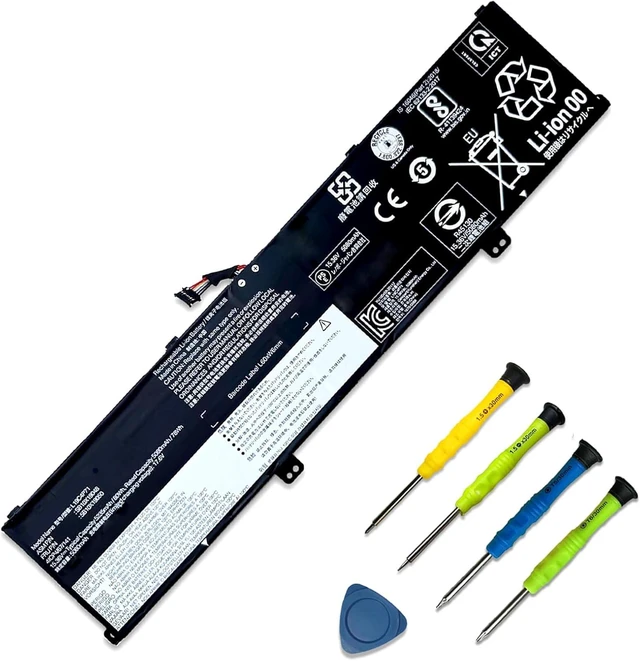
80Wh L19C4P71 L19M4P71 5B10X19049 Laptop Battery for Lenovo ThinkPad X1 Extreme P1 3rd Gen ThinkPad X1 Extreme 3rd Gen Series Notebook SB10X19048 5B10X19050 15.36V 5235mAh
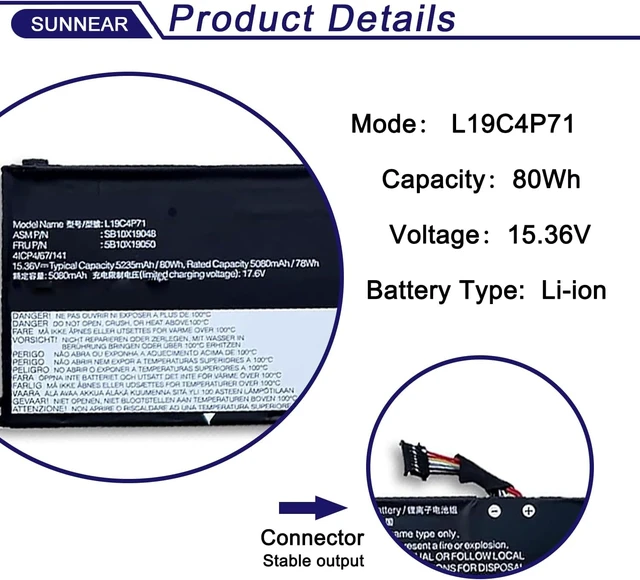
- SpecificationsModel: L19C4P71; Voltage: 15.36V; Capacity: 80Wh / 5235mAh); Battery type: Li-ion. (We only use grade A battery cells that provide up to 500 power cycles over the life of the battery. Come with screwdrivers.)
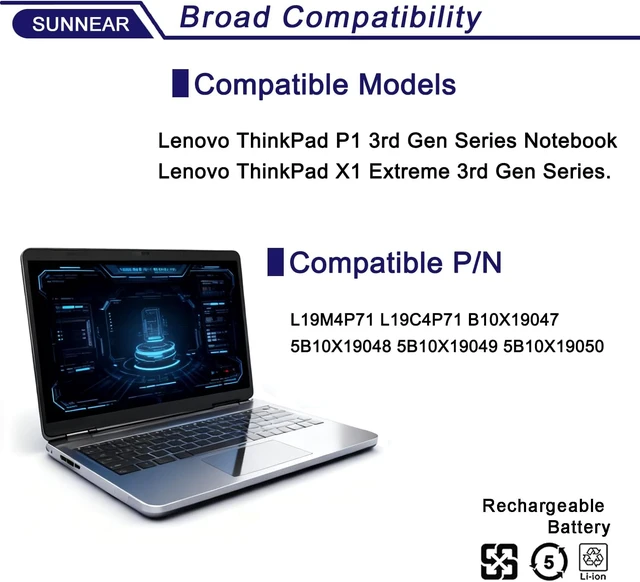
- Compatible Laptop/Notebook Modelsfor For Lenovo ThinkPad P1 3rd Gen Series Notebook; For Lenovo ThinkPad X1 Extreme 3rd Gen Series.
- Compatible Part Number L19M4P71 L19C4P71 B10X19047 5B10X19048 5B10X19049 5B10X19050
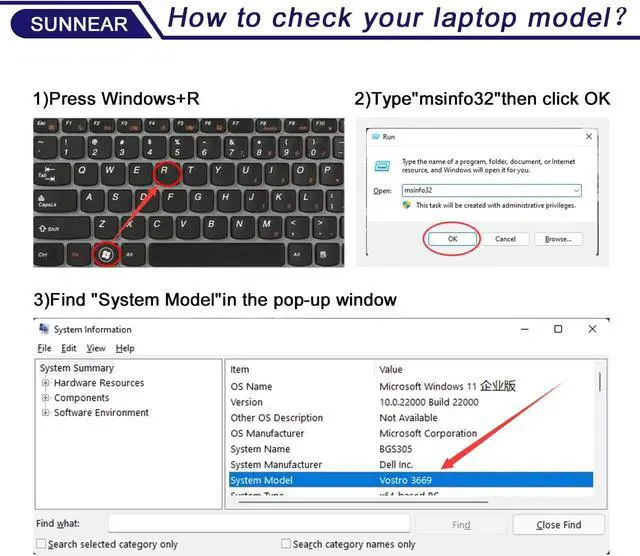
- Purchasing NoteDue to the complexity of laptop battery models, you may not be able to accurately determine the model you need to purchase,Please open the back cover of the laptop to confirm the original battery model number
- TipsIf the new battery is not recognized during the initial installation, please reinstall and check if the interface is fully connected. Allow the new battery's power level to drop to 5% (not 0%), then restore to full capacity and cycle 3-4 times to activate the new battery
+
+
Overview
Specs
Reviews
Any questions? Ask CelesteSM will help you find out quickly.
Try me now
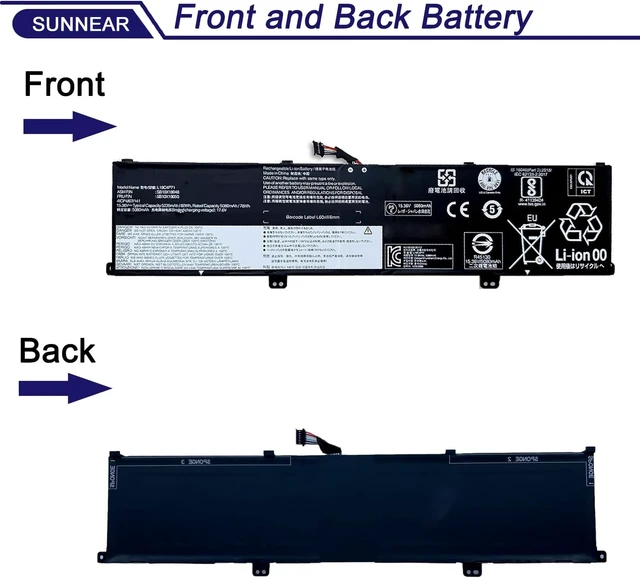
Please open your laptop case, check and confirm your original battery model and appearance, compared with our battery image, make sure that's what you need. Especially the location of the connector and the cable length (long or short).
Models: L19C4P71
Voltage: 15.36V
Capacity: 80Wh / 5235mAh
Battery Condition: Brand New
Compatible Part Number: L19M4P71 L19C4P71 B10X19047 5B10X19048 5B10X19049 5B10X19050
Lenovo ThinkPad P1 3rd Gen Series Notebook
Lenovo ThinkPad X1 Extreme 3rd Gen Series.
1. When you get the new battery, run it down to 5% (not 0%), then power it up to 95%, and repeat this cycle 3-4 times to wake up the new battery.
2. The important point is to carry out a full run-down and power-up cycle every other month to extend the battery life.
3. When using the battery, do not keep it connected to the adapter for a long time, as this may damage the battery.
4. Avoid subjecting the battery to manual impact, disassembly, crushing, or puncturing. Do not dispose of the battery in fire or water.
Brand new from manufacturer. Tested with strict quality control standards
up to 600 reusable power cycles
Grade A cells ensure High capacity and smart chip ensure low power consumption
CE / FCC / RoHS certified for safety and stability
Could be caused by battery loose. Please remove the battery and try to install more than once.
May be due to conductive material damaged which the laptop motherboard and battery anode and cathode contact position, you can try to confirm it with your original battery.
Check whether the battery drive is in normal condition, if not, download the corresponding driver software to update.
Take out the battery and press the power button for about 15 seconds to consume the internal residual power (Do not connect the power cord), and then reinstall the battery. You can try several times.
Warranty & Returns
Warranty, Returns, And Additional Information
Warranty
- Please contact the Seller directly for warranty information. Warranty information may also be found on the Manufacturer's website.
- CONTACT
Return Policies
- Return for refund within: 30 days
- Return for replacement within: 30 days
- This item is covered by Forestgrand Return Policy
Manufacturer Contact Info
- For a directory of all our manufacturers, please click below.
- Manufacturers Directory
LOADING...