Your Browsing History
Meet Your Seller
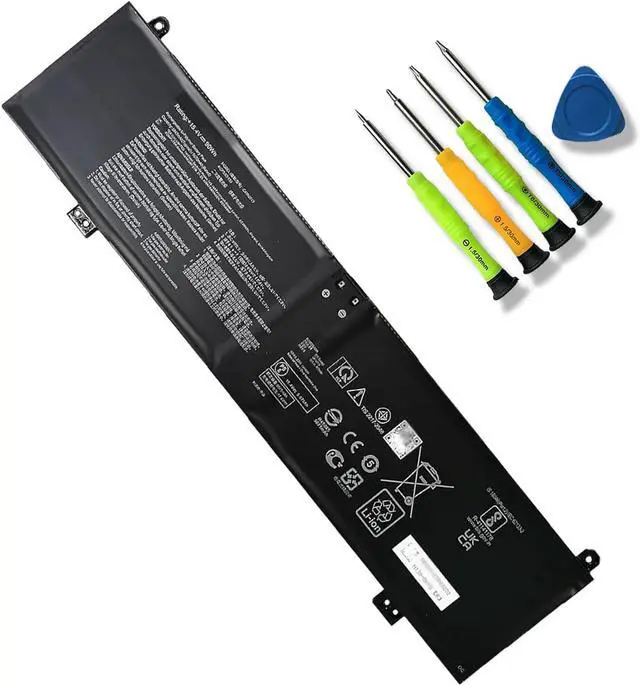
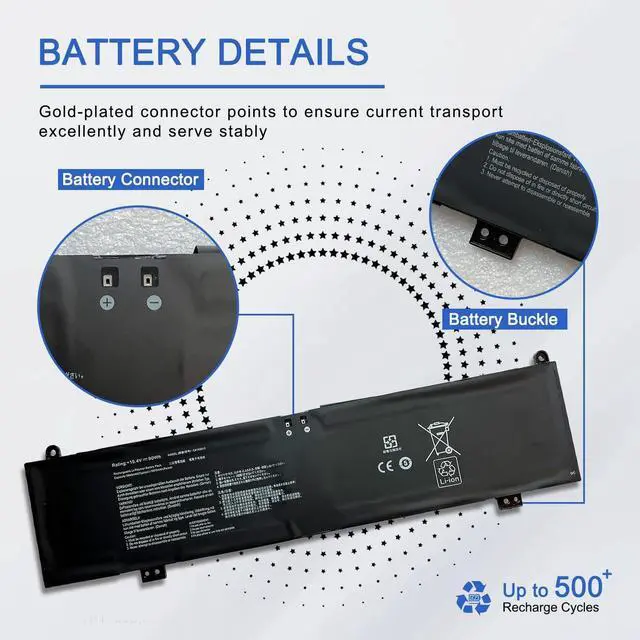
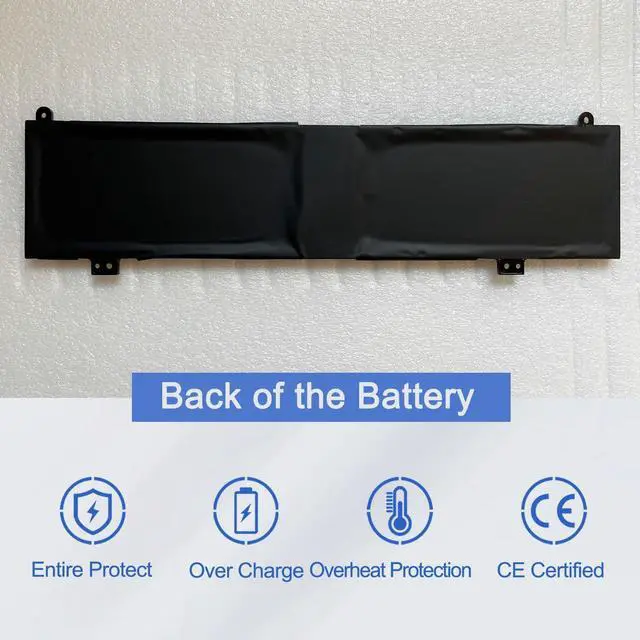
JOTACT C41N2013 C41N2013-1 90Wh Battery Replacement for Asus ROG Strix G15 G533 G17 G733 Rog Strix Scar 15 G513 17 G713 Zephyrus M16 GU603 G15 GA503 S17 GX703 Series 15.4V 5675mAh
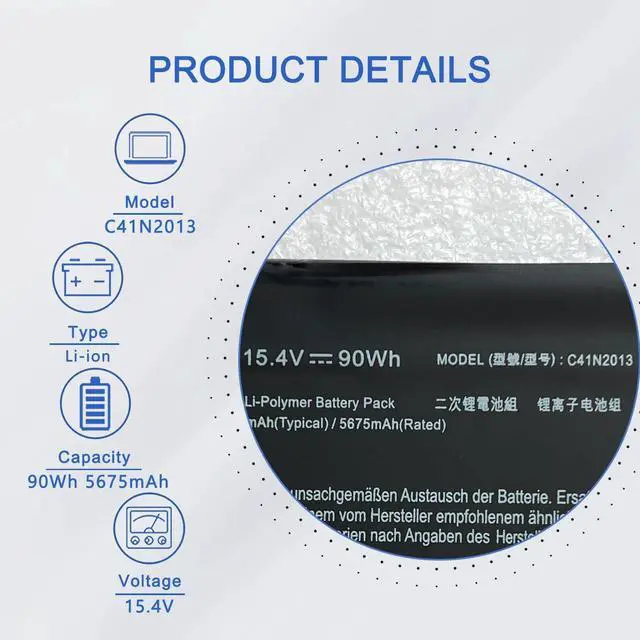
- SpecificationsBattery Model :C41N2013 Voltage: 15.4V; Capacity:90Wh 5675mAh; Battery Type:Lithium ion
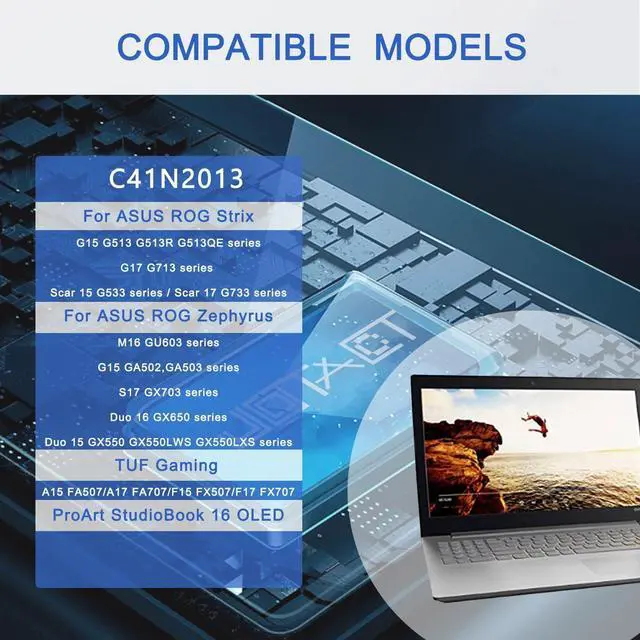
- Compatible with Laptop Models Fit for Asus ROG Zephyrus M16 GU603 GU603HE GU603HR GU603HM Gaming Series, for Asus ROG Zephyrus S17 GX703 GX703HR GX703HM GX703HS Gaming Series, for Asus ROG Zephyrus G15 GA503 GA503QC GA503QE GA503QR GA503QM GA503QS Series, for Asus ROG Strix SCAR 15 G533 G533QM G533QR G533QS Series, for Asus ROG Strix SCAR 17 G733 G733QR G733QM G733QS Series, for Asus ROG Strix G15 G513 G513QM G513QY G513QR Series, for Asus ROG Strix G17 G713 G713QM G713QR G713QY Series.
- Replacement for Part NumberC41N2013 C41N2013-1 0B200-03880000 0B200-03880100 0B200-03880200
- Quality AssuranceAll our products are Certified by CE, and FCC strictly test to ensure both safety and longer life. And standards compliance for environment safety. All our products are 100% brand-new from manufacturer.
- Packaged Included1 battery 1* instruction manual Packaged by sponge or bubbl
+
+
Overview
Specs
Reviews
Any questions? Ask CelesteSM will help you find out quickly.
Try me now
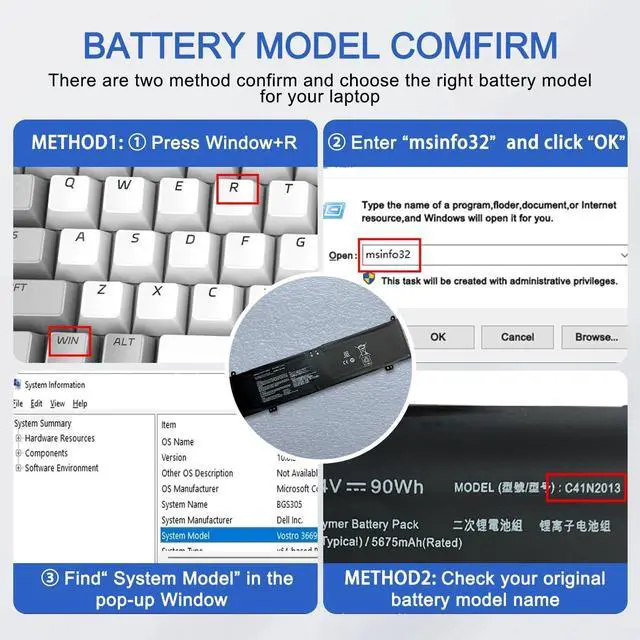
Replacement Part Numbers C41N2013 / C41N2013-1 / 0B200-03880000 / 0B200-03880100 / 0B200-03880200 Compatible with ASUS ROG Strix SCAR 15 G533: G533QM / G533QR / G533QS / G533ZM / G533ZS / G533ZW / G533ZX Compatible with ASUS ROG Strix SCAR 17 G733: G733QM / G733QR / G733QS / G733QSA / G733ZM / G733ZS / G733ZW / G733ZX Compatible with ASUS ROG Strix G15 G513: G513IE / G513IM / G513IR / G513QM / G513QR / G513QY / G513RC / G513RM / G513RS / G513RW / G513RX Compatible with ASUS ROG Strix G17 G713: G713IM / G713IR / G713QM / G713QR / G713QY / G713RM / G713RS / G713RW / G713RX Compatible with ASUS ROG Zephyrus M16 GU603: GU603HE / GU603HM / GU603HR / GU603ZE / GU603ZM / GU603ZW / GU603ZX Compatible with ASUS ROG Zephyrus G15 GA503: GA503QC / GA503QE / GA503QM / GA503QR / GA503QS / GA503RM / GA503RW / GA503RX Compatible with ASUS ROG Zephyrus S17 GX703: GX703HM / GX703HR / GX703HS / GX703HSD Compatible with ASUS TUF Gaming A15 FA507: FA507RC / FA507RE / FA507RM / FA507RR Compatible with ASUS TUF Gaming A17 FA707: FA707RC / FA707RE / FA707RM / FA707RR Compatible with ASUS TUF Gaming F15 FX507: FX507ZC / FX507ZE / FX507ZM / FX507ZR Compatible with ASUS TUF Gaming F17 FX707: FX707ZC / FX707ZM / FX707ZR Compatible with ASUS ProArt Studiobook 16: H5600QE / H5600QM / H5600QR Compatible with ASUS ProArt Studiobook Pro 16 OLED: W5600Q2A Q: How do I confirm this battery fits my laptop?
A: Please check your original battery's exact part number and compare it with our product images before ordering.
Q: Do I need to activate the new battery before first use?
A: Yes. Cycle it 3-4 times (discharge to 5%, then charge to 95%) to activate its maximum capacity.
Q: How can I extend the battery's lifespan in daily use?
A: Recharge when it drops to 5% and avoid letting it drain completely to 0%.
Q: Should I remove the battery if I use external power continuously?
A: Yes, we recommend removing the battery if you plan to keep your laptop plugged in for extended periods.
Q: Is the installation process complicated?
A: No. Simply turn off the laptop, unplug the power, and replace the old battery. A video guide is highly recommended if you are unsure.
Compatible Laptop Models(use "Ctrl+F to find your model quickly") Q: How do I confirm this battery fits my laptop?
Q: Do I need to activate the new battery before first use?
Q: How can I extend the battery's lifespan in daily use?
Q: Should I remove the battery if I use external power continuously?
Q: Is the installation process complicated?
Warranty & Returns
Warranty, Returns, And Additional Information
Warranty
- Please contact the Seller directly for warranty information. Warranty information may also be found on the Manufacturer's website.
- CONTACT
Return Policies
- Return for refund within: 30 days
- Return for replacement within: 30 days
- This item is covered by Forestgrand Return Policy
Manufacturer Contact Info
- For a directory of all our manufacturers, please click below.
- Manufacturers Directory
LOADING...