Your Browsing History
Meet Your Seller
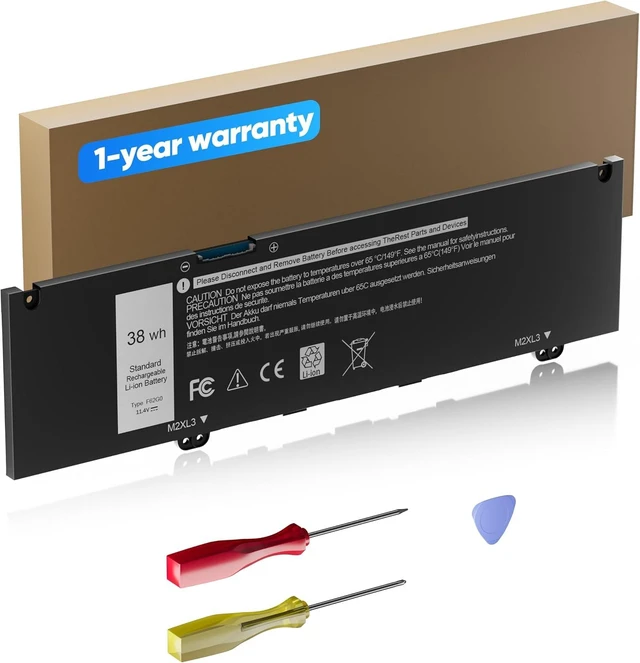
38Wh F62G0 11.4V Battery for Dell Inspiron 13 7000 7373 7386 7370 39DY5 2 in 1 7380 5370 P83G P83G001 P91G P87G P91G001 P83G002 P87G001 Vostro 5370 F62GO RPJC3 39DY5 039DY5 0RPJC3 0F62G0 CHA01
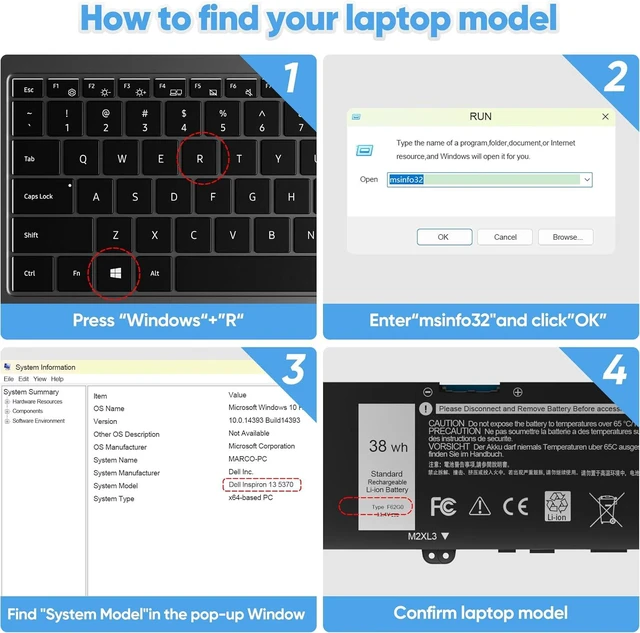
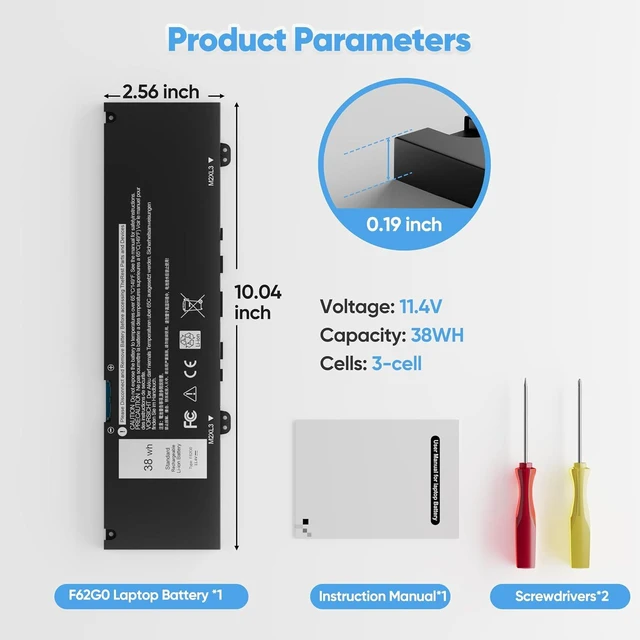
- Product Specifications: Voltage: 11.4V,Capacity: 38WH; Cells: 3-cell; More than 1000 cycles.Packages includes: 1 x F62G0 Laptop Battery Replacement; 2 x Screwdrivers; 1 x Instruction.Press [CTRL + F] to search your laptop model/part number
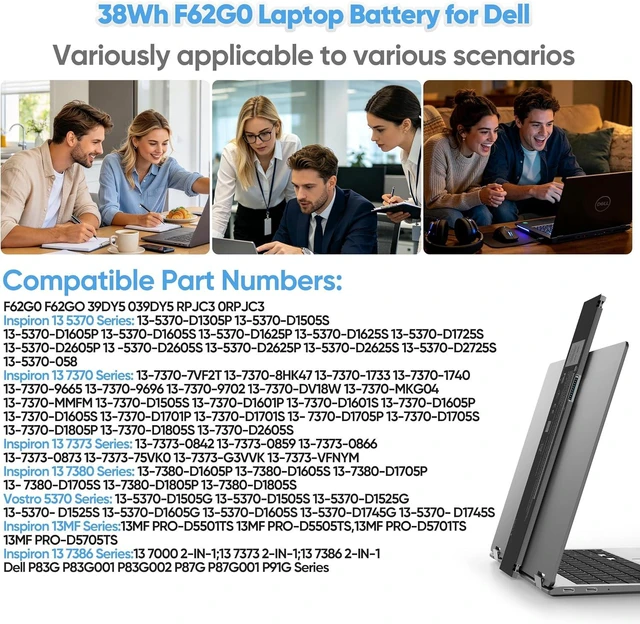
- Compatible P/N: 38Wh Battery Compatible for F62G0 F62GO 39DY5 039DY5 RPJC3 0RPJC3 P83G P83G001 P83G002 P87G P87G001 P91G P91G001
- F62G0 Laptop Battery Compatible for Dell Inspiron 13 7000 2-in-1, Inspiron 13 7000 7373 7386 2-in-1 7370 7380, Inspiron 13 5000 (5370),Vostro 13 5000 (5370), Inspiron 7373 7386 7370 7380 5370 13-7373 13-7386 13-7370 13-7380 13-5370, Vostro 5370 13-5370
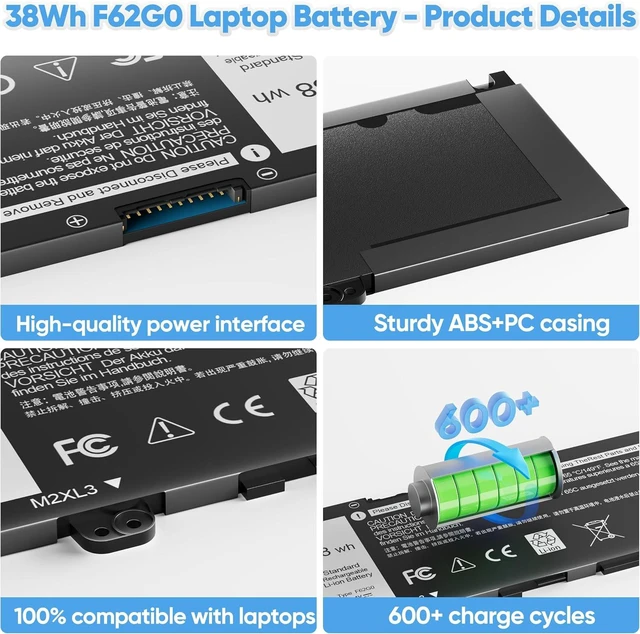
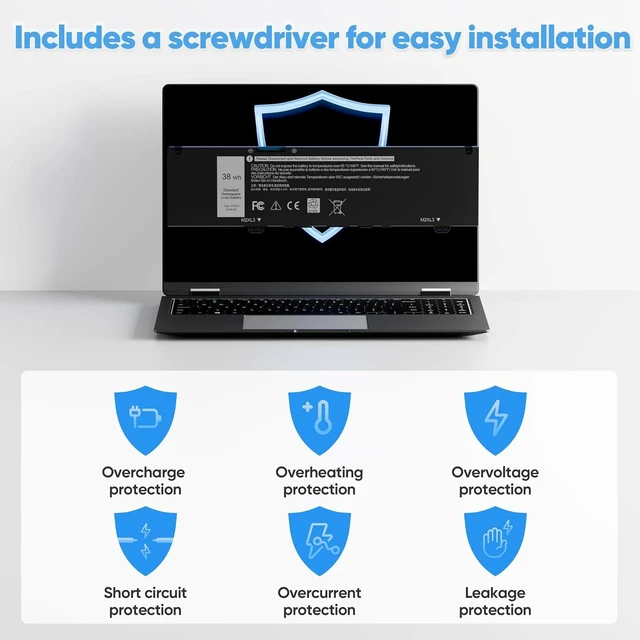
- Safe and reliableAll batteries are equipped with high quality material. Meets CE, FCC, RoHS certificated. Built-in short circuit protection, over voltage protection, discharge protection, over current protection, which is very important for batterys use cycle and safety Safe and reliableAll batteries are equipped with high quality material. Meets CE, FCC, RoHS certific
+
+
Overview
Reviews
Any questions? Ask CelesteSM will help you find out quickly.
Try me now
What do we need to pay attention to using batteries for the first time?
1. The battery must be fully charged before first use
2. You need to turn off your laptop and disconnect the power when you install a new battery
3. Do Discharge the new battery use to 5%/7%(not to 0%) and then charge to 95%, and cycle 3-4 times
How should I do if the battery is not recognized?
When the computer is turned on, if it is not recognized, it is recommended to update the BIOS settings or please disconnecting the old battery, and holding down the power button for 20 seconds, then connect the new battery
How should I do if we received the item doesn't work?
Please Contact Wymisnit. We will replace it with a new one for free.
How should I charge my laptop battery?
It is suggested to charge the battery before the power runs out completely. It is best to charge when the remaining power is about 5-10%, and the battery should be charged in a relatively dry place.
How should I preserve my laptop battery when I dont use it?
The ideal preservation method is to charge the battery to about 40%, the battery should be used once a month, which can not only good preservation of the battery but also prevent the battery from being damaged by the complete loss of power
Laptop Battery Maintenance Tips 1
When using a new battery for the first time, charge it to 100% and then discharge it to 20%. Repeat this cycle three times to properly "activate" the battery.
Laptop Battery Maintenance Tips 2
Never let the battery drain to 0%. Frequently allowing the battery to reach 0% can cause its state to become unstable and lead to a significant decline in performance.
Laptop Battery Maintenance Tips 3
Avoid keeping the battery fully charged for long periods. Over time, this increases the battery's internal resistance, resulting in a loss of capacity.
Laptop Battery Maintenance Tips 4
Perform regular charge-discharge cycles: If you do not use your laptop frequently, be sure to carry out a full charge-discharge cycle (i.e., discharging the battery and then recharging it) at least once a month.
What do we need to pay attention to using batteries for the first time?
How should I do if the battery is not recognized?
How should I do if we received the item doesn't work?
How should I charge my laptop battery?
How should I preserve my laptop battery when I dont use it?
Laptop Battery Maintenance Tips 1
Laptop Battery Maintenance Tips 2
Laptop Battery Maintenance Tips 3
Laptop Battery Maintenance Tips 4
Warranty & Returns
Warranty, Returns, And Additional Information
Warranty
- Please contact the Seller directly for warranty information. Warranty information may also be found on the Manufacturer's website.
- CONTACT
Return Policies
- Return for refund within: 30 days
- Return for replacement within: 30 days
- This item is covered by Forestgrand Return Policy
Manufacturer Contact Info
- For a directory of all our manufacturers, please click below.
- Manufacturers Directory
LOADING...