Your Browsing History
Meet Your Seller
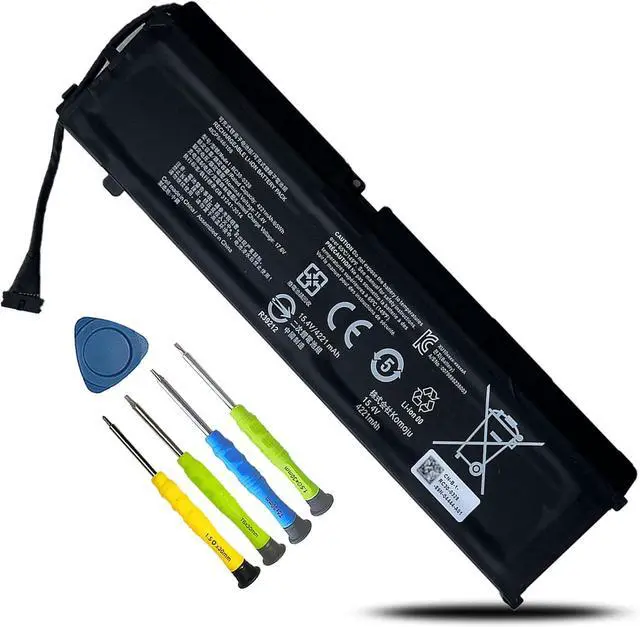
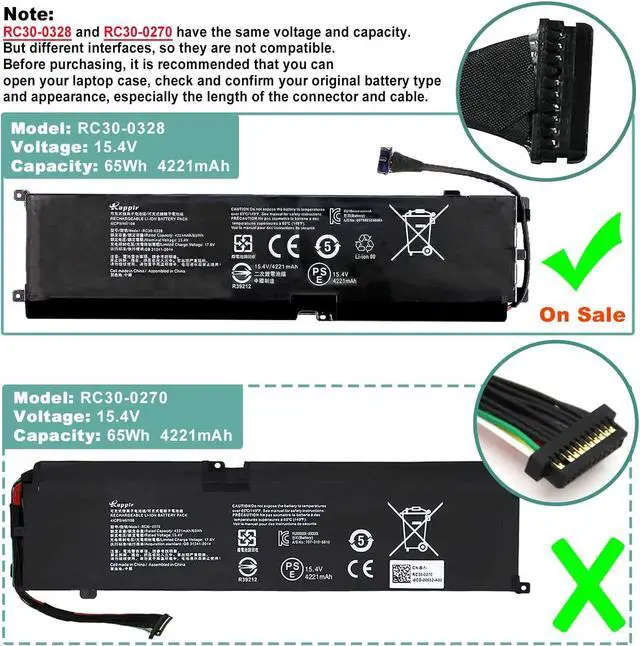
RC30-0328 Laptop Battery Replacement for Razer Blade 15 Base 2020 2021 RZ09-0328 RZ09-0328X RZ09-03286 RZ09-03287 RZ09-03289 RZ09-03287E22 RZ09-0369 RZ09-0369X RZ09-0410 RZ09-0410BE22 4-Cell
- Customer First24 x 7 email support. For assistance with the RC30-0328 battery, please visit our product detail page OR please contact us by email at any time, our professional technical team is standing by to provide you with assistance and service.
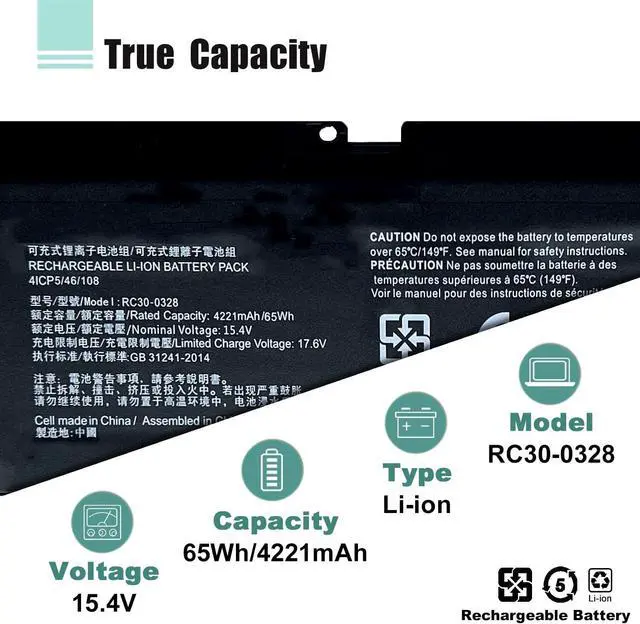
- SpecificationsModel: RC30-0328 Rechargeable Battery, Voltage: 15.4V, Capacity: 65Wh/4221mAh,Type: Li-ion Battery. Package include: 1* RC30-0328 battery 1 set matching installation tools.1*Instructions for RC30-0328 Battery. All our products up to 500 recharge cycles over the life of the battery.
- Replacement for Part NumberReplacement for RC30-0328 4ICP5/46/108.
- Compatible with ModelsFor Razer Blade 15 Base 2020 RZ09-0328 Core i7-10750H RTX 2060 RTX 2070 Max-Q Series Notebook; Razer Blade 15 Base Edition 2021 i7-10750H RTX 3060 Series Notebook.
- Security & ReliabilityBOWEIRUI RC30-0328 laptop battery is highly compatible with the original RC30-0328 Battery and meets CE/FCC/ROHS/UL certified standards.Strict guidelines for compa
+
+
Overview
Reviews
Any questions? Ask CelesteSM will help you find out quickly.
Try me now
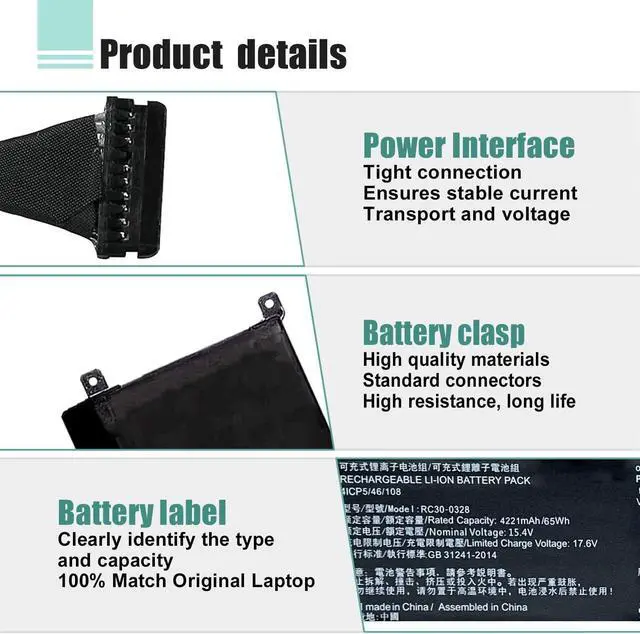
Welcome to BOWEIRUIWe are a professional laptop/tablet battery provider, dedicated to providing different types of high-quality batteries for our customers to bring their laptops back to life again.
Replacement for Part Number RC30-0328 4ICP5/46/108 Compatible with Models for Razer Blade 15 Base 2020 Series: RZ09-0328 RZ09-0328X RZ09-03286 RZ09-03287 RZ09-03289 RZ09-03287E22 RZ09-03287E22-R3B1 RZ09-03287E22-R3U1 RZ09-03287E22-R341 Compatible with Models for Razer Blade 15 Base 2021 Series: RZ09-0369 RZ09-0369X RZ09-0410 RZ09-0410X RZ09-0410BE22-R3U1 RZ09-0410BEA2-R3U1 Compatible with Models for Razer Blade 15 Early 2020 Base Core i7-10750H RTX 2070 Max-Q Series Compatible with Models for Razer Blade 15 Base 2020 i7-10750H RTX 2060 Max-Q Series Compatible with Models for Razer Blade 15 Base Edition 2021 i7-10750H RTX 3060 Series The main outstanding features include: Batteries are 100% new from the manufacturer, Grade A batteries ensure fast charging and low power consumption,High efficiency and high conversion rate, Up to 1000+ charging cycles.
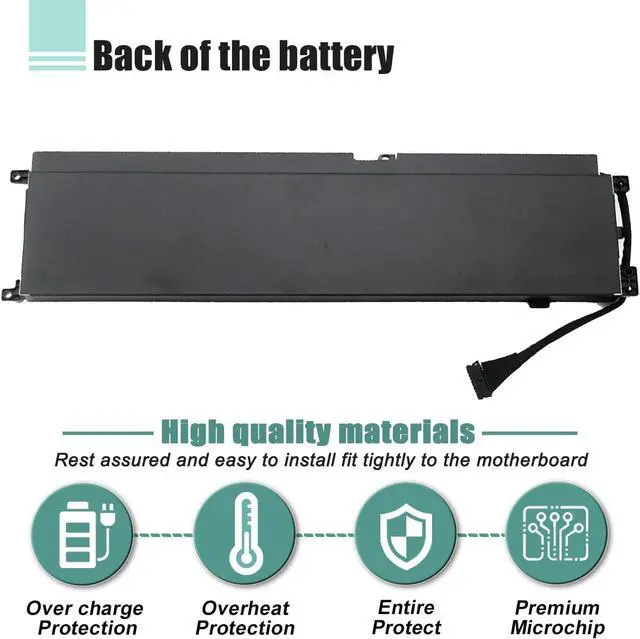
A suite of safeguards 10o% protect your
devices while charging. Including overcurrent,
short-circuit, overdischarge & high
temperature protections.
All of our batteries are same size as original battery, Don't worry about assembly and adaptation issues.
We've incorporated Grade A battery cells to
ensure longer battery life and durability.
The battery capacity is designed to meet the OEMs specifications, is stable and last longer, and provides stronger power for your laptop.
How should I do if we received the item doesn't work?
Please visit our product detail page.
How should I do if the battery is not recognised?
When the computer is turned on, if it is not recognised,it is recommended to update the BlOs settings or please disconnecting the old battery, and holding down the power button for 20 seconds,then connect the new battery.
What should be done if the batteries are not compatible?
Please check your laptop model & battery PN, you can exchange.
What do we need to pay attention to using batteries for the first time?
1.The battery must be full charged before first use
2.You need to turn off your laptop and disconnect the power when you install a new battery
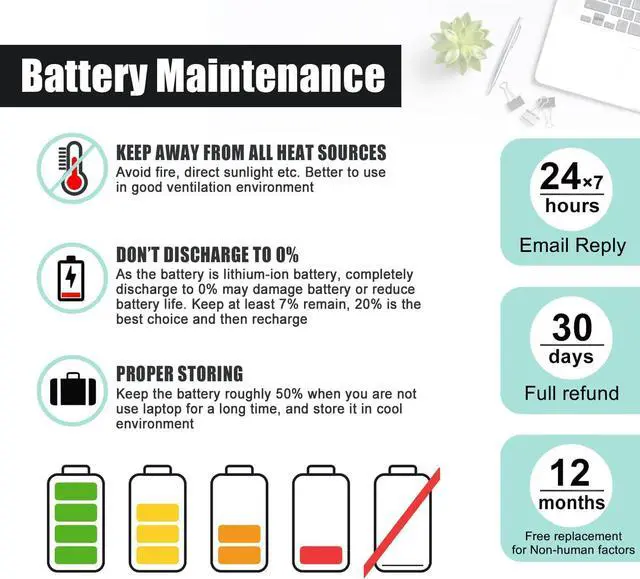
3.Do Discharge the new battery use to 5%/7%(not to 0%) and then charge to 95%, and cycle 3-4 times
What are the correct steps to take if a laptop battery is bulging?
Stop use right away. Disconnect power, take out the battery, store in cool non-flammable place.
Compatible Devices Information Multi Safety Protect Features Easy & Quick Installation Grade "A" cells Top Quality True Capacity How should I do if we received the item doesn't work?
How should I do if the battery is not recognised?
What should be done if the batteries are not compatible?
What do we need to pay attention to using batteries for the first time?
What are the correct steps to take if a laptop battery is bulging?
Warranty & Returns
Warranty, Returns, And Additional Information
Warranty
- Please contact the Seller directly for warranty information. Warranty information may also be found on the Manufacturer's website.
- CONTACT
Return Policies
- Return for refund within: 30 days
- Return for replacement within: 30 days
- This item is covered by Forestgrand Return Policy
Manufacturer Contact Info
- For a directory of all our manufacturers, please click below.
- Manufacturers Directory
LOADING...