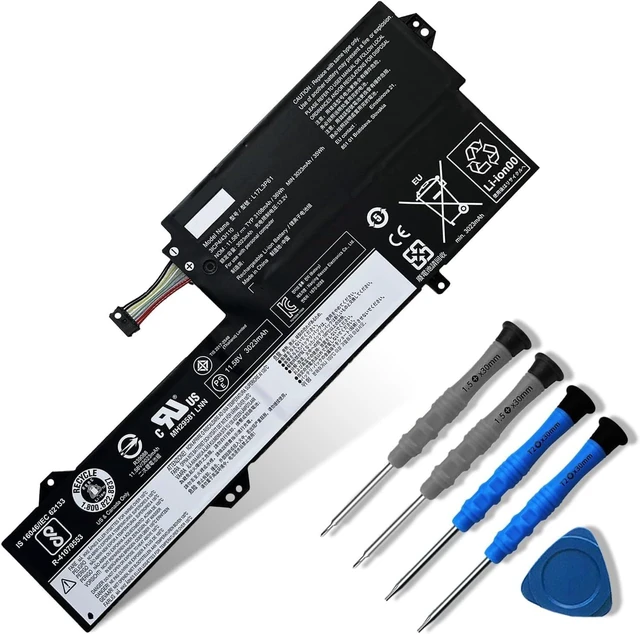
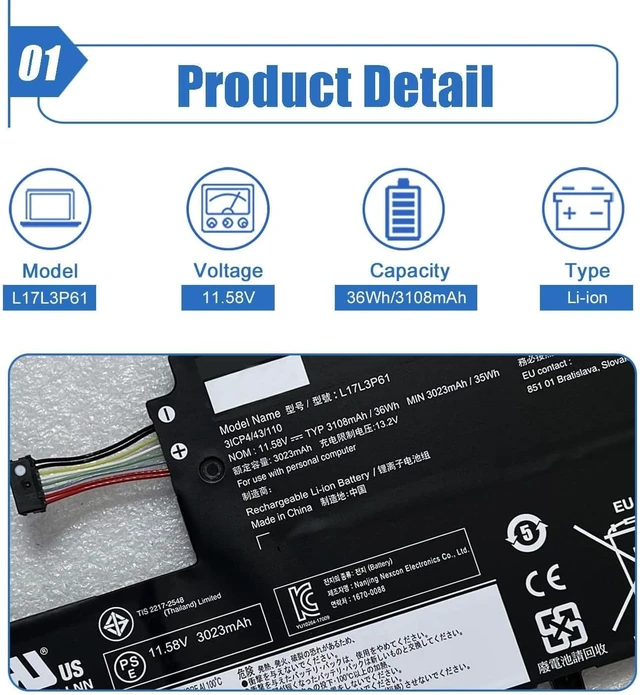
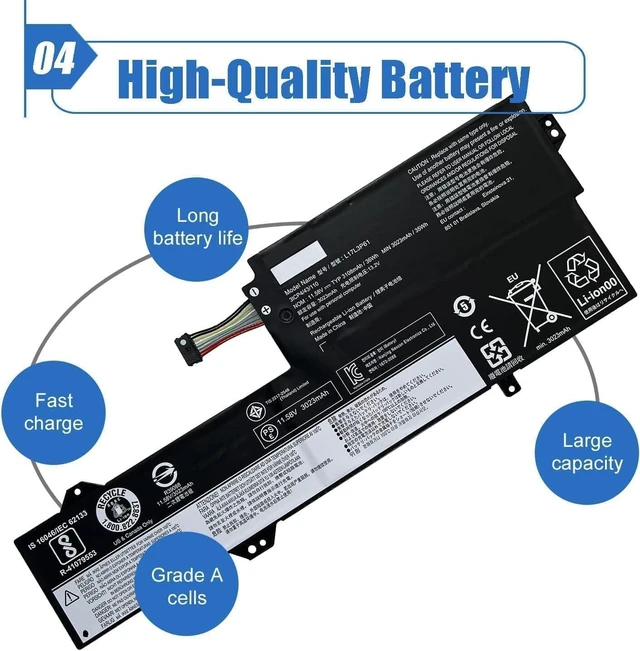
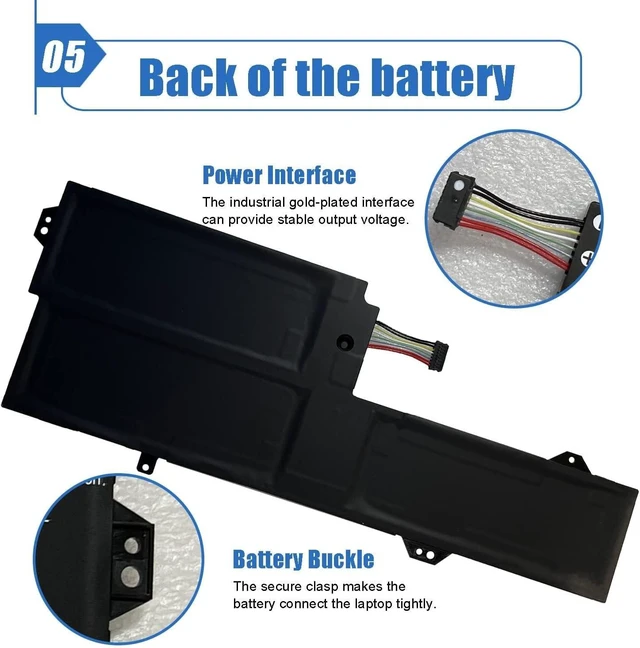
Battery Model L17L3P61 Battery Type Li-ion Voltage 11.58V Capacity 36Wh/3108mAh Condition 100% Brand New From Manufacturer Packaging 1* battery + 1* instruction manual FIT FOR LAPTOP MODELS:
Lenovo IdeaPad Yoga 720-12IKB Yoga 520-12 320-11 320S-13IKB Xiaoxin 7000-13 Series
Lenovo Ideapad Yoga 720-12IKB Series:
720-12IKB(81B5001CGE) / 720-12IKB(81B50057GE) / 720-12IKB-81B5003QUS / 720-12IKB-81B5003VSP / 720-12IKB(81B5001BGE)
720-12IKB(81B5004TGE) / 720-12IKB(81B5005PMZ) / 720 12IKB-81B5003US / 720-12IKB-81B5005ASP / 720-12IKB(81B5).
Lenovo IdeaPad Yoga 330-11IGM Series:
330-11IGM-81A6005UGE / 330-11IGM-81A6001MGE / 330-11IGM-81A6005QGE / 330-11IGM-81A6 / 330-11IGM-81A6001NGE
330-11IGM-81A60058MZ
Lenovo IdeaPad Xiaoxin 7000-13 Series.
Lenovo IdeaPad Xiaoxin V330S-13IKB Series.
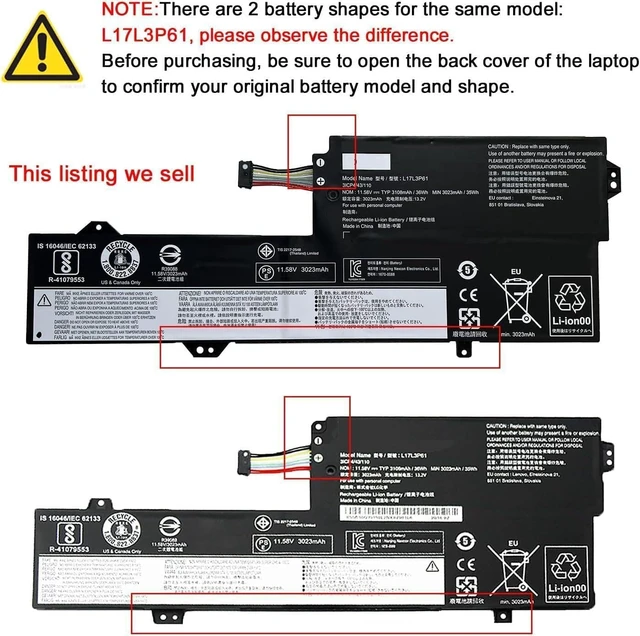
We suggest you open your laptop case to check and confirm your original battery model and appearance, compared with our battery image, make sure that's what you need. Especially the connector location and type, the cable length (long or short etc).
Replacement for Part Number
L17L3P61 / L17C3P61 / L17M3P61
5B10N87357 / 5B10N87358 / 5B10N87359
Lenovo IdeaPad 320S-13IKB Series:
320S-13IKB(81AK003AGE / 320S-13IKB-81AK003HMX / 320S-13IKB(81AK)
320S 13IKB(81AK0037GE) / 320S-13IKB(81AK0039GE) / 320S-13IKB(81AK0090GE)
320S-13IKB-81AK007DSP / 320S 13IKB(81AK0036GE) / 320S-13IKB(81AK0038GE
Lenovo Ideapad Flex 6-11IGM Series.
Lenovo IdeaPad Yoga V530S-14 Series:
V530s-14(i5-8250U/16G/512GB) / V530s-14(i5-8250U/8G/512GB) / V530s-14(i5-8250U/8G/256GB) / V530s-14(i5-8250U/12G/256GB) / V530s-14 i7 8550U/8GB/256GB
Lenovo Ideapad Yoga K43-IFI Series
K43-IFI 8GB/512GB K43-IFI 8GB/256GB K43-IFI 4GB/256GB
Lenovo Ideapad Yoga K43-ISE 8GB/512GB Series
New battery received, discharge the battery to 5% (not 0%) for the fist use, then charge and cycle 3-4 times to wake up the new battery.
The important point is to perform a full discharge and charge every other month to extend the battery life.
Do not connect adapter for a long time while using the battery. It may damage the battery.
Avoid artificial shocks, disassembly, crush or puncture. Do not dispose of it in fire or water.
All of our batteries are rigorously tested to meet or exceed the OEM specifications. The performance are the same or better than laptop original battery.
Battery Installation is easy, but we also recommend you to learn related installation video on the web in advance, or just find a repair technician for help.
Please be careful when install battery. Any damage caused by improper operation will be your own responsibility, hope understand.
Battery cannot be identified by your laptop or it doesn't seem to work. That may be caused by different situations. Please check by yourself first as below steps.
Could be caused by battery loose. Remove the battery and try to reinstall more than once.
May be due to conductive material damaged which the laptop motherboard and battery anode and cathode contact position, you can try to confirm it with your original battery.
Check whether the battery drive is in normal condition, if not, download the corresponding driver software to update.
Take out the battery and press the power button for about 15 seconds to consume the internal residual power (Do not connect the power cord), and then reinstall the battery. You can try several times.




 here!