Your Browsing History
Meet Your Seller
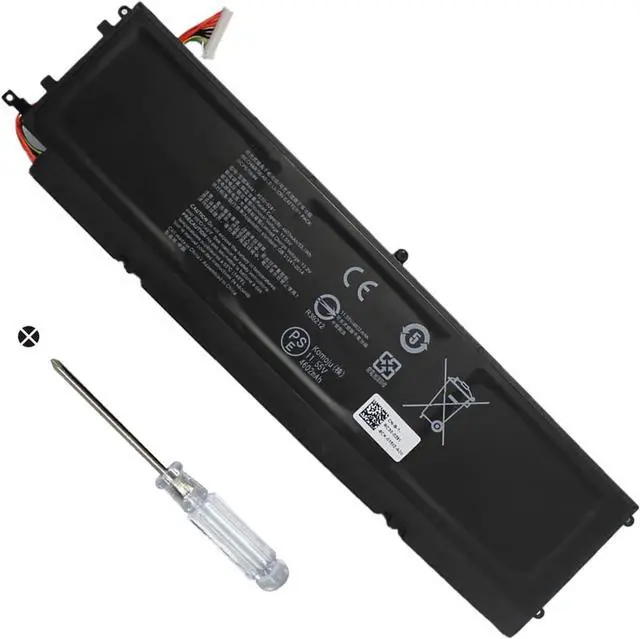
RC30-0281 Laptop Battery for Razer Blade Stealth 13.3" 2018 2019 13" 2020 RZ09-0281 RZ09-02810E71 RZ09-02812E71 RZ09-02812E52-R3U1 RZ09-02812 RZ09-0310 RZ09-03101 RZ09-03101E52 RZ09-0327 11.55V 53.1Wh
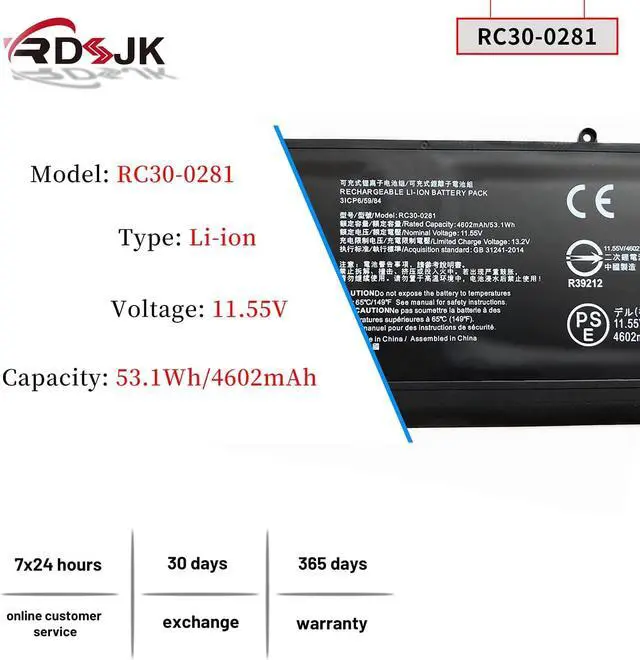
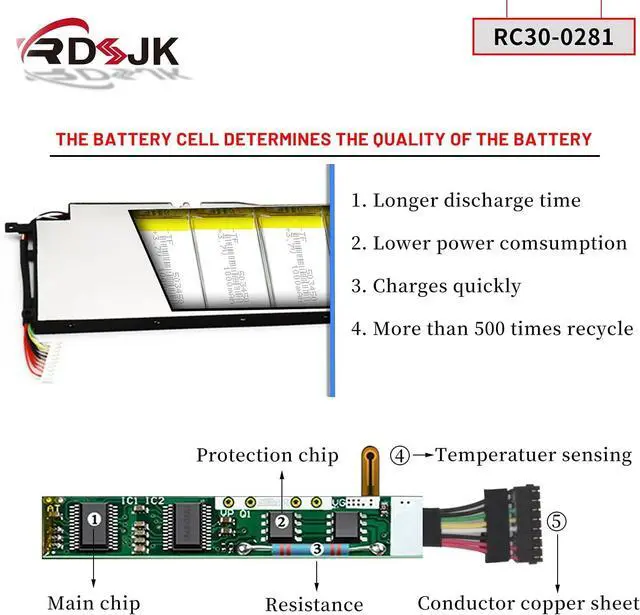
- Battery type: Li-ion; Voltage: 11.55V; Capacity: 53.1Wh/4602mAh; Cells: 3-cell
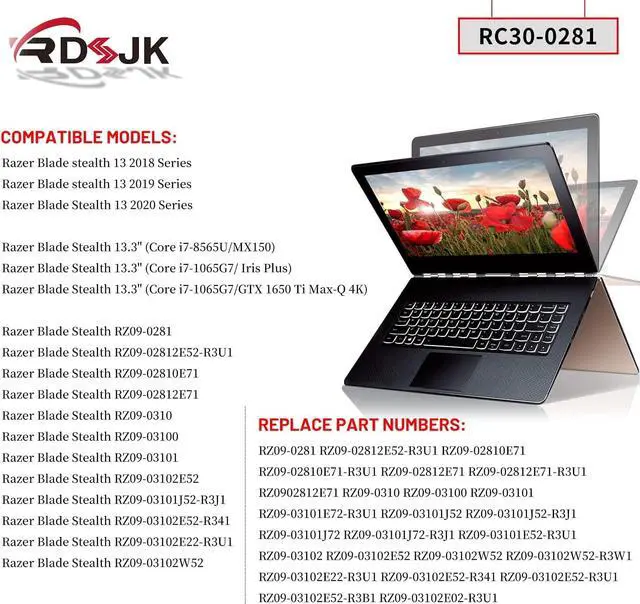
- Compatible Models: Razer Blade Stealth 13 2018 Series, Razer Blade Stealth 13 2019 Series, Razer Blade Stealth 13 2020 Series, Razer Blade Stealth 13 2020 GTX Series, BLADE STEALTH 13 GTX 60HZ 2020, BLADE STEALTH 13 GTX 120HZ 2020, BLADE STEALTH 13 GTX Edition Series, Razer Blade Stealth 13.3" (Core i7-8565U/MX150), Razer Blade Stealth 13.3" (Core i7-1065G7/ Iris Plus), Razer Blade Stealth 13.3" (Core i7-1065G7/GTX 1650 Ti Max-Q 4K), Razer Blade Stealth i7 Blade Stealth i7-1065G7 Iris Plus, Razer Blade Stealth 13" Early 2018 2019 i7-8565U MX150 Series, Razer Blade Stealth 13" Late 2019 i7-1065G7 GTX 1650 Max-Q Series, Razer Blade Stealth 13" (2020) RZ09-0327 Series
- Compatible Models: Razer Blade Stealth RZ09-0281 RZ09-02810E71 RZ09-02812E71 RZ09-02812E52-R3U1 RZ09-0310 RZ09-03100 RZ09-03101 RZ09-03102 RZ09-03102E52 RZ09-03101J52 RZ09-03101J52-R3J1 RZ09-03101J72 RZ09-03101J72-R3J1 RZ09-03102E52-R341 RZ09-0
+
+
Overview
Reviews
Any questions? Ask CelesteSM will help you find out quickly.
Try me now
Specifications:
Battery Type: Li-ion
Voltage: 11.55V
Capacity: 53.1Wh/4602mAh
Condition: Brand New
Replace Part Numbers:
RC30-0281 RZ09-0281 RZ09-0310 RZ09-03100 RZ09-03101 RZ09-03102 RC30-028102 RZ09-0327 3ICP6/59/84
How to find your laptop model?
1. Press Windows + R;
2. Type "msinfo32", then click "OK";
3. Find "System Model" in the pop-up window.
Compatible Models: (use "Ctrl+F" to find your model quickly)
Razer Blade Stealth 13 2018 Series
Razer Blade Stealth 13 2019 Series
Razer Blade Stealth 13 2020 Series
Razer Blade Stealth 13 2020 GTX Series
BLADE STEALTH 13 GTX 60HZ 2020, BLADE STEALTH 13 GTX 120HZ 2020
BLADE STEALTH 13 GTX Edition Series
Blade Stealth 13(RZ09-02810W71-R3W1), Blade Stealth 13(RZ09-02812W52-R3W1),
Blade Stealth 13(RZ09-03100WM1-R3W1), Blade Stealth 13(RZ09-03101W52-R3W1),
Blade Stealth 13(RZ09-03101W72-R3W1),
Razer Blade Stealth 13.3" (Core i7-8565U/MX150)
Razer Blade Stealth 13.3" (Core i7-1065G7/ Iris Plus)
Razer Blade Stealth 13.3" (Core i7-1065G7/GTX 1650 Ti Max-Q 4K)
Razer Blade Stealth i7 Blade Stealth i7-1065G7 Iris Plus
Razer Blade Stealth 13" Early 2018 2019 i7-8565U MX150 Series
Razer Blade Stealth 13" Late 2019 i7-1065G7 GTX 1650 Max-Q Series
Razer Blade Stealth RZ09-0281 RZ09-02810E71 RZ09-02812E71 RZ09-02812E52-R3U1
Razer Blade Stealth RZ09-0310 RZ09-03100 RZ09-03101 RZ09-03102 RZ09-03102E52
Razer Blade Stealth RZ09-03101J52 RZ09-03101J52-R3J1 RZ09-03101J72 RZ09-03101J72-R3J1
Razer Blade Stealth RZ09-03102E52-R341 RZ09-03102E52-R3B1 RZ09-03102E52-R3U1
Razer Blade Stealth RZ09-03102E22-R3U1 RZ09-03102W52 RZ09-03102W52-R3W1
Razer Blade Stealth 13" (2020) RZ09-0327 Series
RZ09-03272E82 RZ09-03272E12 RZ09-03272E12-R3U1 RZ09-03272J82-R3J1 RZ09-03272G12-R3G1
RZ09-03272W12-R3W1 RZ09-03272N12-R3N1 RZ09-03272E82-R3U1 RZ09-03272E12-R341
RZ09-03272E82-R341 RZ09-03272E12-R3E1 RZ09-03272N82-R3N1 RZ09-03272E82-R3B1
RZ09-03272E12-R3B1 RZ09-03272G82-R3G1 RZ09-03272E82-R3E1 RZ09-03272W82-R3W1
1. Discharge the new battery use to 5%(not to 0%) and then charge to 95%, and cycle 3-5 times.
2. Do not disassemble, crush or puncture. Do not dispose of in fire or water.
3. If you remove battery for a long time, charge more than 80% at least one time within one months.
4. When using the battery, care should be taken to prevent exposure and moisture.
1. Before disassembling your laptop, put the old battery charge below 25%. If a fully charged lithium battery is accidentally punctured, it will have serious consequences.
2. Please keep every screw you removed.
3. Make sure that interface is correctly connected to its socket.
4. Please protect your screen and touchpad.
1. Remove all battery drivers.
2. Remove battery.
3. Connect laptop using AC charger, double check no battery drivers installed
Connect battery.
4. Drivers will install automatically.
5. Full charge the battery by ac adapter.
6. Leave charger and let the battery drain to shut off.
Warranty & Returns
Warranty, Returns, And Additional Information
Warranty
- Please contact the Seller directly for warranty information. Warranty information may also be found on the Manufacturer's website.
- CONTACT
Return Policies
- Return for refund within: 30 days
- Return for replacement within: 30 days
- This item is covered by Forestgrand Return Policy
Manufacturer Contact Info
- For a directory of all our manufacturers, please click below.
- Manufacturers Directory
LOADING...