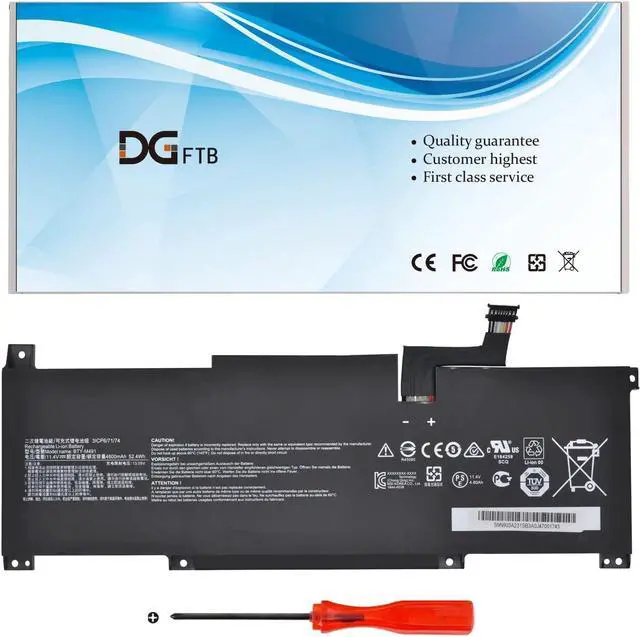
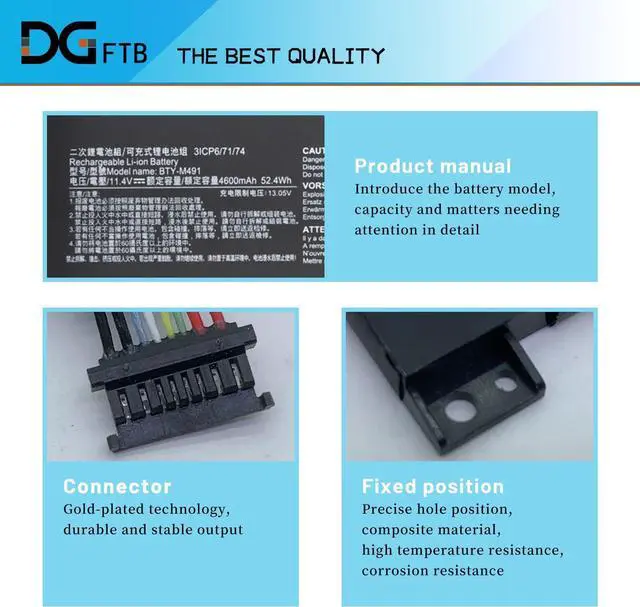
Voltage: 11.4V
Capacity: 4600mAh/52.4Wh
Battery Condition: Brand New
Battery Type: Lithium Ion
Compatible Part Numbers:
BTY-M491 3ICP6/71/74 Black Interface
Notes:
There are 2 types different battery connector, our listing is Black Interface,
MSI Modern 15 A10M Series
MSI Modern 15 A10RAS Series
MSI Modern 15 A10RB Series
MSI Modern 15 A10RD Series
MSI Modern 15 A11M Series
MSI Modern 15 A11SB Series
MSI Modern 15 A4M Series
MSI Modern 15 A4MW Series
MSI Summit B15 A11M Series
MSI Modern 15 A10M(MS-1551), Modern 15 A10M-028DE, Modern 15 A10M-029, Modern 15 A10RAS(MS-1551), Modern 15 A10RAS-076FR,
MSI Modern 15 A10RAS-080FR, Modern 15 A10RAS-081FR, Modern 15 A10RAS-082FR, Modern 15 A10RAS-083PL, Modern 15 A10RAS-084PL,
MSI Modern 15 A10RAS-091PT, Modern 15 A10RAS-094FR, Modern 15 A10RAS-095DE, Modern 15 A10RAS-204NL, Modern 15 A10RAS-205BE,
MSI Modern 15 A10RAS-206IT, Modern 15 A10RAS-212FR, Modern 15 A10RAS-217XFR, Modern 15 A10RAS-218FR, Modern 15 A10RAS-221XFR,
MSI Modern 15 A10RAS-224FR, Modern 15 A10RAS-244FR, Modern 15 A10RAS-253ES, Modern 15 A10RAS-260XIT, Modern 15 A10RAS-268PL,
MSI Modern 15 A10RAS-269PL, Modern 15 A10RAS-280XFR, Modern 15 A10RAS-284DE, Modern 15 A10RAS-288FR, Modern 15 A10RAS-289FR,
MSI Modern 15 A10RAS-400DE, Modern 15 A10RAS-409ES, Modern 15 A10RB, Modern 15 A10RB(MS-1551), Modern 15 A10RB-027DE,
MSI Modern 15 A10RB-041TW, Modern 15 A10RD(MS-1551), Modern 15 A11M(MS-1552), Modern 15 A11SB(MS-1552), Modern 15 A4M(MS-155K),
MSI Modern 15 A4MW(MS-155K),
1, Disconnect the connection between the old battery and the motherboard to avoid unnecessary damage caused by disassembling the battery. Then unscrew the old battery screws one by one and carefully save each.
2, Remove the old battery, carefully install the new battery on the battery case, and connect the wiring of the new battery.
3, If you don't understand the above steps, you can search for the video about laptop battery installation on YouTube. Maybe it will help you.
Remove all battery drivers
Remove battery
Connect laptop using AC charger, double check no battery drivers installed
Connect battery
Drivers will install automatically
Full charge the battery by ac adapter
Leave charger and let the battery drain to shut off
Weve been doing this for the many years.
We know how to get the most out of our batteries for you.
The safety and longevity of battery is our goal for the buyer.
Before placing an order, please open the back cover of your laptop,
check and confirm your original battery model and appearance,
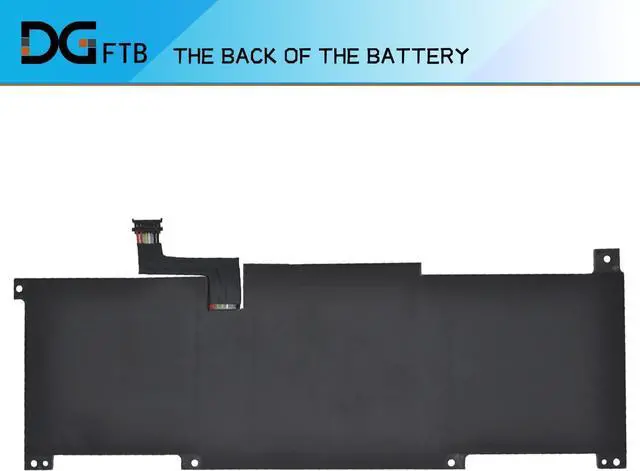
and compare with our battery pictures to ensure that this is what you need.
It helps you to buy the correct battery




 here!