Your Browsing History
Meet Your Seller
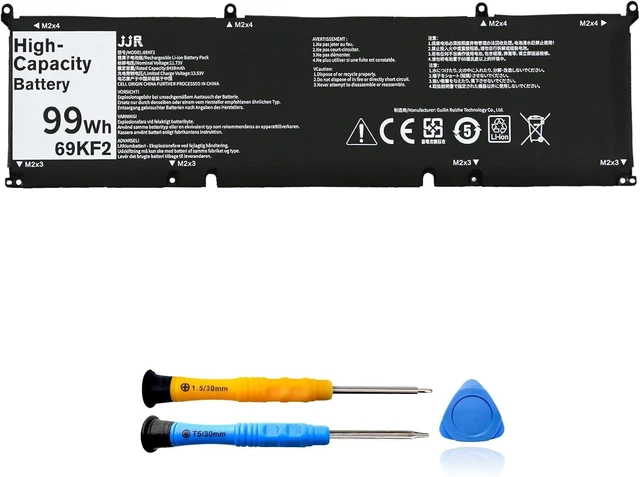
69KF2 99Wh 15.12% Higher Capacity Replacement Laptop Battery fit for Dell G15 5510 5511 5515 5520 5521 XPS 15 9500 9510 Inspiron 7510 Alienware M15 R3 R4 R5 R6 R7 Series M17 R3 R4 G7 15 7500 8FCTC
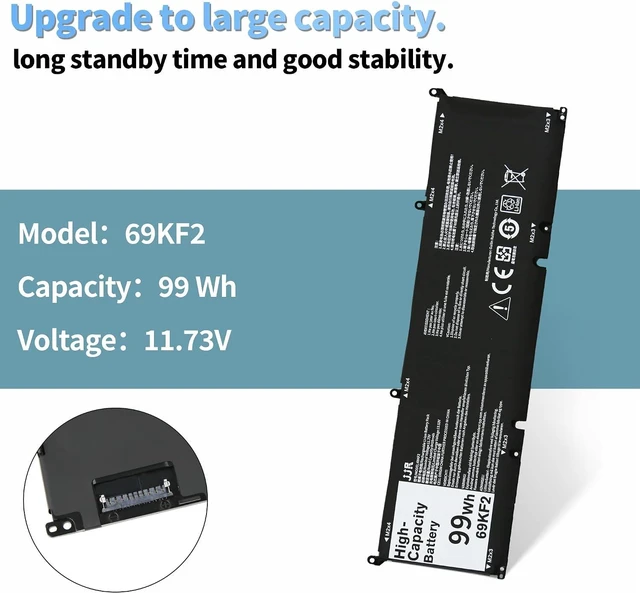
- Battery Model 69KF2 , Nominal Voltage11.73V99Wh 8439mAh Limited Charge Voltage13.53V, Color: Black, Packages includes1PCS 69KF2 Battery , 2 PCS Free Screwdrivers; 1PCS Instruction
- Upgraded High CapacityBrand new Lithium cobalt oxide battery cell technology Larger Cell densityHigher energy density than Org battery Higher capacity Longer working hours Less charging frequency
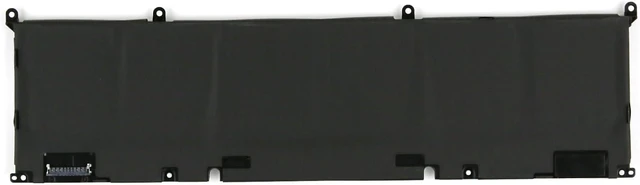
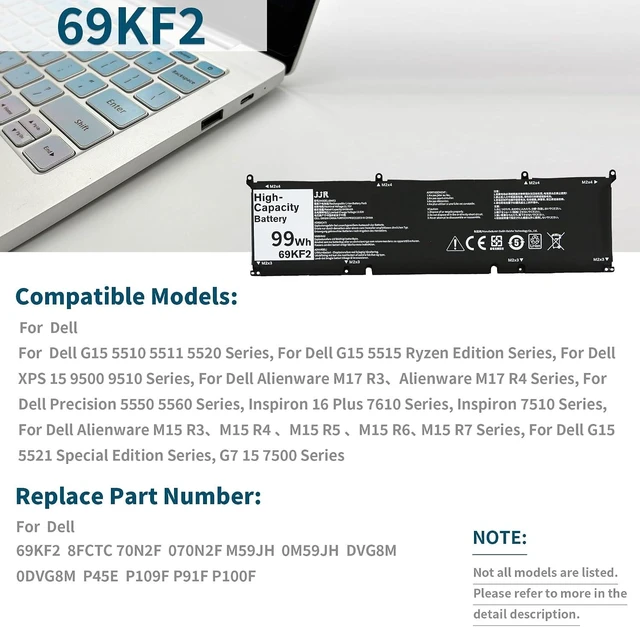
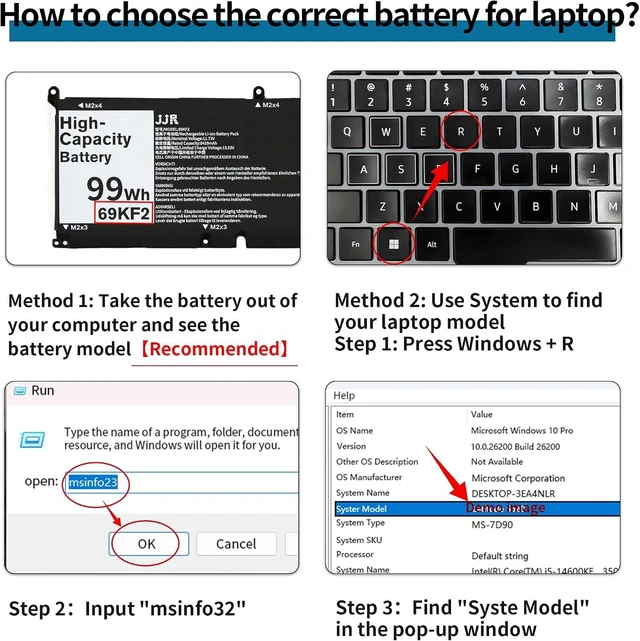
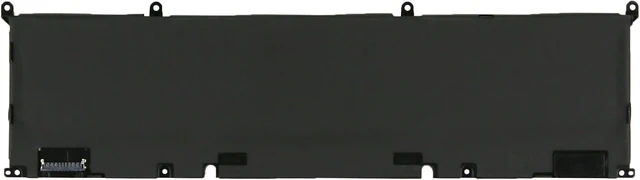
- Compatible with Part Numbers69KF2 / 8FCTC / 70N2F / 070N2F / M59JH / 0M59JH / DVG8M / 0DVG8M / P45E / P109F / P91F / P100F Matters Need AttentionBefore purchasing, please open your laptop case, check and confirm your original battery model and appearance, compared with our battery image, make sure that's what you need.
- Compatible Laptop ModelsFor Dell G15 5510 5511 5520 Series, For Dell G15 5515 Ryzen Edition Series, For Dell XPS 15 9500 9510 Series, For Dell Alienware M17 R3 / Alienware M17 R4 Series, For Dell Precision 5550 5560 Series, Inspiron 16 Plus 7610 Series, Inspiron 7510 Series, For D
+
+
Overview
Reviews
Any questions? Ask CelesteSM will help you find out quickly.
Try me now
69KF2 battery is a must-have accessory for your computer. Whether you're traveling for business meetings, working remotely, or heading outdoors for camping, it provides stable power wherever you gomaking it the reliable companion for your laptop on the go.
Compatible with Part Numbers 69KF2,8FCTC, 70N2F, 070N2F, DVG8M, 0M59JH, M59JH, P45E, P45E001, P45E002, P87F002, P87F003, P91F, P91F001, P91F002, P91F003, P100F, P100F001, P105F001, P105F002, P105F003, P105F004, P105F005, P105F007, P105F008, P106F002, P107F001, P109F, P109F001, P109F002, P109F005, P109F007, P109F008, P117F003, P117F004 Compatible Laptop Models For Dell G15 5510 5511 5520 Series Compatible Laptop Models For Dell G15 5515 Ryzen Edition Series 99Wh 69KF2 Battery For Dell G15 5521 Special Edition Series 99Wh 69KF2 Battery For Dell Alienware M15 R3 M15 R4 M15 R5 M15 R6 M15 R7 Series 99Wh 69KF2 Battery For Dell Alienware M17 R3 M17 R4 Series 99Wh 69KF2 Battery For Dell G7 15 7500 Series 99Wh 69KF2 Battery For Dell XPS 15 9500 9510 9520 Series 99Wh 69KF2 Battery For Dell Inspiron 7510 7610 Inspiron 16 Plus 7620 Series 99Wh 69KF2 Battery For Dell Precision 5550 5560 5570 Series 99Wh 69KF2 Battery For Dell M15 2020 ALW15M-5758W Series 99Wh 69KF2 Battery For Dell M15 2020 2021 Series 99Wh 69KF2 Battery For Dell M17 2020 2021 Series Attention If you install the battery, you find that the laptop cannot detect the battery or the battery level cannot be displayed normally. Please check whether the battery cable is installed properly. Sometimes the battery cannot be charged because the cable is not fixed properly. How to install a new battery:
You need to turn off your laptop and disconnect the power.Turn the laptop to the back, install a new battery, and fix it with a tool. You can search for videos about laptop batteries, which might be helpful to you.
What to note when using the battery for the first time ?
1.The battery must be fully charged before its first use.
2.Discharge the new battery to 5%-7% (do not discharge to 0%), then charge it to 95%. Repeat this cycle 3-4 times to ensure the battery is fully activated.
How should I charge my laptop battery ?
Do not always run out of a battery to 0%, this would make it damaged or usage life shortened. Please recharge immediately when the battery reduced to 5-7%, and the battery should be charged in a relatively dry place.
How to maintain the battery when the laptop is not in use ?
The ideal maintenance method is to charge the battery to around 50%. Use the battery once a month (discharge => charge) ;this not only effectively maintains the battery but also prevents damage caused by a complete power drain.
What should I do if the battery is not recognized ?
When the computer is turned on, if it is not recognised, it is recommended to update the BIOS settings or please disconnect the old battery, hold down the power button for 20 seconds, then connect the new battery.Try a few more times.
Compatible Models (use "Ctrl+F to find your model quickly") How to install a new battery:
What to note when using the battery for the first time ?
How should I charge my laptop battery ?
How to maintain the battery when the laptop is not in use ?
What should I do if the battery is not recognized ?
Warranty & Returns
Warranty, Returns, And Additional Information
Warranty
- Please contact the Seller directly for warranty information. Warranty information may also be found on the Manufacturer's website.
- CONTACT
Return Policies
- Return for refund within: 30 days
- Return for replacement within: 30 days
- This item is covered by Forestgrand Return Policy
Manufacturer Contact Info
- For a directory of all our manufacturers, please click below.
- Manufacturers Directory
LOADING...