Your Browsing History
Meet Your Seller
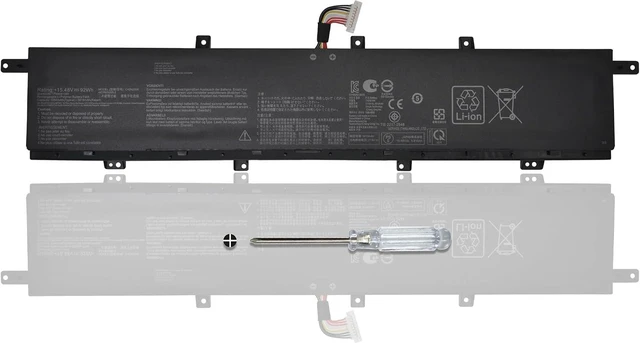
C42N2008 Battery for ASUS ZenBook Pro Duo 15 OLED UX582 UX582L UX582LR
- UX582LR-H2002R UX582LR-BP1979R UX582LR-H2002TS UX582LR-H0701TS UX582LR-H2017T UX582LR-H2025R UX582LR-XS94T 15.48V/92Wh
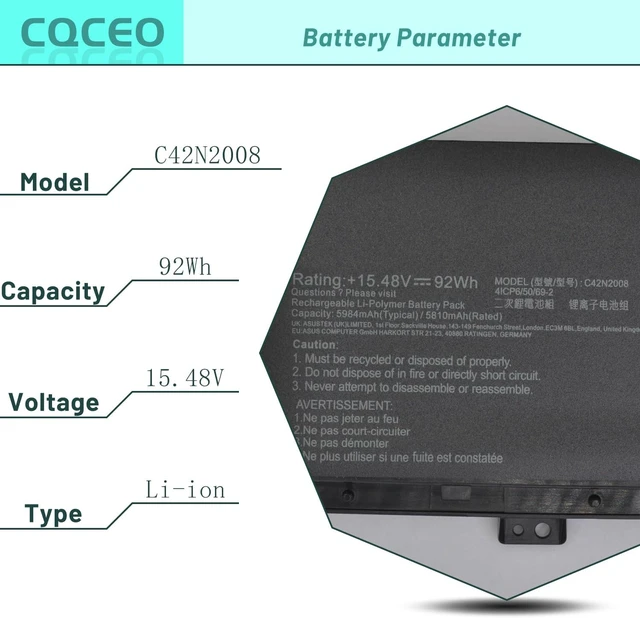
- Battery Condition: Brand New ; Voltage: 15.48V ; Capacity: 92Wh 5810mAh 4-cell
- Replacement Part Number: C42N2008 0B200-03840000 0B20003840000 4ICP6/50/69-2
- Compatible Models: for Asus ZenBook Pro 15 UX582LR UX582LR-H2002R Series; for Asus ZenBook Pro Duo 15 OLED UX582HM Series; for Asus ZenBook Pro Duo 15 OLED UX582HS Series; for Asus ZenBook Pro Duo 15 OLED UX582LR Series: UX582LR-BP1979R , UX582LR-H0701TS , UX582LR-H2002R , UX582LR-H2002TS , UX582LR-H2003R , UX582LR-H2013T , UX582LR-H2014R , UX582LR-H2014T , UX582LR-H2017T , UX582LR-H2025R , UX582LR-XS94T ; for Asus ZenBook Pro Duo UX582 LR-1BH2 LR-XS74T Series; for Asus ZenBook Pro Duo UX582LR Series
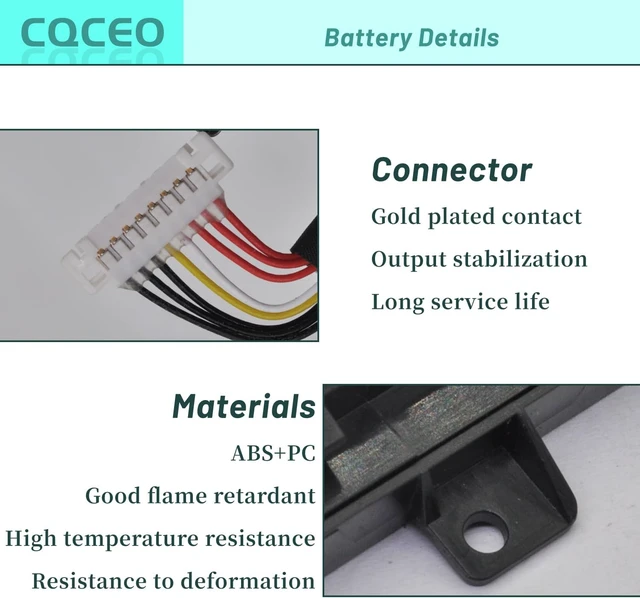
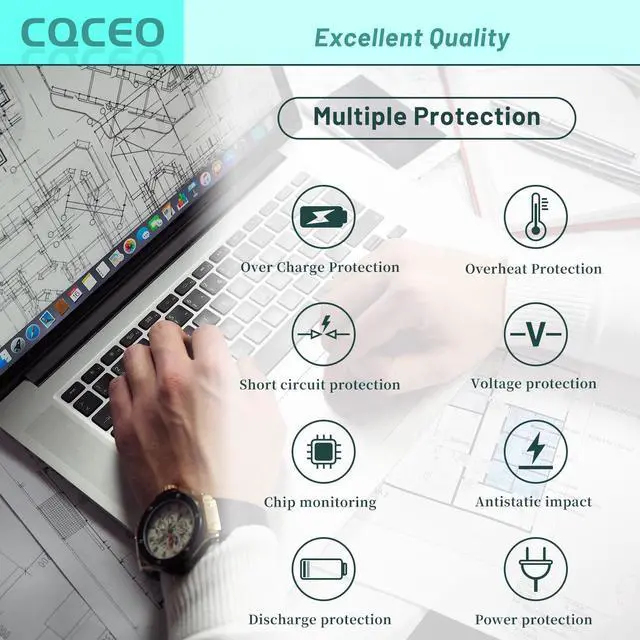
- Grade A cells mitigate the risk of battery leakage and maximize output stability. Built-in circuit protection, enhances safety of usage and extends battery life
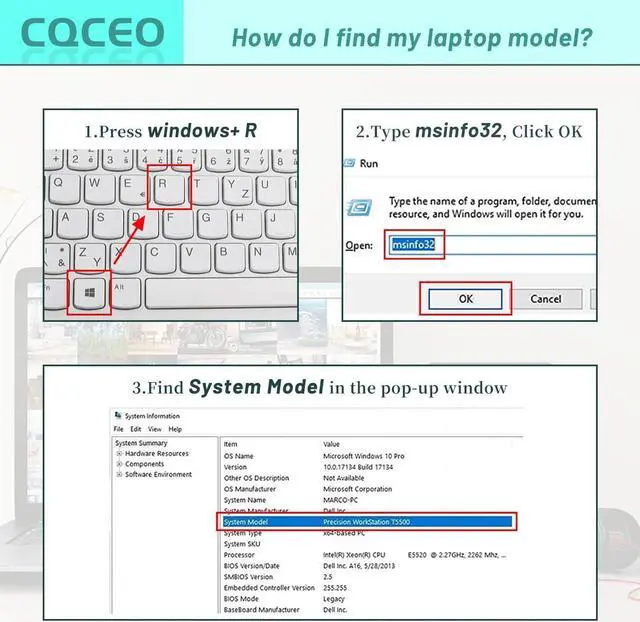
- Note 1: In order to find the right model, please ope
+
+
Overview
Reviews
Any questions? Ask CelesteSM will help you find out quickly.
Try me now
Important note :
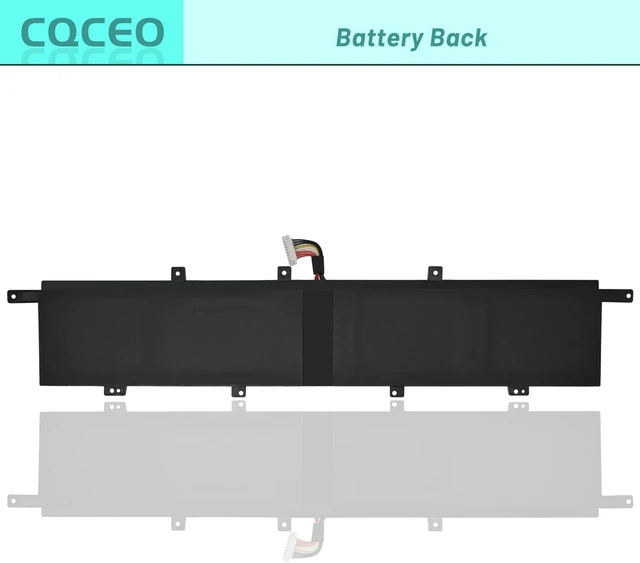
Before purchasing, could you please open your laptop case and confirm your original battery model number, According to battery image, and make sure that's what you need.
Specifications:
Voltage: 15.48V
Capacity: 92Wh/5810mAh/4-cell
Battery Condition: Brand New
Color: black
Condition: 100% New from Manufacturer, Grade A Cell
Compatible Part Numbers:
C42N2008 0B200-03840000 0B20003840000 4ICP6/50/69-2
Compatible Machine Models (Use "Ctrl+F to find your model quickly):
for Asus ZenBook Pro 15 UX582LR UX582LR-H2002R Series
for Asus ZenBook Pro Duo 15 OLED UX582HM Series
for Asus ZenBook Pro Duo 15 OLED UX582HS Series
for Asus ZenBook Pro Duo 15 OLED UX582LR Series
for Asus ZenBook Pro Duo 15 OLED UX582LR-BP1979R UX582LR-H0701TS UX582LR-H2002R UX582LR-H2002TS Series
for Asus ZenBook Pro Duo 15 OLED UX582LR-H2003R UX582LR-H2013T UX582LR-H2014R UX582LR-H2014T Series
for Asus ZenBook Pro Duo 15 OLED UX582LR-H2017T UX582LR-H2025R UX582LR-XS94T Series
for Asus ZenBook Pro Duo UX582 LR-1BH2 LR-XS74T Series
for Asus ZenBook Pro Duo UX582LR Series
How to use the battery correctly :
1. To prevent safety issues from transportation, all battery out off factory are charged 40-50%,(you can check from laptop Battery indicator icon). For initial using of the battery, please discharge it to 5%(not to 0%) and then charge to 100%, and cycle 3-4 times to activate the batterys maximum capacity.
2. Please recharge immediately when battery reduced to 15% level,when you use the battery. Or it will shorten the battery life and cause damages to the battery.
3. If the battery do not use for a long time, please keep the battery to charge to a minimum 50% electricity. Or, it will maybe cause unable to charge again.To maintain the best battery state,replacement battery needs to be fully discharge to 15% and recharge to 100% each 2 month.
4.Do not unplug the battery during charging , better to turn off the laptop when recharge the it.
5.If your laptop cant be charged or cannot be fully charged,there may be possibilities that the adapter does not compatible with the laptop or theres some damage with the adapter. Please switch off your laptop and try again or change to a correct adapter.
6.The battery usage time is related to factors such as the CPU processor speed, application, program, screen brightness, wireless device external ports, and battery life of the laptop, so the actual usage time of the battery may differ from that of the same model of battery.
Warranty & Returns
Warranty, Returns, And Additional Information
Warranty
- Please contact the Seller directly for warranty information. Warranty information may also be found on the Manufacturer's website.
- CONTACT
Return Policies
- Return for refund within: 30 days
- Return for replacement within: 30 days
- This item is covered by Forestgrand Return Policy
Manufacturer Contact Info
- For a directory of all our manufacturers, please click below.
- Manufacturers Directory
LOADING...