Your Browsing History
Meet Your Seller
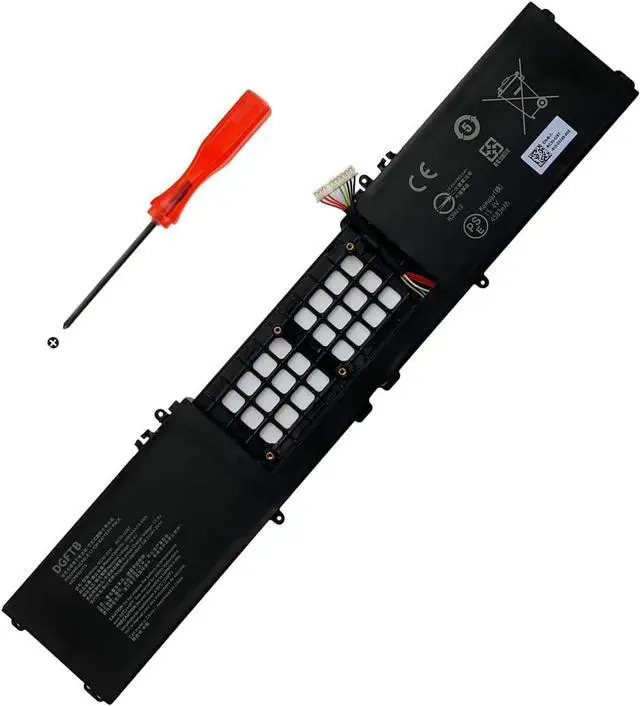
RC30-0287 Laptop Battery for Razer Blade Pro 17 2019 2020 RTX 2060 2080
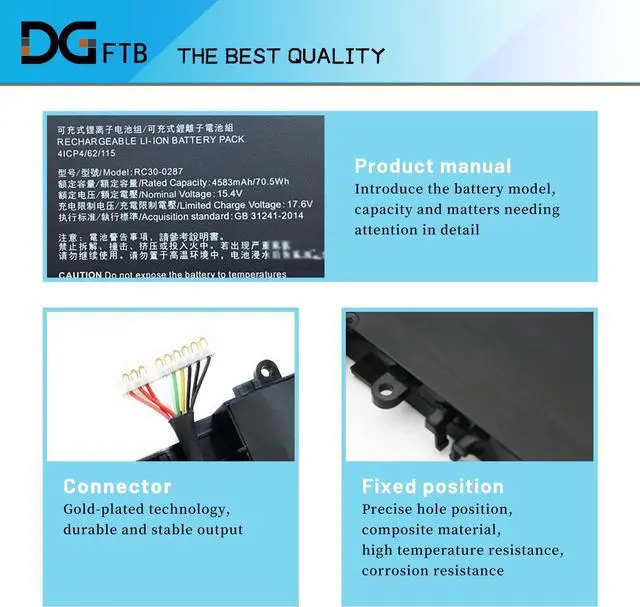
- Max-Q RZ09-0287 RZ09-02876 RZ09-02877 RZ09-02878 RZ09-02876E92-R3U1 RZ09-03295 RZ09-03297 (15.4V 70.5Wh/4583mAh)
- Replacement Battery TypeLi-ion; Voltage:15.4V ; Capacity: 70.5Wh/4583mAh
- Compatible P/NRC30-0287 4ICP4/62/115
- Compatible Modelsfor Razer Blade Pro 17 (2019) i7-9750H, RZ09-0287 RZ09-02876 RZ09-02877 RZ09-02878 RZ09-02876E92 RZ09-02877E92 RZ09-02877G92 RZ09-02878E92, RZ09-03146 RZ09-03147 RZ09-03148, Razer Blade Pro 17 (2020) i7-10875H RZ09-03295 RZ09-03297 RZ09-03295E42 RZ09-03295E63 RZ09-03297E42
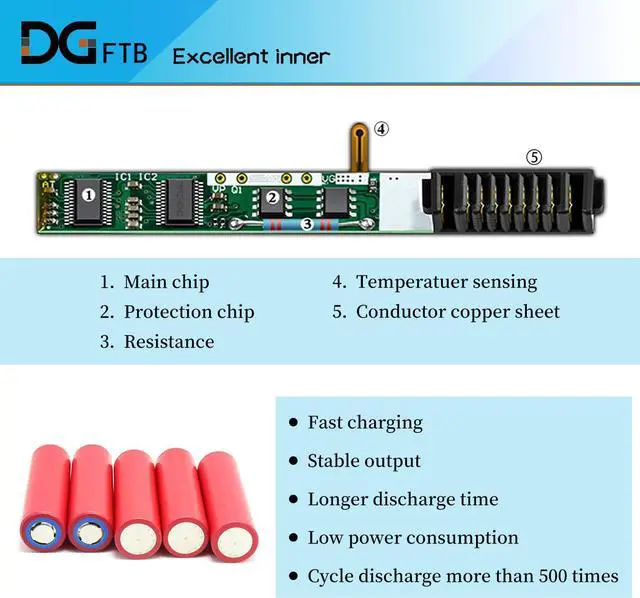
- DG QualityGrade A cells mitigate the risk of battery leakage and maximize output stability. Built-in circuit protection, enhances safety of usage and extends battery life
- DG TIPSFor the initial installation, please reinstall and check the interface fully connected, discharge the battery to 5%(not to 0%) and then charge to 95%, and cycle 3-4 times
+
+
Overview
Reviews
Any questions? Ask CelesteSM will help you find out quickly.
Try me now
Voltage: 15.4V
Capacity:70.5Wh/4583mAh
Battery Condition: Brand New
Battery Type: Lithium Ion
Compatible Part Numbers:
RC30-0287 4ICP4/62/115.
For Razer Blade Pro 17 (2019) i7-9750H series:
RZ09-0287 RZ09-02876 RZ09-02878 RZ09-02876E92-R3U1 RZ09-02876E92-R341
RZ09-02876E92-R3E1 RZ09-02876E92-R3U1 RZ09-02876G92-R3G1 RZ09-02876T92-R3T1 RZ09-02877
RZ09-02877E92 RZ09-02877E92-R341 RZ09-02877E92-R3B1 RZ09-02877E92-R3E1 RZ09-02877G92-R3G1
RZ09-02877T92-R3T1 RZ09-02877W92-R3W1
RZ09-02878 RZ09-02878E92-R341 RZ09-02878E92-R3B1 RZ09-02878E92-R3E1 RZ09-02878W92-R3W1 RZ09-02878T92-R3T1
RZ09-03146 RZ09-03147 RZ09-03148 RZ09-03147E02-R3U1 RZ09-03148E02-R3B1 RZ09-03148E02-R3U1 RZ09-03148E13-R3U1 RZ09-03148W02-R3W1
For Razer Blade Pro 17 (2020) i7-10875H series:
RZ09-03295 RZ09-03295E42-R3U1 RZ09-03295E63-R3U1 RZ09-03297 RZ09-03297E42-R3U1
1, Disconnect the connection between the old battery and the motherboard to avoid unnecessary damage caused by disassembling the battery. Then unscrew the old battery screws one by one and carefully save each.
2, Remove the old battery, carefully install the new battery on the battery case, and connect the wiring of the new battery.
3, If you don't understand the above steps, you can search for the video about laptop battery installation on YouTube. Maybe it will help you
Remove all battery drivers
Remove battery
Connect laptop using AC charger, double check no battery drivers installed
Connect battery
Drivers will install automatically
Full charge the battery by ac adapter
Leave charger and let the battery drain to shut off
Weve been doing this for the many years.
We know how to get the most out of our batteries for you.
The safety and longevity of battery is our goal for the buyer.
Before placing an order, please open the back cover of your laptop,
check and confirm your original battery model and appearance,
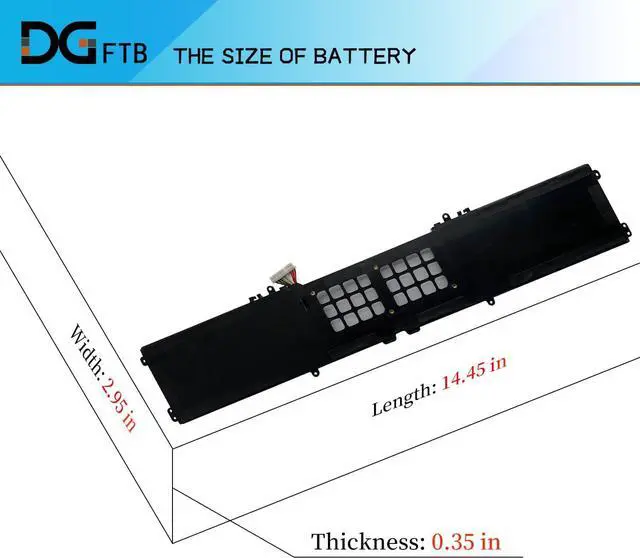
and compare with our battery pictures to ensure that this is what you need.
It helps you to buy the correct battery which you really want.
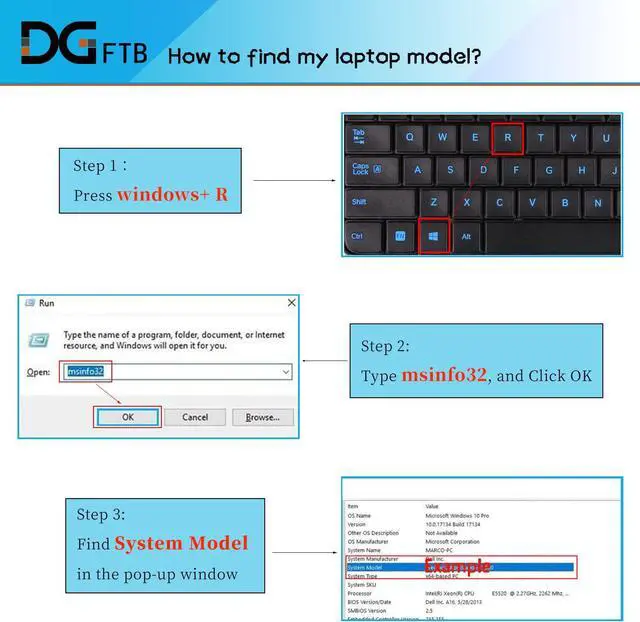
Specification: Compatible Machine Models: Install A New Battery: Battery can't be recognized by my laptop: Unparalleled Expertise:
Warranty & Returns
Warranty, Returns, And Additional Information
Warranty
- Please contact the Seller directly for warranty information. Warranty information may also be found on the Manufacturer's website.
- CONTACT
Return Policies
- Return for refund within: 30 days
- Return for replacement within: 30 days
- This item is covered by Forestgrand Return Policy
Manufacturer Contact Info
- For a directory of all our manufacturers, please click below.
- Manufacturers Directory
LOADING...