Your Browsing History
Meet Your Seller
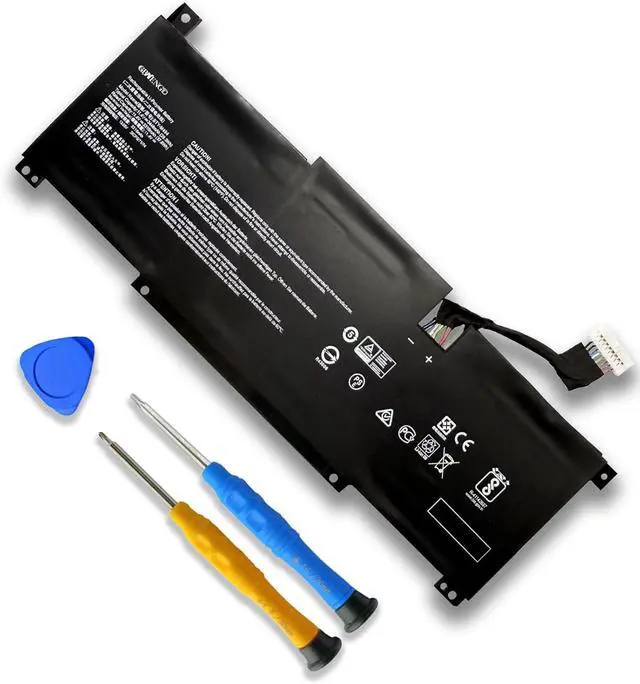
BTY-M494 White Battery for MSI Modern 14 C11M C12MO C12M C7M 15 B12M 39.3Wh
- for MSI Modern 14 C7MG C13M 15 B12HW B13M H MS-14C1 MS-14D MS-1551 MS-1562(12.2019) MS-16WK 3ICP6/71/74
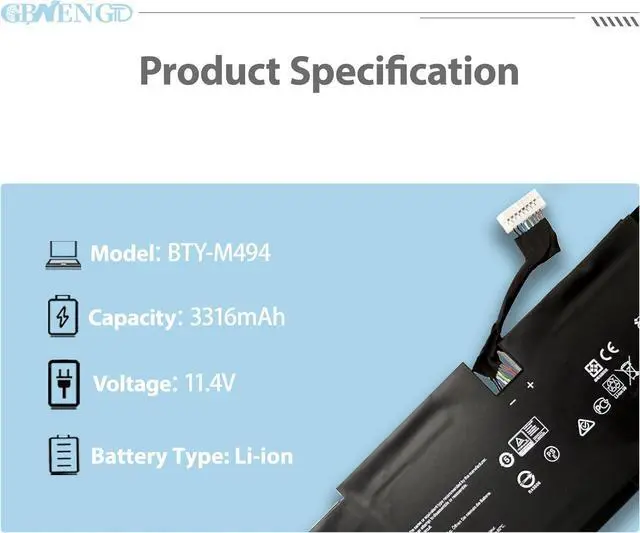
- Specifications Model:BTY-M494 Capatity: 39.3Wh/3448mAh Voltage:11.4V Color: Black Battery type: Rechargeable Li-ion Battery Condition: 100% brand New from Manufacturer.
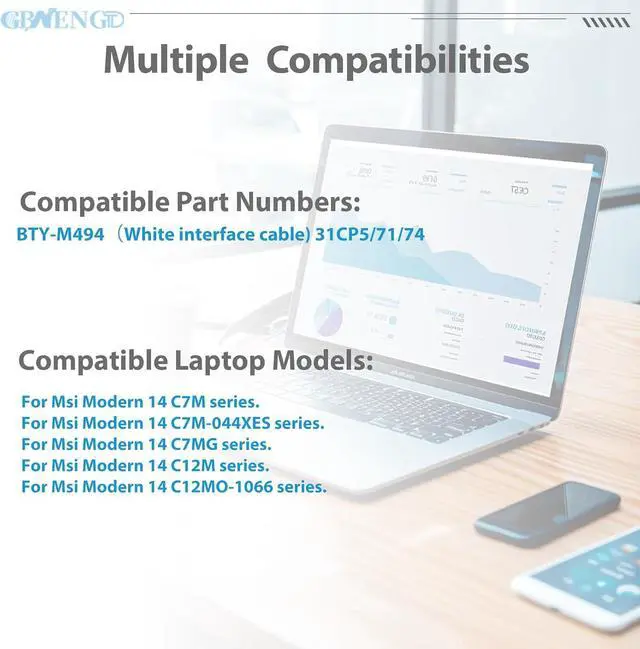
- Compatible Model for MSI Modern 14 C11M Series;for MSI Modern 14 C12M Series;for MSI Modern 14 C12MO Series;for MSI Modern 14 C7M Series;for MSI Modern 14 C7MG Series;for MSI Modern 14 C13M Series;for MSI Modern 15 B12M Series;for MSI Modern 15 B12HW Series;for MSI Modern 15 B13M H Series
- Compatible Part No# BTY-M494 MS-14C1 MS-14D MS-1551 MS-1562(12.2019) MS-16WK 3ICP6/71/74
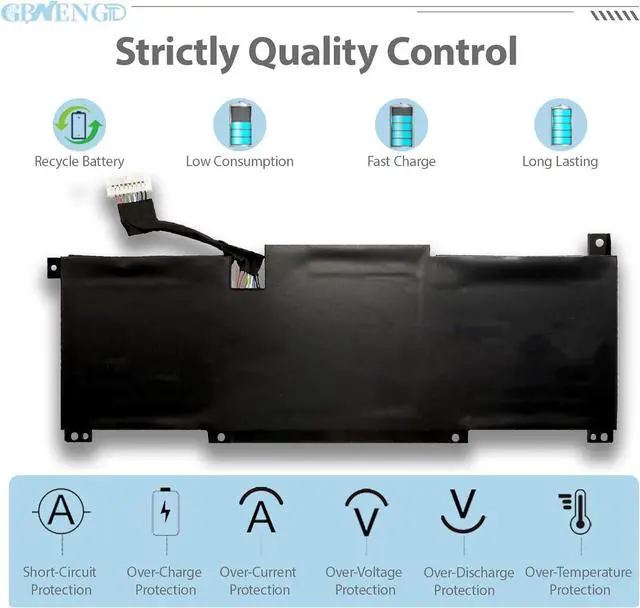
- Quality First We have passed a series tests of short circuit, overheating, and overload protection before shipments. The newest generation chips, grade A cell battery ,provide long cycle life, stable performance and broad compatibility.
- Service First-rate We promise 30-Day Refund & 1-Year Warranty. For any battery questions, just
+
+
Overview
Reviews
Any questions? Ask CelesteSM will help you find out quickly.
Try me now
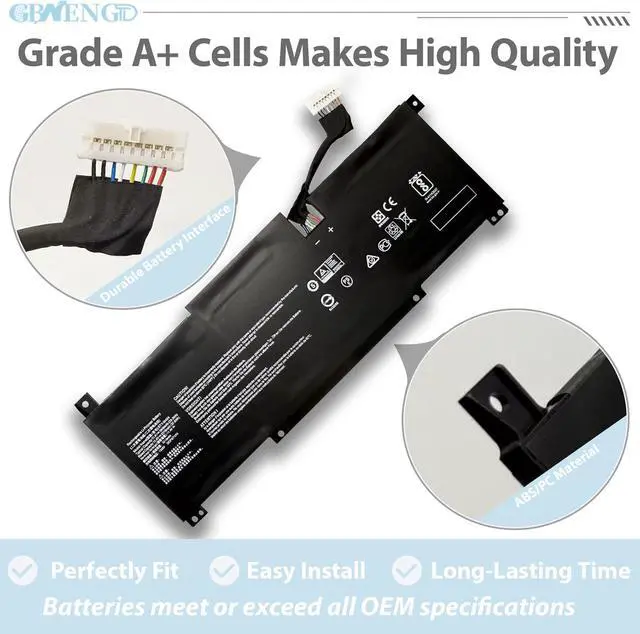
GBNENGTD is a professional manufacturer of laptop batteries, we focus on enhancing your laptop's performance with our cutting-edge replacement battery. Crafted with Grade A cells, we ensures superior quality and reliability, offering you a most perfect choice for purchasing batteries.
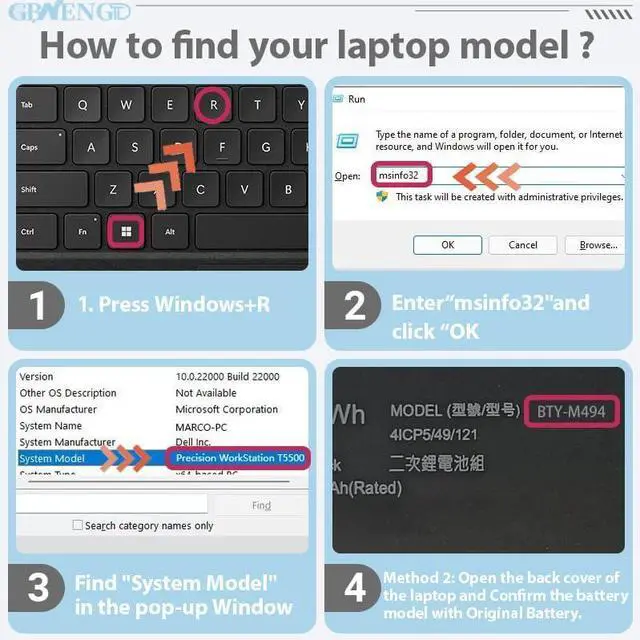
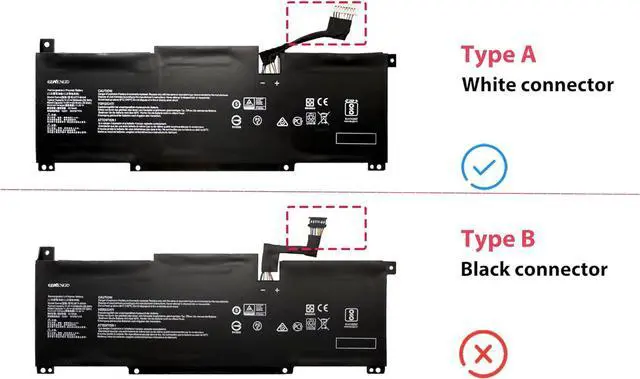
There are two methods that can help you find the correct model of the battery as above picture.
Important Note:
The battery has two different interfaces.(black and white)Interfaces are incompatible with each other.Please check your laptop interface before buying.Confirm whether it is consistent with the picture description.
1* BTY-M494 battery
1* screwdriver kit
1* instruction manual
Voltage: 11.4V
Capacity: 39.3Wh/3448mAh 3-Cells
Battery Type: Rechargeable Lithium-ion Battery
Condition: 100% New from Manufacturer, Grade A Cell
Compatible Part Numbers
BTY-M494 BTY-M49
MS-14C1 MS-14D MS-1551
MS-1562(12.2019) MS-16WK
3ICP6/71/74
for Msi Modern 14 C7M Series
for Msi Modern 14 C7M-044XES Series;
for Msi Modern 14 C7M-091 SeriesL
for Msi Modern 14 C7M-092 Series;
for Msi Modern 14 C7MG Series;
for Msi Modern 14 C11M Series;
for Msi Modern 14 C12M Series;
for Msi Modern 14 C12MO Series;
for Msi Modern 14 C12MO-1066 Series;
for Msi Modern 14 C12MO-1206 Series
Before replacing the new battery, you need to completely shut down the computer and remove the power and battery to avoid short-circuit during the replacement process.
Check and clean the battery slots first to make sure all connectors and screws are properly installed.
When removing and installing batteries, handle them with care to avoid damage caused by collision or falling.
Do Discharge the new battery use to 10% (not to 0%) and then charge to 95%, and cycle 3-4 times.
The important point is to perform a full discharge charge every other month to extend battery life.
Do not use the laptop in a high temperature environment and avoid fully charging or discharging the laptop battery for a long time, as this may damage the battery.
If you need to store your laptop for an extended period, it is recommended to charge the battery approximately once a month, maintaining a charge level of about 50% to keep it active.
Warranty & Returns
Warranty, Returns, And Additional Information
Warranty
- Please contact the Seller directly for warranty information. Warranty information may also be found on the Manufacturer's website.
- CONTACT
Return Policies
- Return for refund within: 30 days
- Return for replacement within: 30 days
- This item is covered by Forestgrand Return Policy
Manufacturer Contact Info
- For a directory of all our manufacturers, please click below.
- Manufacturers Directory
LOADING...